> For the complete documentation index, see [llms.txt](https://docs.cloudeka.ai/llms.txt). Markdown versions of documentation pages are available by appending `.md` to page URLs; this page is available as [Markdown](https://docs.cloudeka.ai/guidance-for-individual/deka-vpn/delete-deka-vpn.md).
# Delete Deka VPN
The Delete option allows you to remove an existing VPN configuration from the Service Portal AI. Once a VPN is deleted, it will no longer appear in the VPN List Table and cannot be used unless a new one is created. The following are the steps to delete a VPN in the Service Portal AI:
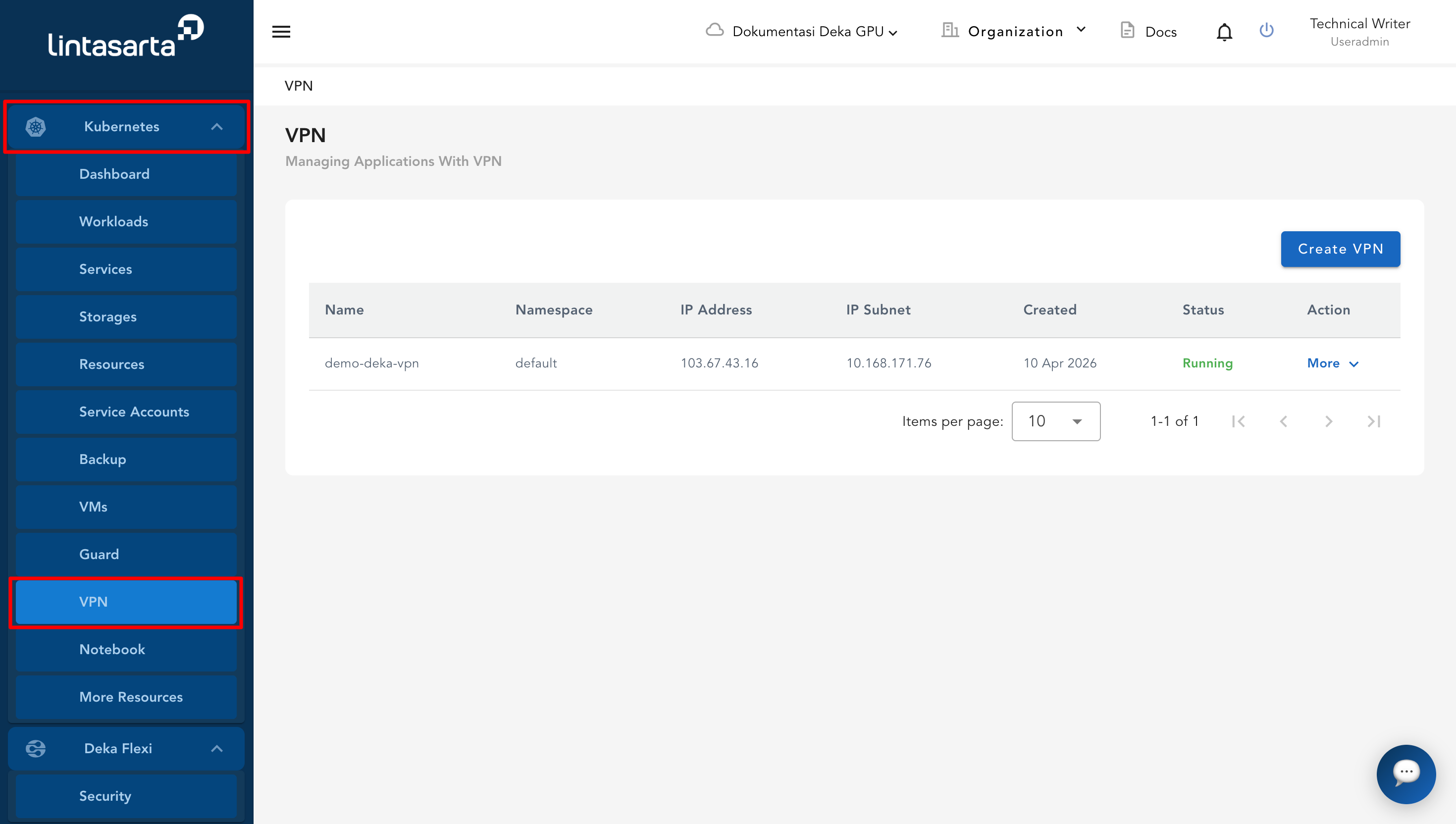
* Navigate to the Kubernetes menu on the sidebar, then select the VPN submenu. The list of all existing VPNs will be displayed.
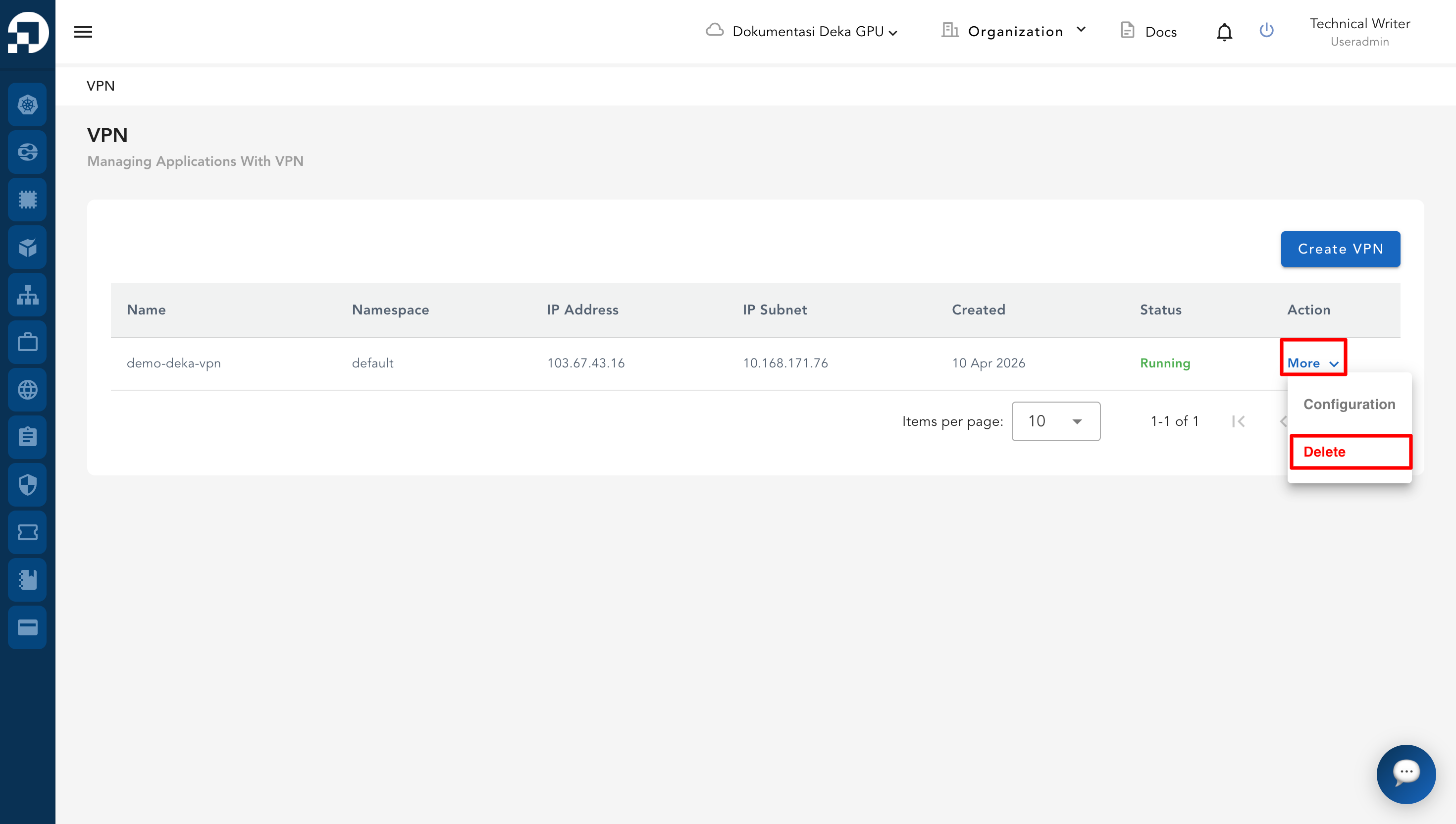
* In the Action column of the VPN intended for deletion, click the **More** button. From the dropdown menu, click **Delete**.
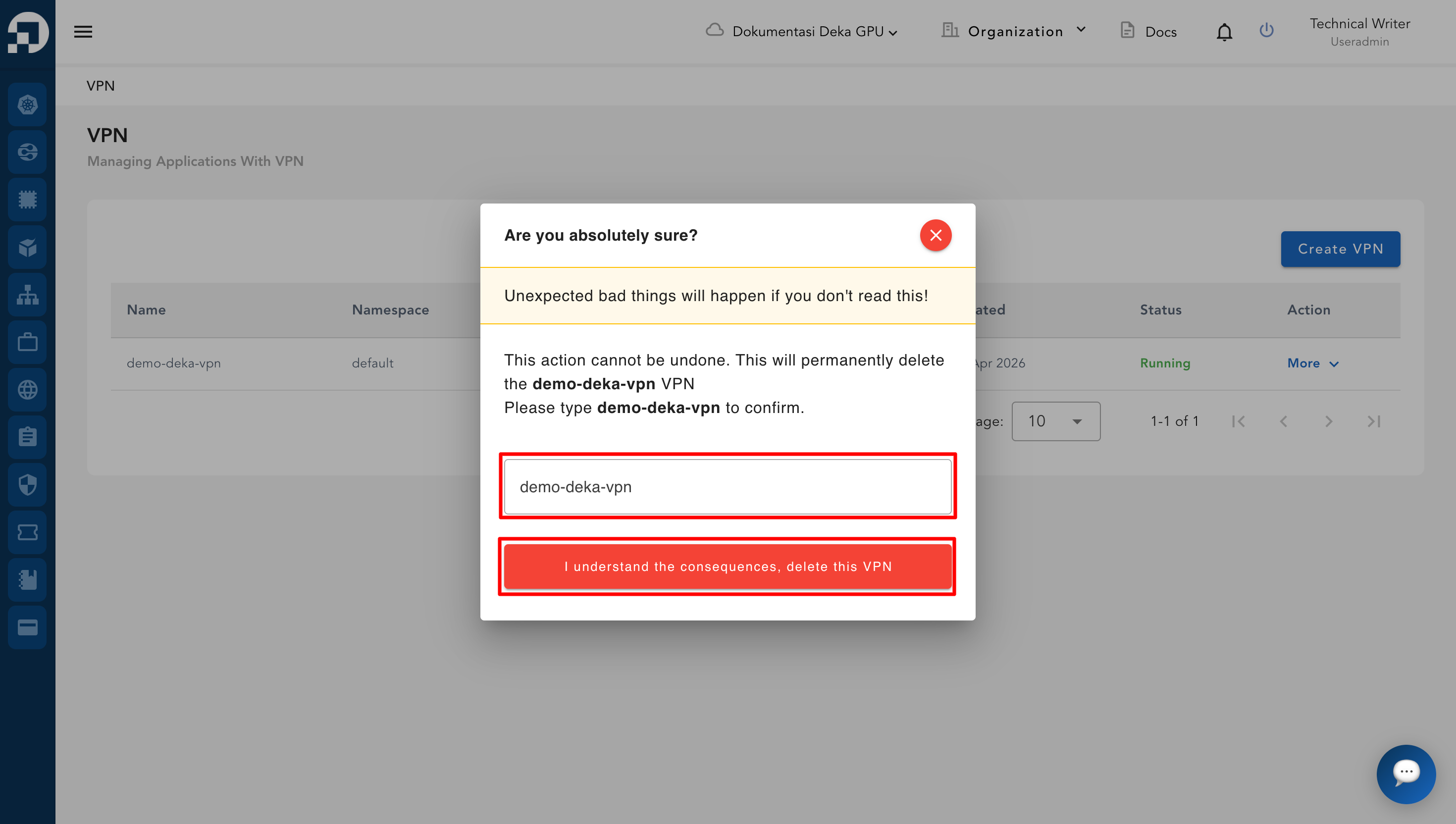
* A confirmation dialog box appears. Type the VPN name (e.g., *latest-test-vpn*) in the input field to confirm. Click the red button **“I understand the consequences, delete this VPN.”**
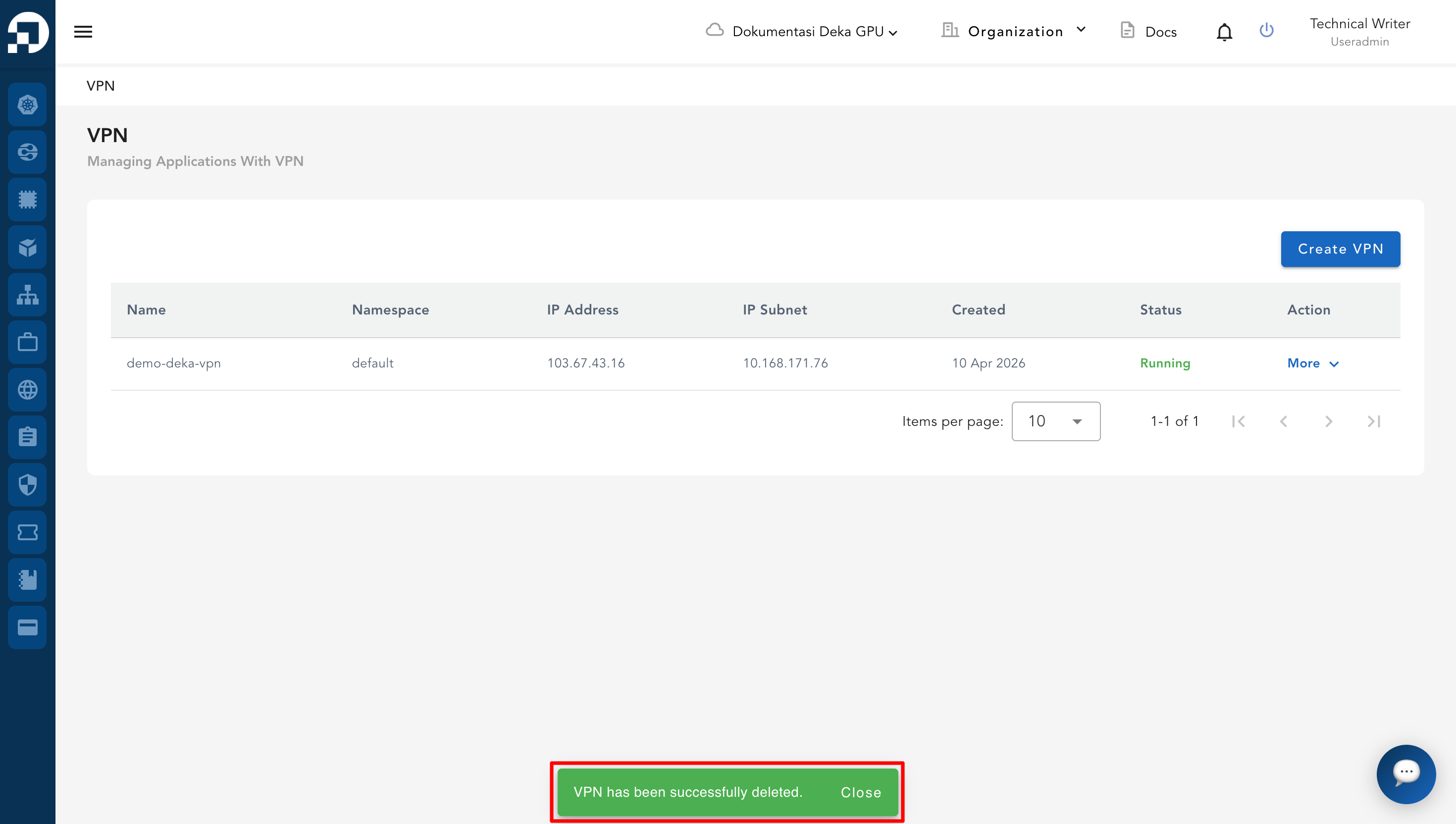
* Once the deletion is successful, the VPN entry disappears from the **VPN List Table** and the connection is no longer available.