> For the complete documentation index, see [llms.txt](https://docs.cloudeka.ai/llms.txt). Markdown versions of documentation pages are available by appending `.md` to page URLs; this page is available as [Markdown](https://docs.cloudeka.ai/guide-for-individual/bahasa/deka-claw/create-deka-claw/select-instance-type.md).

# Select Instance Type

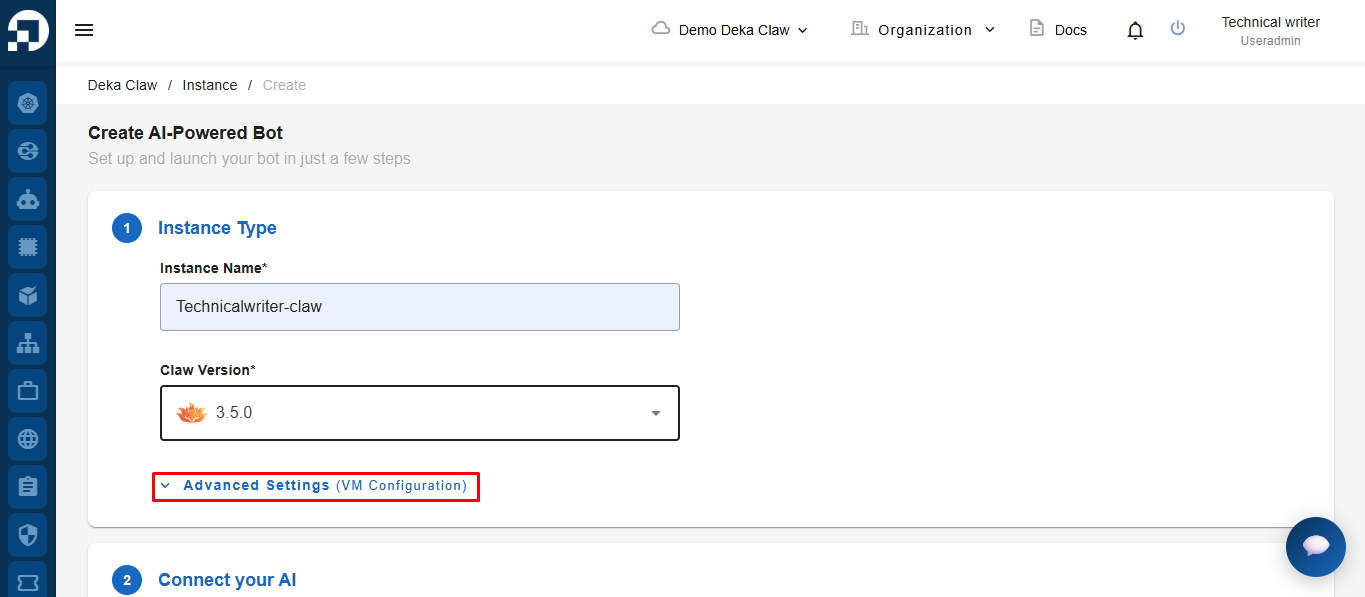
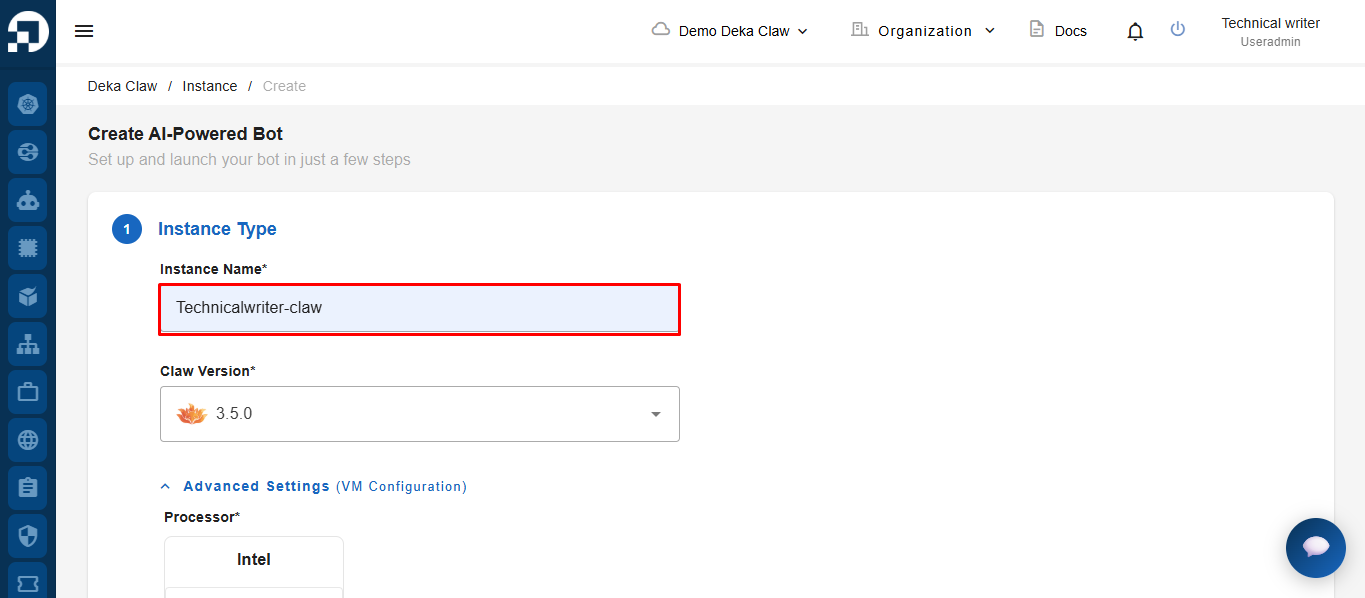
In the **Instance Type** step, enter the instance name in the **Instance Name** field.

<figure><img src="https://content.gitbook.com/content/cjAISi6xXwQD05JzCqqO/blobs/d4GJvpnQA3SBvbH9yhOr/image.png" alt=""><figcaption></figcaption></figure>

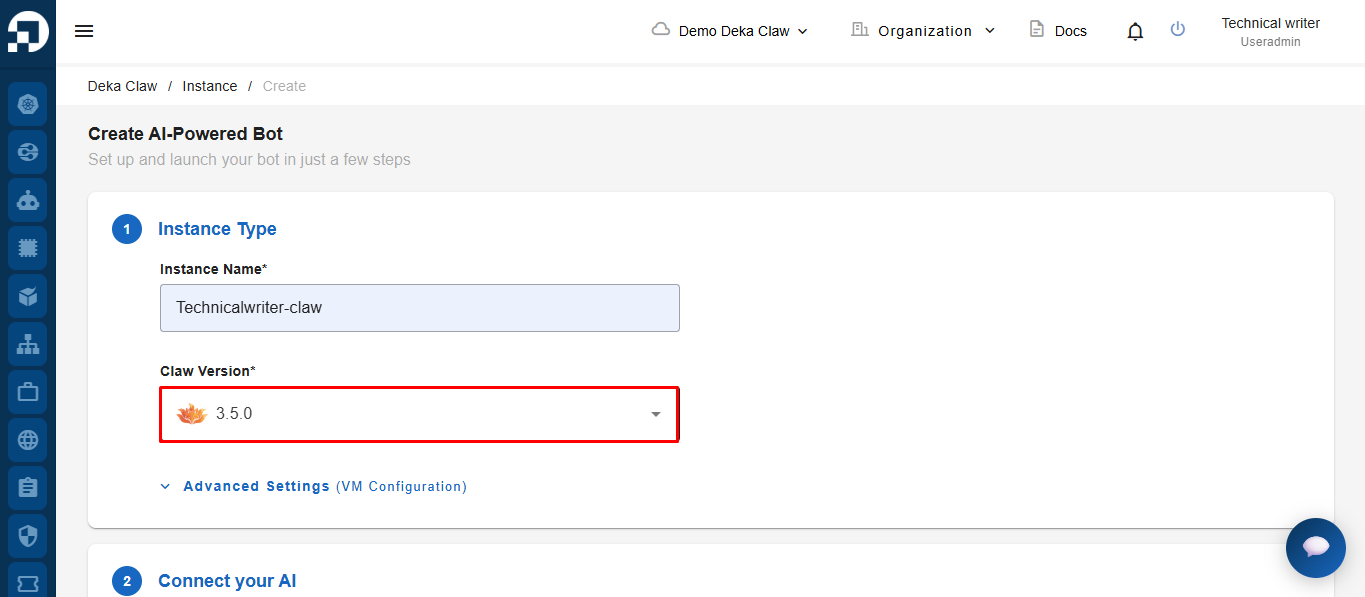
Select the Deka Claw version you want to use from the **Claw Version** dropdown menu.

<figure><img src="https://content.gitbook.com/content/cjAISi6xXwQD05JzCqqO/blobs/vg339h4FUIJ0kb33Ye88/image.png" alt=""><figcaption></figcaption></figure>

### Advance settings&#x20;

Click Advanced Settings to customize your configuration further.

<figure><img src="https://content.gitbook.com/content/cjAISi6xXwQD05JzCqqO/blobs/HIgGB1CmxzqSRDeok2t7/image.png" alt=""><figcaption></figcaption></figure>

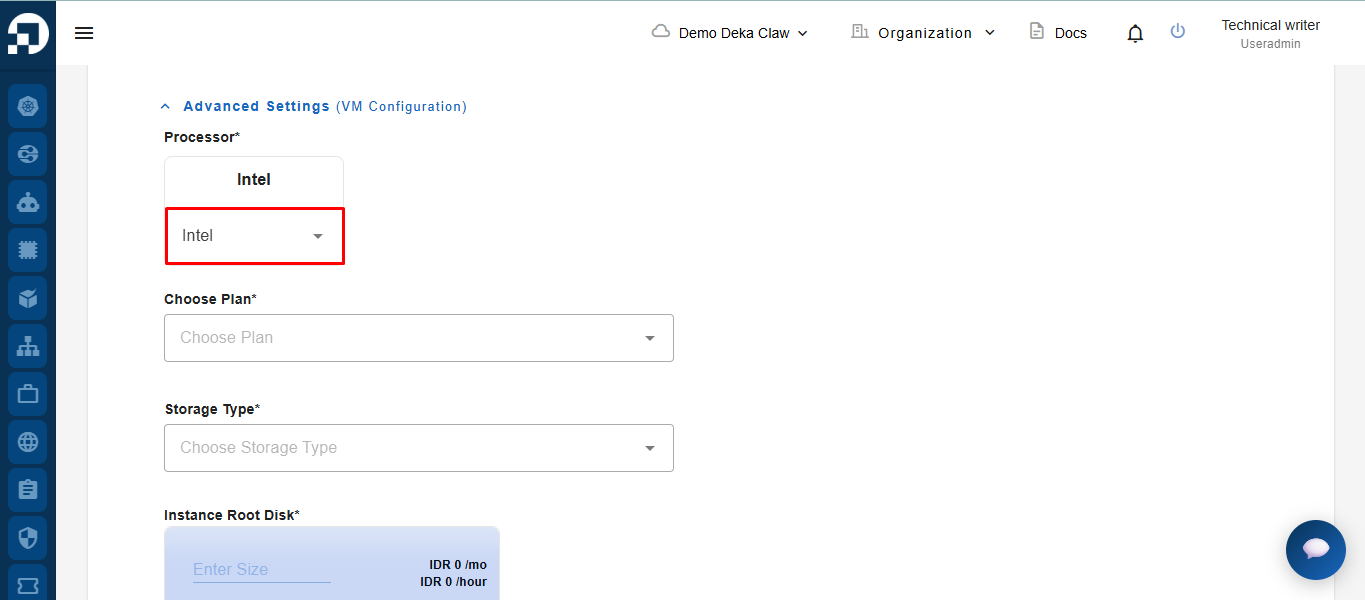
Select the processor type to be used for the instance.

<figure><img src="https://content.gitbook.com/content/cjAISi6xXwQD05JzCqqO/blobs/N3WhiW5mORcmLpCqwaUu/image.png" alt=""><figcaption></figcaption></figure>

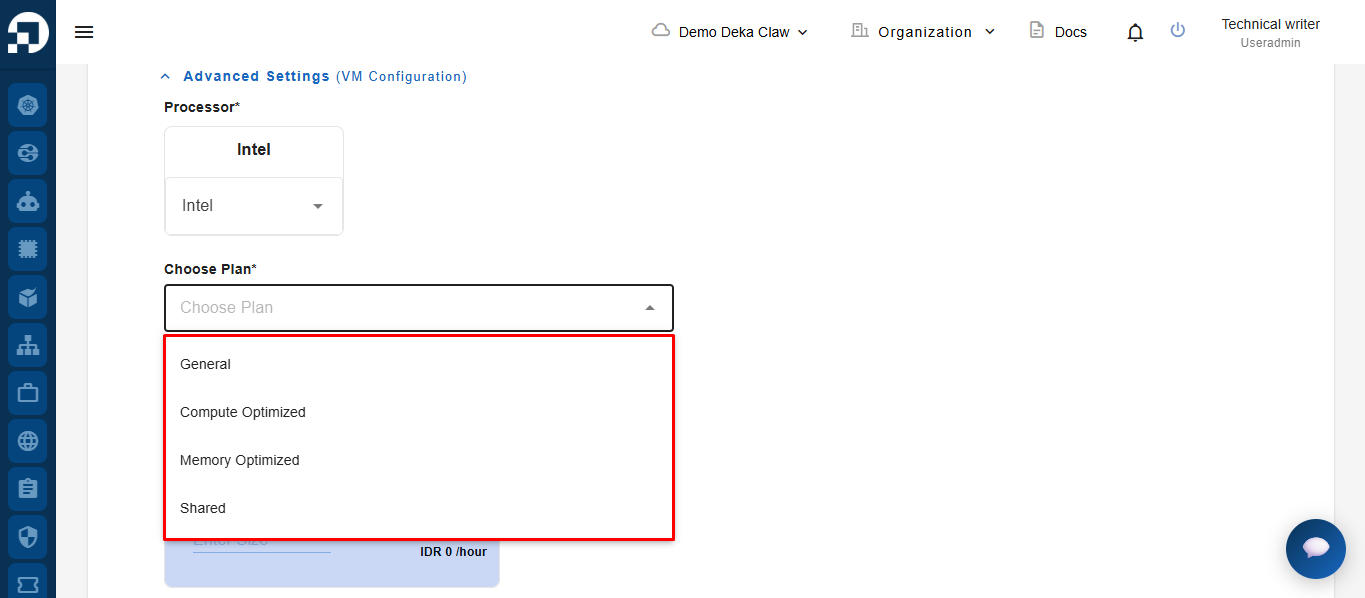
Select a plan from the **Choose Plan** dropdown menu based on your resource requirements.

<figure><img src="https://content.gitbook.com/content/cjAISi6xXwQD05JzCqqO/blobs/ISgbszYyPVpjKTSt8wJL/image.png" alt=""><figcaption></figcaption></figure>

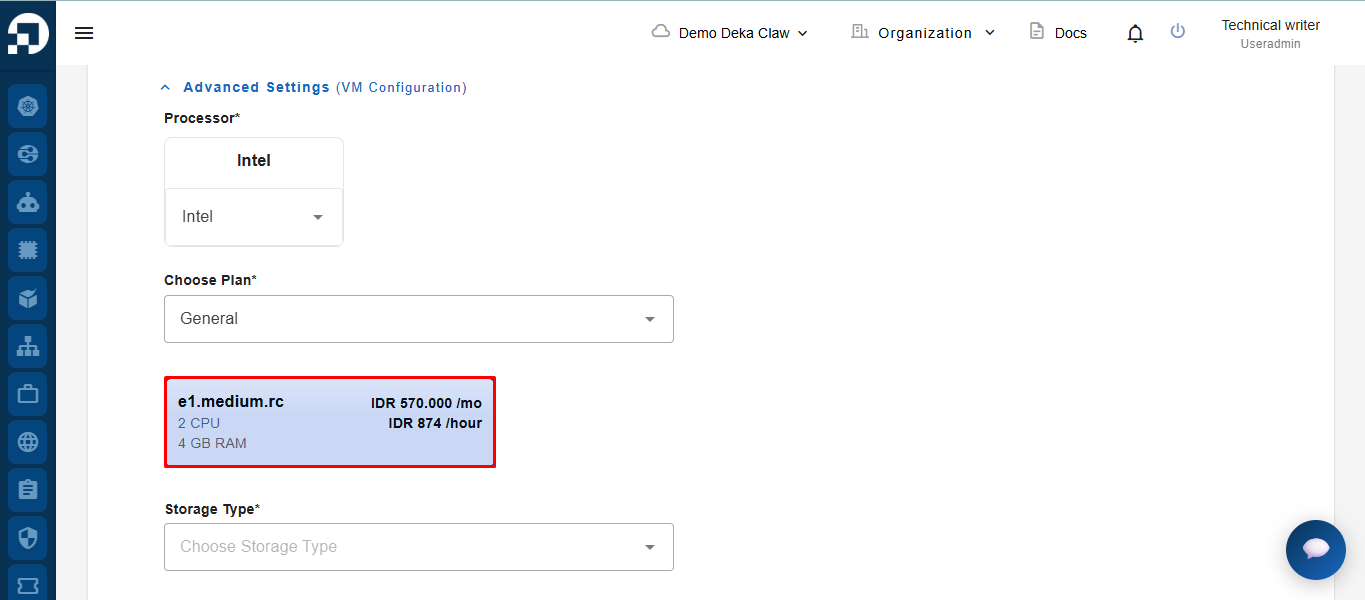
After selecting a plan, the system will display the available instance specifications and pricing details. Select the instance specification that matches your requirements.

<figure><img src="https://content.gitbook.com/content/cjAISi6xXwQD05JzCqqO/blobs/G9sL7IUjbbbLjT7THFpl/image.png" alt=""><figcaption></figcaption></figure>

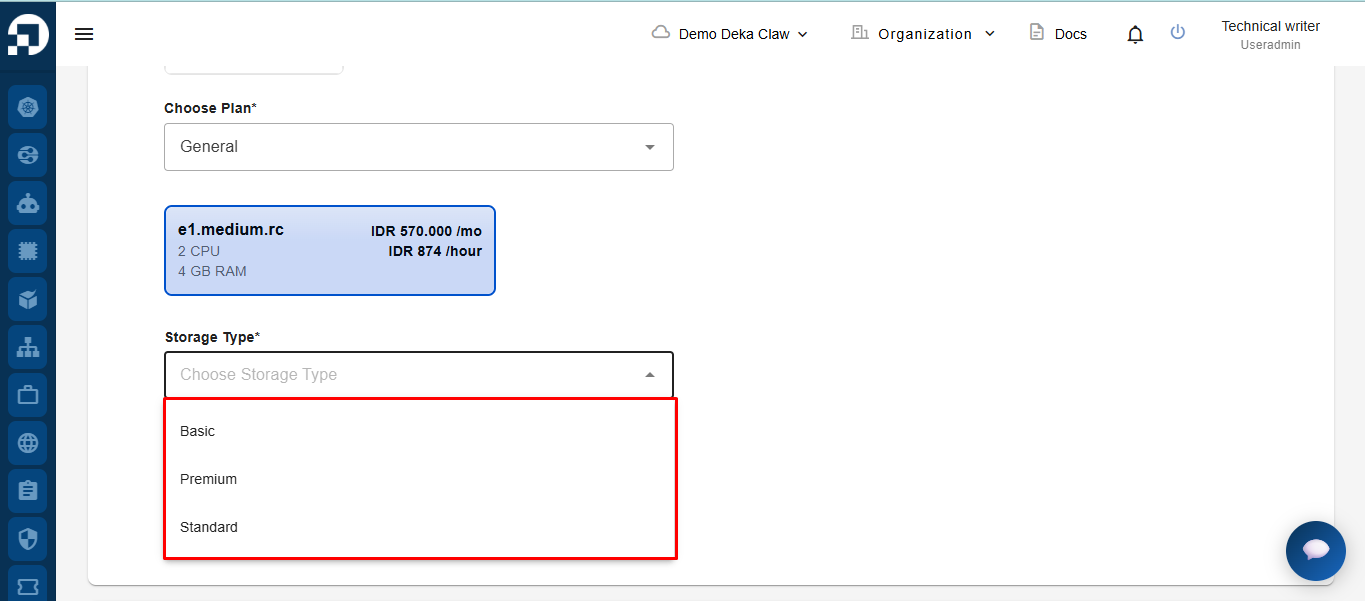
Select the storage type to be used for the instance.

<figure><img src="https://content.gitbook.com/content/cjAISi6xXwQD05JzCqqO/blobs/Ni3hhJpEVUVxXM9cwE1R/image.png" alt=""><figcaption></figcaption></figure>

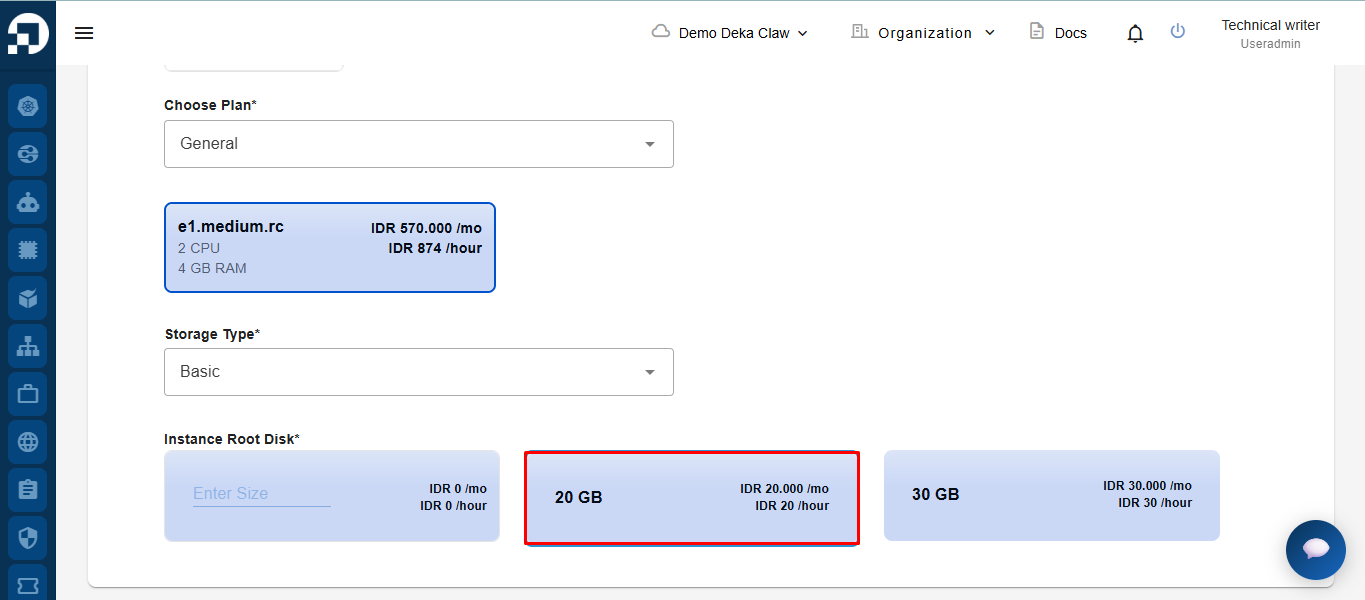
After selecting the storage type, the system will display the available root disk capacity options along with the pricing details. Select the **root disk capacity** that matches your requirements.
<figure><img src="https://content.gitbook.com/content/cjAISi6xXwQD05JzCqqO/blobs/YP5gvibkjPKkVT0XpPjn/image.png" alt=""><figcaption></figcaption></figure>