> For the complete documentation index, see [llms.txt](https://docs.cloudeka.ai/llms.txt). Markdown versions of documentation pages are available by appending `.md` to page URLs; this page is available as [Markdown](https://docs.cloudeka.ai/guide-for-individual/bahasa/deka-gpu-mlops/experiments-automl/get-experiments-results.md).

# Get Experiments Results

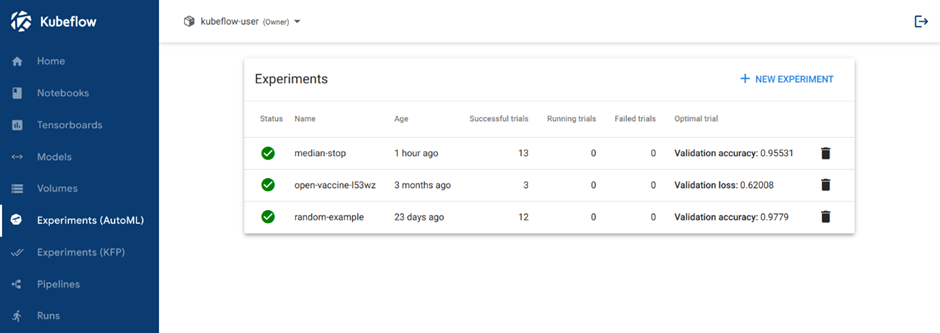
You should be able to view the list of Experiments on Experiments (AutoML) menu page:

<figure><img src="https://content.gitbook.com/content/cjAISi6xXwQD05JzCqqO/blobs/L3khbiz2SGqY6ZL66yuk/image.png" alt=""><figcaption><p>Homepage</p></figcaption></figure>

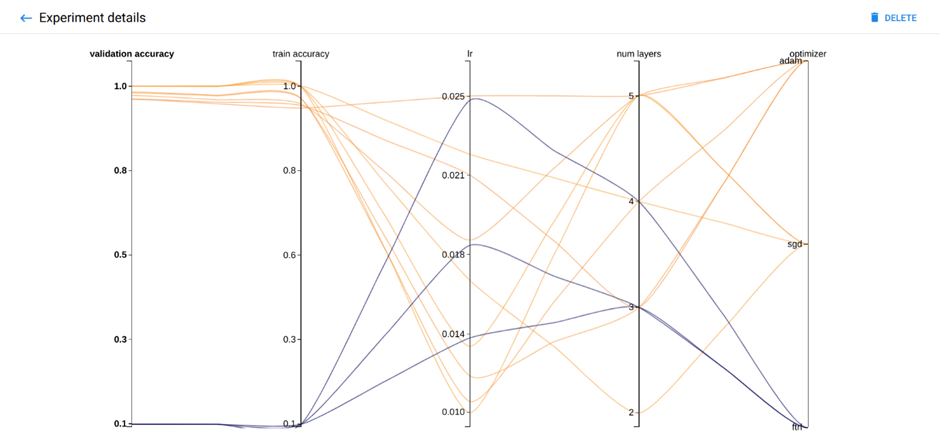
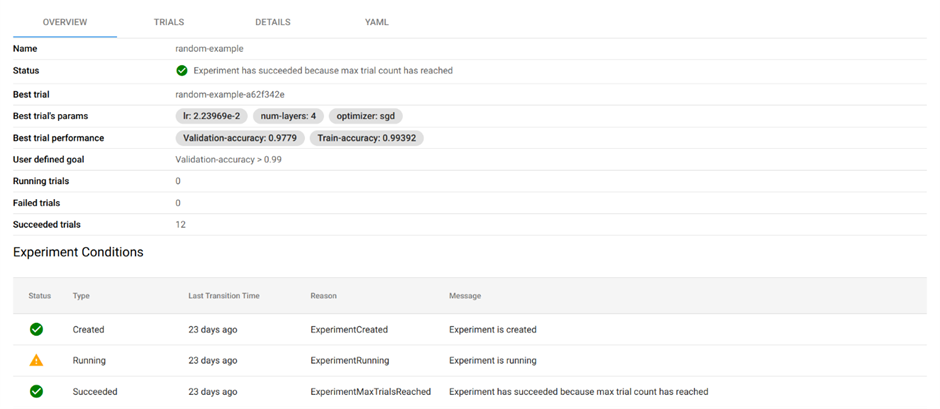
Click the name of your Experiment. For example, click “random-example”. There should be a graph showing the level of validation and train accuracy for various combinations of the hyperparameter values (learning rate, number of layers, and optimizer).

<figure><img src="https://content.gitbook.com/content/cjAISi6xXwQD05JzCqqO/blobs/fWFymrxlVy1SHJT8R7Ze/image.png" alt=""><figcaption></figcaption></figure>

<figure><img src="https://content.gitbook.com/content/cjAISi6xXwQD05JzCqqO/blobs/k7htfnxd46oqkABs4f1v/image.png" alt=""><figcaption><p>Experiments Result Visualized</p></figcaption></figure>

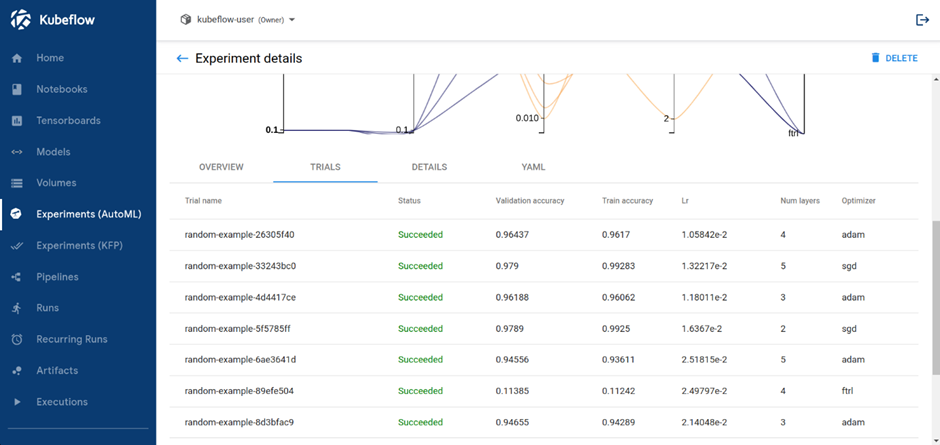
If you click to the Trials tab, you will see list of Trials that ran withing the Experiment.

<figure><img src="https://content.gitbook.com/content/cjAISi6xXwQD05JzCqqO/blobs/CgCzUn1C5Z3yGlhgKYaJ/image.png" alt=""><figcaption><p>Trials Run by the Experiment</p></figcaption></figure>

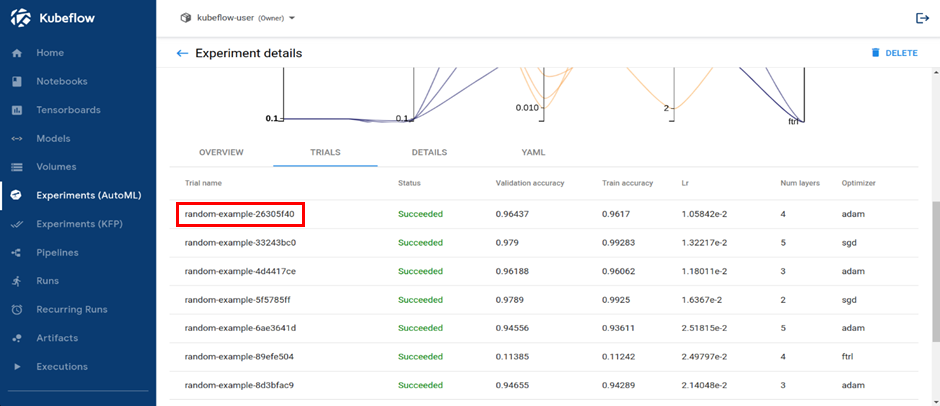
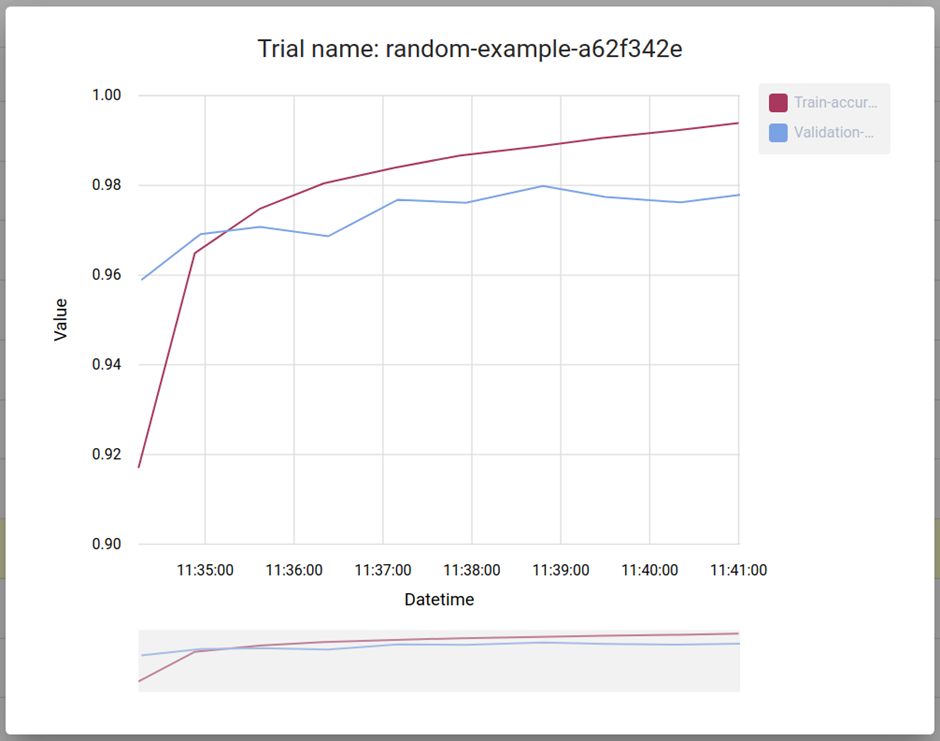
You can click on Trial name to get metrics for the Trial.
<figure><img src="https://content.gitbook.com/content/cjAISi6xXwQD05JzCqqO/blobs/5Qi8N82mLjkz8NY1mBAf/image.png" alt=""><figcaption><p>Trials Run by the Experiment</p></figcaption></figure>

<figure><img src="https://content.gitbook.com/content/cjAISi6xXwQD05JzCqqO/blobs/6IerpjBBYdq0FKoA3PGM/image.png" alt=""><figcaption><p>Individual Trial Metrics</p></figcaption></figure>