> For the complete documentation index, see [llms.txt](https://docs.cloudeka.ai/llms.txt). Markdown versions of documentation pages are available by appending `.md` to page URLs; this page is available as [Markdown](https://docs.cloudeka.ai/guide-for-individual/bahasa/deka-gpu/deka-gpu-registry/detail-registry/member/add-user.md).
# Add User
The following are the steps for adding users to access the repository on the Deka GPU Service on the Service Portal AI.
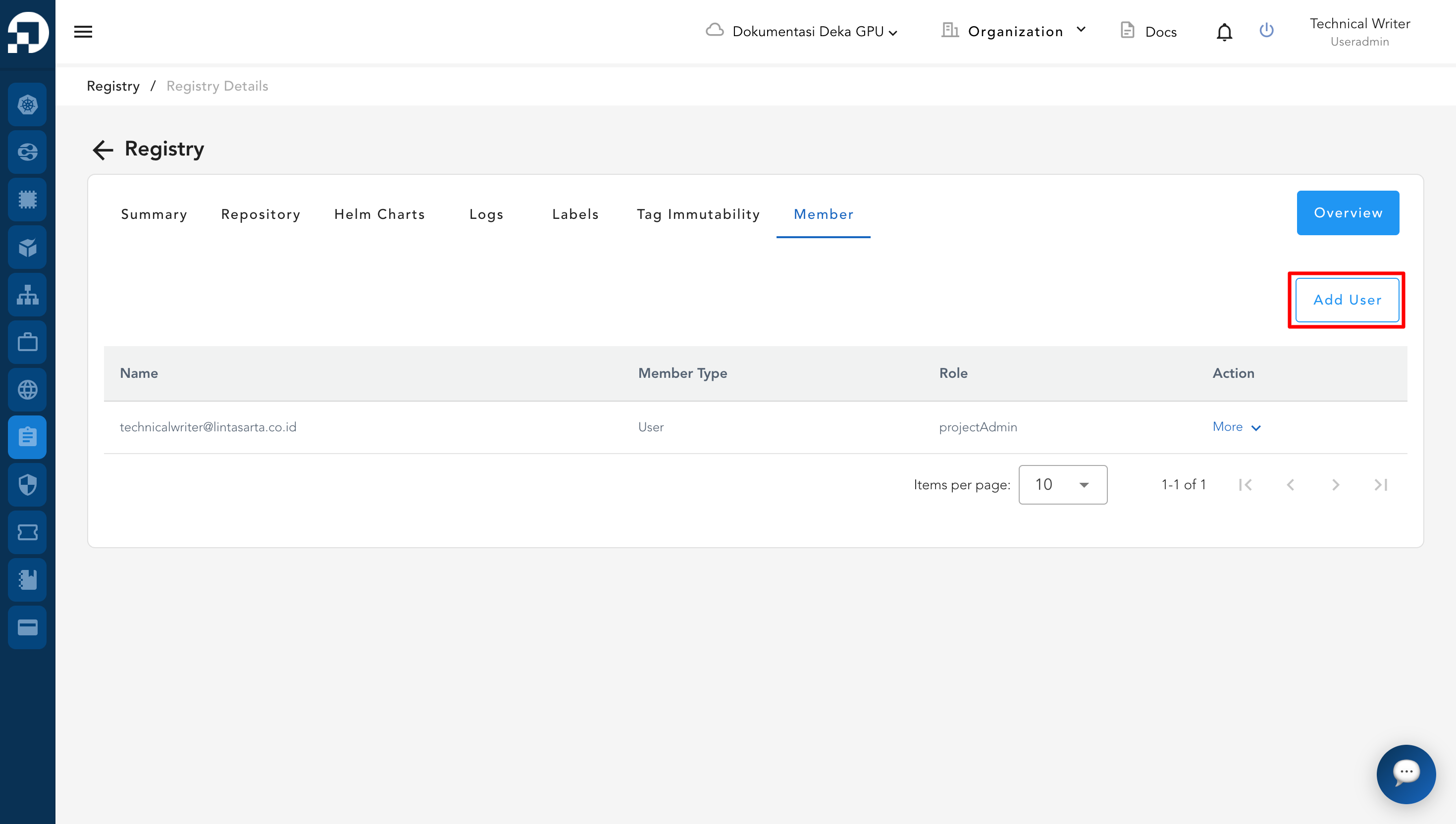
* On the Members page, click the Add User button.
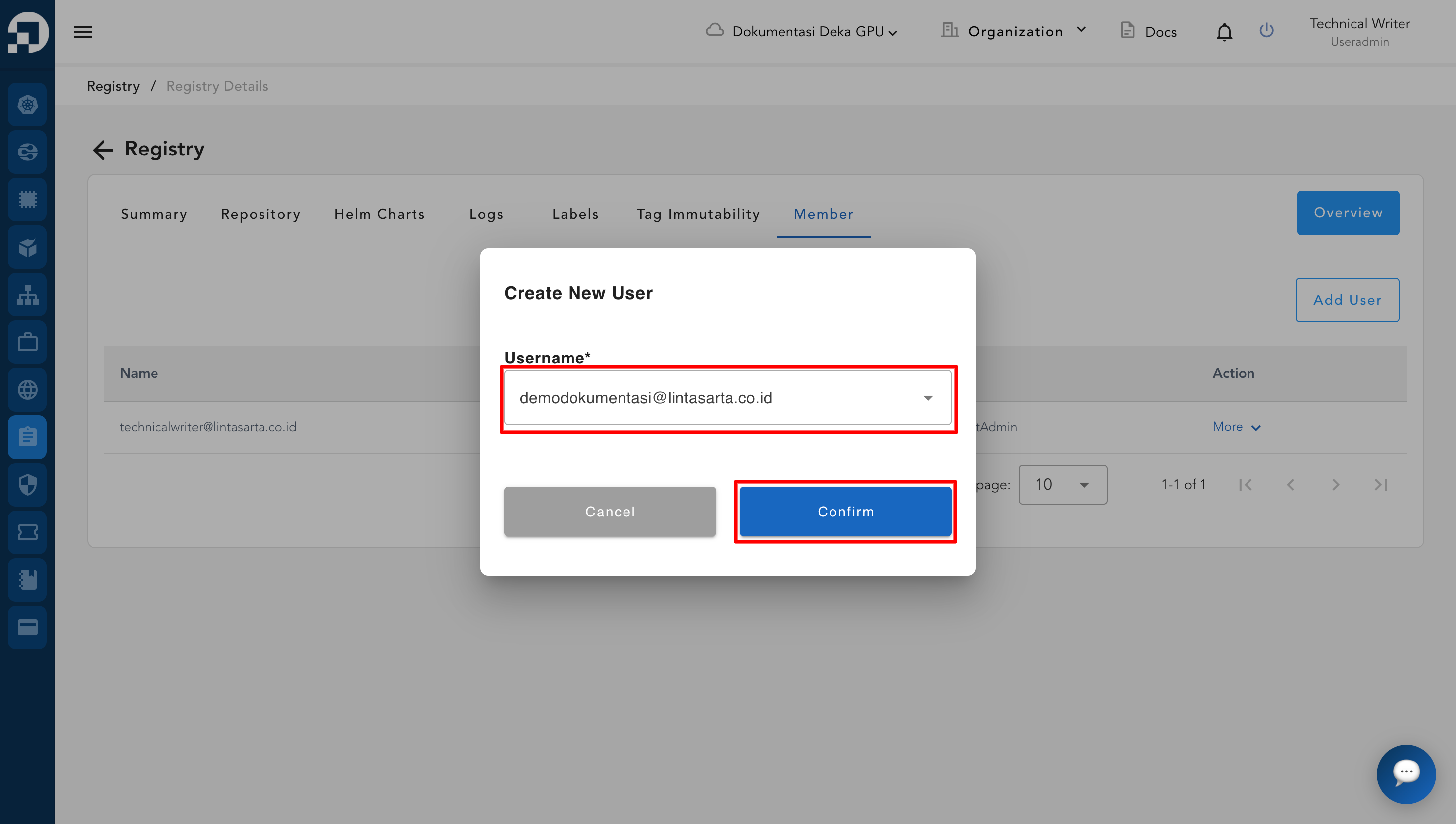
* The Create New User window appears, specify the Username to be added. Click the Confirm button if you have determined the username and role to be used.
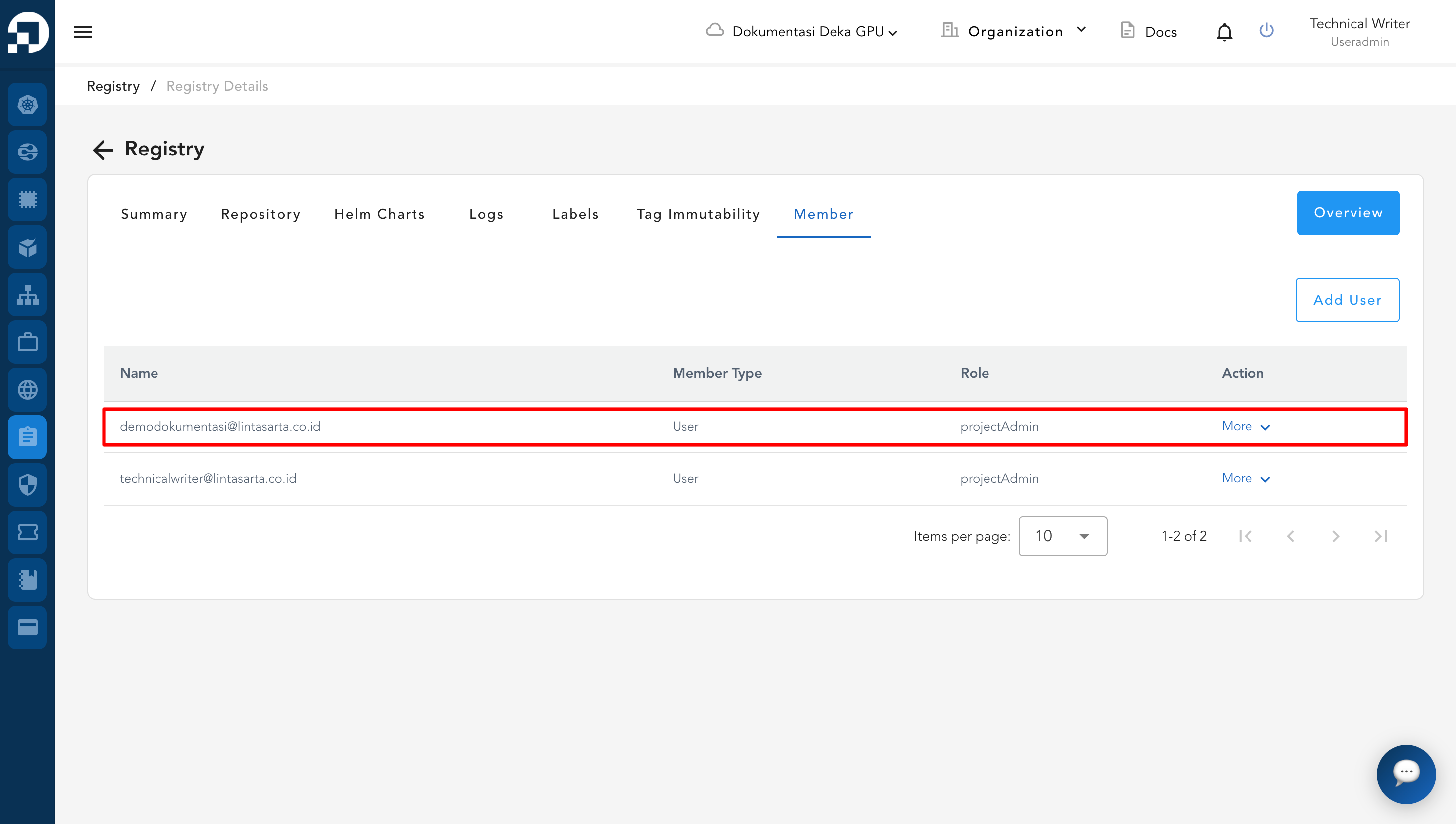
* After successfully creating a user, it will appear in the Member list as shown below.