> For the complete documentation index, see [llms.txt](https://docs.cloudeka.ai/llms.txt). Markdown versions of documentation pages are available by appending `.md` to page URLs; this page is available as [Markdown](https://docs.cloudeka.ai/guide-for-individual/bahasa/deka-gpu/deka-gpu-registry/detail-registry/repository/detail-repository/add-labels.md).
# Add Labels
To assign labels to an artifact, you can use the **Add Labels** action from the Artifact List.
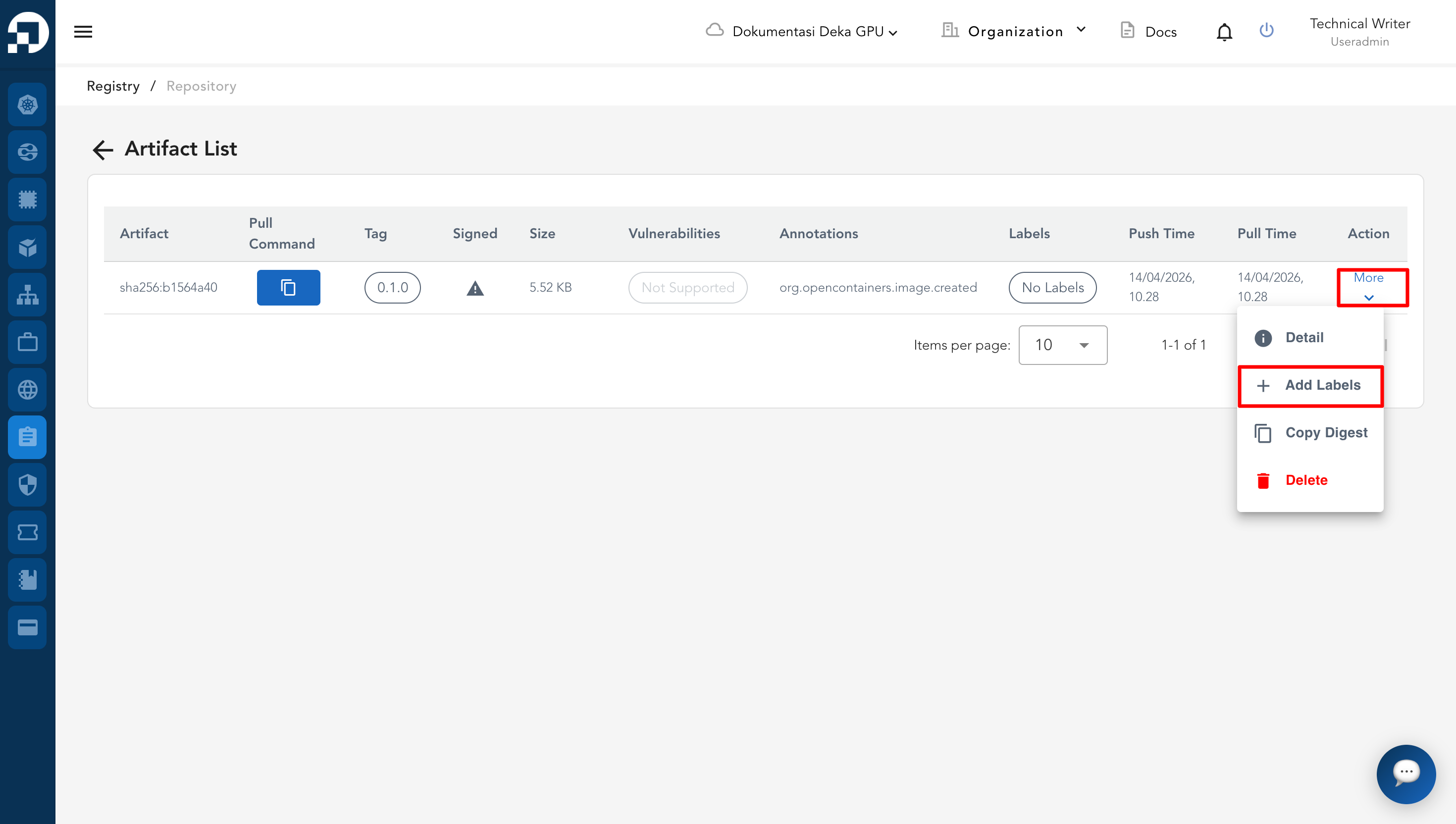
* In the **Artifact List**, locate the artifact you want to label. Click **More** in the **Action** column. Select **Add Labels**.
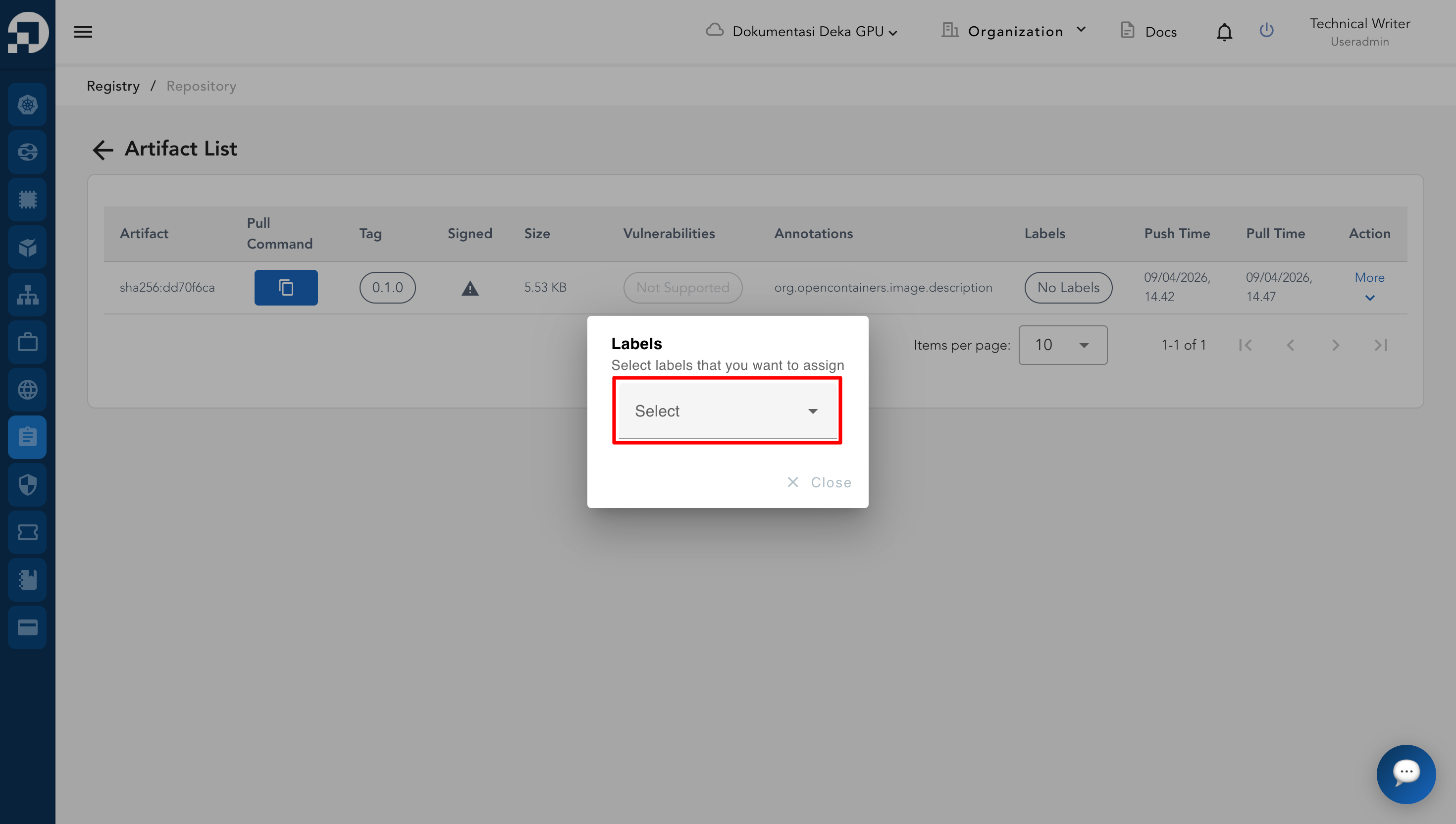
* In the **Labels** dialog, click the dropdown field. Select the desired label.
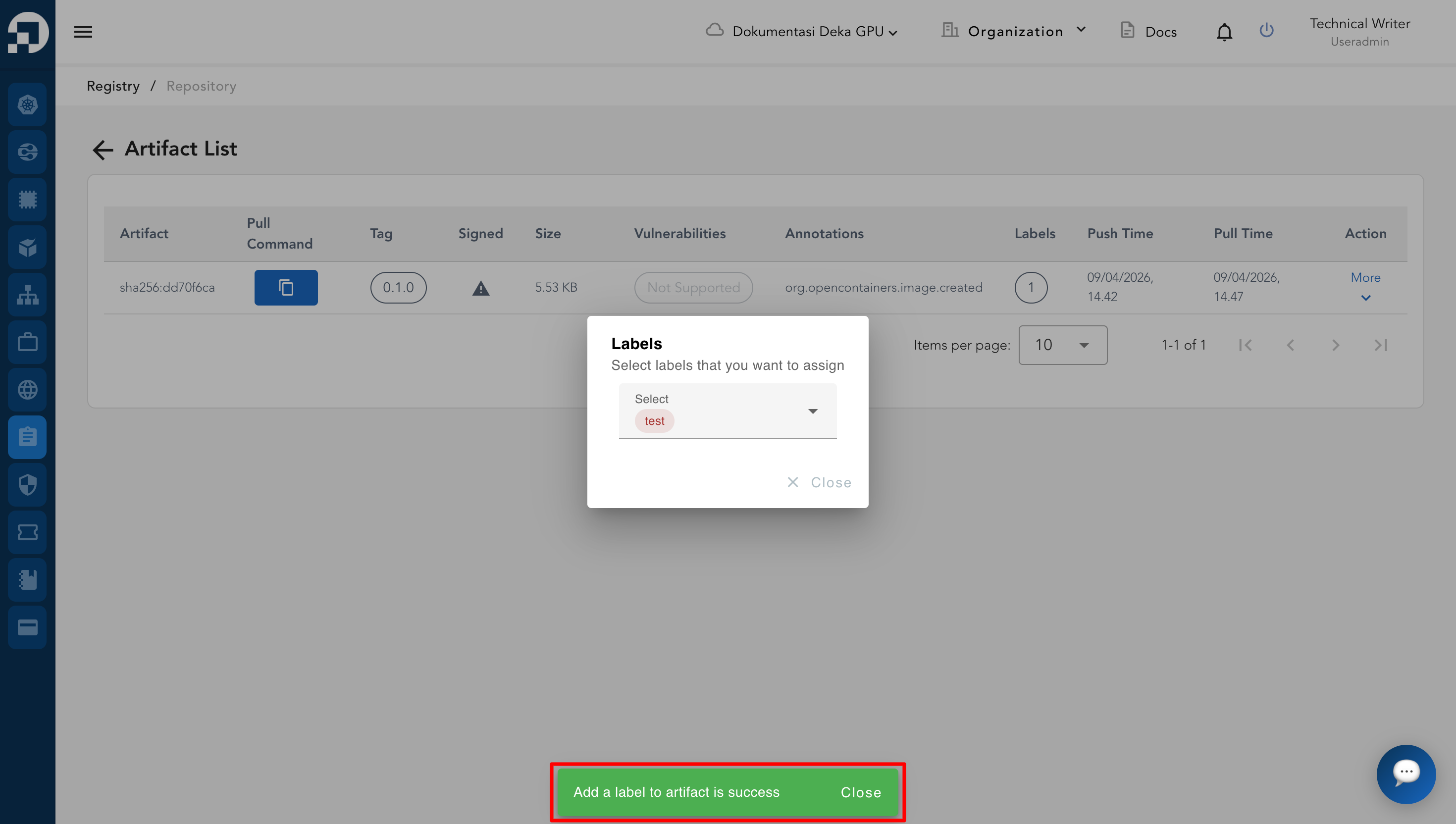
* A success notification will appear indicating that the label has been successfully added to the artifact.