> For the complete documentation index, see [llms.txt](https://docs.cloudeka.ai/llms.txt). Markdown versions of documentation pages are available by appending `.md` to page URLs; this page is available as [Markdown](https://docs.cloudeka.ai/guide-for-individual/bahasa/deka-guard/delete-deka-guard.md).
# Delete Deka Guard
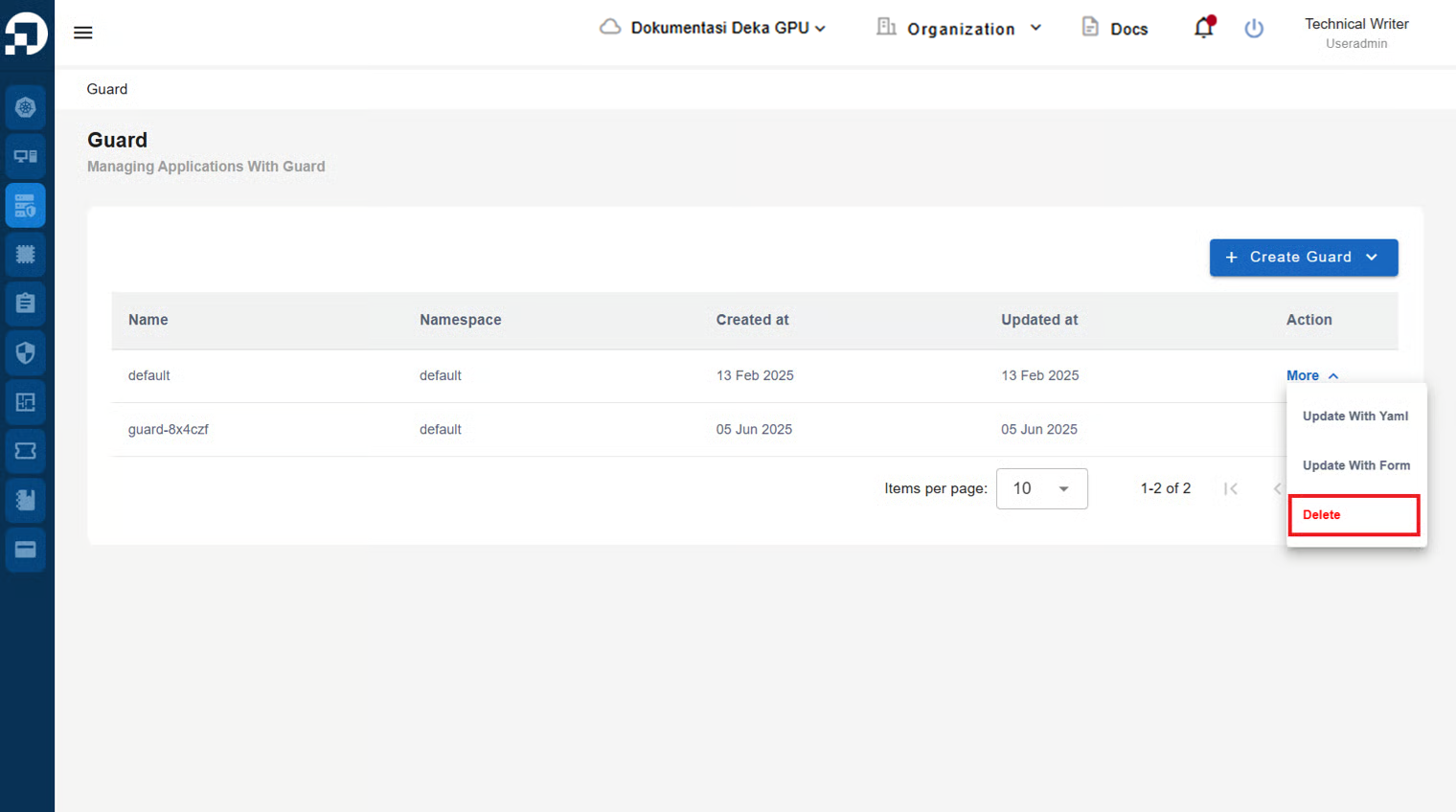
On the Deka Guard page in the Service Portal Cloudeka, select the Deka Guard to be deleted by tapping the More button and click the Delete button.
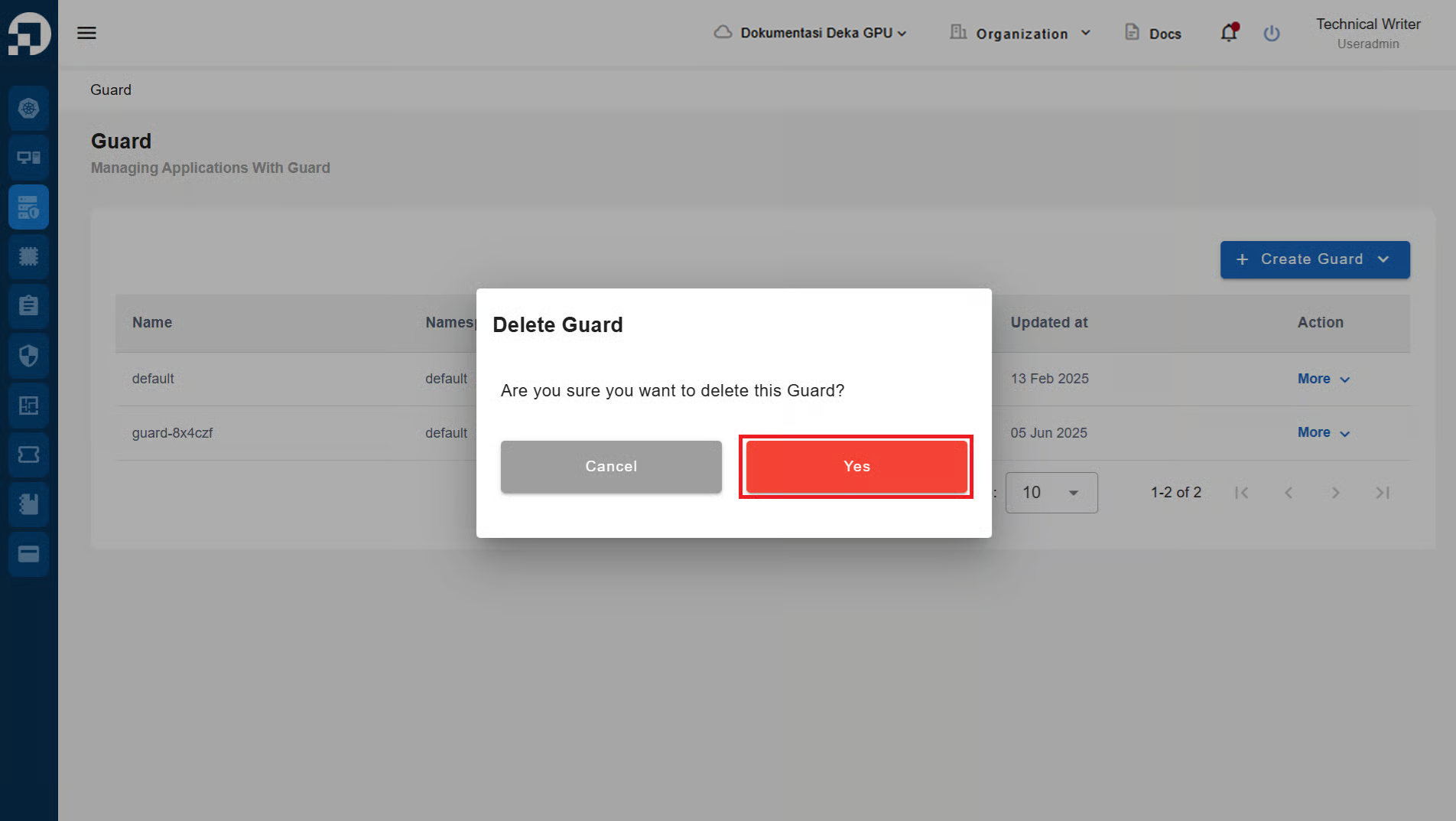
The Delete Guard window appears, click the Yes button to continue the process of deleting the registered Deka Guard.
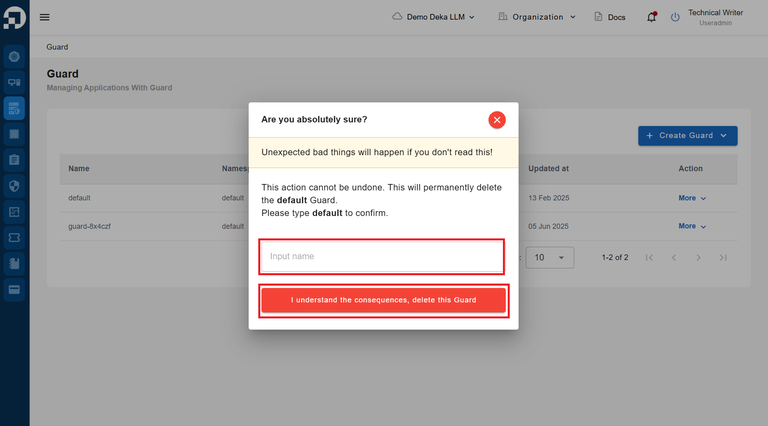
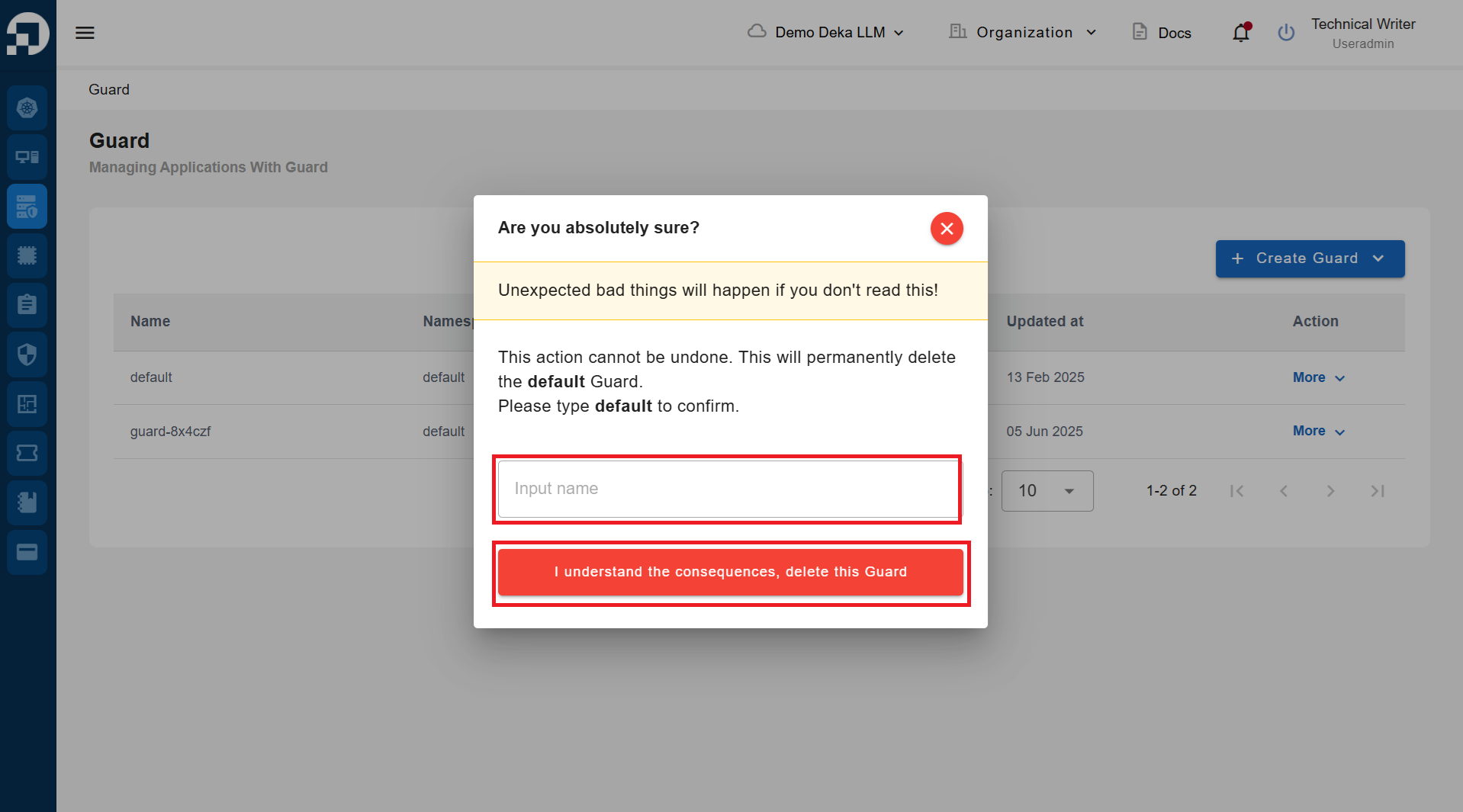
Enter the name of the Deka Guard to be deleted in the Input Name field and press the "I undestand the consequences, delete this Guard" button.
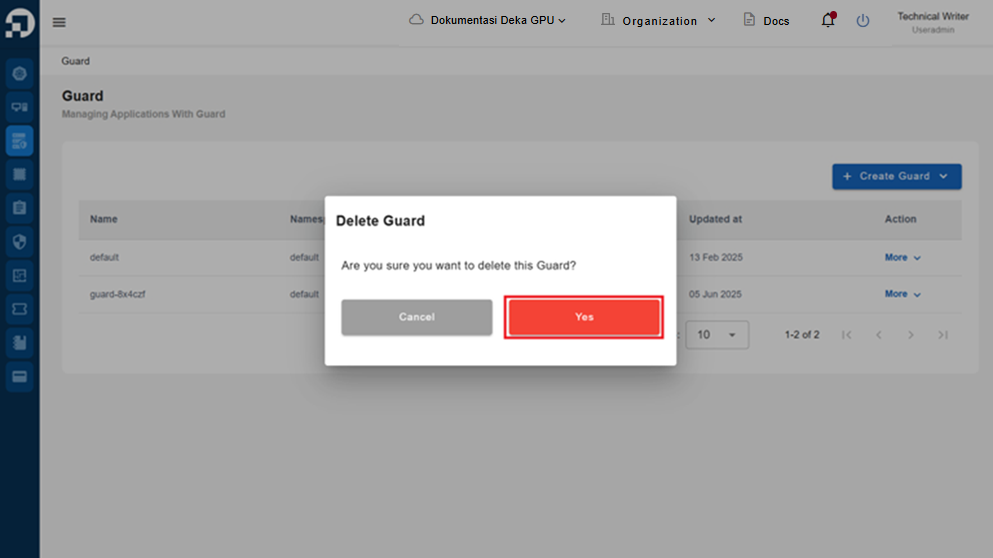
The Delete Guard window appears, click the Yes button to continue the process of deleting the registered Deka Guard.
Enter the name of the Deka Guard to be deleted in the Input Name field and press the "I undestand the consequences, delete this Guard" button.
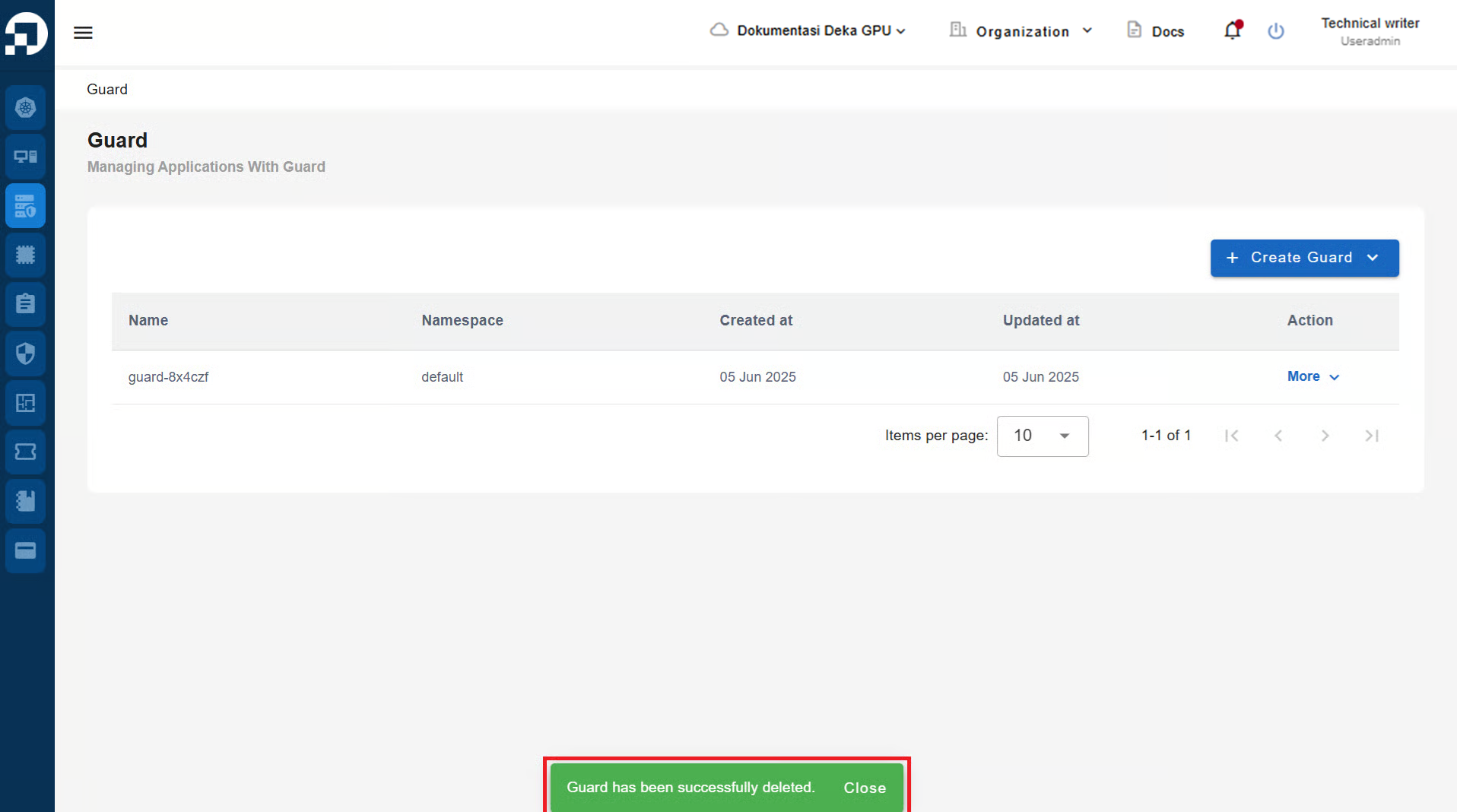
The notification "Guard has been successfully deleted" will appear.