> For the complete documentation index, see [llms.txt](https://docs.cloudeka.ai/llms.txt). Markdown versions of documentation pages are available by appending `.md` to page URLs; this page is available as [Markdown](https://docs.cloudeka.ai/guide-for-individual/bahasa/deka-vpn/configuration-deka-vpn-openvpn/openvpn-user/delete-user.md).
# Delete User
The Delete User section allows permanent removal of an individual OpenVPN account, ensuring that only valid and authorized users retain access. The following are the steps to **Delete User** from the Service Portal AI:
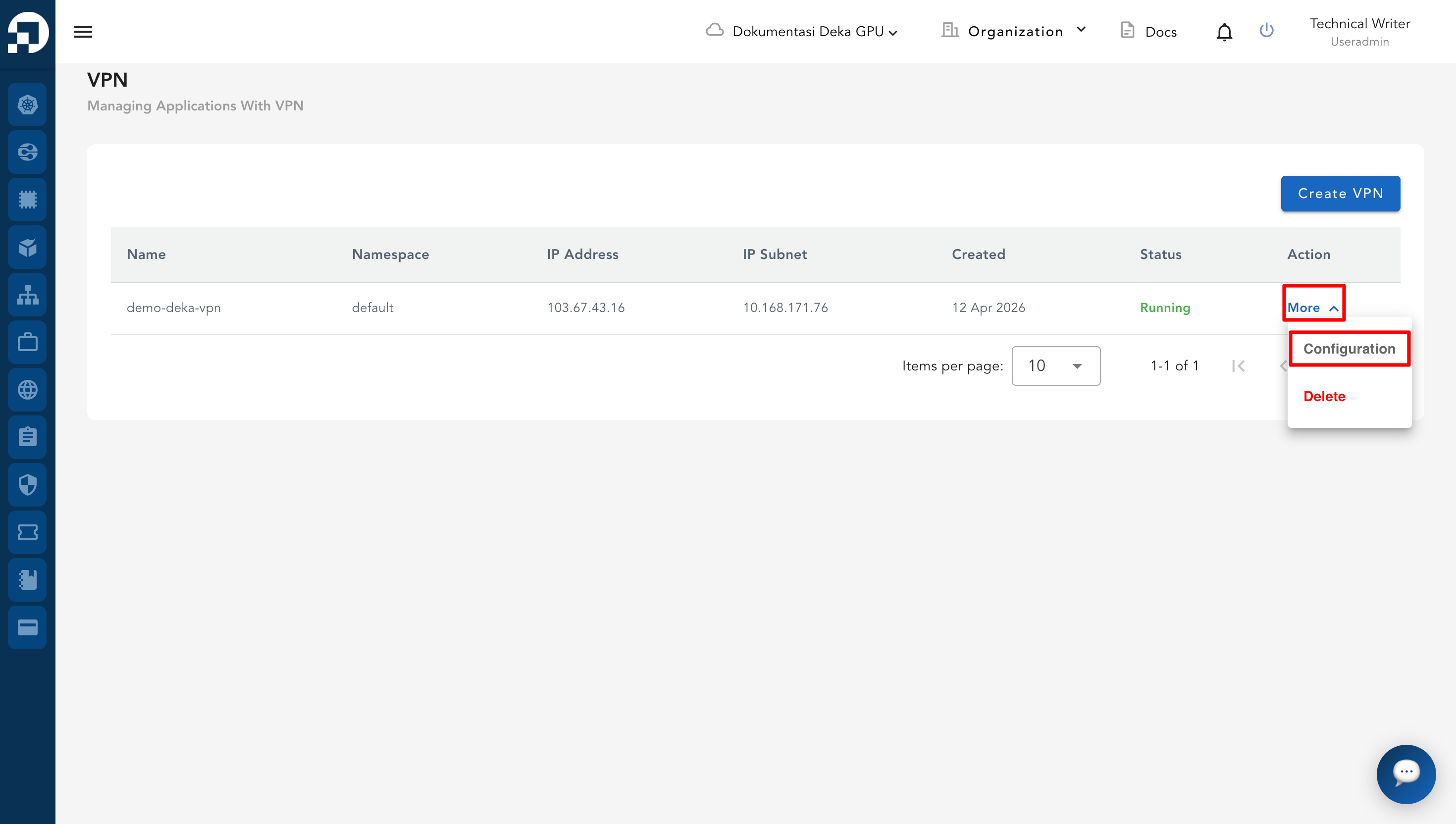
* From the **VPN List Table**, click **More** and select **Configuration** on the VPN to be managed.
* On the configuration page, go to the **OpenVPN** tab.
* Scroll down to the **OpenVPN User** section. In the **Action** column of the target user, click **More** and select **Delete**.
* A **Delete User** confirmation dialog will appear. If this action is not intended, or if you want to cancel, click the **Close** button.
* Click **Confirm** to proceed with deletion.
* A notification will appear stating **"User has been successfully deleted."**
.png)
.png)
.png)
.png)
.png)