> For the complete documentation index, see [llms.txt](https://docs.cloudeka.ai/llms.txt). Markdown versions of documentation pages are available by appending `.md` to page URLs; this page is available as [Markdown](https://docs.cloudeka.ai/guide-for-individual/bahasa/deka-vpn/configuration-deka-vpn-openvpn/openvpn-user/edit-expiration-date.md).
# Edit Expiration Date
The following are the steps to Edit Expiration Date from the Service Portal AI:
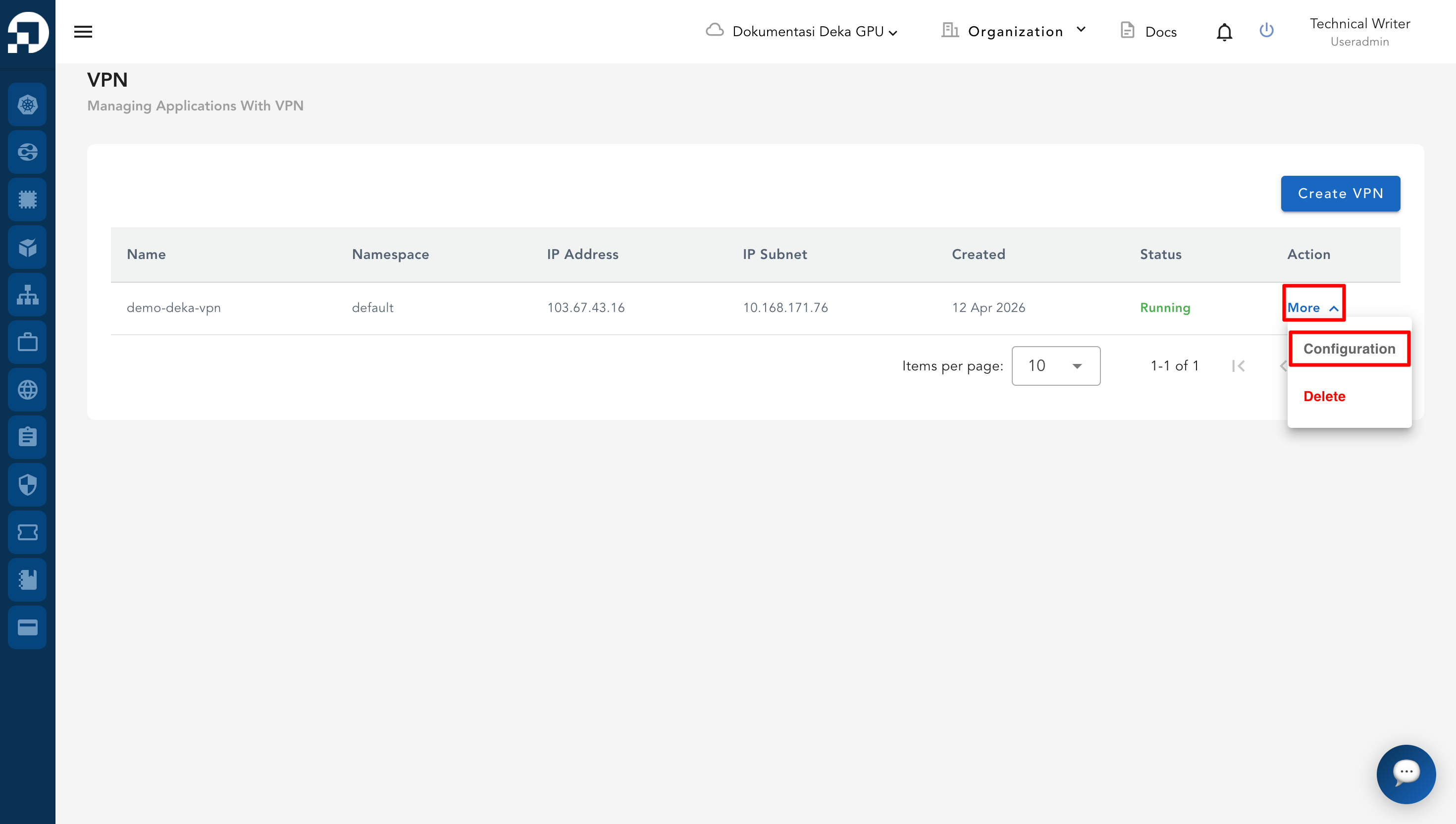
* From the **VPN List Table**, click **More** and select **Configuration** on the VPN that will be managed.
* On the configuration page, go to the **OpenVPN** tab.
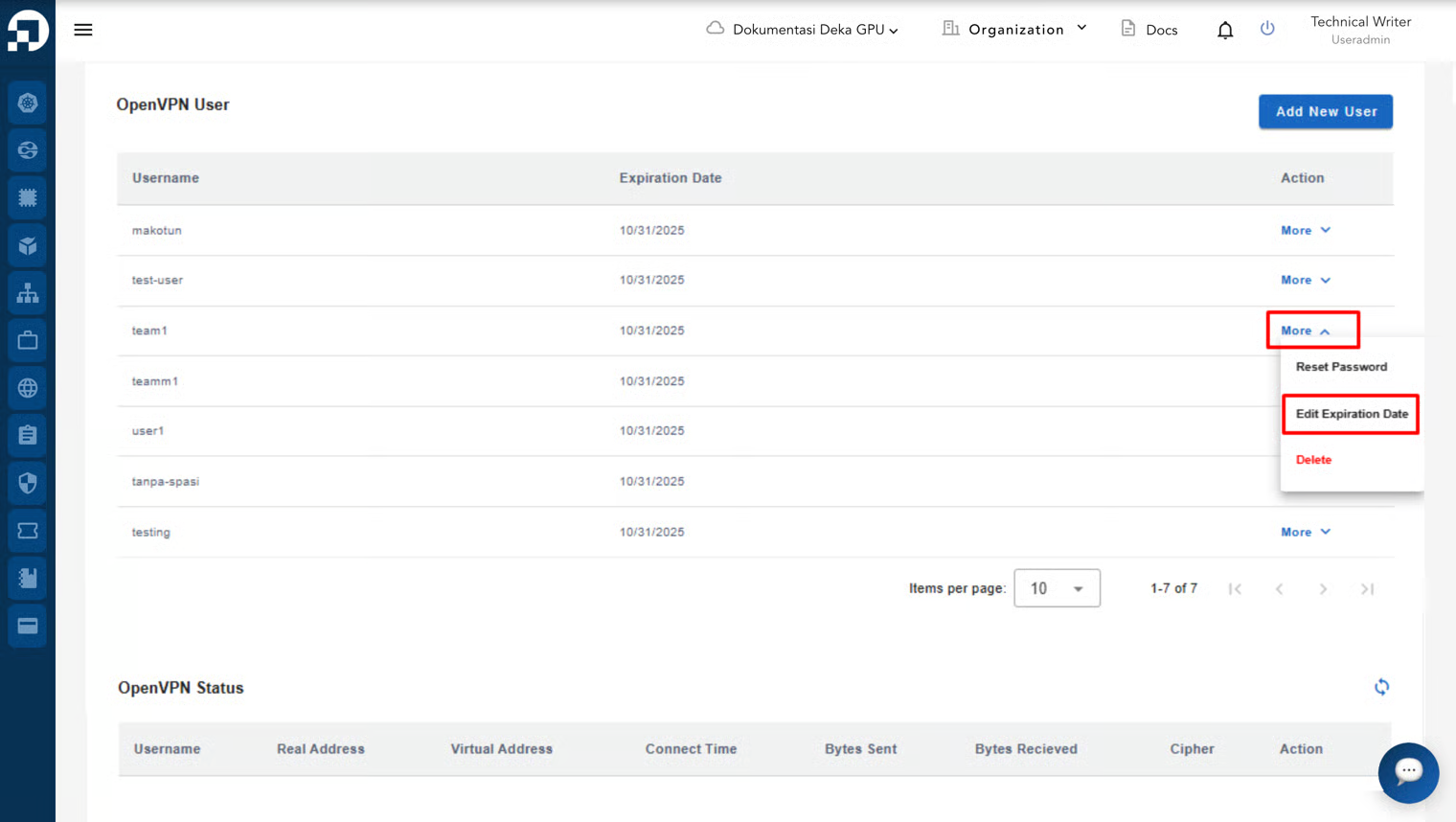
* Scroll down to the **OpenVPN User** section.
* In the **Action** column of the desired user, click **More** and select **Edit Expiration Date**.
* The **Edit Expiration Date** form will appear. Update the **Expiration Date** field with the required date. To save changes, click **Submit.**
* To cancel, click the **Close** button.
* A notification will confirm the update with the message: **“User has been successfully updated.”**
.png)
.png)
.png)
.png)