> For the complete documentation index, see [llms.txt](https://docs.cloudeka.ai/llms.txt). Markdown versions of documentation pages are available by appending `.md` to page URLs; this page is available as [Markdown](https://docs.cloudeka.ai/guide-for-individual/bahasa/service-portal-ai/project/delete-project.md).
# Delete Project
The Delete Project feature allows you to permanently remove a project that is no longer needed from the Service Portal AI.
{% hint style="info" %}
The Delete Project feature is only available for Enterprise-type organizations
{% endhint %}
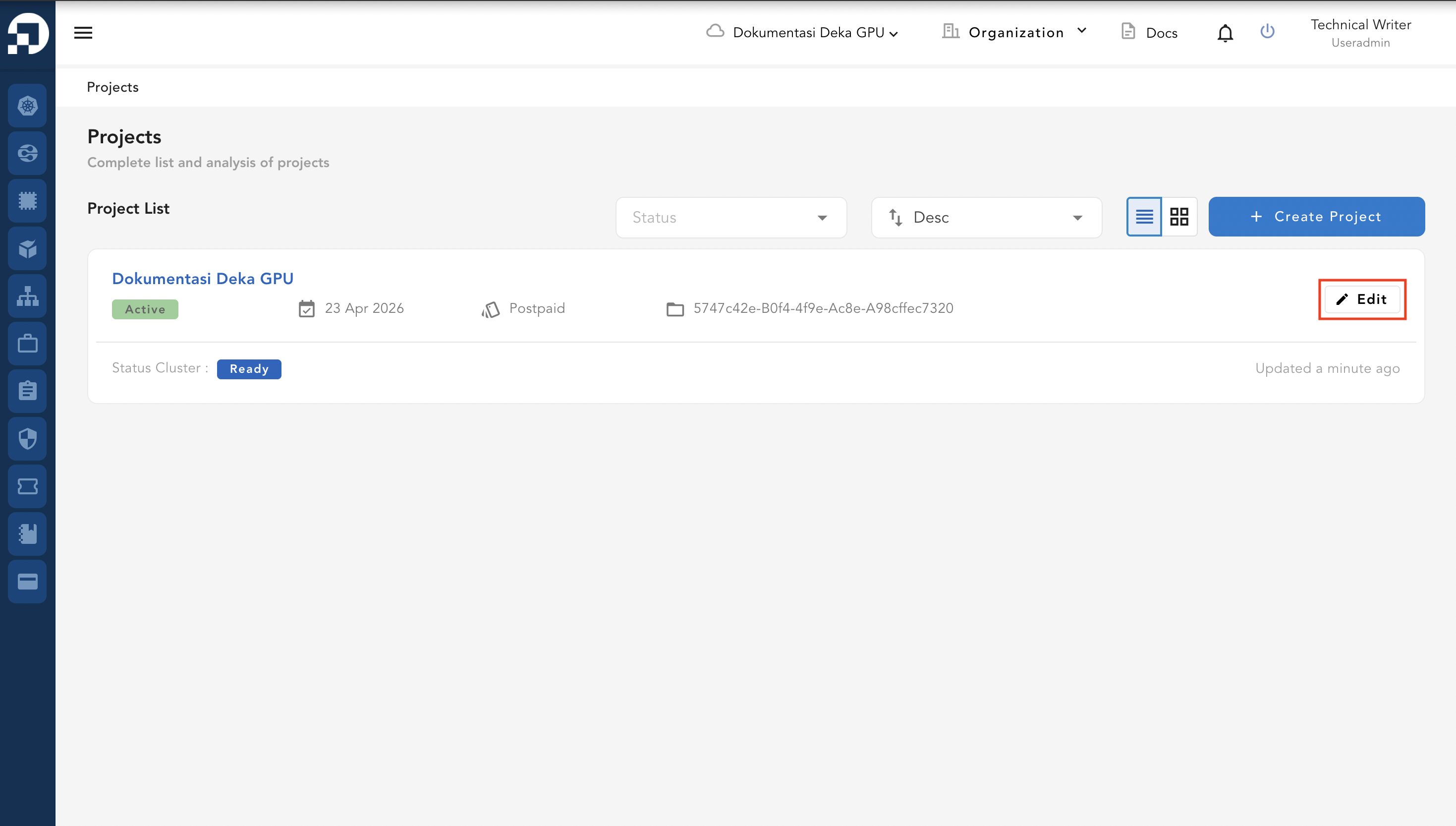
On the Project List page, select the project you want to delete, then click the **Edit** button.
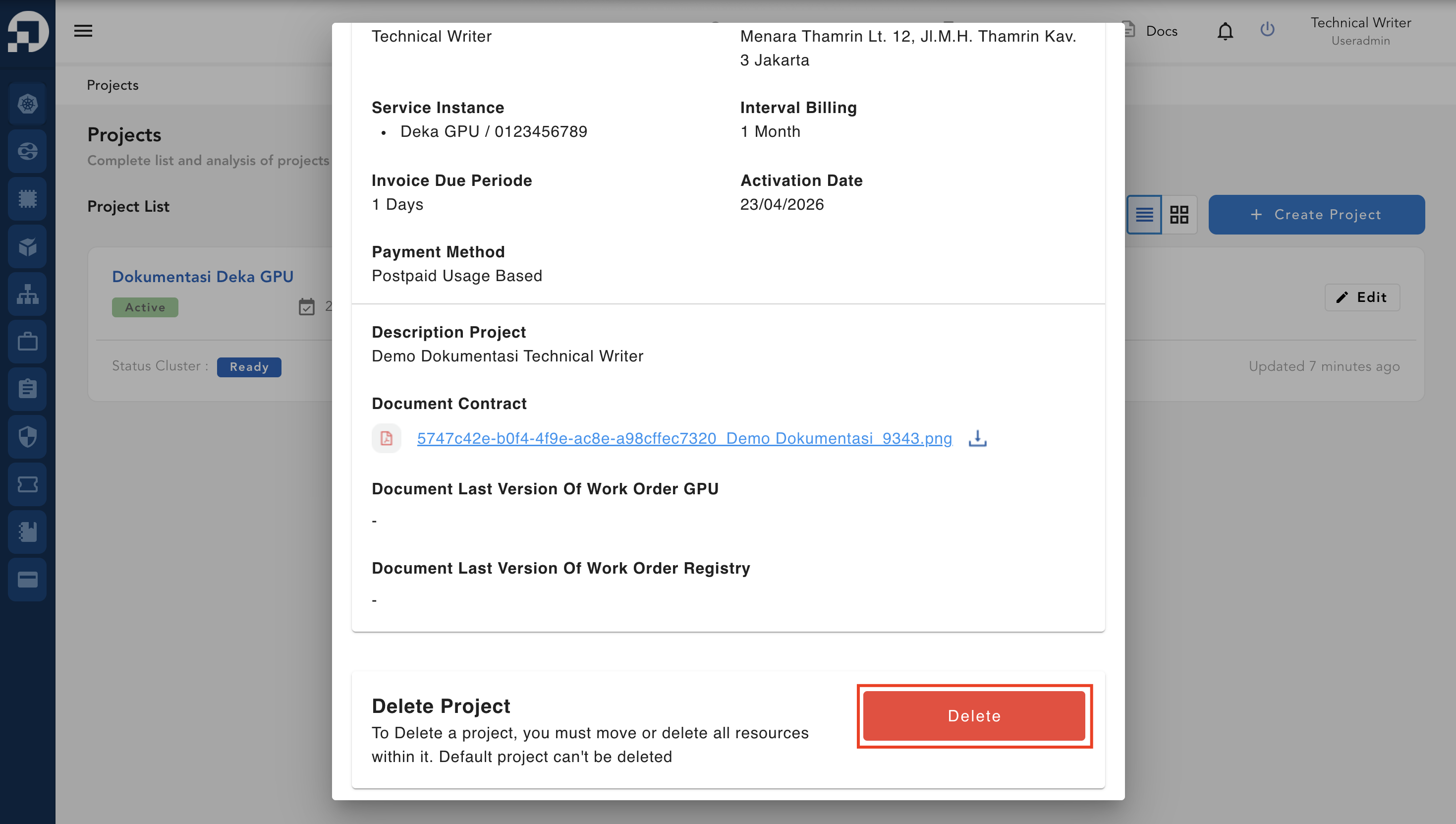
In the Delete Project section, click the Delete button to proceed with deleting the project.
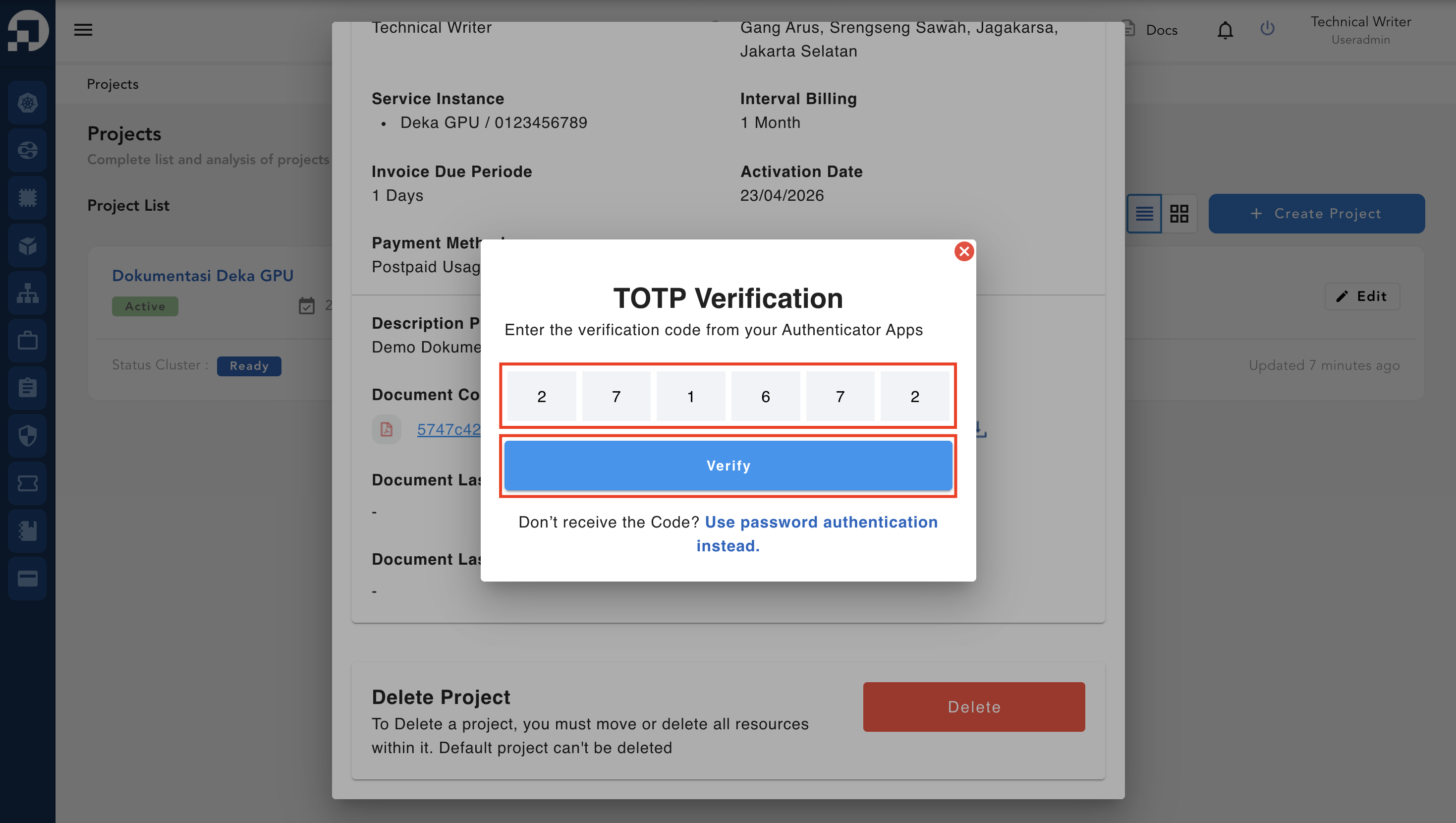
Enter the verification code from your Authenticator app in the TOTP Verification window, then click Verify to continue.
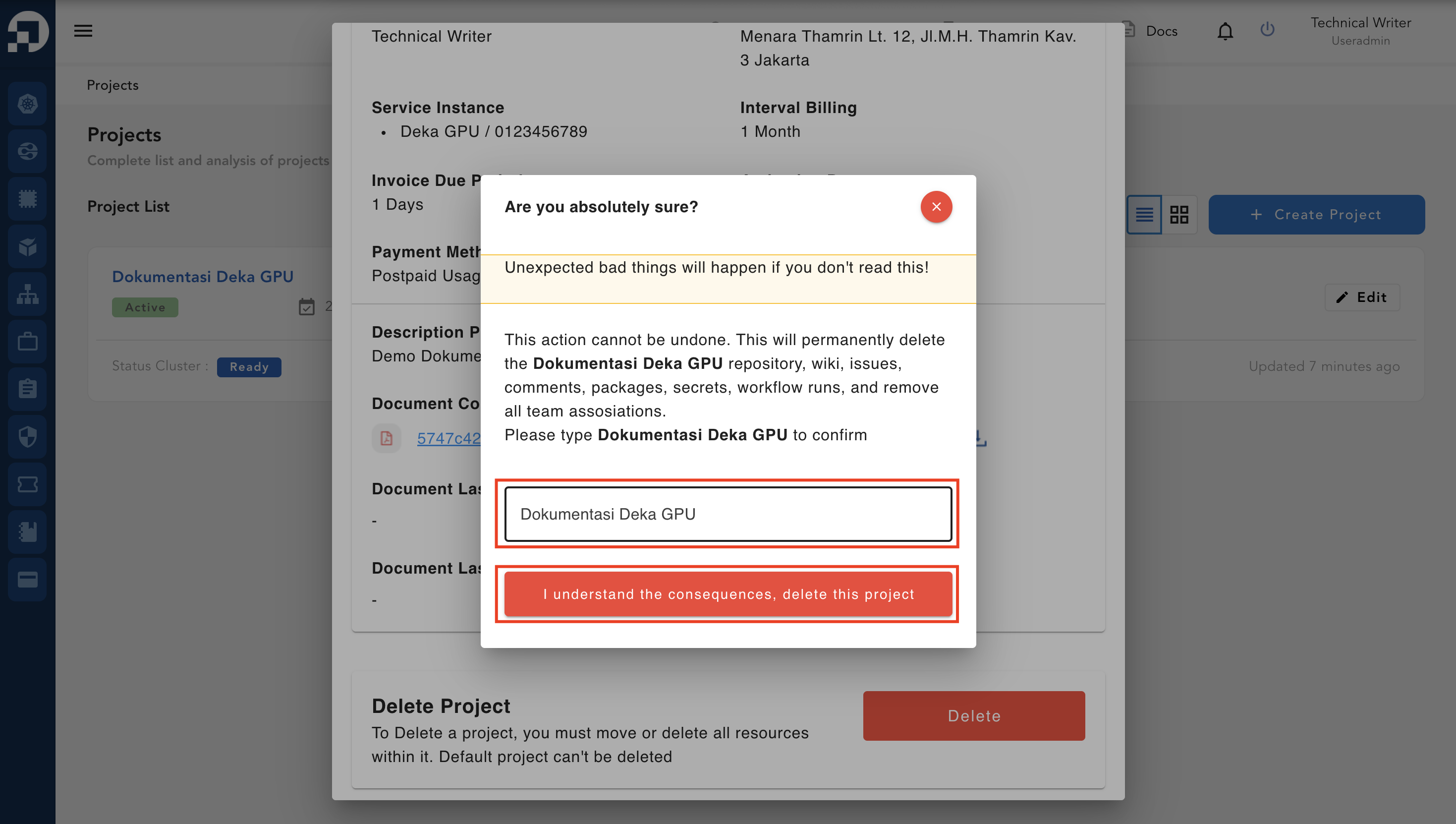
Enter the name of the project to delete and press press **I understand the consequences, delete this project**.
If you successfully delete the project, the notification "**Project has been successfully deleted**" will appear.
.png)