

Menghapus Storage
Menghapus storage digunakan untuk menghapus volume yang tidak lagi diperlukan. Sebelum menghapus storage, pastikan telah dilepaskan dari instance.
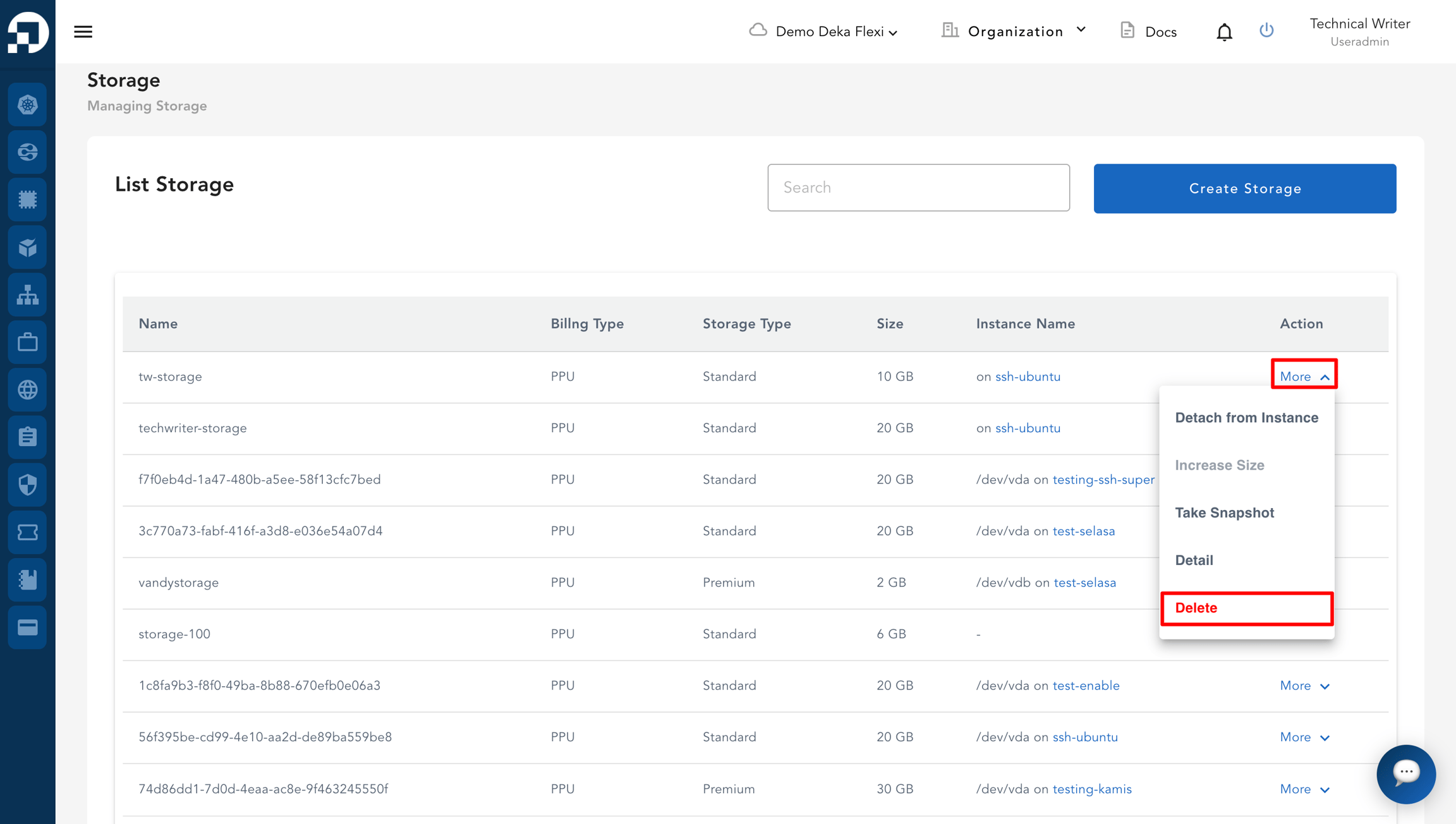
Pada halaman Storage, di kolom Action, klik More, lalu pilih Delete.
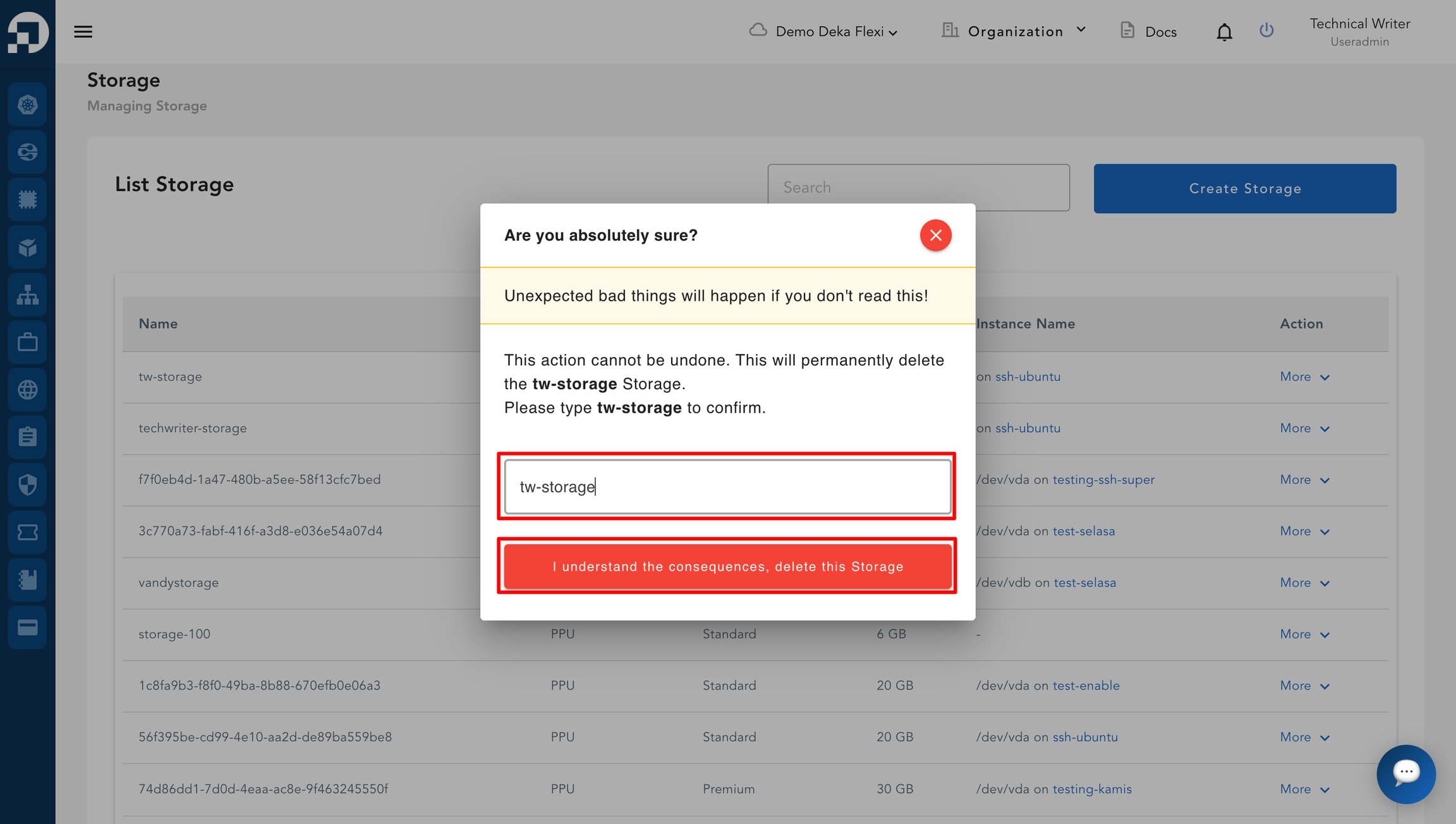
Pada jendela konfirmasi, masukkan nama storage pada kolom yang tersedia. Kemudian, klik I understand the consequences, delete this Storage.
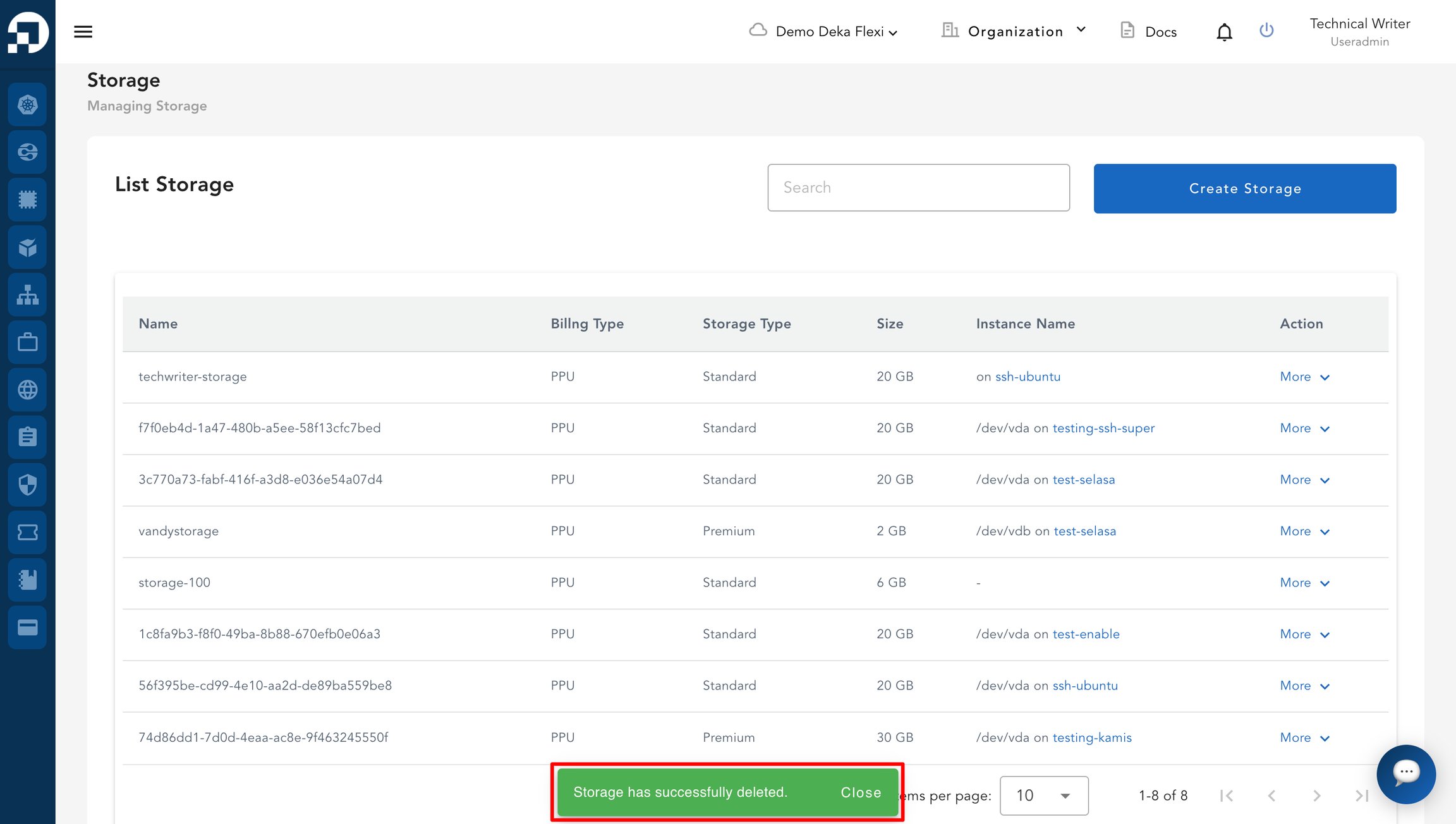
Setelah berhasil dihapus, notifikasi "Storage has successfully deleted" akan muncul sebagai konfirmasi bahwa storage telah berhasil dihapus.
Terakhir diperbarui