

Melihat Pre Shared Key
Ikuti langkah berikut untuk melihat shared key yang digunakan project pada IPsec di Service Portal Cloudeka:
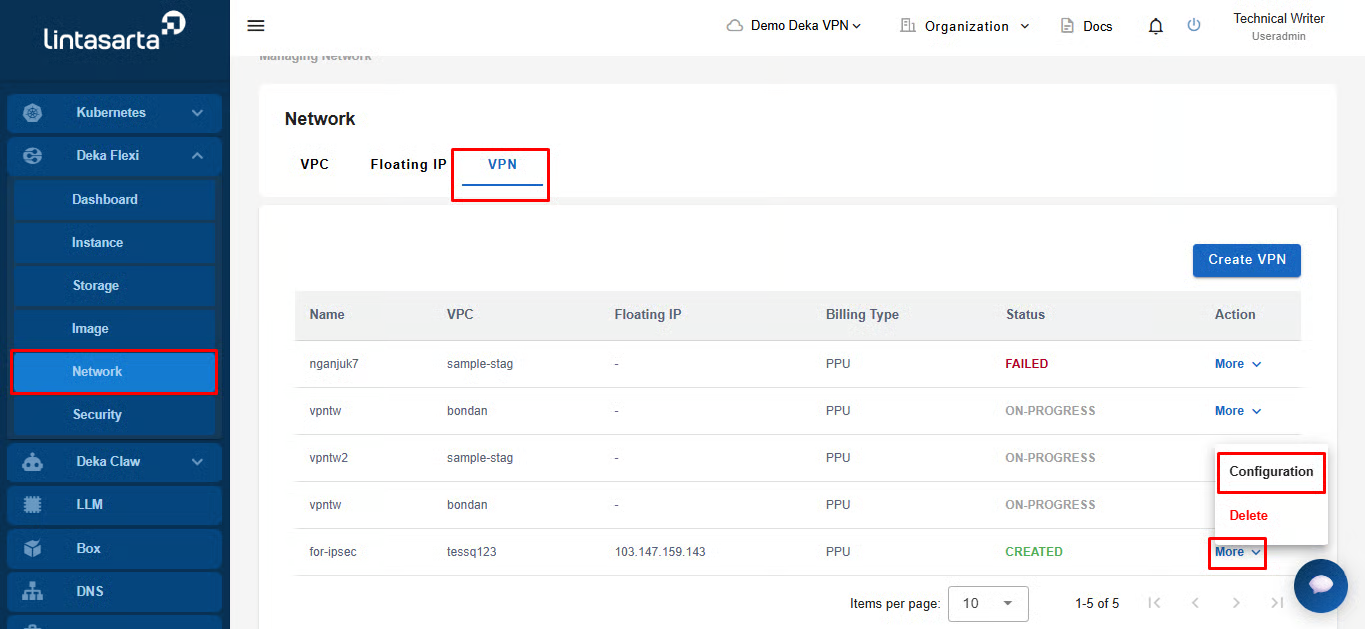
Pada halaman Network, pilih tab VPN. Di kolom More, pilih Configuration.
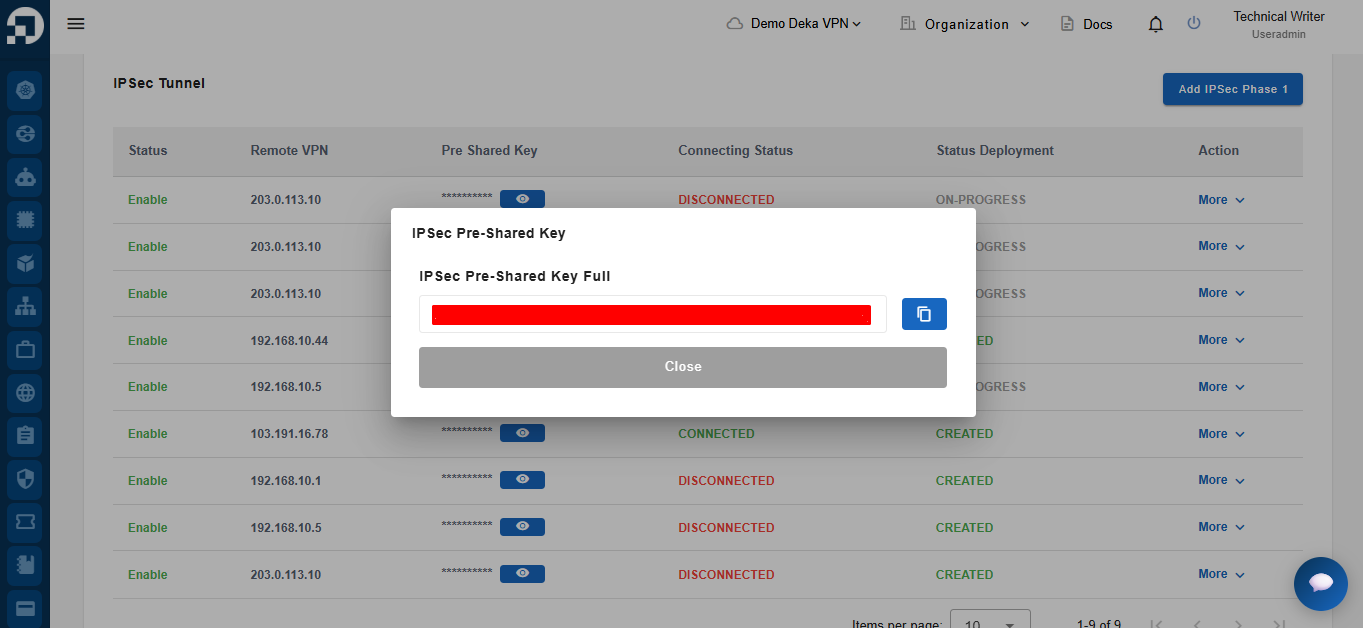
Pilih tab IPsec. Pada bagian IPsec Tunnels, di kolom Pre Shared Key, klik ikon mata.
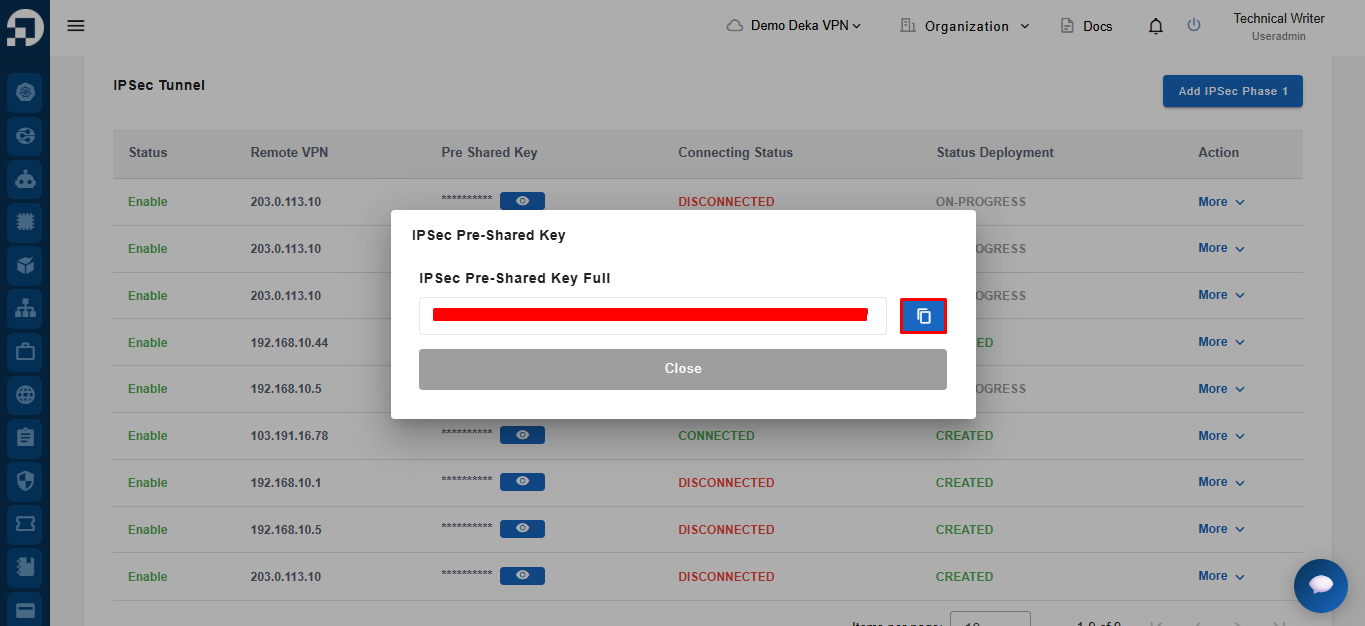
Klik tombol Copy untuk menyalin key.
Terakhir diperbarui