> For the complete documentation index, see [llms.txt](https://docs.cloudeka.ai/llms.txt). Markdown versions of documentation pages are available by appending `.md` to page URLs; this page is available as [Markdown](https://docs.cloudeka.ai/guideline-for-enterprise/cloudeka-service-portal/account-setting/ssh-key.md).

# SSH Key

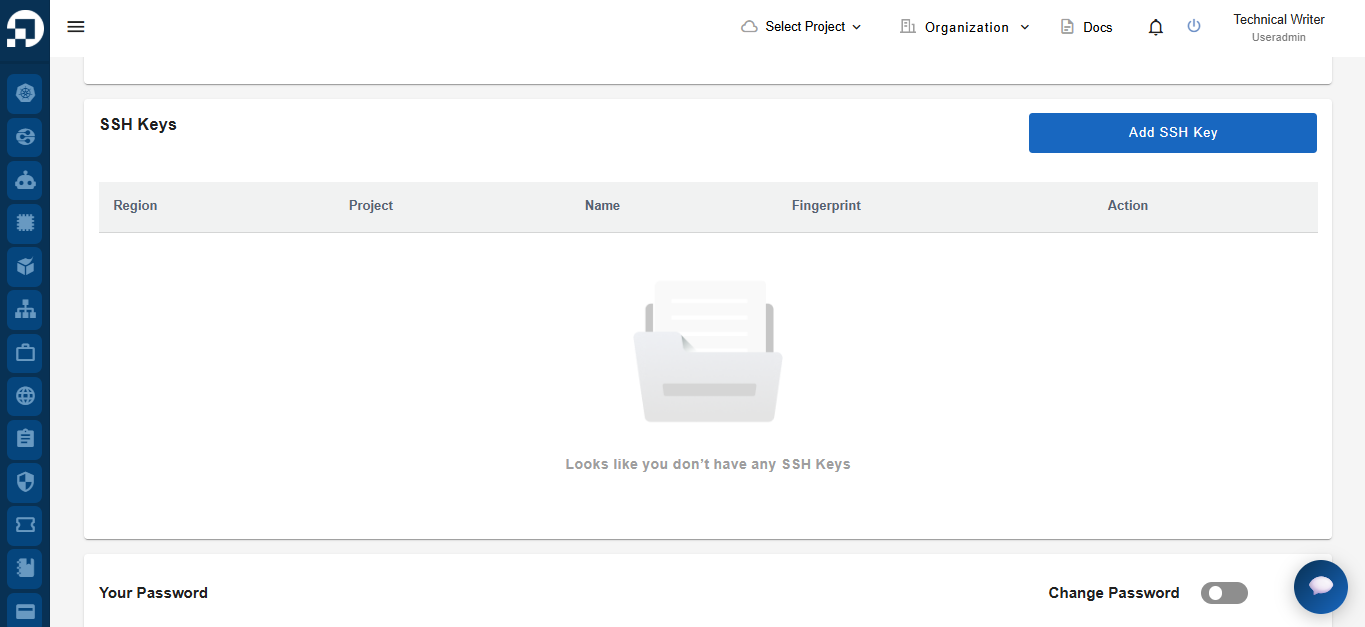
The **SSH Keys** section is used to manage SSH public keys that can be used for secure authentication when accessing supported compute resources, such as virtual machines, without using a password. Users can add, view, and delete SSH keys associated with their account.

<figure><img src="https://2882153758-files.gitbook.io/~/files/v0/b/gitbook-x-prod.appspot.com/o/spaces%2Fi9YWb69HFXLHYlXffReU%2Fuploads%2Fgit-blob-88c9a195f750ffe89ca4035c2f9c73a70fd2db95%2Fimage.png?alt=media" alt=""><figcaption></figcaption></figure>

## Add SSH Key

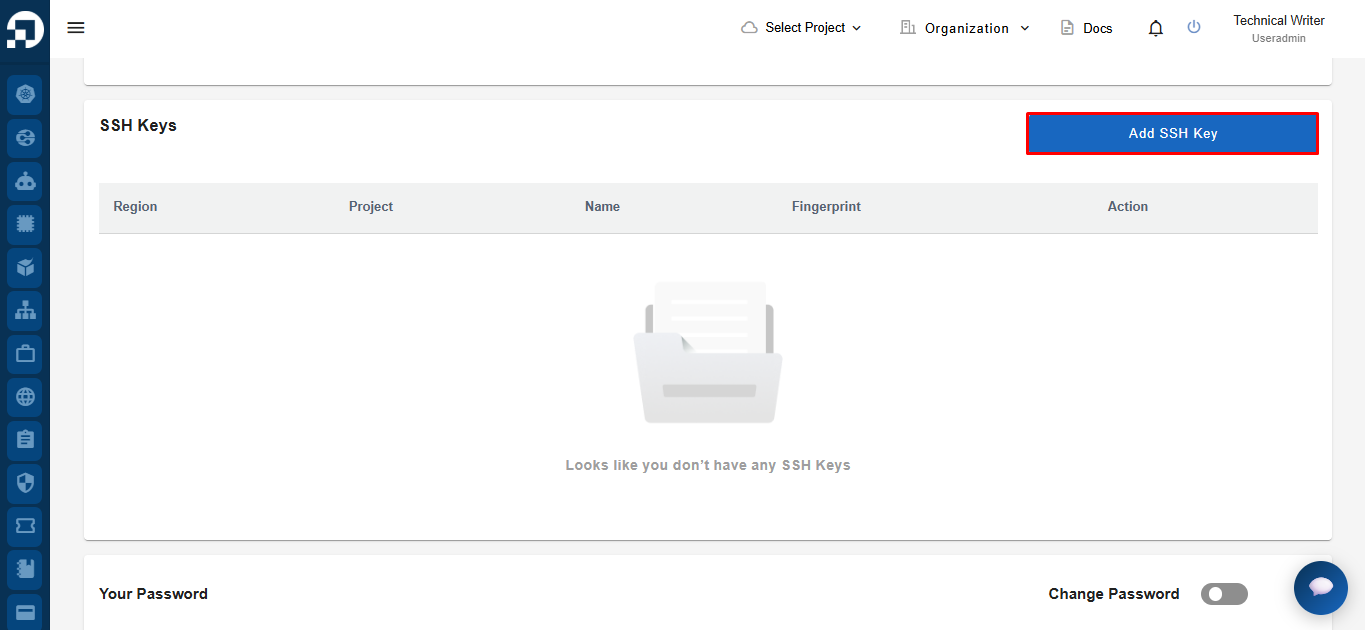
To add a new SSH key, click **Add SSH Key**.

<figure><img src="https://2882153758-files.gitbook.io/~/files/v0/b/gitbook-x-prod.appspot.com/o/spaces%2Fi9YWb69HFXLHYlXffReU%2Fuploads%2Fgit-blob-bf273e20f4de40679dbf1fc6e330d37bf85cc3c0%2Fimage.png?alt=media" alt=""><figcaption></figcaption></figure>

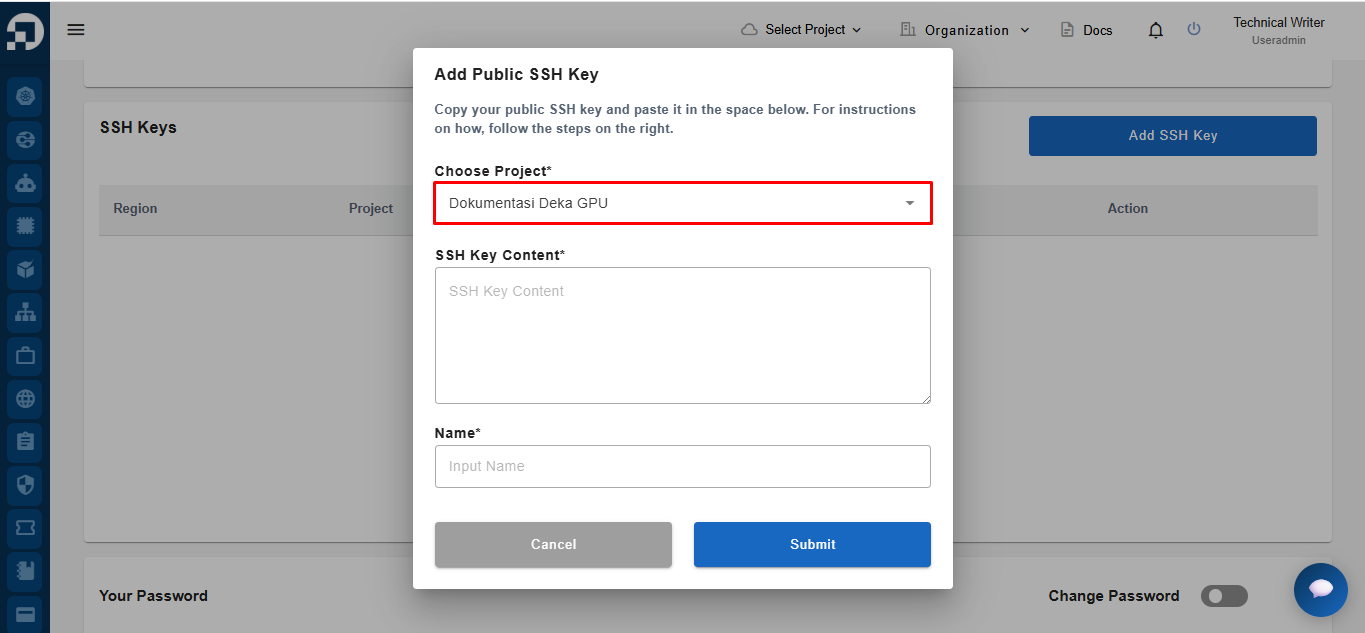
The system displays the **Add Public SSH Key** form. Select the project where the SSH key will be added from the **Choose Project** dropdown.

<figure><img src="https://2882153758-files.gitbook.io/~/files/v0/b/gitbook-x-prod.appspot.com/o/spaces%2Fi9YWb69HFXLHYlXffReU%2Fuploads%2Fgit-blob-3403cbcbc6cace78427332a69b3b8963d3c5f551%2Fimage.png?alt=media" alt=""><figcaption></figcaption></figure>

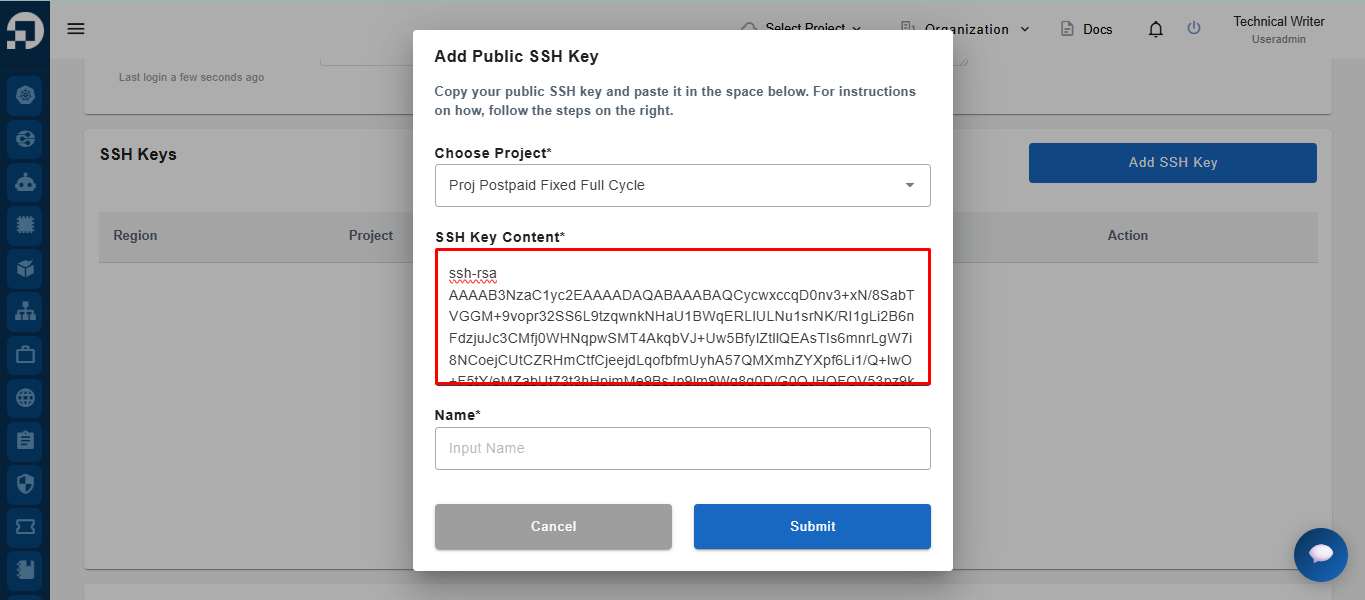
After selecting a project, paste the previously generated **public SSH key** into the **SSH Key Content** field.

<figure><img src="https://2882153758-files.gitbook.io/~/files/v0/b/gitbook-x-prod.appspot.com/o/spaces%2Fi9YWb69HFXLHYlXffReU%2Fuploads%2Fgit-blob-49e732f93e95d2ecf438ea59149b65d1d12e81e3%2Fimage.png?alt=media" alt=""><figcaption></figcaption></figure>

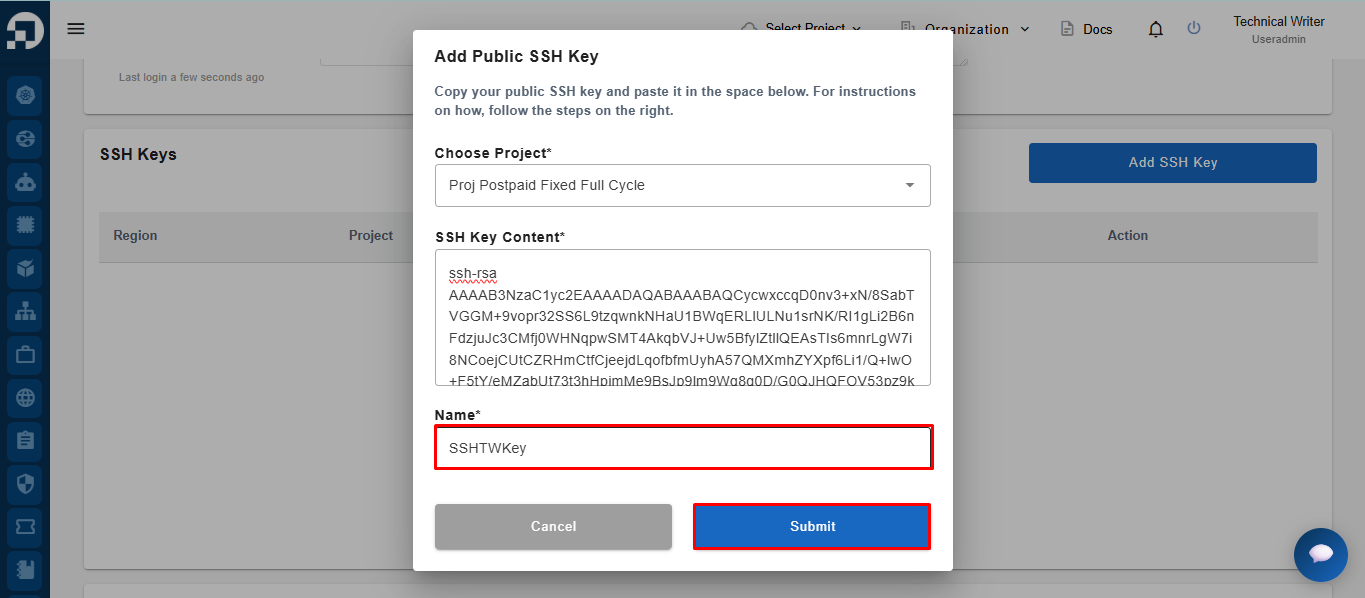
Enter a name for the SSH key in the **Name** field, then click **Submit** to save the SSH key.

<figure><img src="https://2882153758-files.gitbook.io/~/files/v0/b/gitbook-x-prod.appspot.com/o/spaces%2Fi9YWb69HFXLHYlXffReU%2Fuploads%2Fgit-blob-cf3ad58164d329f2dfc44fdc91e2a2ff3e3ba0f5%2Fimage.png?alt=media" alt=""><figcaption></figcaption></figure>

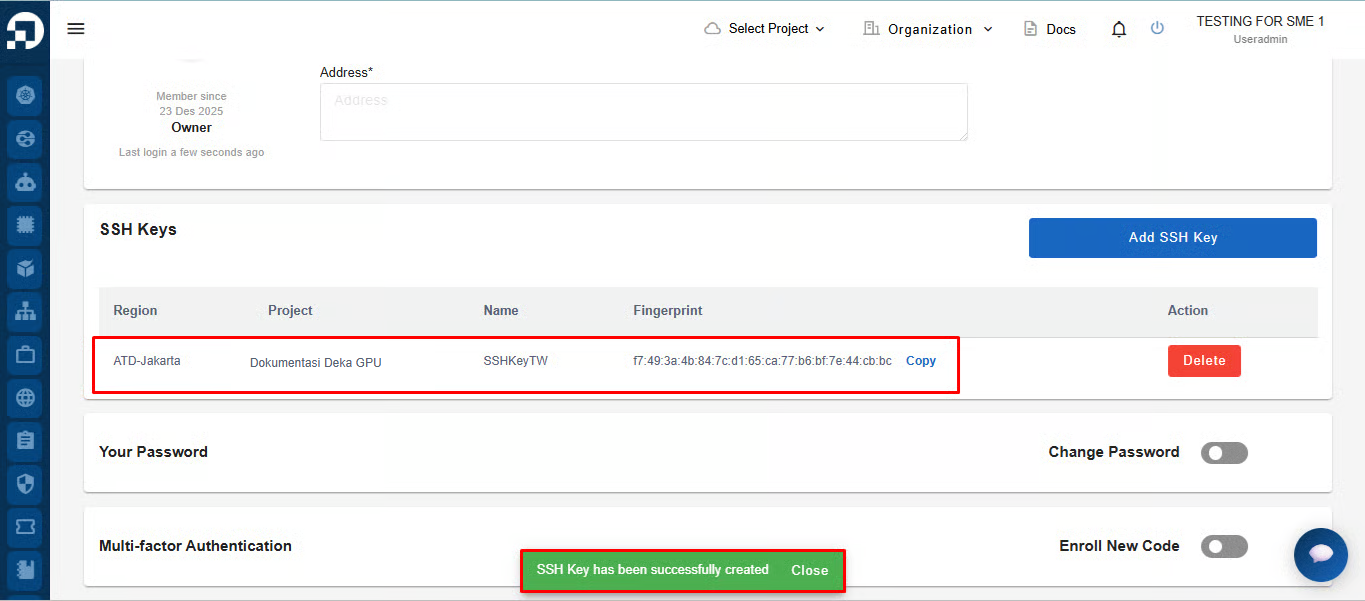
If the SSH key is created successfully, the system displays the notification **"SSH Key has been successfully created."** The newly created SSH key is then added to the **SSH Keys** list.

<figure><img src="https://2882153758-files.gitbook.io/~/files/v0/b/gitbook-x-prod.appspot.com/o/spaces%2Fi9YWb69HFXLHYlXffReU%2Fuploads%2Fgit-blob-98c65ad1bd34cc37104919d83a6209cfa3e847aa%2Fdokgpu.png?alt=media" alt=""><figcaption></figcaption></figure>

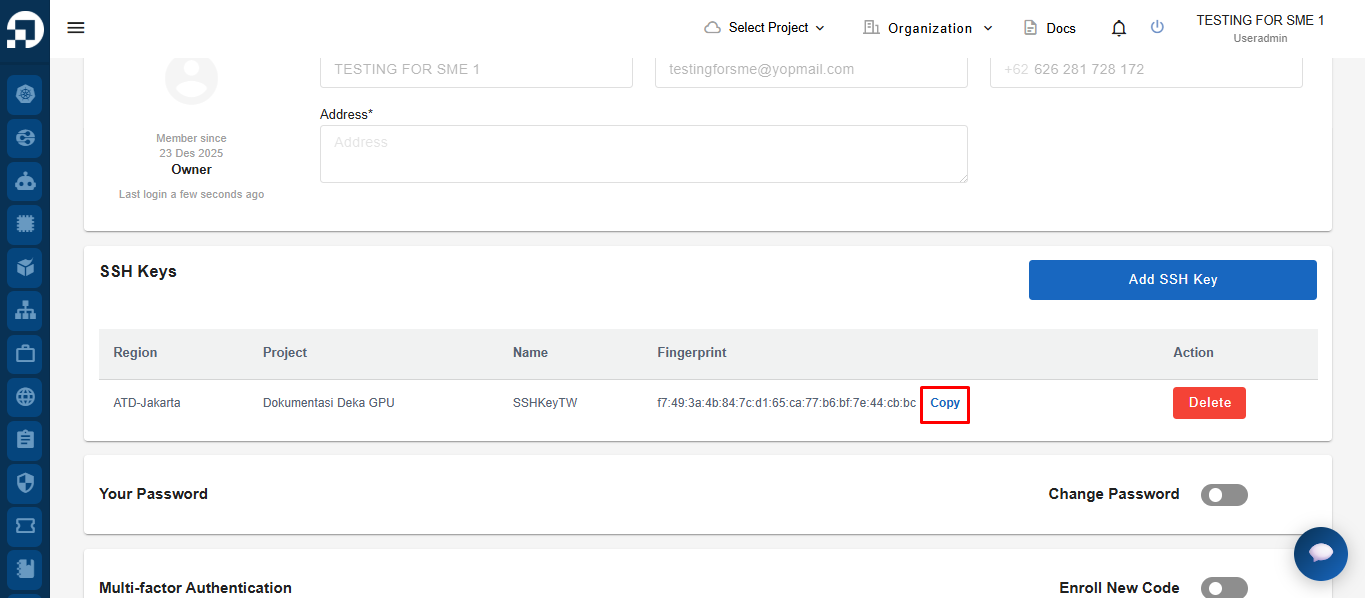
Click **Copy** to copy the **SSH Key Fingerprint** to your clipboard for verification or future reference.

<figure><img src="https://2882153758-files.gitbook.io/~/files/v0/b/gitbook-x-prod.appspot.com/o/spaces%2Fi9YWb69HFXLHYlXffReU%2Fuploads%2Fgit-blob-b43dd96bf2adaae8e8c688b3269d99df8f825163%2Fimage.png?alt=media" alt=""><figcaption></figcaption></figure>

## Delete SSH Key

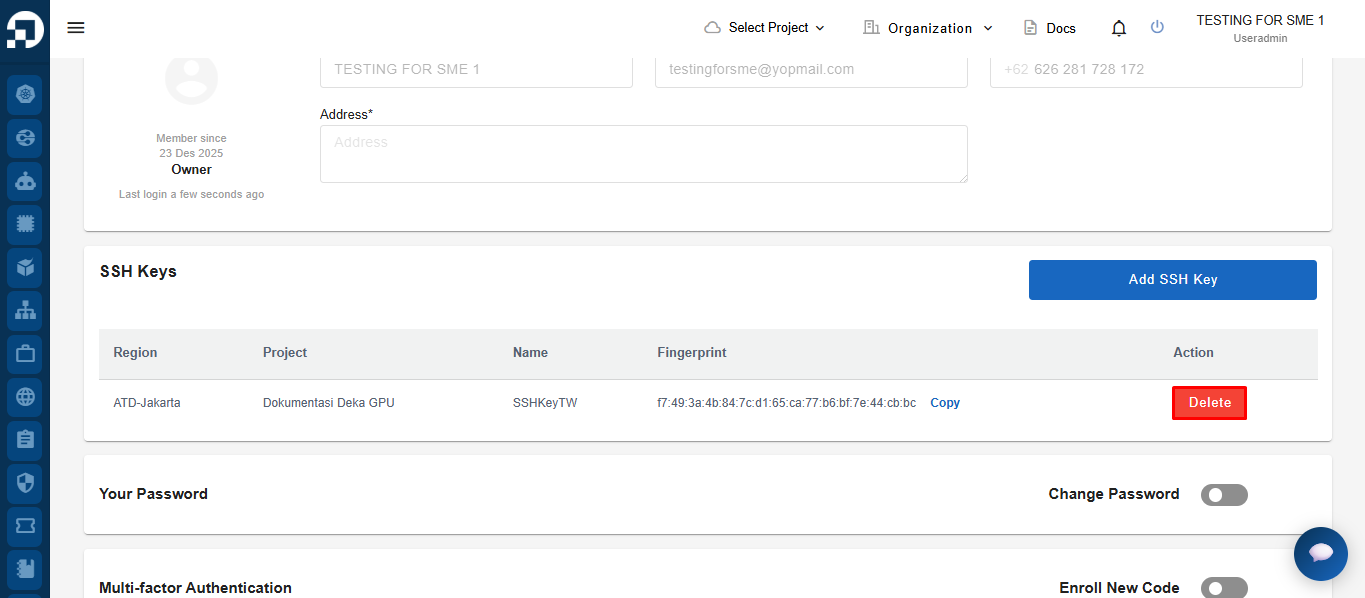
Click **Delete** in the **Action** column for the SSH key you want to remove.

<figure><img src="https://2882153758-files.gitbook.io/~/files/v0/b/gitbook-x-prod.appspot.com/o/spaces%2Fi9YWb69HFXLHYlXffReU%2Fuploads%2Fgit-blob-dba030bc41a0c9d608fc2c97f43e9e867ea66455%2Fimage.png?alt=media" alt=""><figcaption></figcaption></figure>

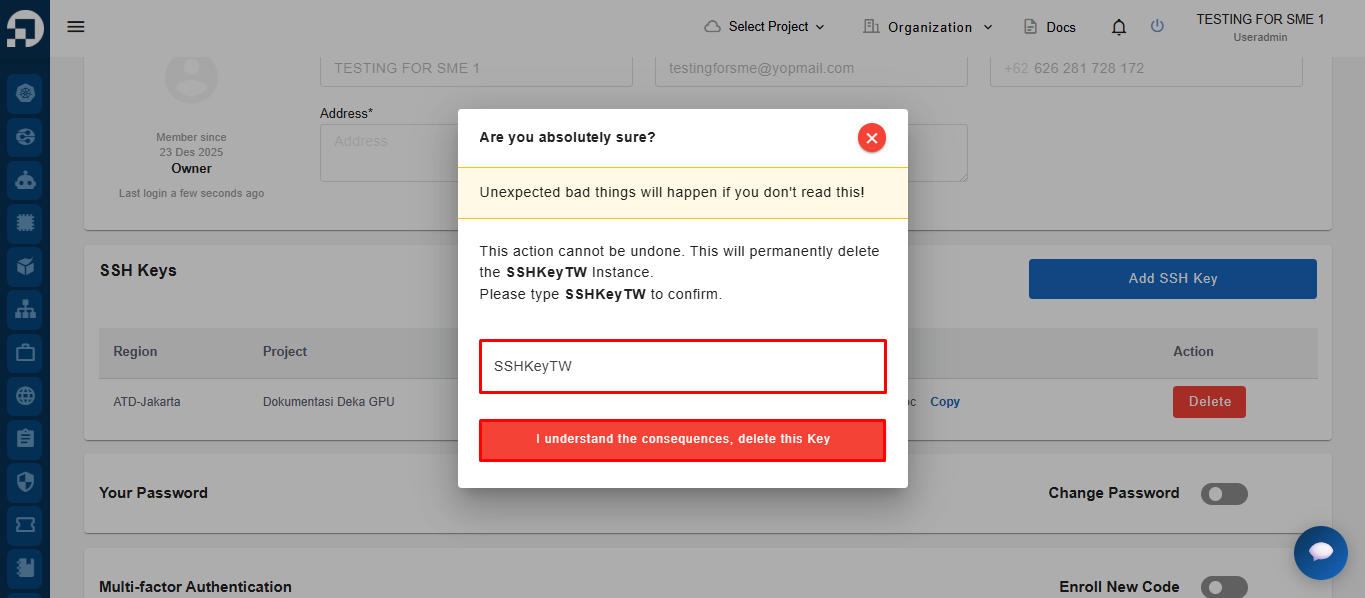
The system displays a confirmation dialog. Enter the SSH key name in the confirmation field, then click **I understand the consequences, delete this Key** to permanently delete the SSH key.

<figure><img src="https://2882153758-files.gitbook.io/~/files/v0/b/gitbook-x-prod.appspot.com/o/spaces%2Fi9YWb69HFXLHYlXffReU%2Fuploads%2Fgit-blob-f8259ccd970f29c8e6c01e42280ded1a4a601bfe%2Fimage.png?alt=media" alt=""><figcaption></figcaption></figure>

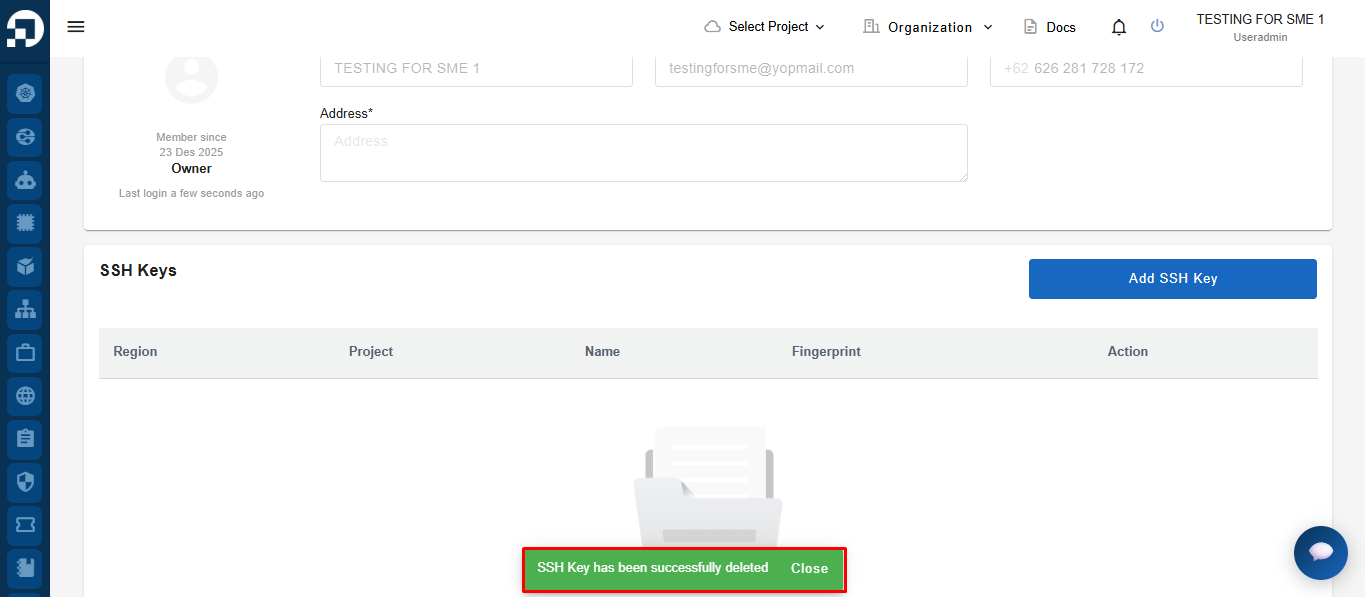
If the SSH key is deleted successfully, the system displays the notification **"SSH Key has been successfully deleted."** The deleted SSH key is then removed from the **SSH Keys** list.
<figure><img src="https://2882153758-files.gitbook.io/~/files/v0/b/gitbook-x-prod.appspot.com/o/spaces%2Fi9YWb69HFXLHYlXffReU%2Fuploads%2Fgit-blob-042798f5da21f11d51be8145c418a6d44e257ddd%2Fimage.png?alt=media" alt=""><figcaption></figcaption></figure>