> For the complete documentation index, see [llms.txt](https://docs.cloudeka.ai/llms.txt). Markdown versions of documentation pages are available by appending `.md` to page URLs; this page is available as [Markdown](https://docs.cloudeka.ai/guideline-for-enterprise/cloudeka-service-portal/organization-settings/create-user/transfer-creator-role.md).
# Transfer Creator Role
The **Transfer Creator Role** feature allows the current **Creator** to transfer the Creator role to another user within the same organization. To use this feature, users must complete the **Sign Up** process first. The **Creator** role is automatically assigned to the first user who registers in the organization. For detailed instructions on how to register, refer to [**sign up.**](https://docs.cloudeka.ai/guideline-for-enterprise/)
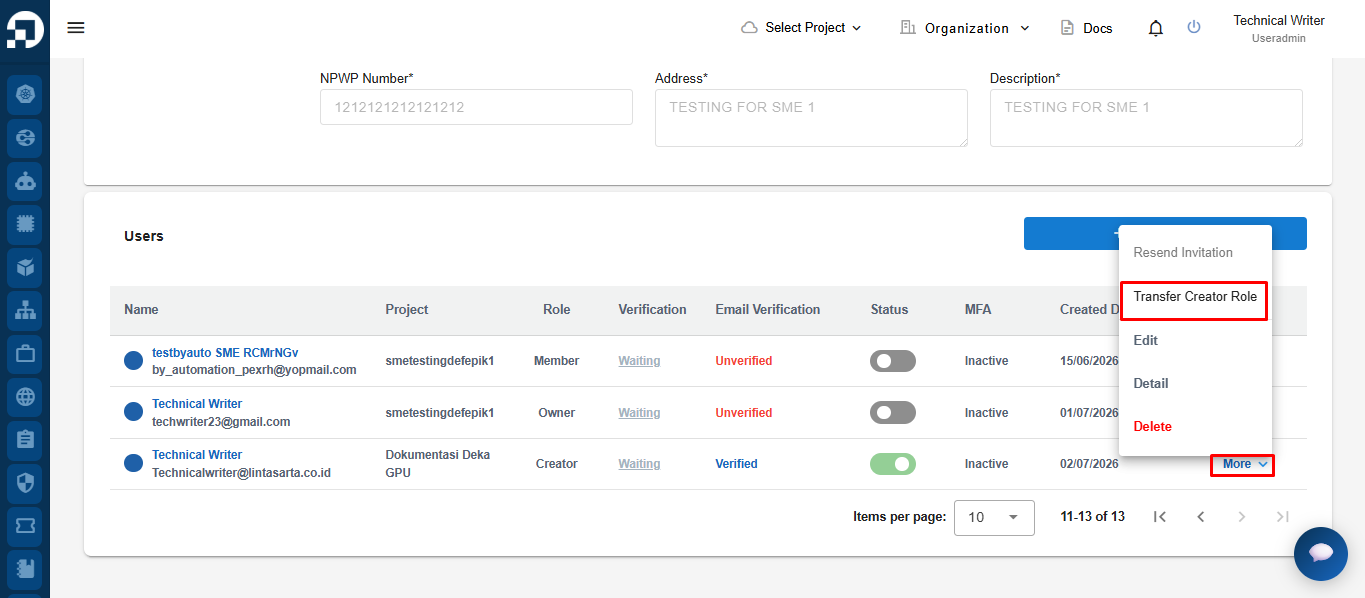
On the **Organization Settings** page, scroll down to the **Users** section, click **More** on the account with the **Creator** role, then select **Transfer Creator Role**.
{% hint style="danger" %}
1. **Transfer Creator Role** is available only if there is another user in the organization.
2. The recipient must have **Active** and **Verified** status.
3. If the page displays **"No data available"**, there are no eligible users available for role transfer.
4. If the **Transfer Creator Role** option is not available, you need to add another user to the organization. Detailed instructions on how to add a user can be found in [**create user**](/guideline-for-enterprise/cloudeka-service-portal/organization-settings/create-user.md).
{% endhint %}
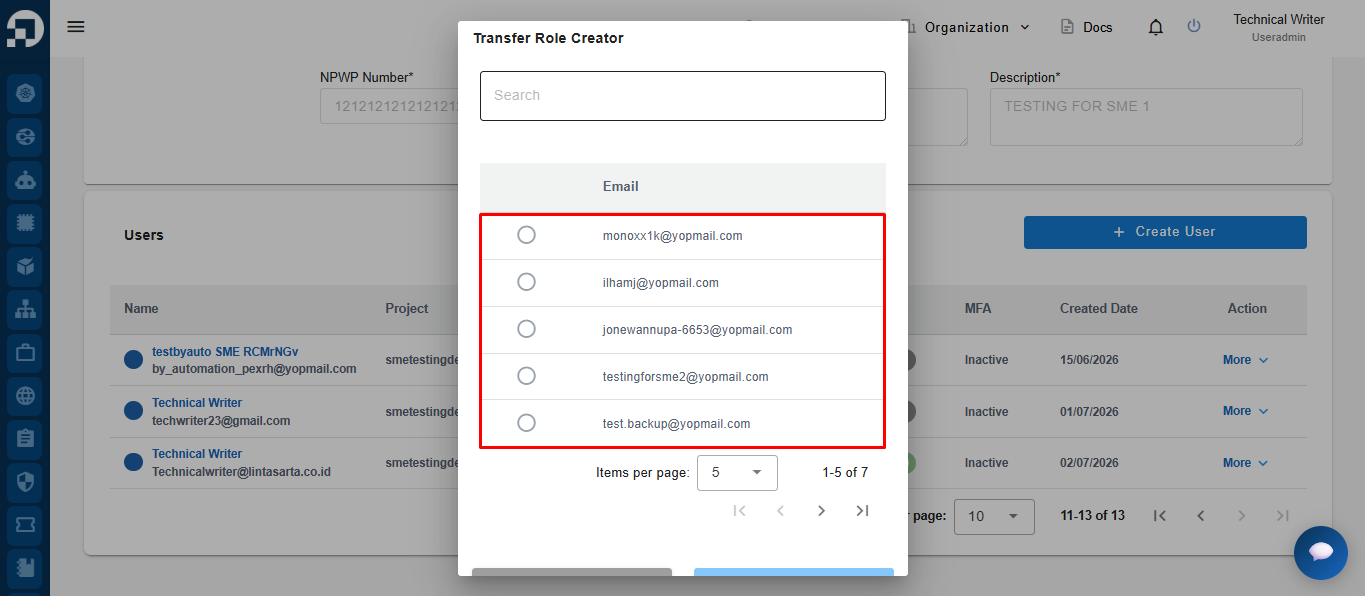
The system displays the **Transfer Role Creator** page, showing a list of eligible users. Select the user who will receive the **Creator** role.
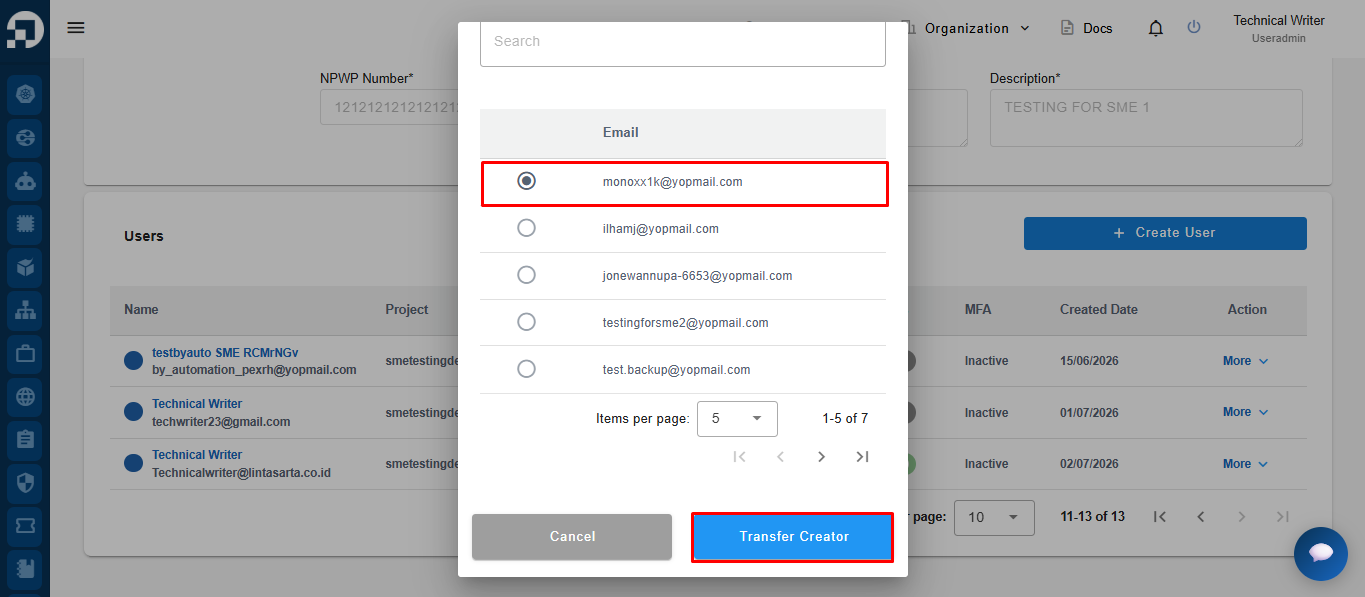
Select the user who will receive the **Creator** role, then click **Transfer Creator**.
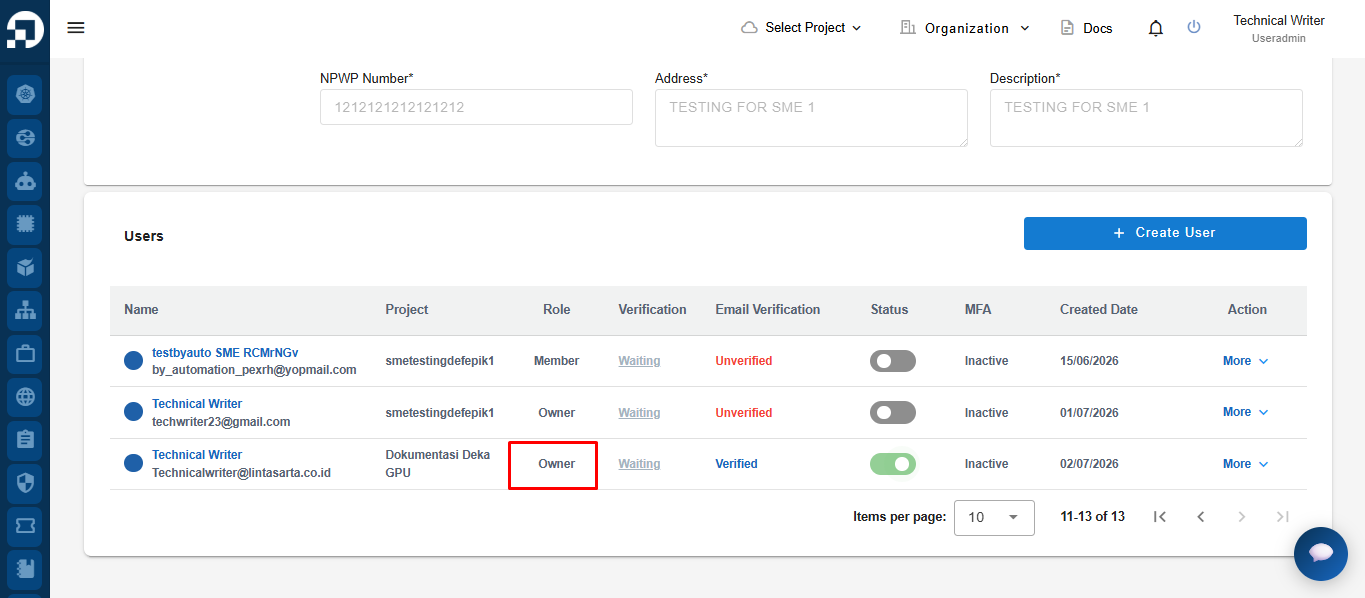
The system updates the selected user's role, indicating that the **Transfer Creator Role** process has been completed successfully.