> For the complete documentation index, see [llms.txt](https://docs.cloudeka.ai/llms.txt). Markdown versions of documentation pages are available by appending `.md` to page URLs; this page is available as [Markdown](https://docs.cloudeka.ai/guideline-for-enterprise/cloudeka-service-portal/starter-guide/choose-a-package.md).

# Choose a Package

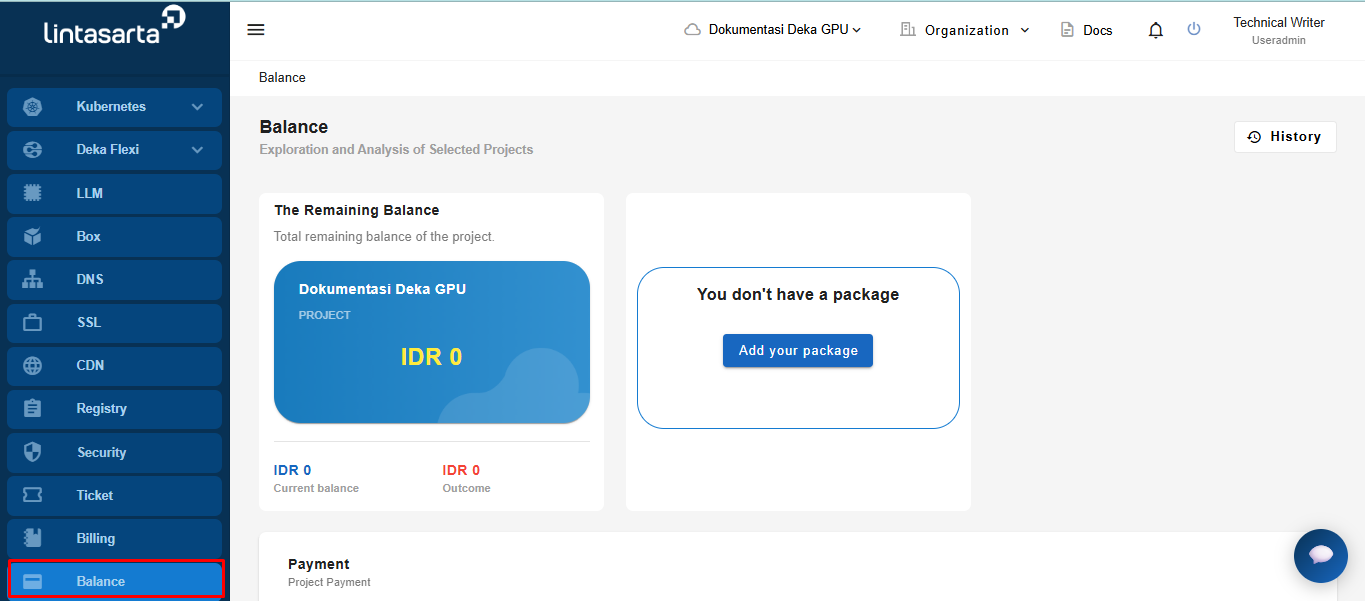
After successfully creating an organization and a new project in the Service Portal Deka GPU, since the project type you are using is Small Medium Enterprise (SME), you need to select a package for your project. On the Service Portal Deka GPU page, select the Balance menu.

<figure><img src="https://2882153758-files.gitbook.io/~/files/v0/b/gitbook-x-prod.appspot.com/o/spaces%2Fi9YWb69HFXLHYlXffReU%2Fuploads%2Fgit-blob-e259b7e4f5a27ac86a250639f5cc93e24e3835ce%2Fimage.png?alt=media" alt=""><figcaption></figcaption></figure>

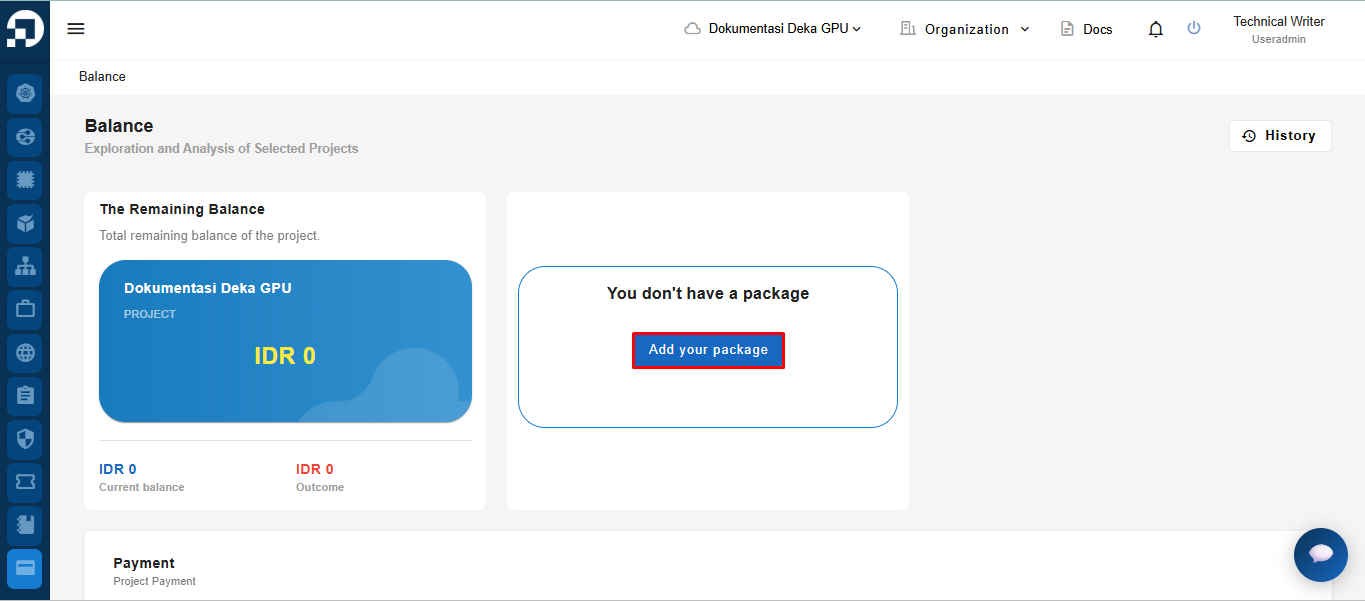
On the Balance page, click the "Add your package" button to choose an available GPU Merdeka package.

<figure><img src="https://2882153758-files.gitbook.io/~/files/v0/b/gitbook-x-prod.appspot.com/o/spaces%2Fi9YWb69HFXLHYlXffReU%2Fuploads%2Fgit-blob-70787fa78d0b6951ba9defab6780295148da8789%2Fimage.png?alt=media" alt=""><figcaption></figcaption></figure>

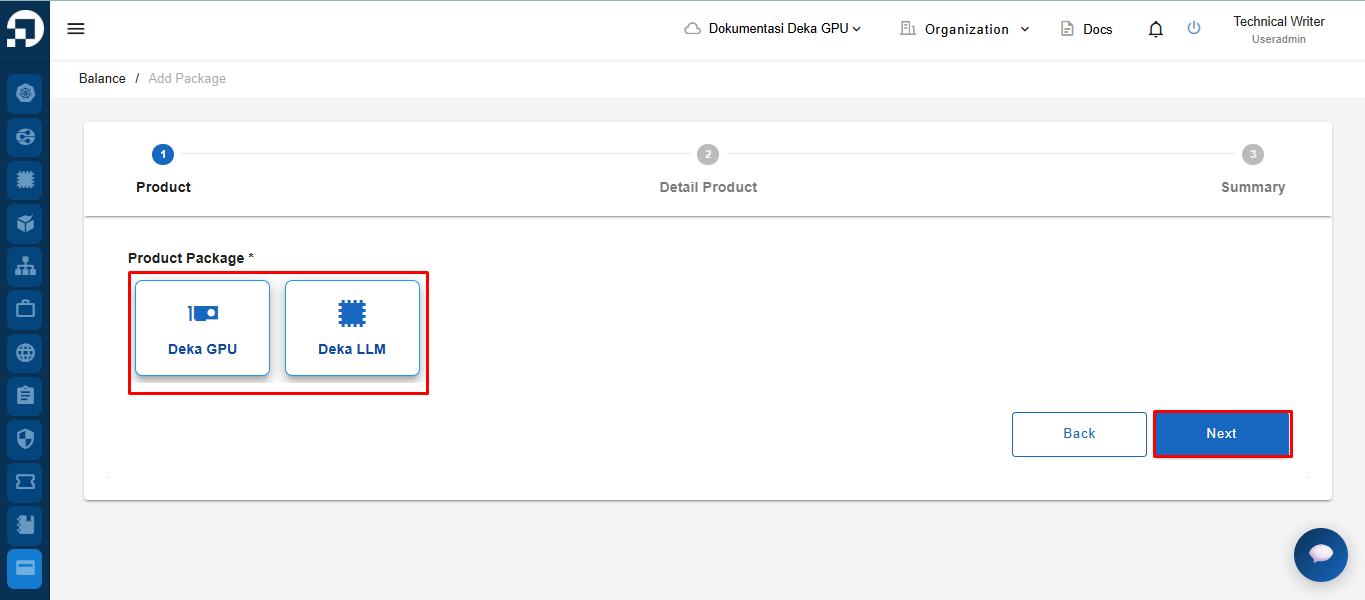
On the **Add Package** page, select one of the available products (**Deka GPU** or **Deka LLM**), then click the **Next** button to proceed.

<figure><img src="https://2882153758-files.gitbook.io/~/files/v0/b/gitbook-x-prod.appspot.com/o/spaces%2Fi9YWb69HFXLHYlXffReU%2Fuploads%2Fgit-blob-539b0c78f60fd46c496fe9408a88194c2a6ed68a%2Fimage.png?alt=media" alt=""><figcaption></figcaption></figure>

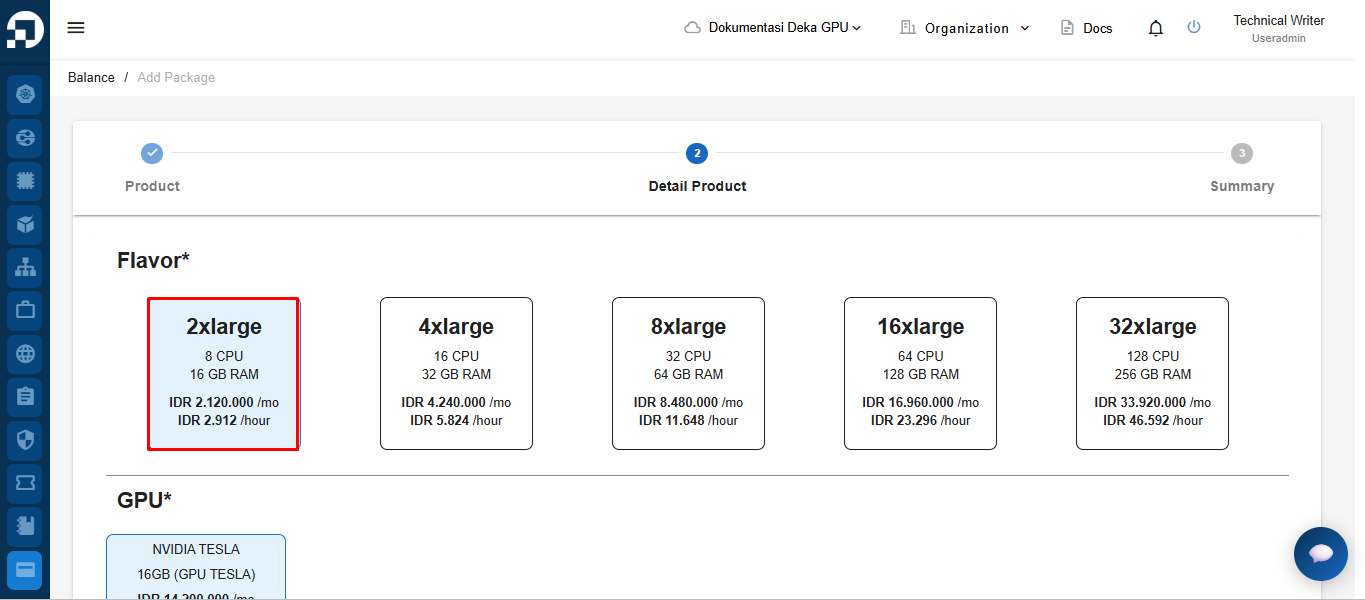
In the **Flavor** section, choose the desired instance specification (CPU and RAM).

<figure><img src="https://2882153758-files.gitbook.io/~/files/v0/b/gitbook-x-prod.appspot.com/o/spaces%2Fi9YWb69HFXLHYlXffReU%2Fuploads%2Fgit-blob-bb3091c7e48683ec3093d3c3d12fbb67a57c13cb%2Fimage.png?alt=media" alt=""><figcaption></figcaption></figure>

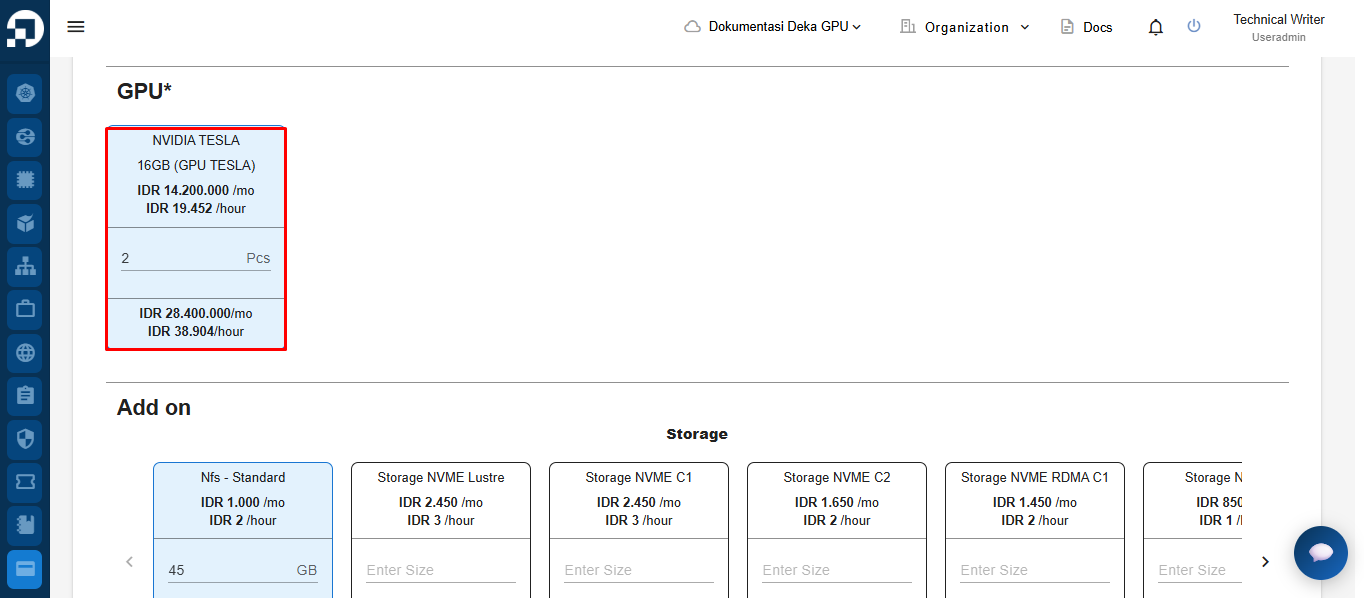
In the **GPU** section, select the GPU type and specify the number of units (pcs) required.

<figure><img src="https://2882153758-files.gitbook.io/~/files/v0/b/gitbook-x-prod.appspot.com/o/spaces%2Fi9YWb69HFXLHYlXffReU%2Fuploads%2Fgit-blob-b02f085a073f99453571916f4d29e0652c29598c%2Fimage.png?alt=media" alt=""><figcaption></figcaption></figure>

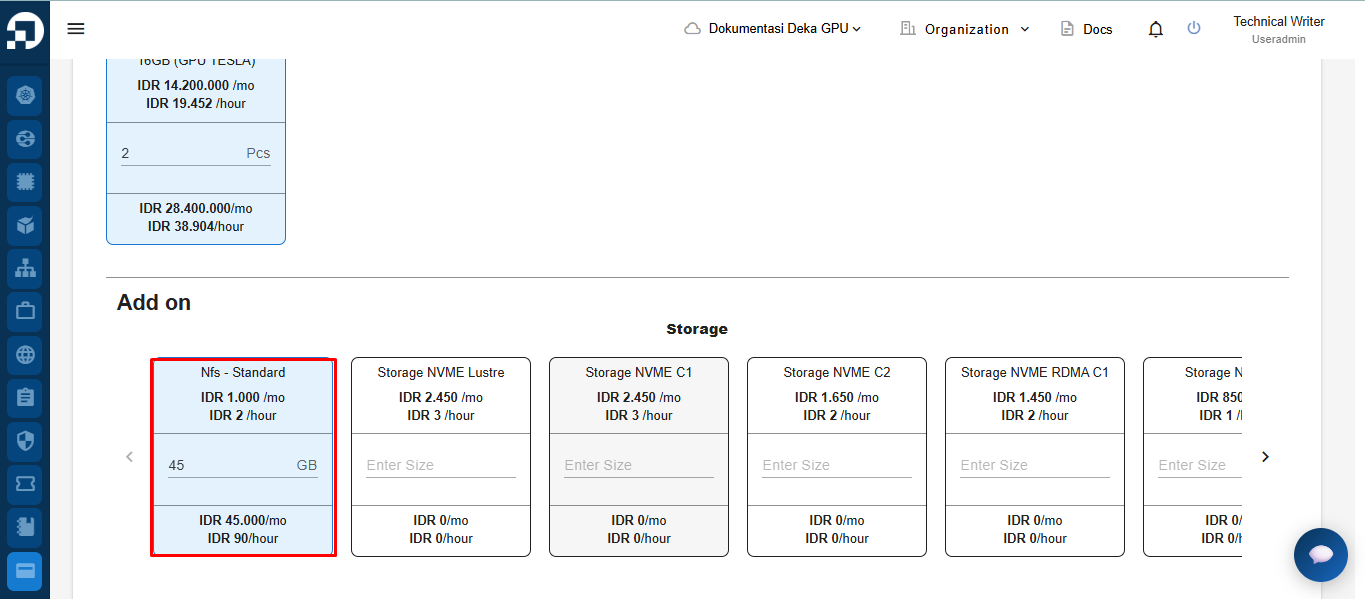
In the **Add-on (Storage)** section, choose the storage type and enter the required capacity.

<figure><img src="https://2882153758-files.gitbook.io/~/files/v0/b/gitbook-x-prod.appspot.com/o/spaces%2Fi9YWb69HFXLHYlXffReU%2Fuploads%2Fgit-blob-e28921c6c86e77180585cd27c10915940ad9b013%2Fimage.png?alt=media" alt=""><figcaption></figcaption></figure>

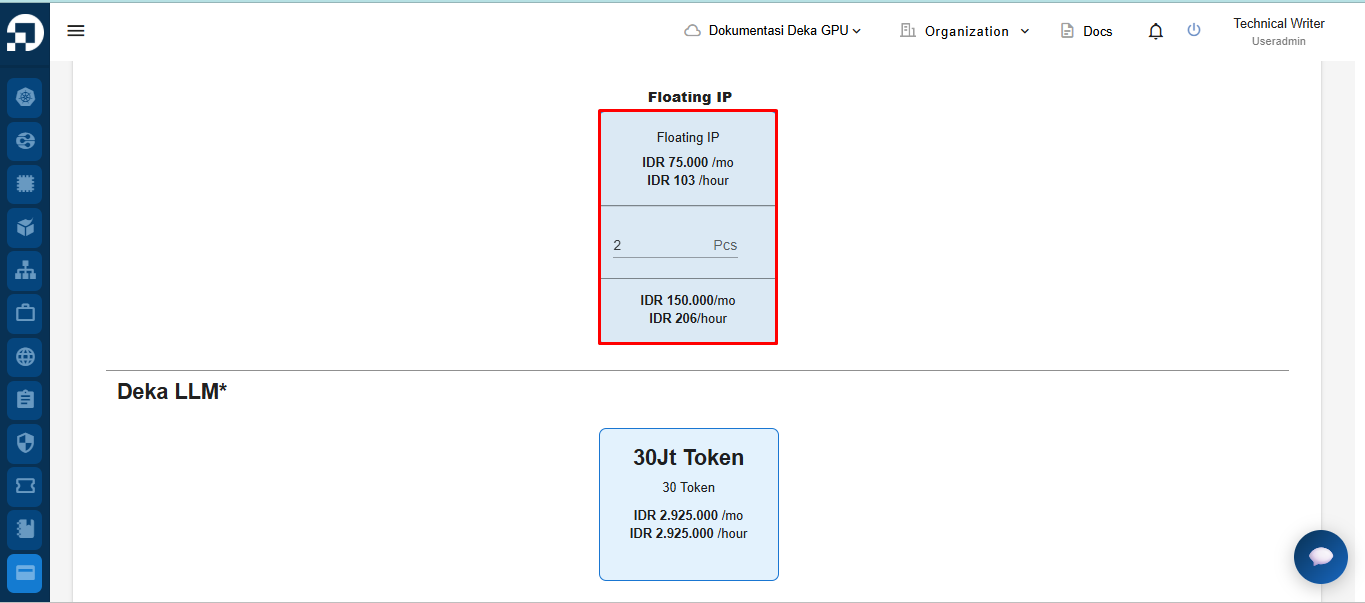
In the **Floating IP** section, specify the number of Floating IPs to use (optional).

<figure><img src="https://2882153758-files.gitbook.io/~/files/v0/b/gitbook-x-prod.appspot.com/o/spaces%2Fi9YWb69HFXLHYlXffReU%2Fuploads%2Fgit-blob-3f189fb9b49c110c40f80b0c2b313903bf7741af%2Fimage.png?alt=media" alt=""><figcaption></figcaption></figure>

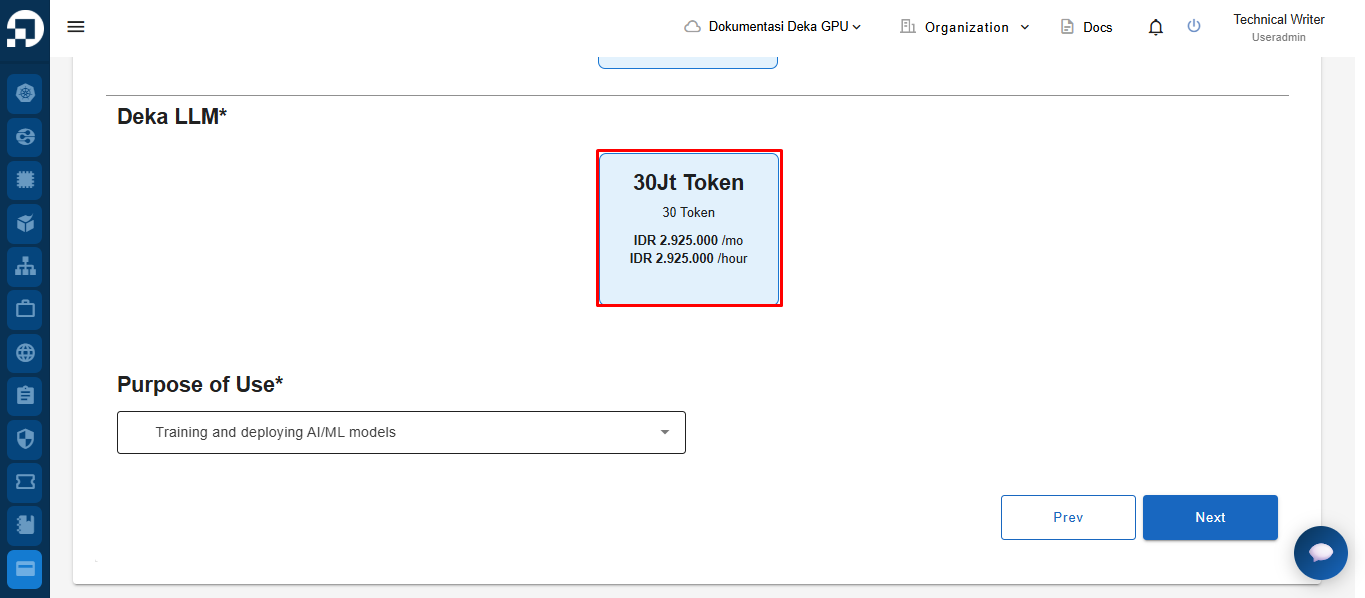
In the **Deka LLM** section, select a token package if needed.

<figure><img src="https://2882153758-files.gitbook.io/~/files/v0/b/gitbook-x-prod.appspot.com/o/spaces%2Fi9YWb69HFXLHYlXffReU%2Fuploads%2Fgit-blob-f87e37f44caeaff32e6ff78d90a701e47110909d%2Fimage.png?alt=media" alt=""><figcaption></figcaption></figure>

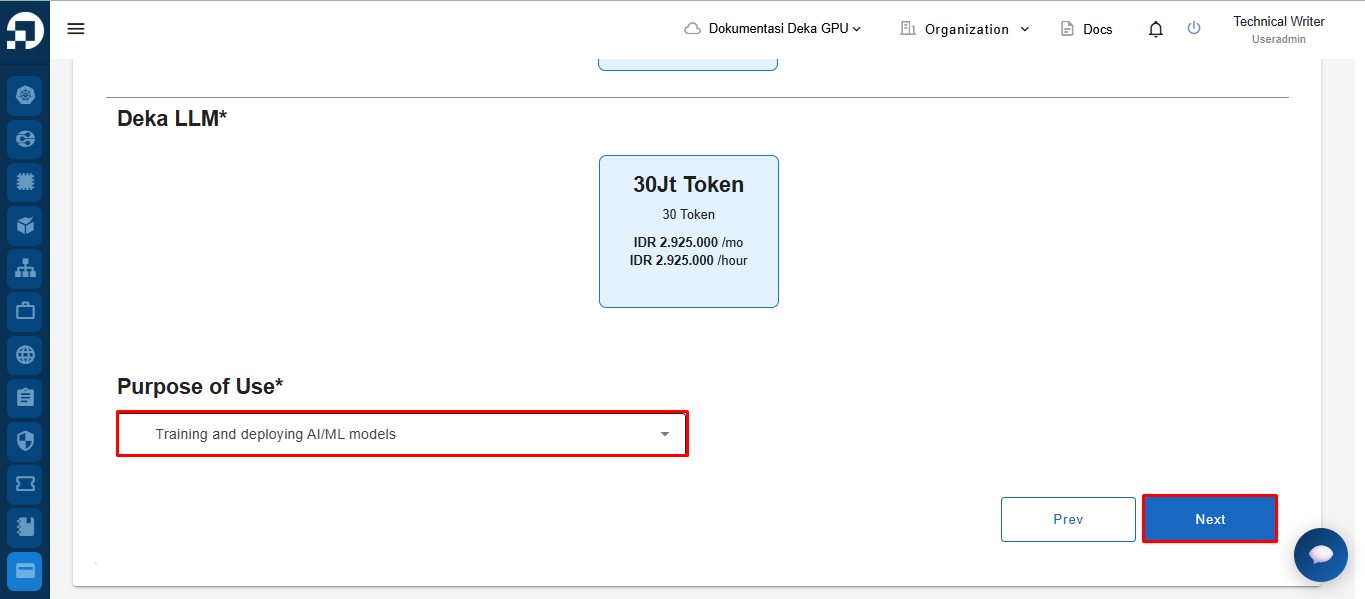
In the **Purpose of Use** section, choose the intended usage from the available dropdown. After completing all configurations, click the **Next** button to proceed.

<figure><img src="https://2882153758-files.gitbook.io/~/files/v0/b/gitbook-x-prod.appspot.com/o/spaces%2Fi9YWb69HFXLHYlXffReU%2Fuploads%2Fgit-blob-3de849fd086316172dacb6c667041ad346dbe9fe%2Fimage.png?alt=media" alt=""><figcaption></figcaption></figure>

On the **Summary** page, check both agreement boxes, then click the **Submit** button to complete the process.

<figure><img src="https://2882153758-files.gitbook.io/~/files/v0/b/gitbook-x-prod.appspot.com/o/spaces%2Fi9YWb69HFXLHYlXffReU%2Fuploads%2Fgit-blob-36fd6b83729475f82d243642649e5be7cf00d7e8%2Fscreencapture-staging-ai-cloudeka-id-balance-add-package-2026-03-31-16_39_52.png?alt=media" alt=""><figcaption></figcaption></figure>

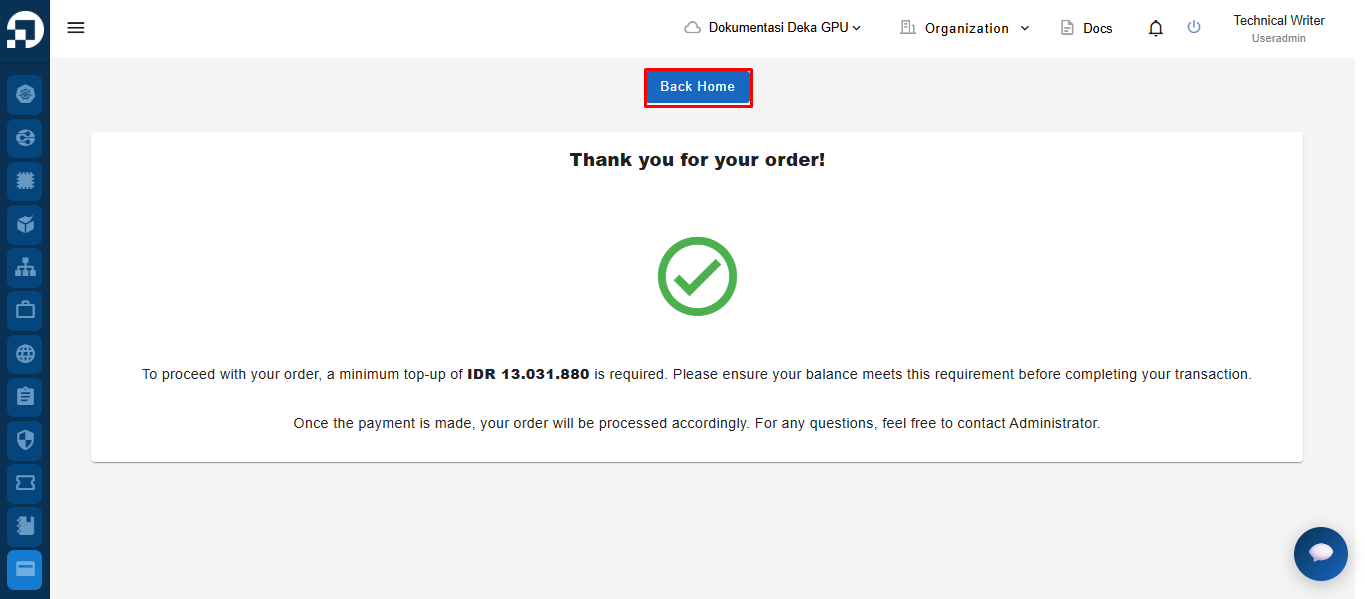
After the order is successfully created, click the **Back Home** button to return to the main page.
<figure><img src="https://2882153758-files.gitbook.io/~/files/v0/b/gitbook-x-prod.appspot.com/o/spaces%2Fi9YWb69HFXLHYlXffReU%2Fuploads%2Fgit-blob-71b502e14da13e0ab761f8d71de624bb66c0f4f7%2Fimage.png?alt=media" alt=""><figcaption></figcaption></figure>