> For the complete documentation index, see [llms.txt](https://docs.cloudeka.ai/llms.txt). Markdown versions of documentation pages are available by appending `.md` to page URLs; this page is available as [Markdown](https://docs.cloudeka.ai/guideline-for-enterprise/cloudeka-service-portal/starter-guide/create-a-deka-notebook.md).

# Create a Deka Notebook

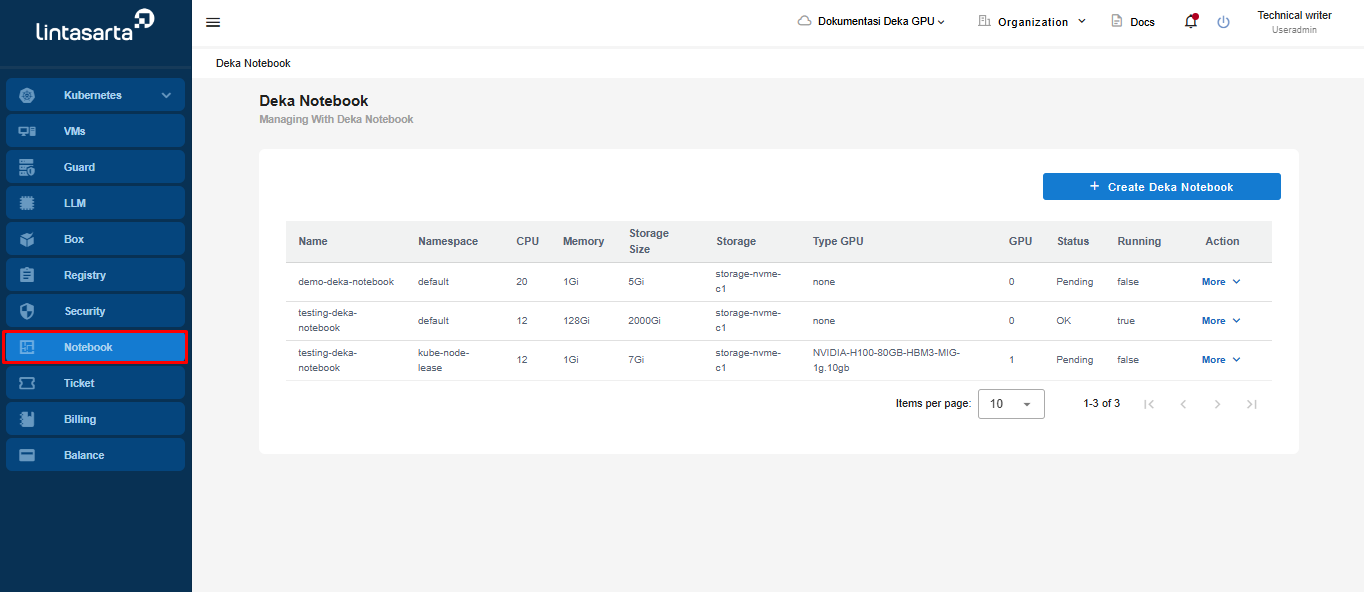
This guide only explains how to create a Deka Notebook for the SME project type in the Service Portal Deka GPU. On the Service Portal Deka GPU page, select the **Notebook** menu.

<figure><img src="https://2882153758-files.gitbook.io/~/files/v0/b/gitbook-x-prod.appspot.com/o/spaces%2Fi9YWb69HFXLHYlXffReU%2Fuploads%2Fgit-blob-0fb388bf9309f3e7712a762bd14a3ebb17f32333%2Funknown.png?alt=media" alt=""><figcaption></figcaption></figure>

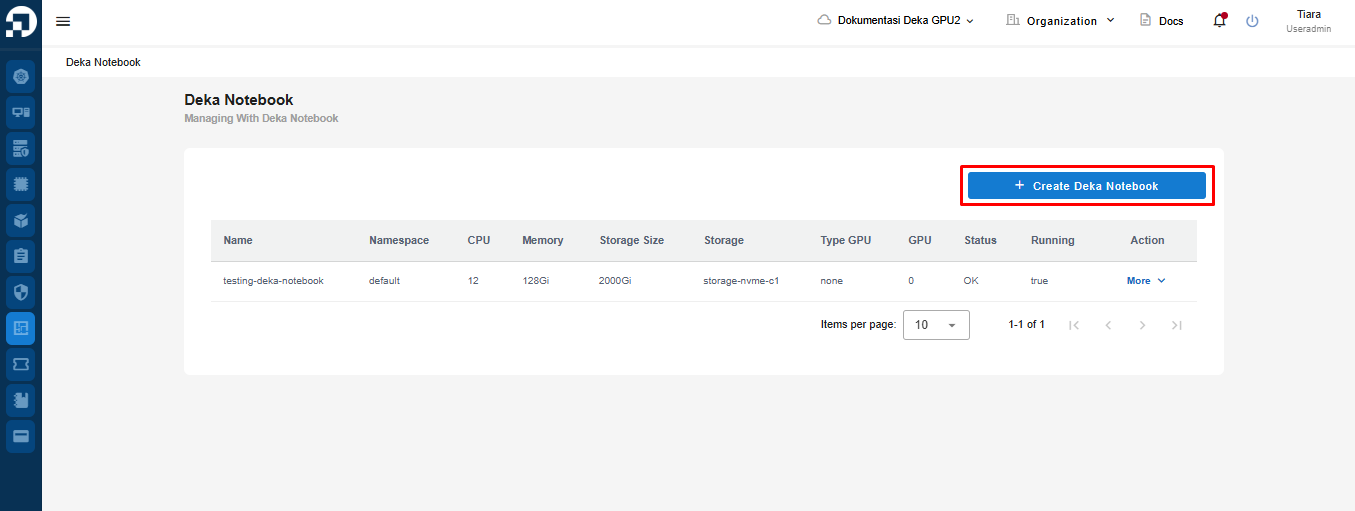
On the Deka Notebook page, click the "+ Create Deka Notebook" button to create Deka Notebook.

<figure><img src="https://2882153758-files.gitbook.io/~/files/v0/b/gitbook-x-prod.appspot.com/o/spaces%2Fi9YWb69HFXLHYlXffReU%2Fuploads%2Fgit-blob-6c42b4398e2c321d99fef088c853f91dcb13c592%2Funknown.png?alt=media" alt=""><figcaption></figcaption></figure>

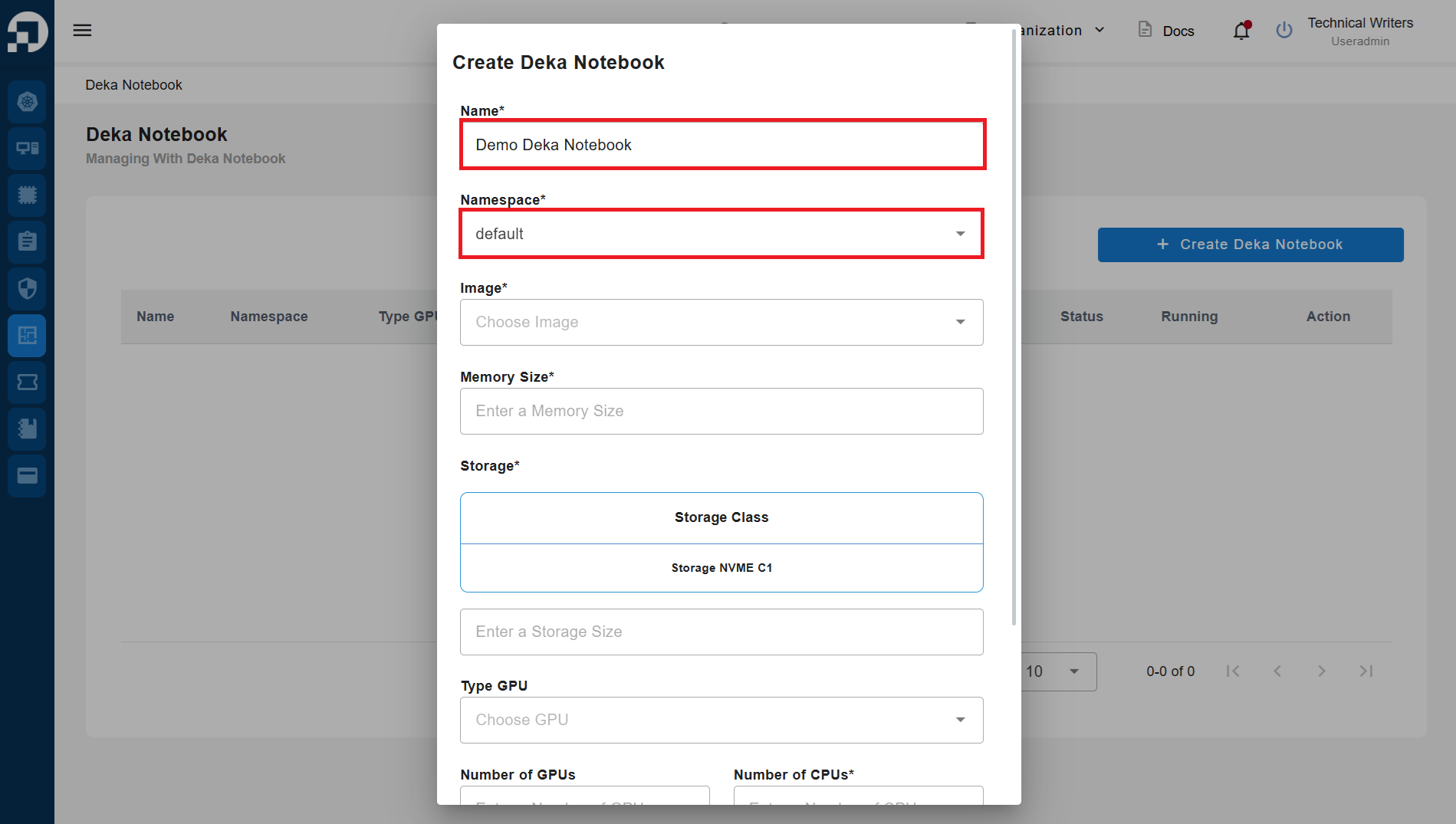
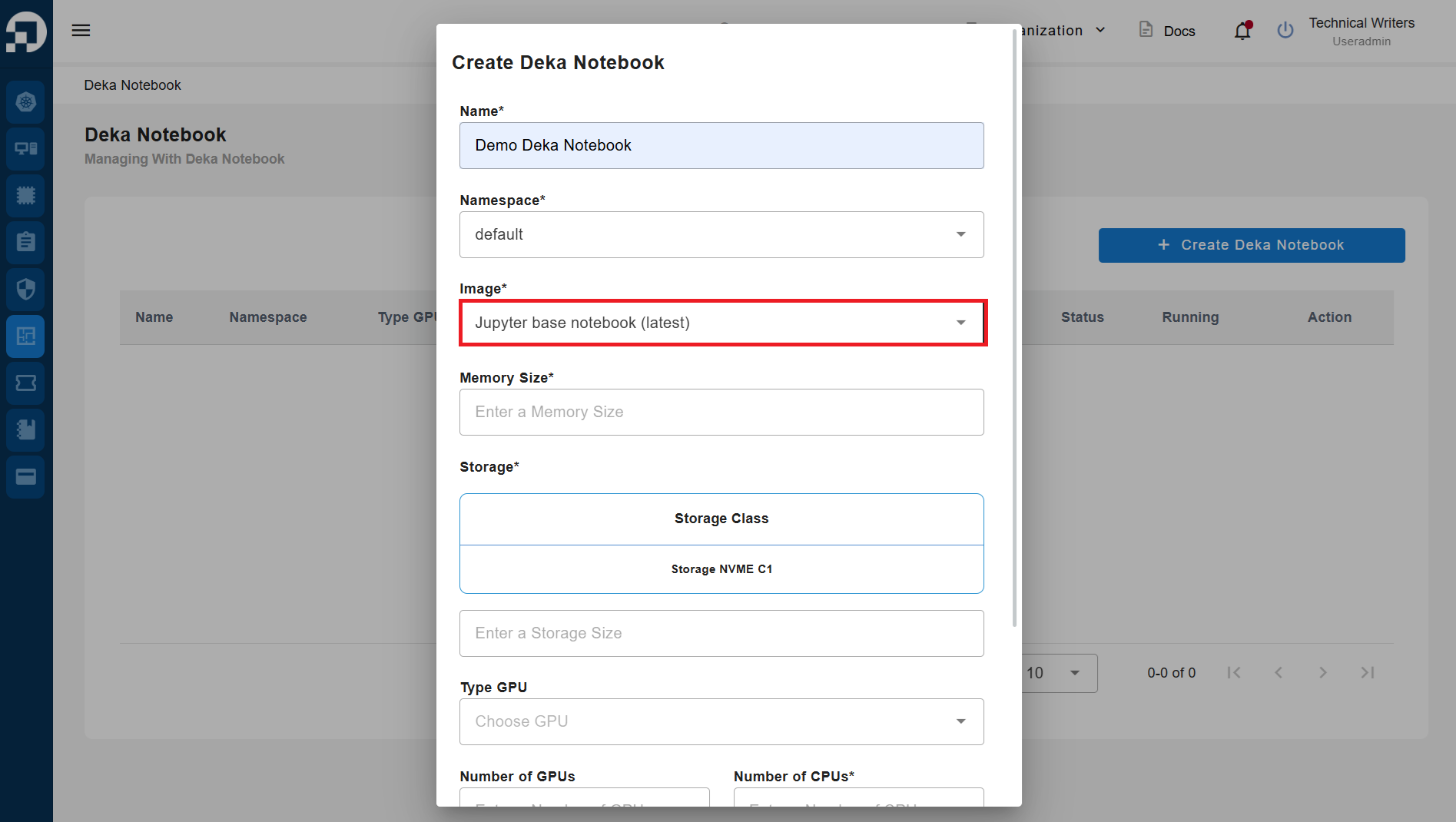
Enter the **name** and select the **namespace type** to be used.

<figure><img src="https://2882153758-files.gitbook.io/~/files/v0/b/gitbook-x-prod.appspot.com/o/spaces%2Fi9YWb69HFXLHYlXffReU%2Fuploads%2Fgit-blob-606b6a8d6a67bb151ed9f57f6f177c98d14e9218%2Fimage.png?alt=media" alt=""><figcaption></figcaption></figure>

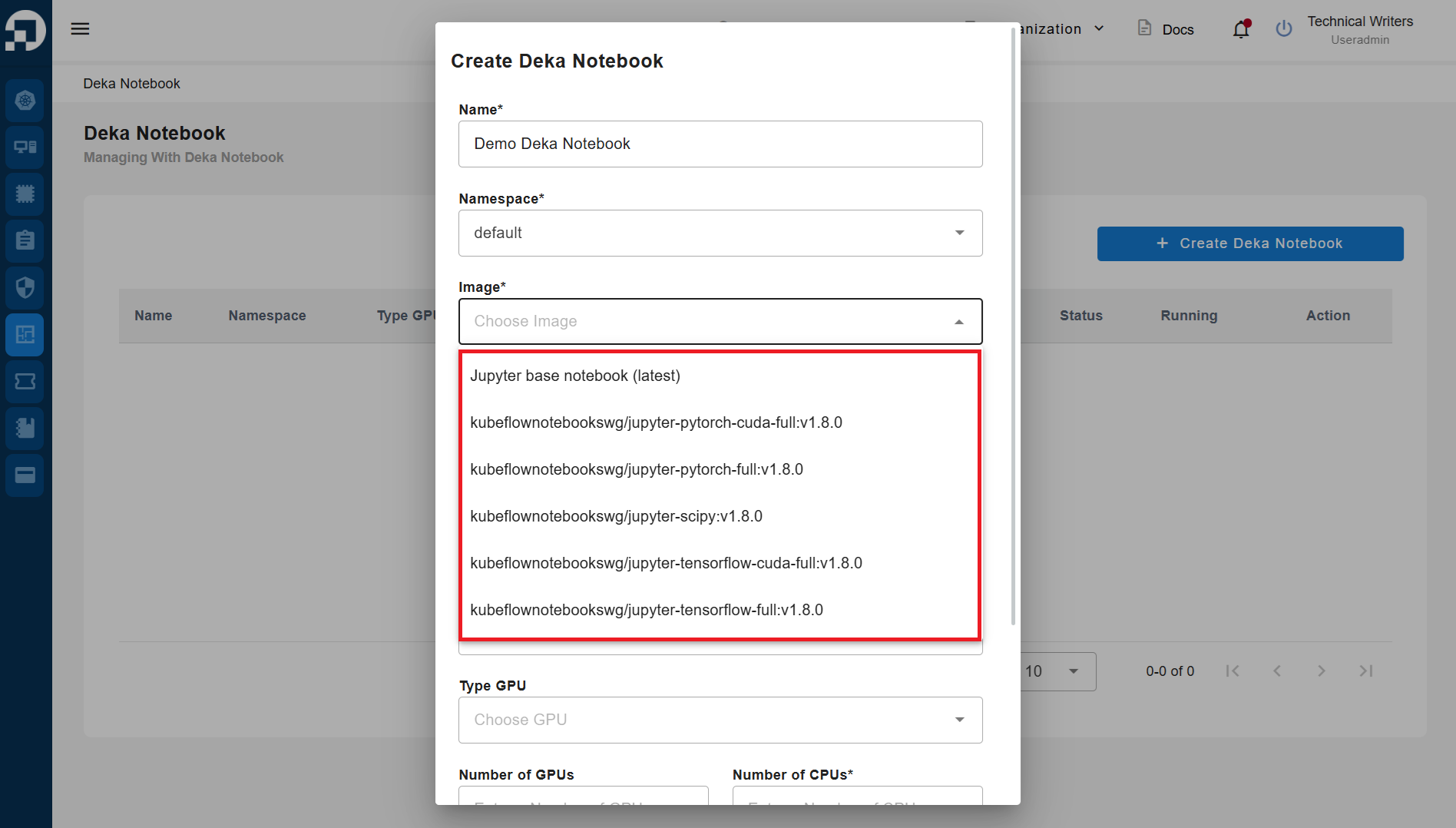
Select the **container image** to be used, in this guide use the **Jupyter base notebook (latest)**.

<figure><img src="https://2882153758-files.gitbook.io/~/files/v0/b/gitbook-x-prod.appspot.com/o/spaces%2Fi9YWb69HFXLHYlXffReU%2Fuploads%2Fgit-blob-6400c0e666db944bc14049853f81780455687998%2Fimage.png?alt=media" alt=""><figcaption></figcaption></figure>

<figure><img src="https://2882153758-files.gitbook.io/~/files/v0/b/gitbook-x-prod.appspot.com/o/spaces%2Fi9YWb69HFXLHYlXffReU%2Fuploads%2Fgit-blob-228888025e6f227f8d5d0b66b181b73236b9aa4c%2Fimage.png?alt=media" alt=""><figcaption></figcaption></figure>

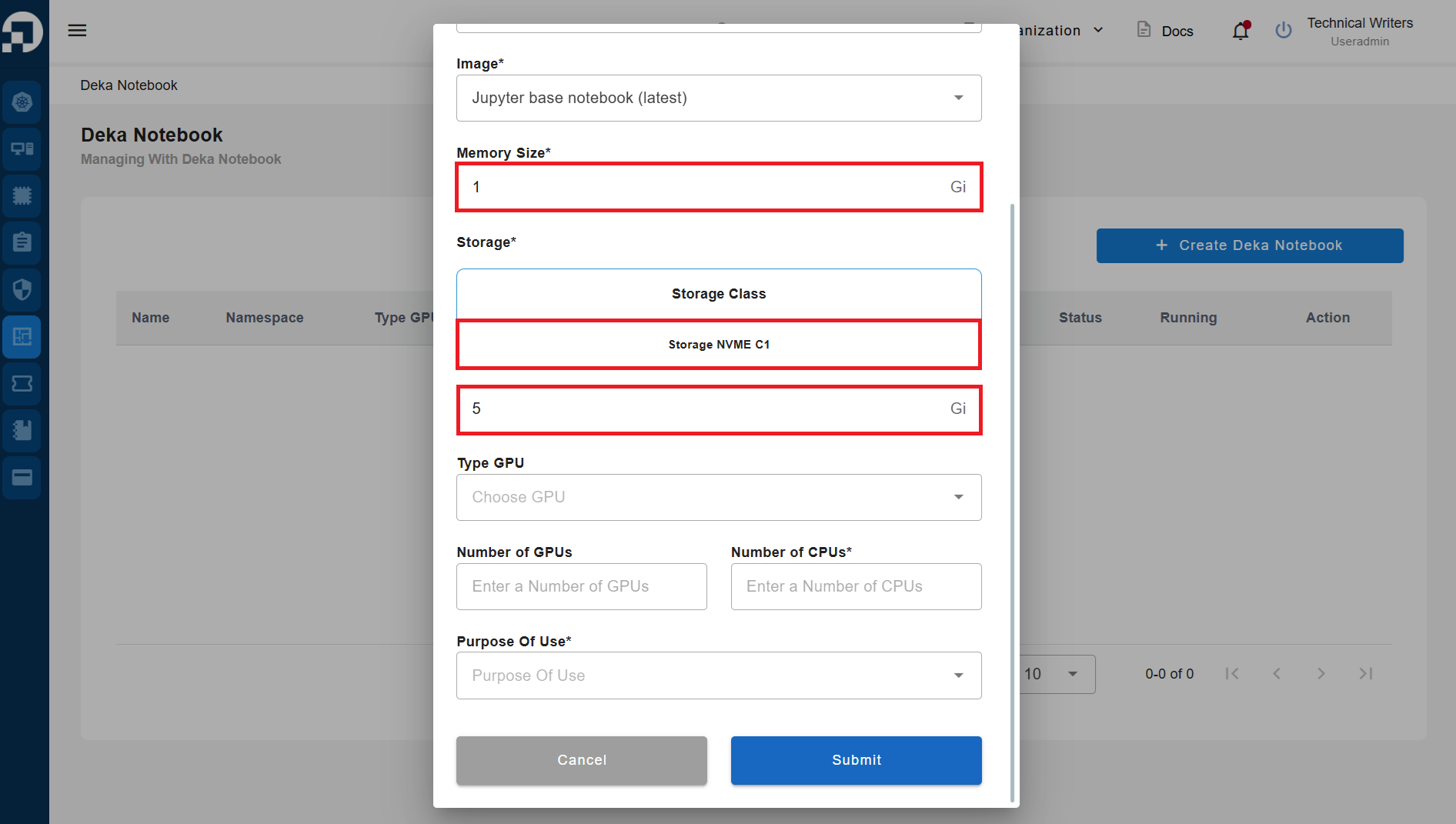
Specify the **Memory Size** to be used; in this guide, we use **1 Gi**. The **Storage size** used is **5 GB**.

{% hint style="warning" %}
The storage size has already been determined in the **"Add Ons"** section when selecting **Add Your Package** in the [**Choose a Package**](/guideline-for-enterprise/cloudeka-service-portal/starter-guide/choose-a-package.md) sub-section. Therefore, you cannot use a storage size exceeding the predetermined limit.
{% endhint %}

<figure><img src="https://2882153758-files.gitbook.io/~/files/v0/b/gitbook-x-prod.appspot.com/o/spaces%2Fi9YWb69HFXLHYlXffReU%2Fuploads%2Fgit-blob-5fa9346f81c0283cbe3bdb4b5a07068342ad8eb7%2Fimage.png?alt=media" alt=""><figcaption></figcaption></figure>

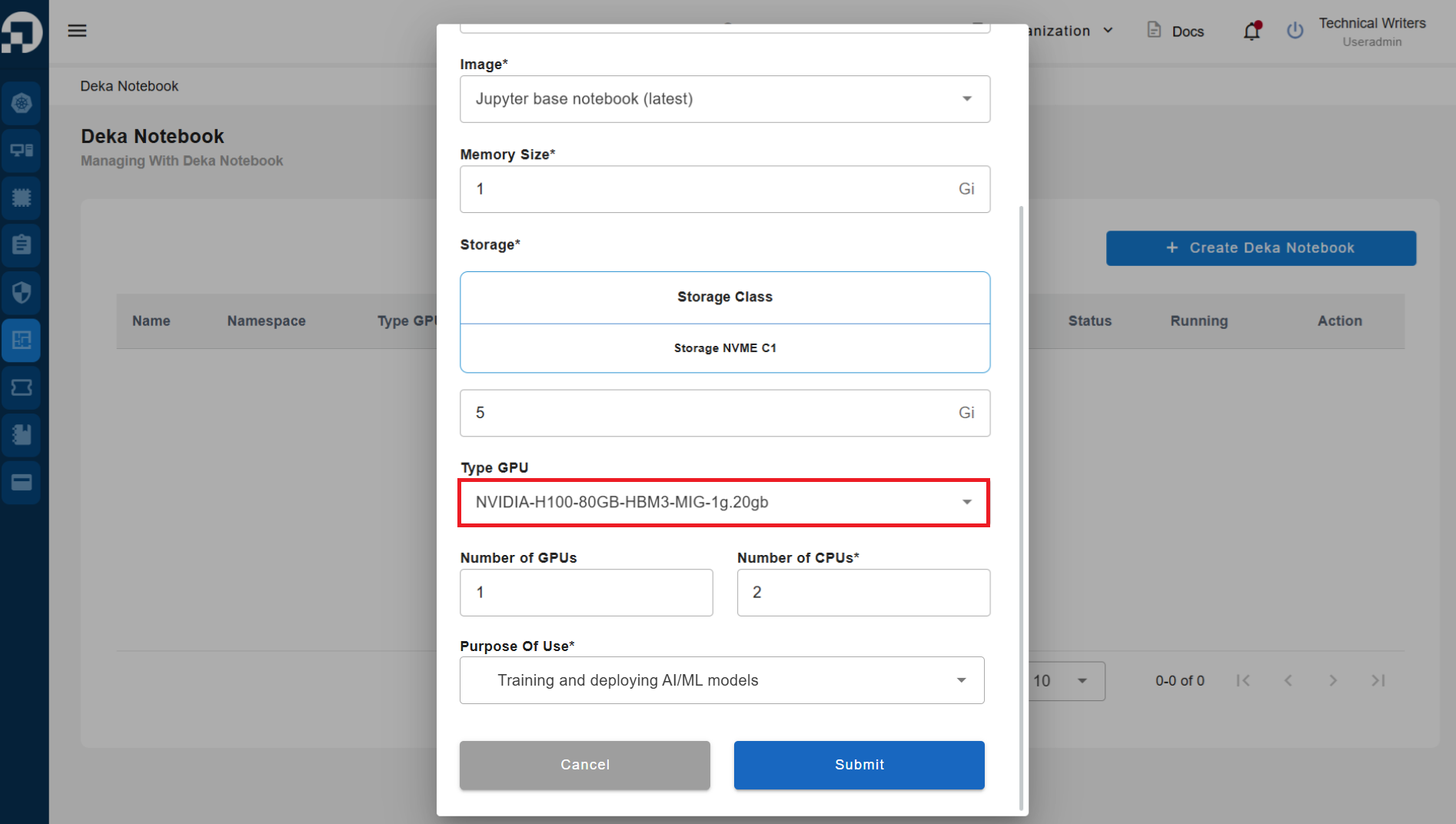
In the GPU Type section, select an available GPU type.

{% hint style="warning" %}
The available GPU types correspond to the package you selected when choosing a package in the [Choose a Package ](/guideline-for-enterprise/cloudeka-service-portal/starter-guide/choose-a-package.md)section.
{% endhint %}

<figure><img src="https://2882153758-files.gitbook.io/~/files/v0/b/gitbook-x-prod.appspot.com/o/spaces%2Fi9YWb69HFXLHYlXffReU%2Fuploads%2Fgit-blob-260fb3269dead4d05ca8b858ba480c15fedbdae0%2Fimage.png?alt=media" alt=""><figcaption></figcaption></figure>

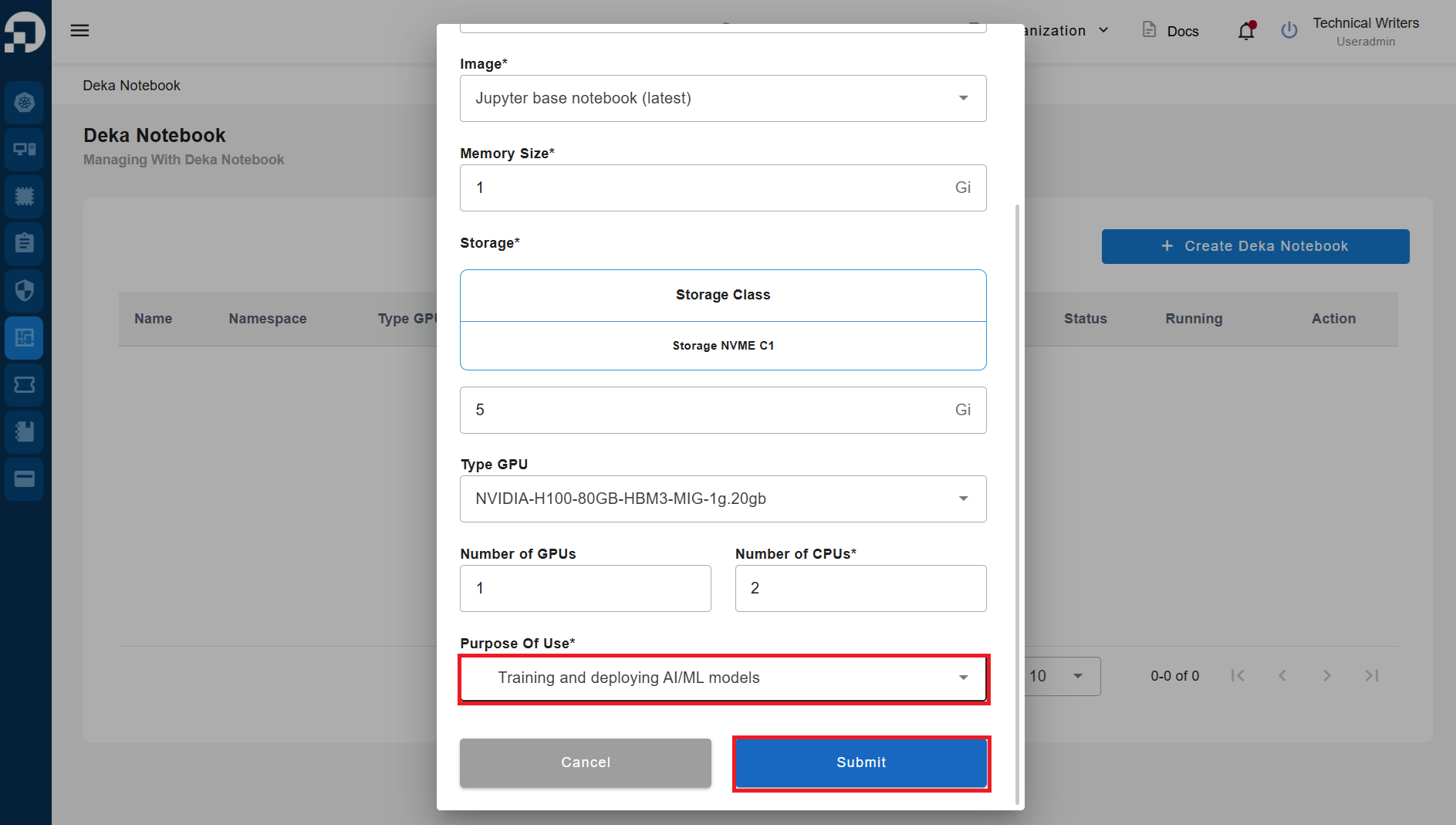
Specify the **Purpose Of Use** and press the **Submit** button to create the Deka Notebook.

<figure><img src="https://2882153758-files.gitbook.io/~/files/v0/b/gitbook-x-prod.appspot.com/o/spaces%2Fi9YWb69HFXLHYlXffReU%2Fuploads%2Fgit-blob-daf5a7f836deb46820eddb8618a3ae6153974b40%2Fimage.png?alt=media" alt=""><figcaption></figcaption></figure>

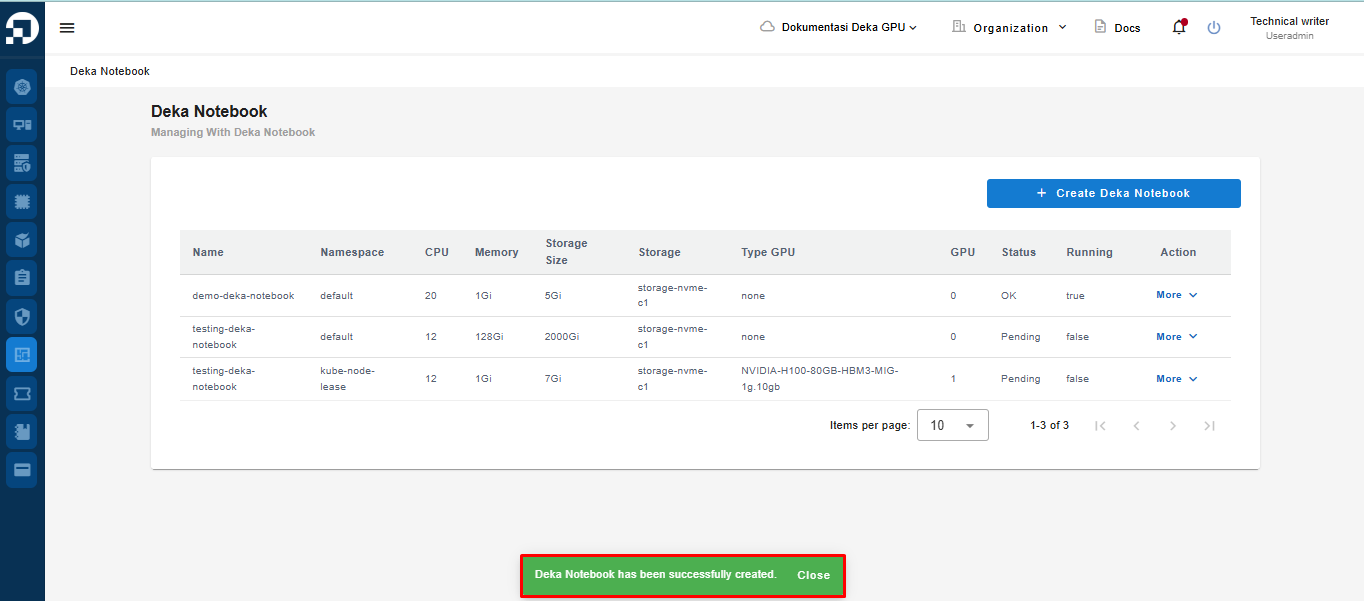
Wait for the process to complete and for the notification **"Deka Notebook has been successfully created"** to appear.

<figure><img src="https://2882153758-files.gitbook.io/~/files/v0/b/gitbook-x-prod.appspot.com/o/spaces%2Fi9YWb69HFXLHYlXffReU%2Fuploads%2Fgit-blob-dfc7262dfe22a06604c64c34e882008323749b8f%2Fimage.png?alt=media" alt=""><figcaption></figcaption></figure>

For further explanation about Deka Notebook in the Service Portal, you can click [this link](/guideline-for-enterprise/deka-notebook/introduction.md).