> For the complete documentation index, see [llms.txt](https://docs.cloudeka.ai/llms.txt). Markdown versions of documentation pages are available by appending `.md` to page URLs; this page is available as [Markdown](https://docs.cloudeka.ai/guideline-for-enterprise/deka-flexi/deka-flexi-security/delete-security-firewall-rule.md).
# Delete Security Firewall Rule
This guide explains how to delete an existing Security Firewall Rule.
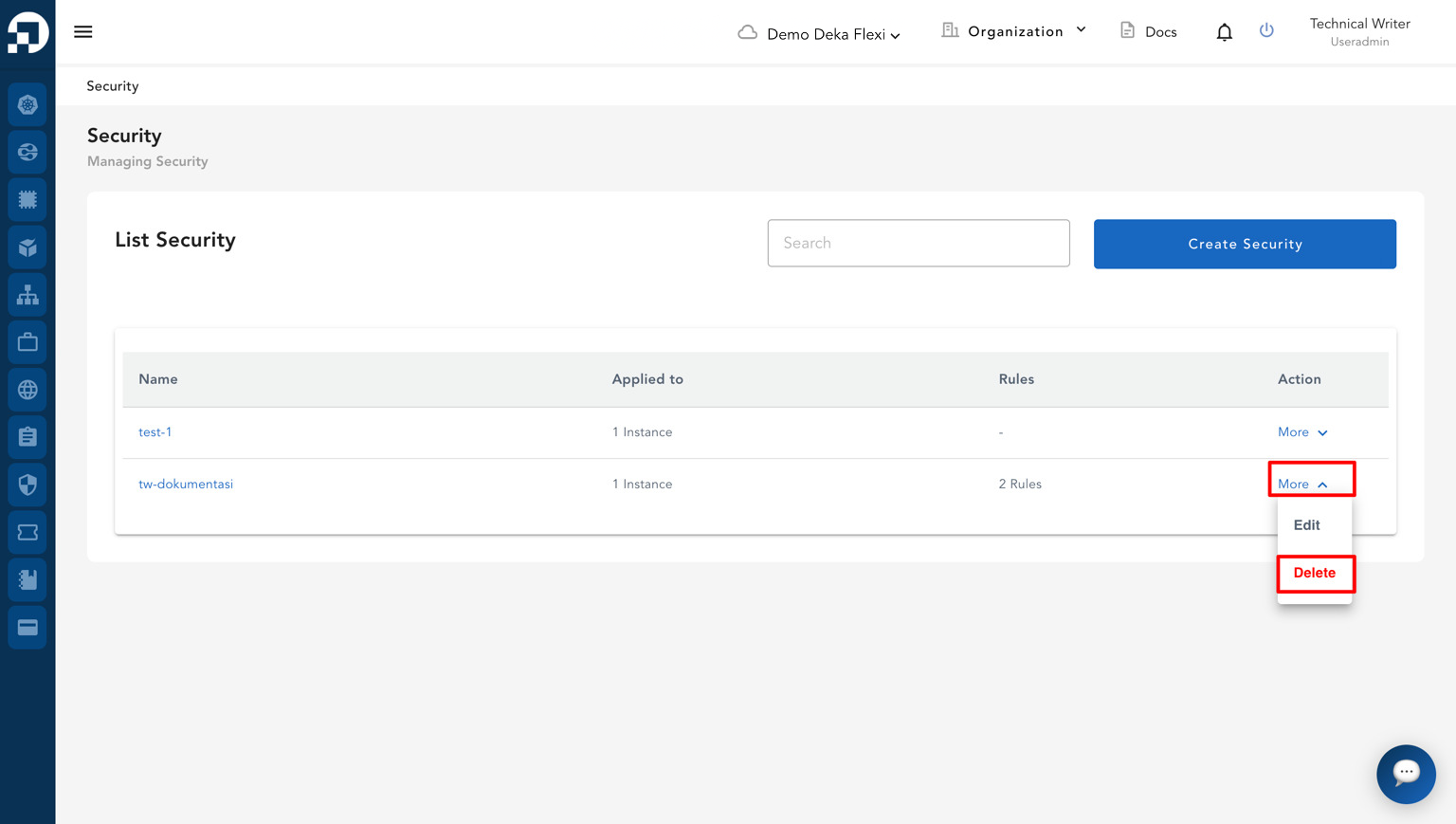
* On the **Security** page, locate the security configuration that you want to delete. In the **Action** column, click **More**, then select **Delete**.
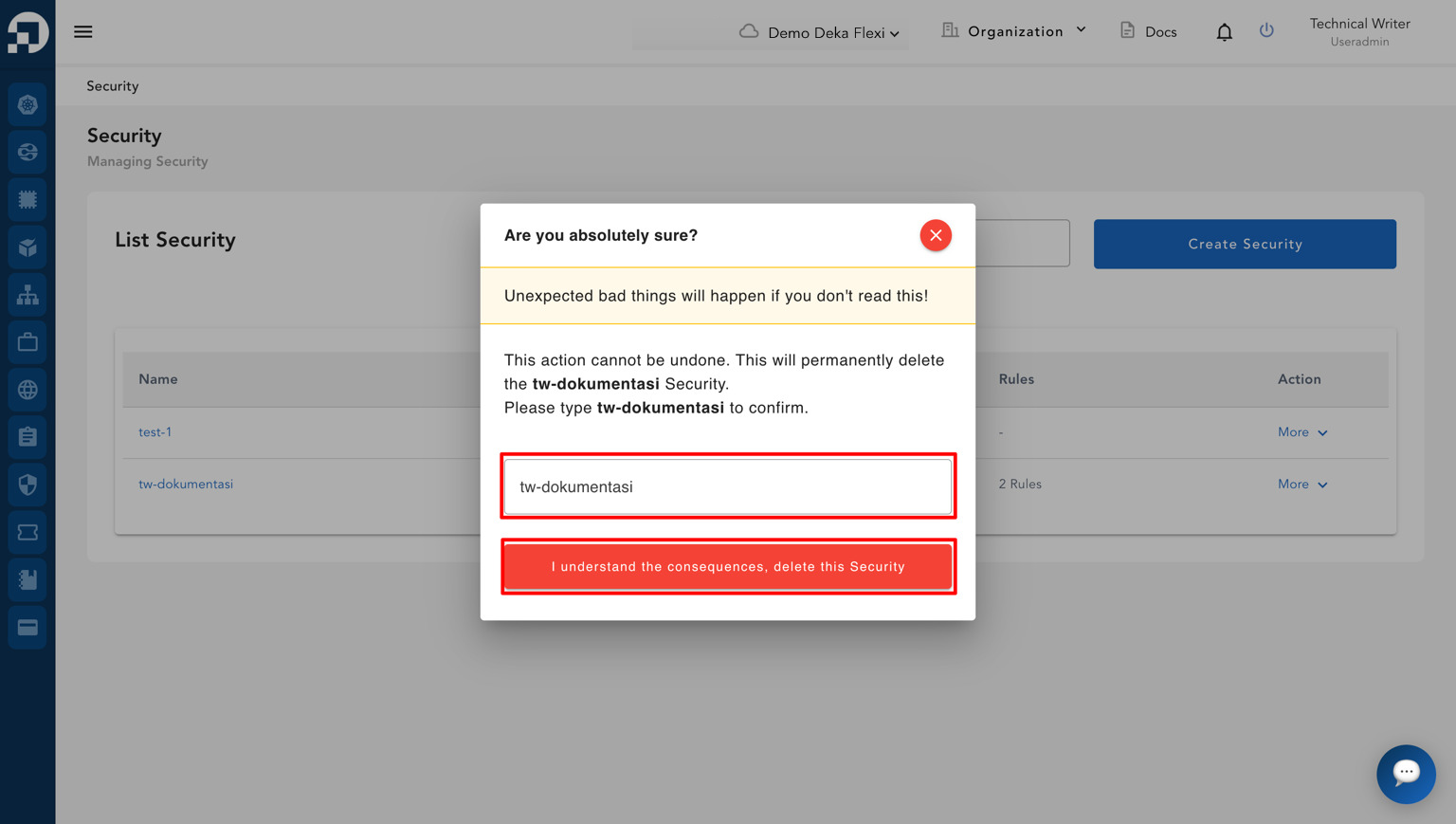
* A confirmation dialog will appear indicating that the action cannot be undone and requires confirmation.
* Type the name of the security configuration in the confirmation field as requested.
* Click the **I understand the consequences, delete this Security** button to proceed with the deletion, or close the dialog if you do not want to continue the process.
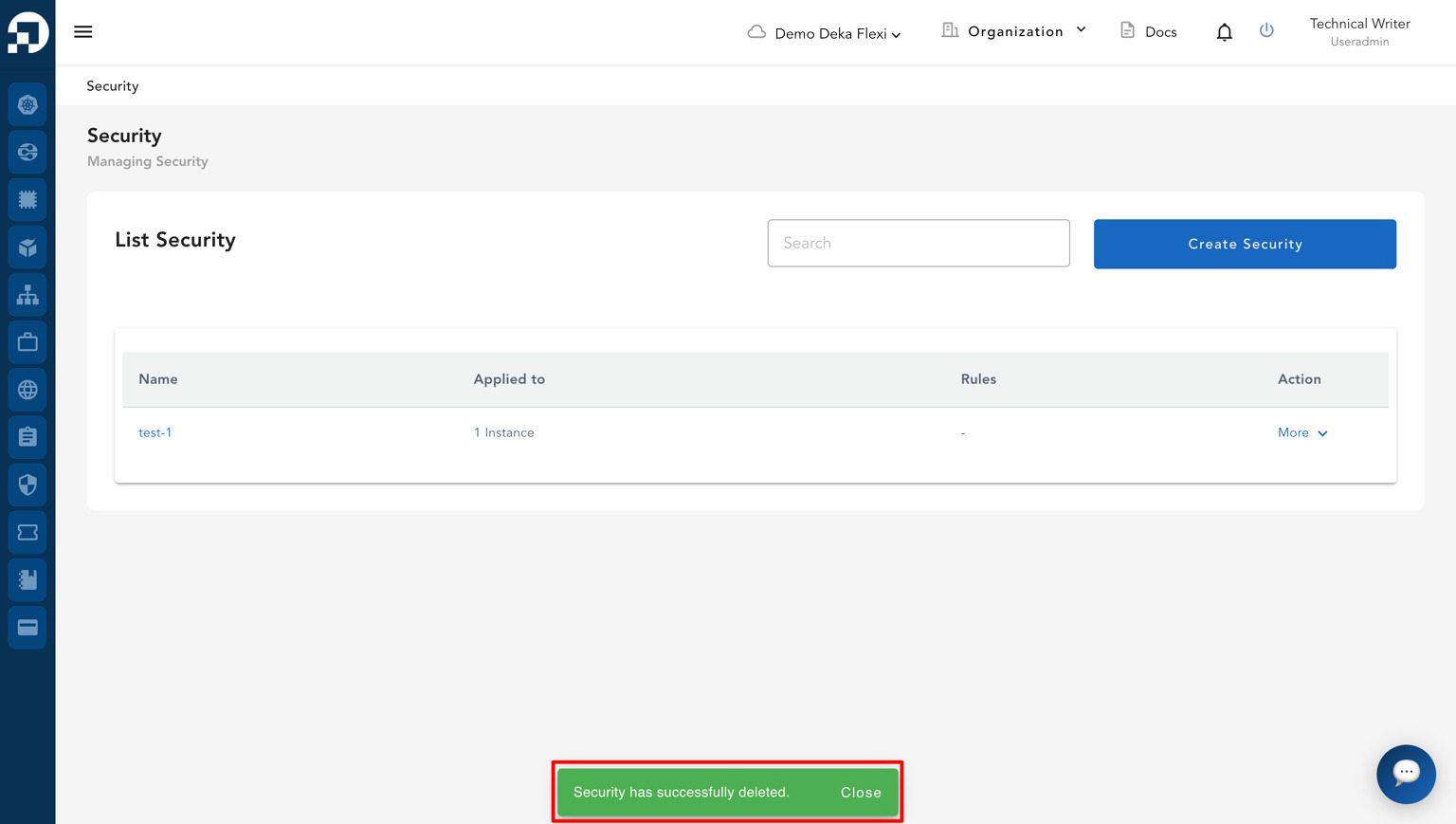
* After the process is completed, a notification will appear displaying the message **"Security has successfully deleted"**.