> For the complete documentation index, see [llms.txt](https://docs.cloudeka.ai/llms.txt). Markdown versions of documentation pages are available by appending `.md` to page URLs; this page is available as [Markdown](https://docs.cloudeka.ai/guideline-for-enterprise/deka-flexi/deka-volume-images/snapshot/snapshot-for-instance/delete-snapshot.md).
# Delete Snapshot
This guide describes how to delete an instance snapshot.
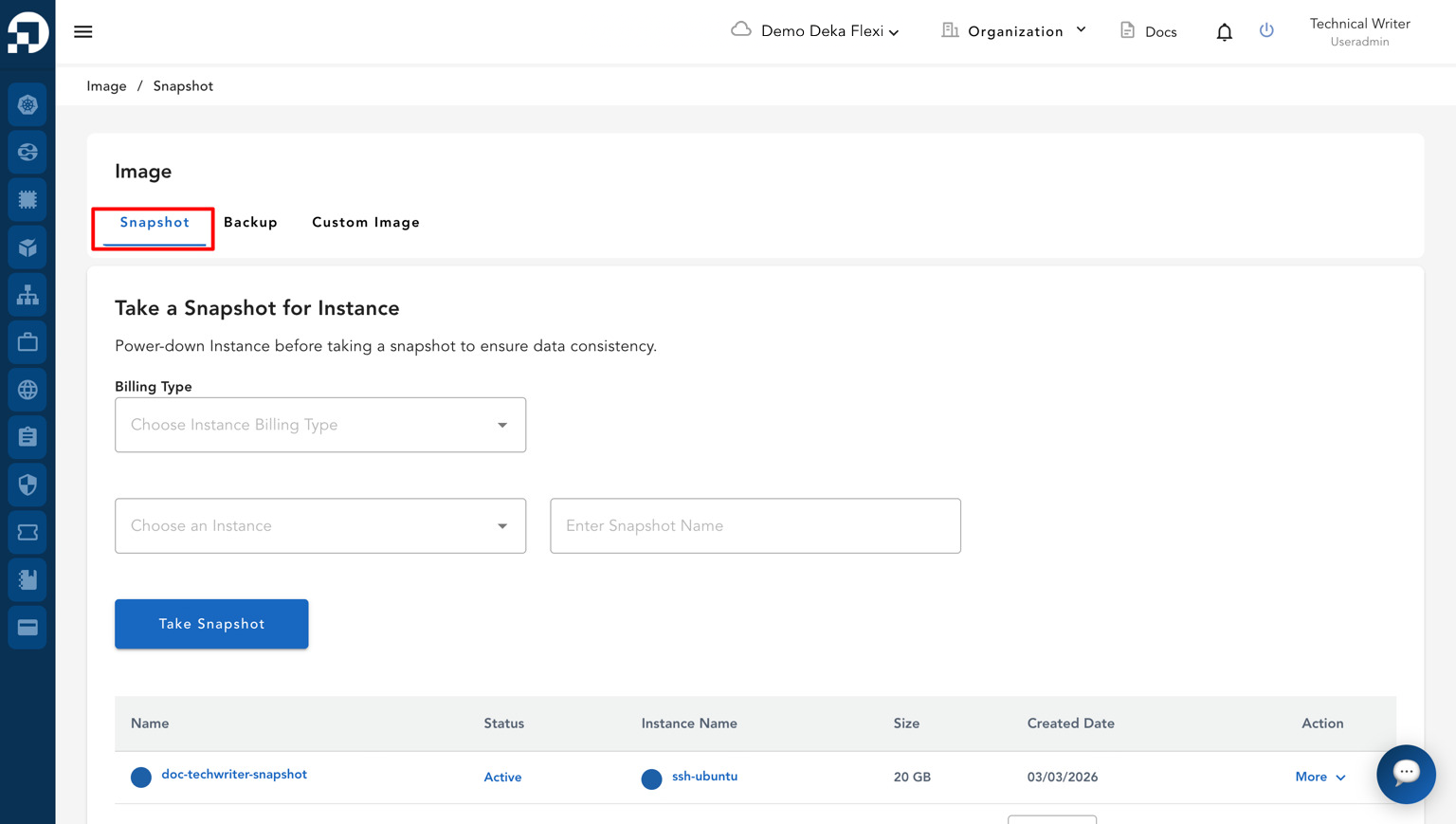
* Open the **Images** menu, then go to the **Snapshot** page.
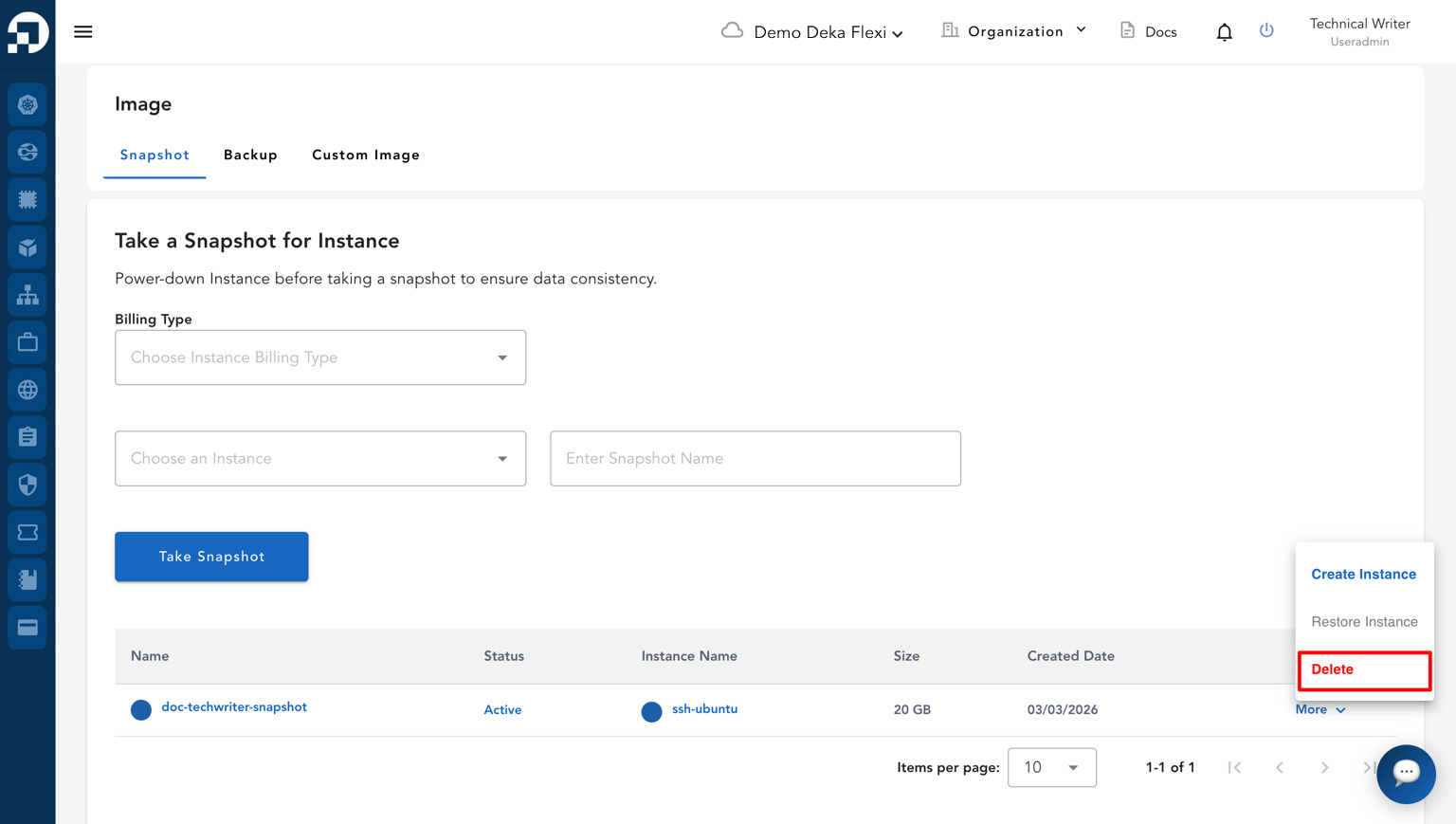
* In the snapshot list, locate the snapshot that you want to delete. In the **Action** column, click **More**, then select **Delete**.
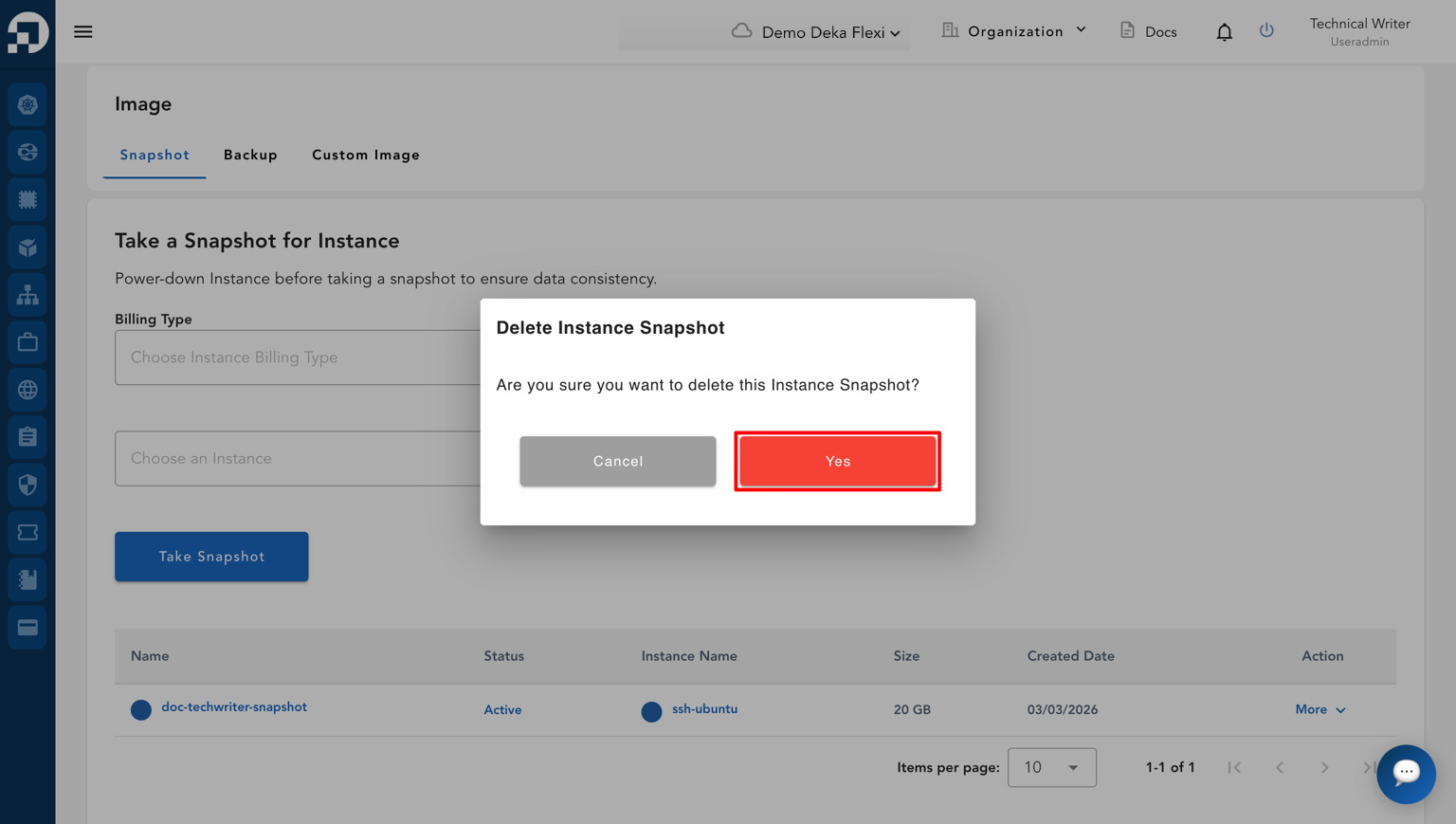
* A confirmation pop-up will appear asking whether you want to delete the snapshot. Click **Yes** to continue the deletion process or click **Cancel** to cancel the action.
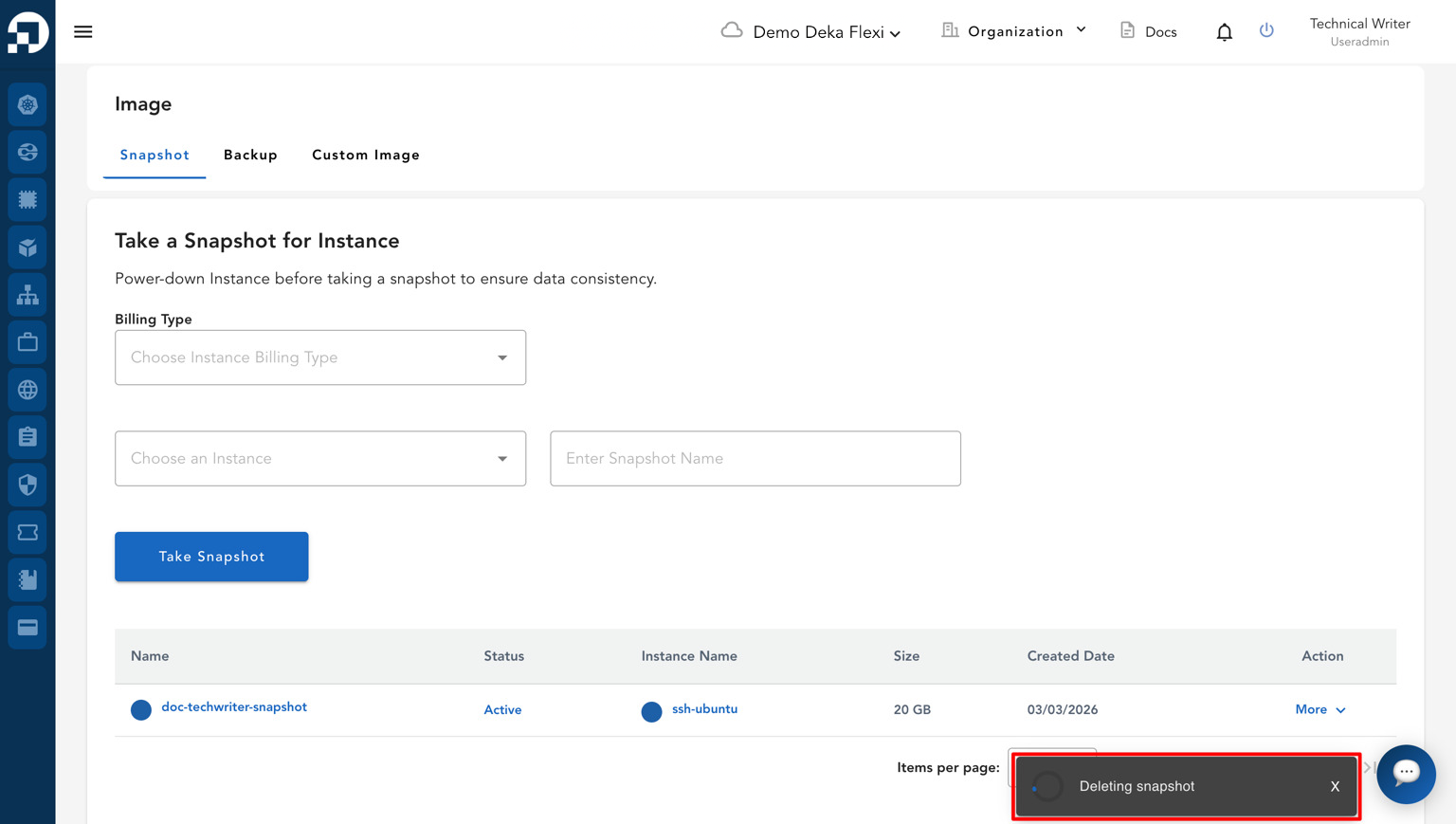
* The system will start deleting the snapshot and display the deletion process in the notification panel.
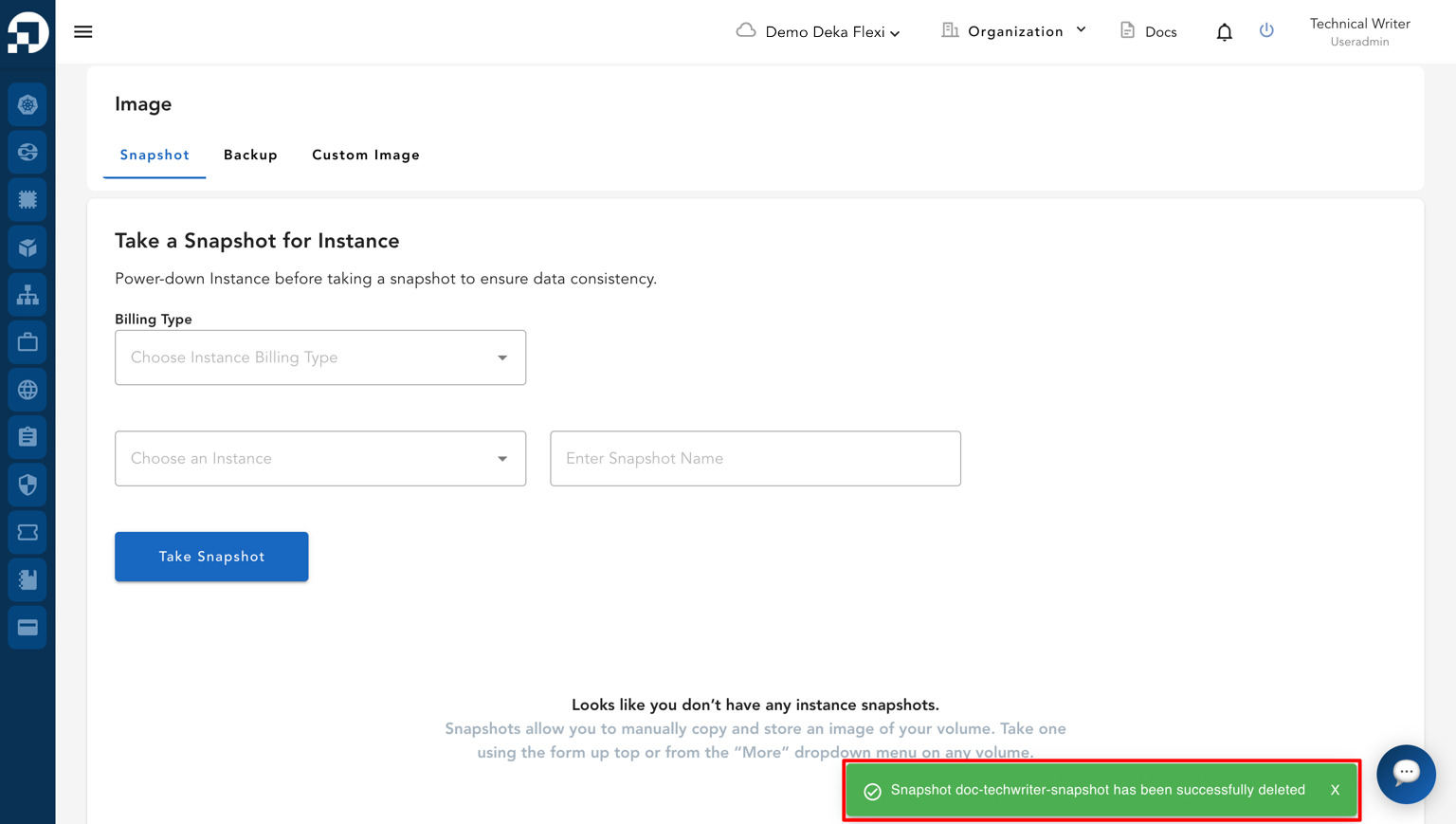
* If the process is successful, a notification will appear displaying the message "**Snapshot has been successfully deleted**".