> For the complete documentation index, see [llms.txt](https://docs.cloudeka.ai/llms.txt). Markdown versions of documentation pages are available by appending `.md` to page URLs; this page is available as [Markdown](https://docs.cloudeka.ai/guideline-for-enterprise/deka-flexi/deka-vpn/delete-vpn.md).
# Delete VPN
Before deleting the VPN, make sure you have deleted the OpenVPN and IP Security configurations. Here are the steps to remove a VPN configuration already performed:
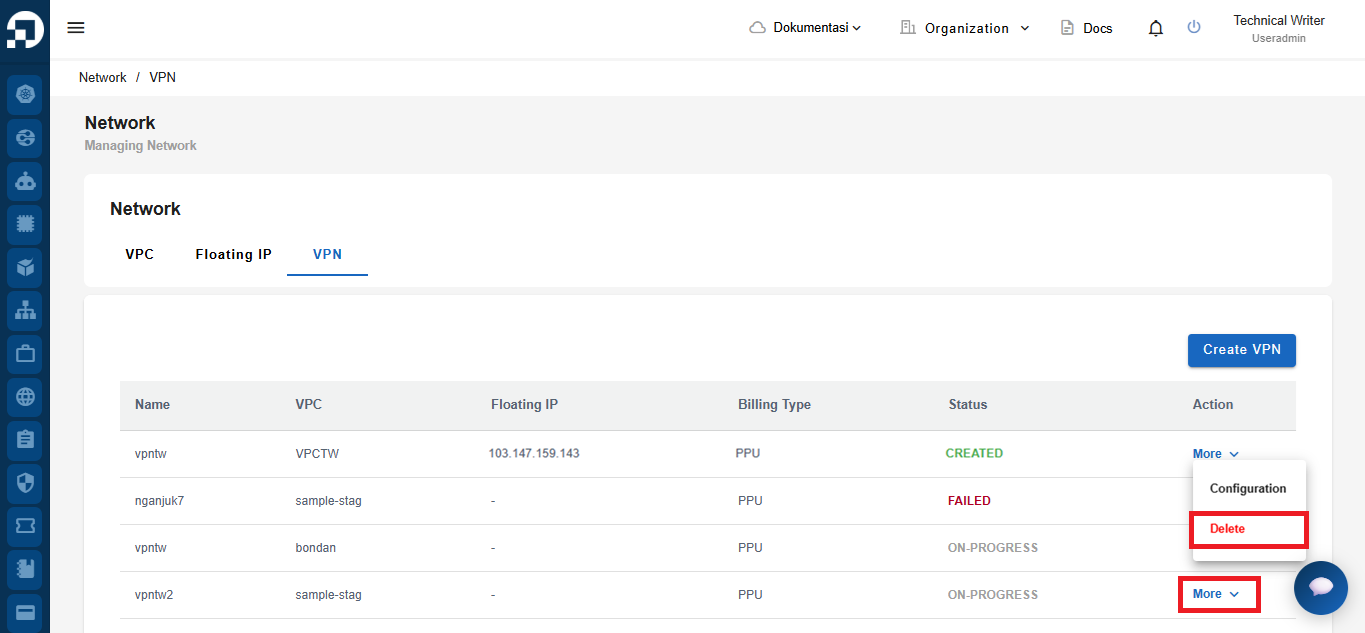
On the Network menu of the VPN tab select the VPN to remove by clicking the More button and clicking Delete.
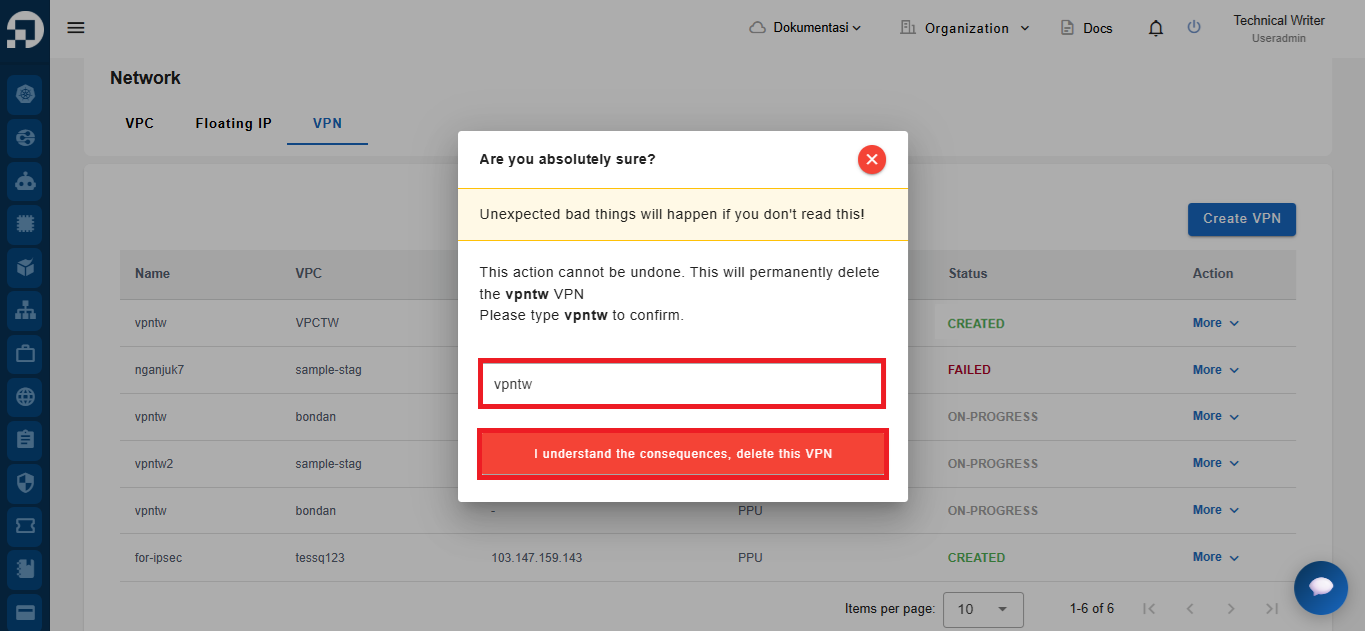
Display the Delete VPN window and re-type the name of the VPN configuration to be deleted. Click the Confirm button to continue with the VPN configuration delete process.
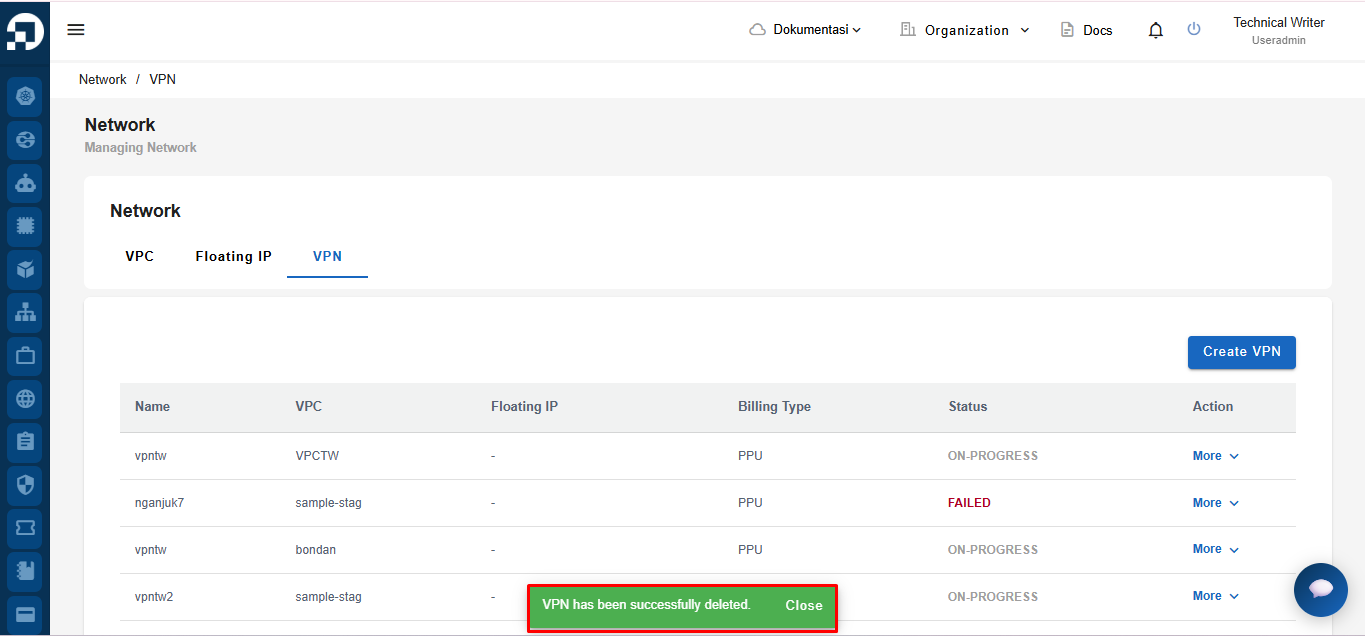
Wait for the removal to complete. and a **"VPN has been successfully deleted"** notice that the VPN was deleted successfully.