> For the complete documentation index, see [llms.txt](https://docs.cloudeka.ai/llms.txt). Markdown versions of documentation pages are available by appending `.md` to page URLs; this page is available as [Markdown](https://docs.cloudeka.ai/guideline-for-enterprise/deka-flexi/deka-vpn/ipsec-configuration/view-pre-shared-key.md).
# View Pre Shared Key
Here are the steps to view the shared keys a project uses on IPsec in the Cloudeka portal service:
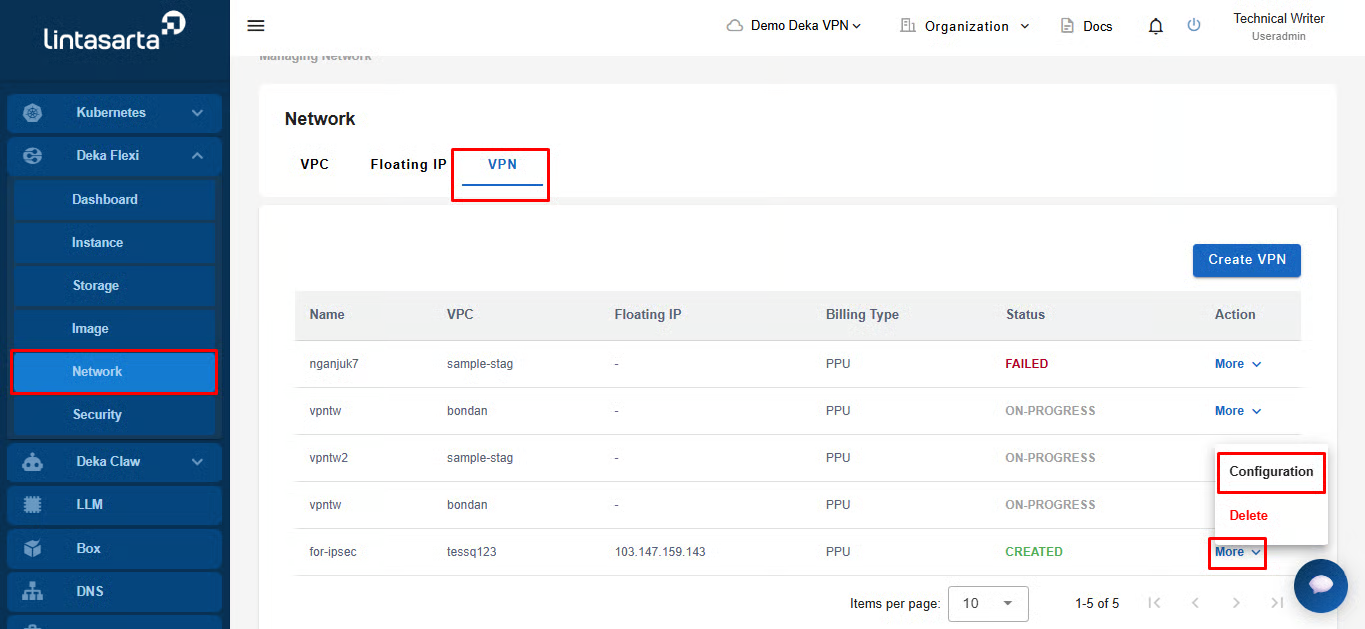
On the Network page, select the VPN tab then select Configuration in the More column.
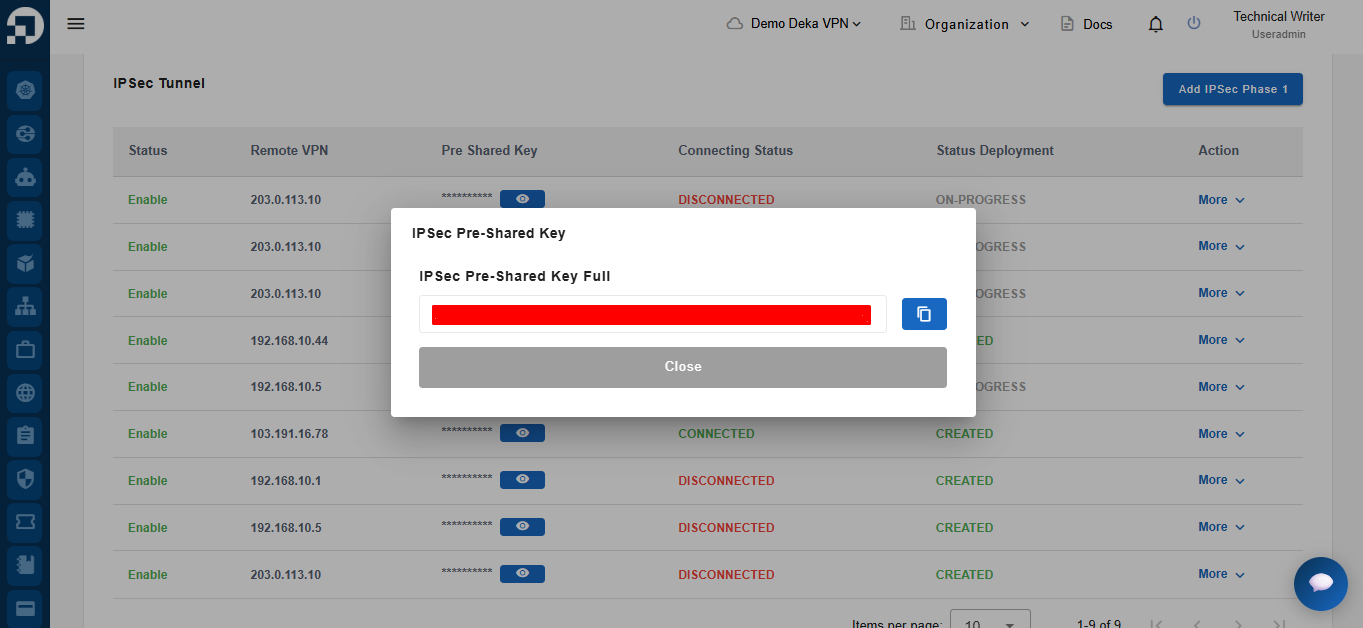
Select the IPsec tab, in the IPsec Tunnels section in the Pre Shared Key column press the eye icon.
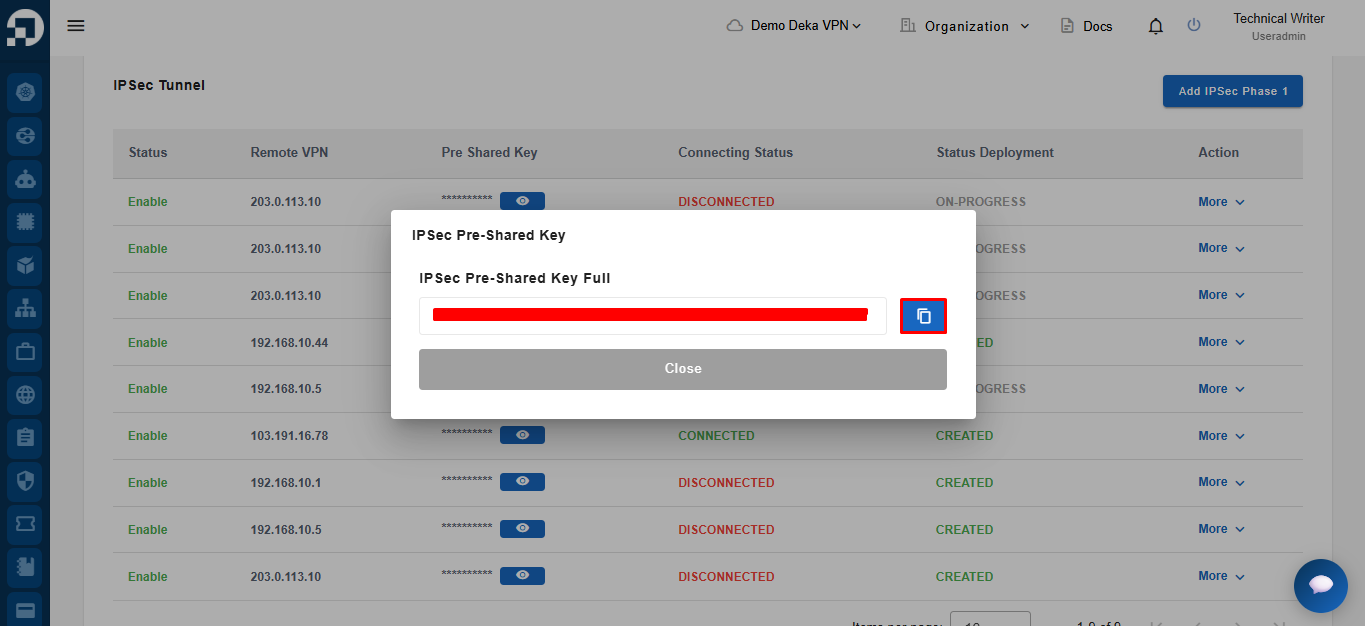
Press the Copy button to copy the key.