> For the complete documentation index, see [llms.txt](https://docs.cloudeka.ai/llms.txt). Markdown versions of documentation pages are available by appending `.md` to page URLs; this page is available as [Markdown](https://docs.cloudeka.ai/guideline-for-enterprise/deka-flexi/deka-vpn/openvpn-configuration/add-openvpn-user.md).

# Add OpenVPN User

On OpenVPN on the Cloudeka portal service, you can add users by following these steps:

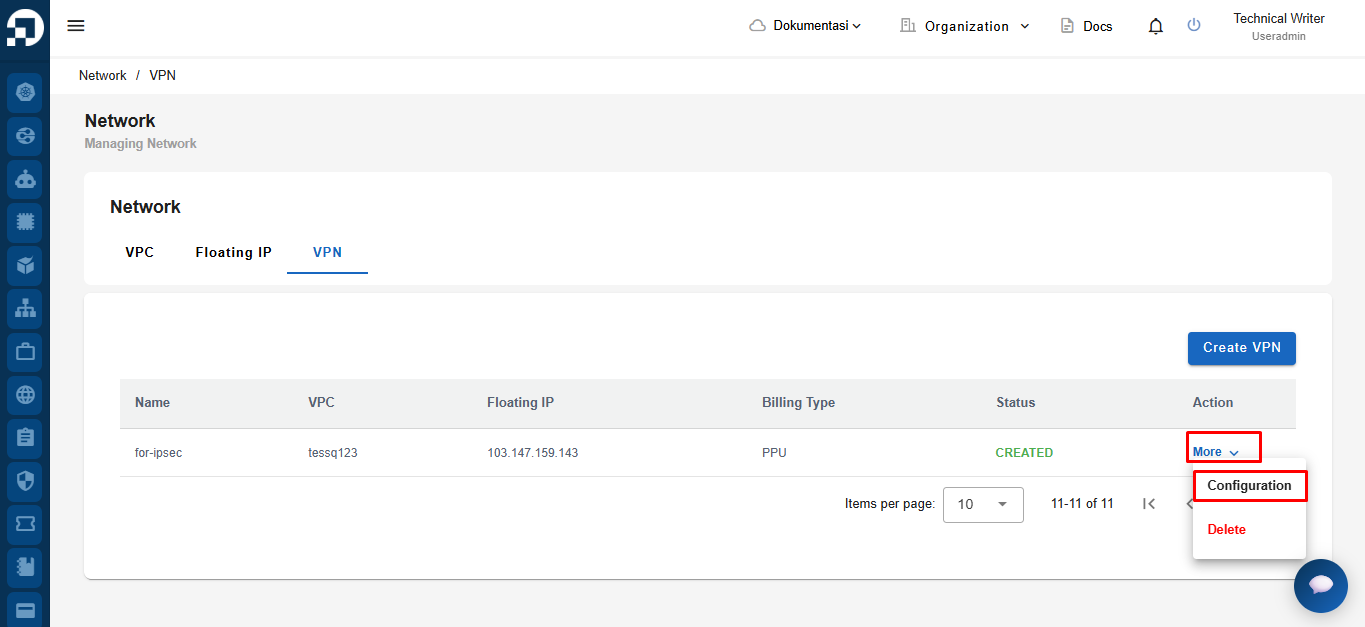
On the VPN page, in the More colum&#x6E;**, select Configuration.**

<figure><img src="https://2882153758-files.gitbook.io/~/files/v0/b/gitbook-x-prod.appspot.com/o/spaces%2Fi9YWb69HFXLHYlXffReU%2Fuploads%2Fgit-blob-eb0586cbc3cf425e22c856a76f62c614eb980a75%2Fimage.png?alt=media" alt=""><figcaption></figcaption></figure>

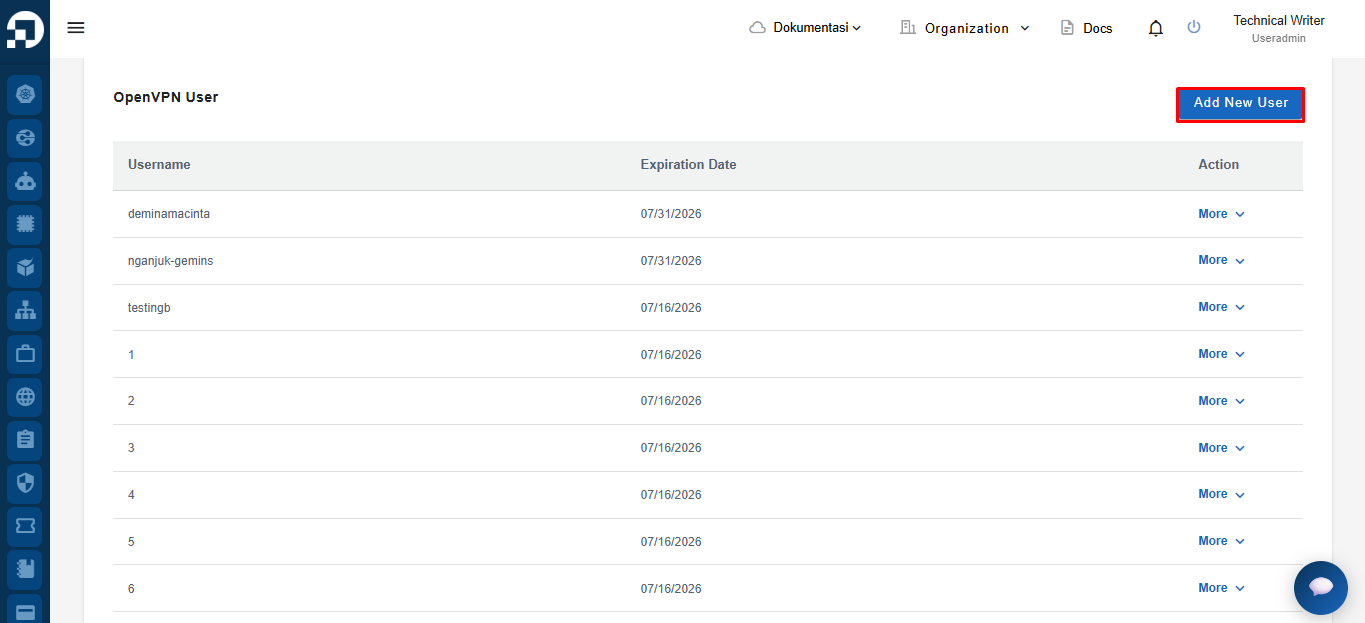
Select the OpenVPN tab in the OpenVPN User section, click the Add New User button.

<figure><img src="https://2882153758-files.gitbook.io/~/files/v0/b/gitbook-x-prod.appspot.com/o/spaces%2Fi9YWb69HFXLHYlXffReU%2Fuploads%2Fgit-blob-0352c2208176d2155af45ab6a384aa2b57d94aa5%2Fimage.png?alt=media" alt=""><figcaption></figcaption></figure>

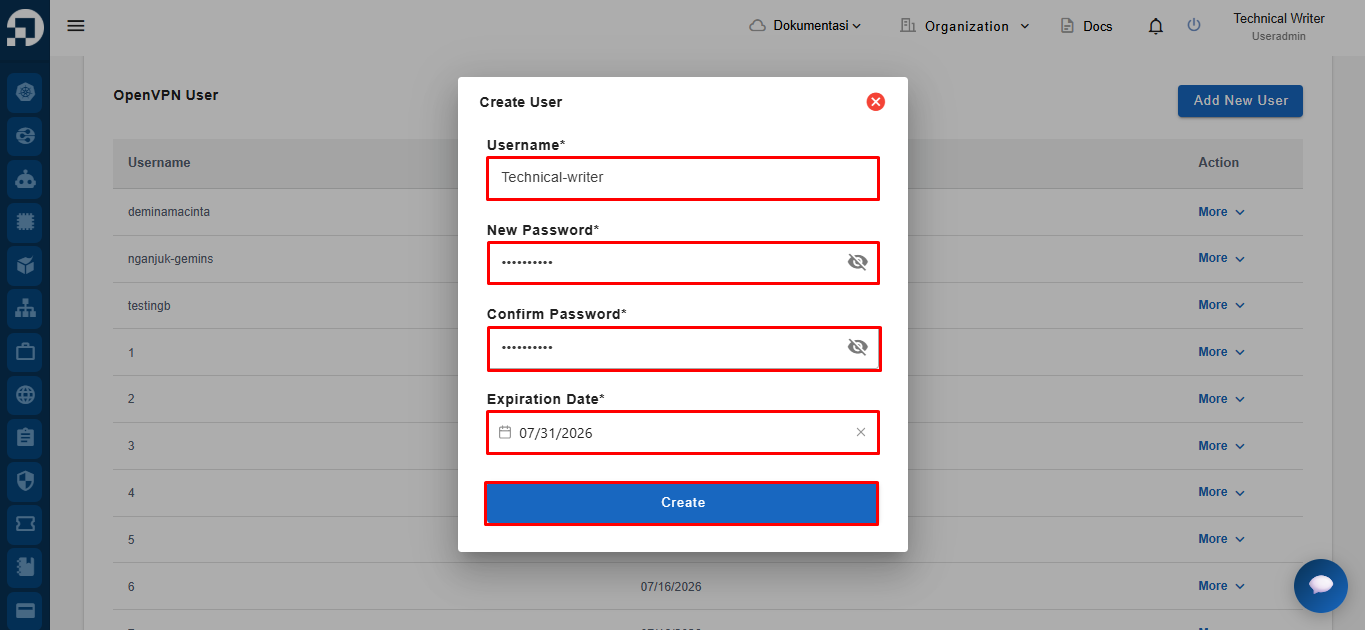
The OpenVPN Create User page appears, fill in **Username, New Password, Confirm Password, Expiration Date**, and click the **Create** button to continue the process.

<figure><img src="https://2882153758-files.gitbook.io/~/files/v0/b/gitbook-x-prod.appspot.com/o/spaces%2Fi9YWb69HFXLHYlXffReU%2Fuploads%2Fgit-blob-952354ee4c157cd8a3bb37fb35c06aa77973a10d%2Fimage.png?alt=media" alt=""><figcaption></figcaption></figure>

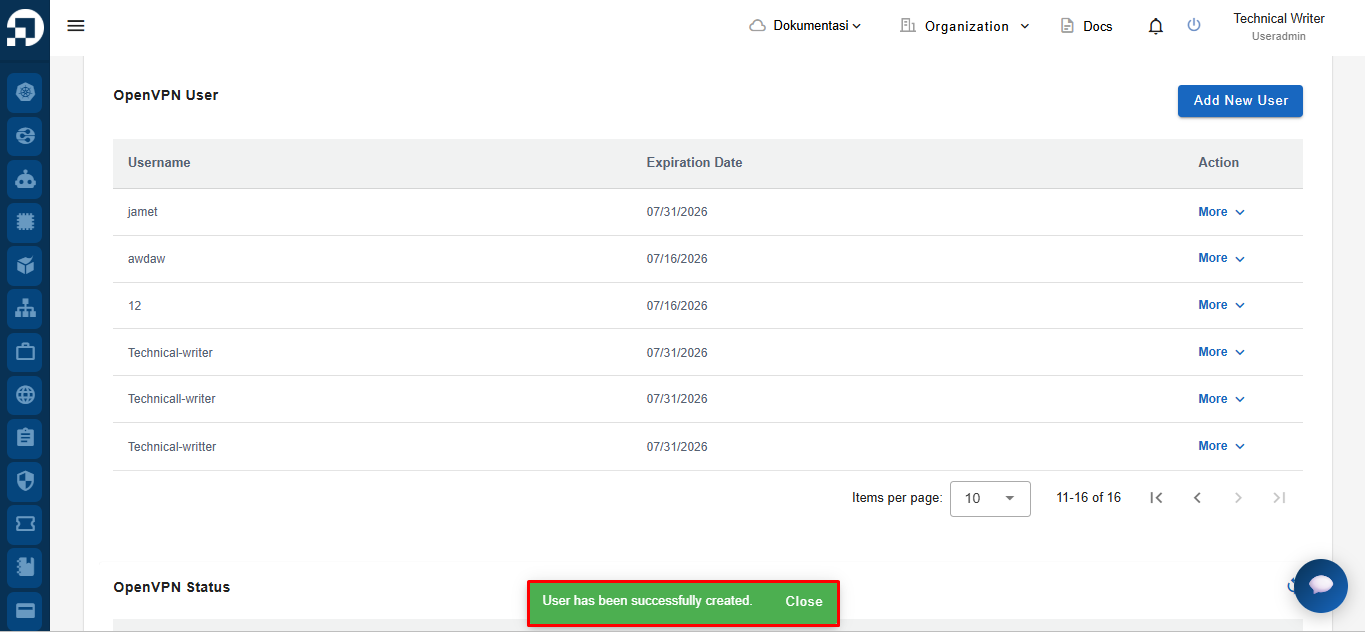
New OpenVPN user accounts are now available in the OpenVPN User list.
<figure><img src="https://2882153758-files.gitbook.io/~/files/v0/b/gitbook-x-prod.appspot.com/o/spaces%2Fi9YWb69HFXLHYlXffReU%2Fuploads%2Fgit-blob-474615ca5d687fae877067a5dc7dbb51af6e4bdf%2Fimage.png?alt=media" alt=""><figcaption></figcaption></figure>