> For the complete documentation index, see [llms.txt](https://docs.cloudeka.ai/llms.txt). Markdown versions of documentation pages are available by appending `.md` to page URLs; this page is available as [Markdown](https://docs.cloudeka.ai/guideline-for-enterprise/deka-flexi/deka-vpn/openvpn-configuration/delete-openvpn.md).

# Delete OpenVPN

To be able to delete OpenVPN only the last OpenVPN user account by following these steps:

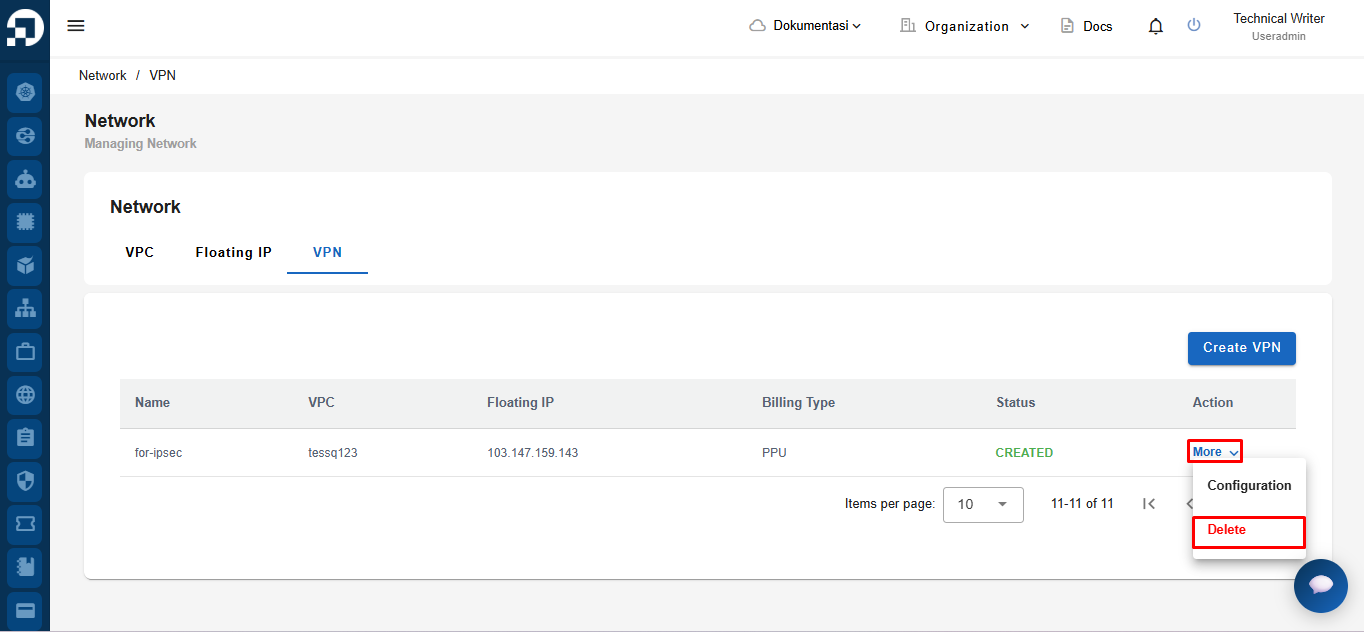
On the VPN page, in the More column, select **Configuration**.

<figure><img src="https://2882153758-files.gitbook.io/~/files/v0/b/gitbook-x-prod.appspot.com/o/spaces%2Fi9YWb69HFXLHYlXffReU%2Fuploads%2Fgit-blob-e8f76057e5ca9e23854064380239a57868962772%2Fimage.png?alt=media" alt=""><figcaption></figcaption></figure>

Select the OpenVPN tab, in the OpenVPN User section select the Delete button.

<figure><img src="https://2882153758-files.gitbook.io/~/files/v0/b/gitbook-x-prod.appspot.com/o/spaces%2Fi9YWb69HFXLHYlXffReU%2Fuploads%2Fgit-blob-15fb3480a31129fe3f494384838cfd75f2577269%2Fimage.png?alt=media" alt=""><figcaption></figcaption></figure>

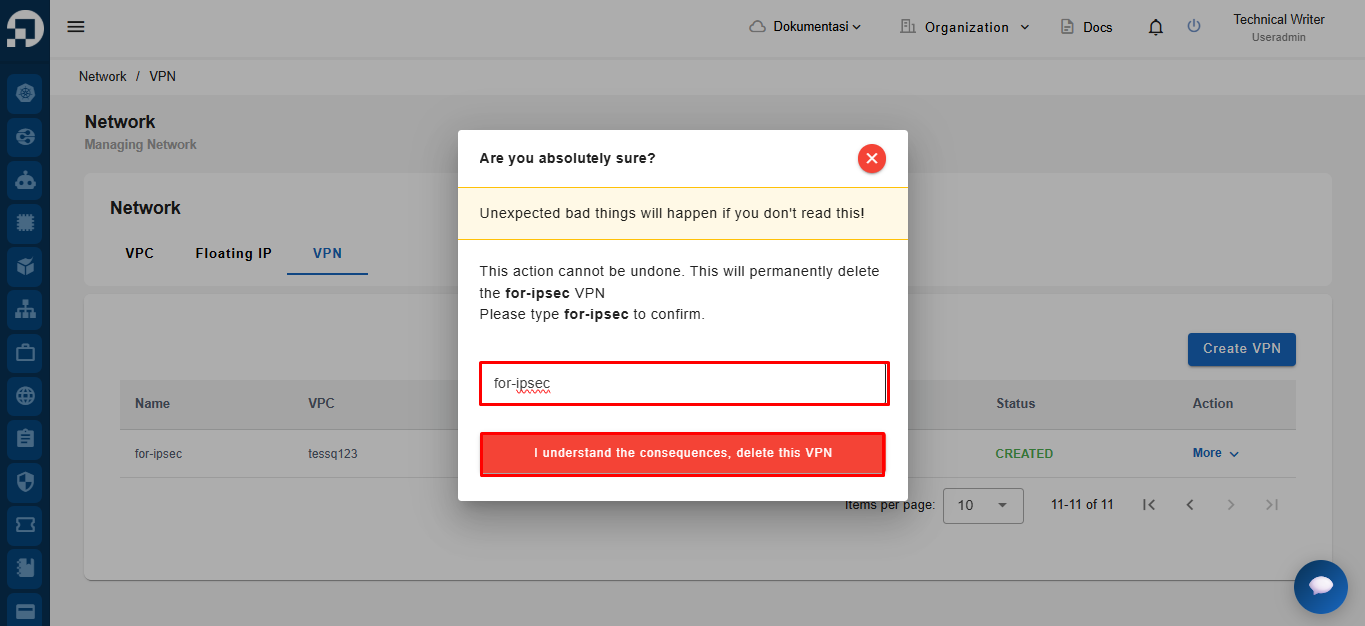
A confirmation window will appear, informing you that the selected VPN will be permanently deleted. Type the VPN name in the confirmation field, then click **I understand the consequences, delete this VPN** to continue.

<figure><img src="https://2882153758-files.gitbook.io/~/files/v0/b/gitbook-x-prod.appspot.com/o/spaces%2Fi9YWb69HFXLHYlXffReU%2Fuploads%2Fgit-blob-e47faf9763b015ecd2041b81ff0fc2f425a4ec11%2Fimage.png?alt=media" alt=""><figcaption></figcaption></figure>

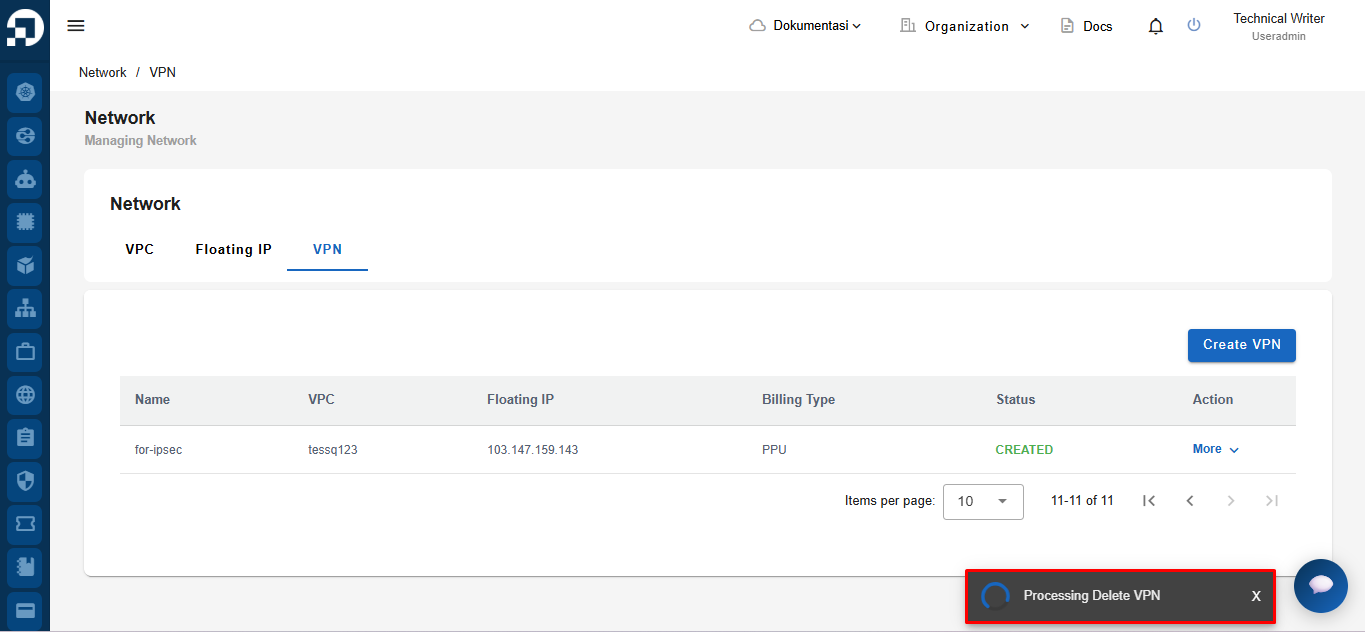
After clicking **I understand the consequences, delete this VPN**, the system displays the **"Processing Delete VPN"** notification, indicating that the VPN deletion process is in progress.
<figure><img src="https://2882153758-files.gitbook.io/~/files/v0/b/gitbook-x-prod.appspot.com/o/spaces%2Fi9YWb69HFXLHYlXffReU%2Fuploads%2Fgit-blob-adc68b158d5b6da3f8a5fd0d24df630f37af0730%2Fimage.png?alt=media" alt=""><figcaption></figcaption></figure>