> For the complete documentation index, see [llms.txt](https://docs.cloudeka.ai/llms.txt). Markdown versions of documentation pages are available by appending `.md` to page URLs; this page is available as [Markdown](https://docs.cloudeka.ai/guideline-for-enterprise/deka-flexi/deka-vpn/openvpn-configuration/download-openvpn.md).
# How to use OpenVPN
Service Portal Cloudeka provides installers for Windows and MacOS operating systems. Here are the steps to download OpenVPN on the Service Portal Cloudeka:
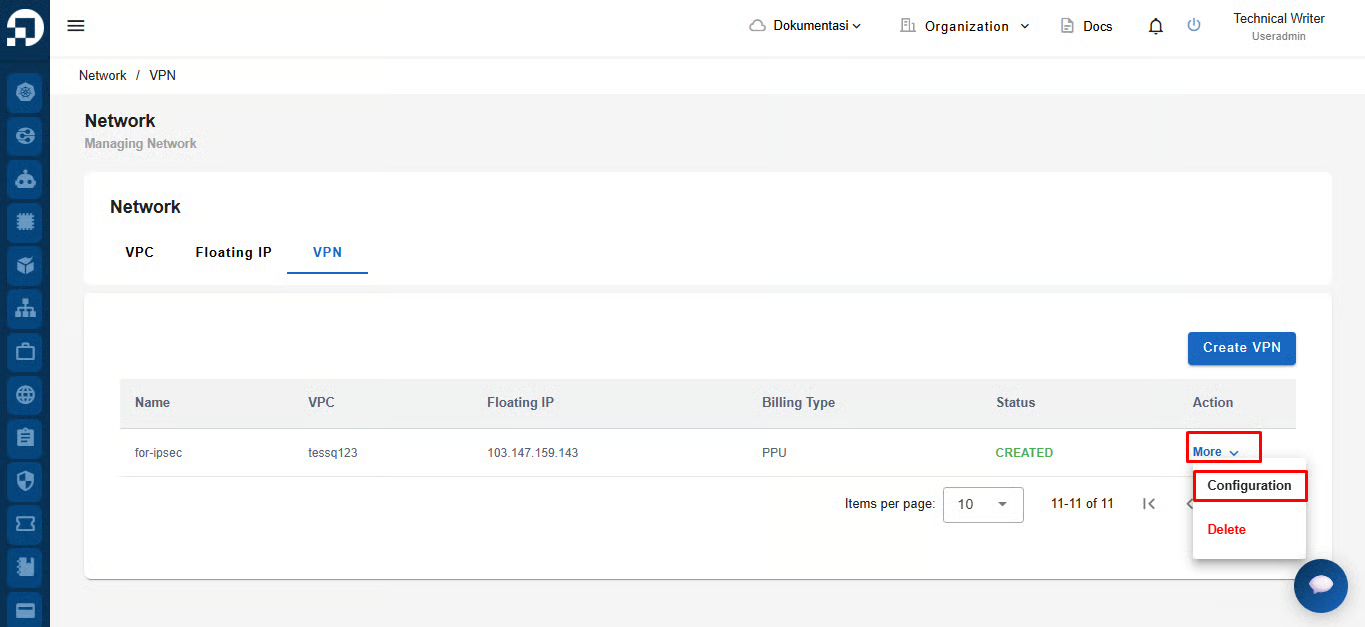
On the Network tab VPN menu, press the More button and press the Configuration button.
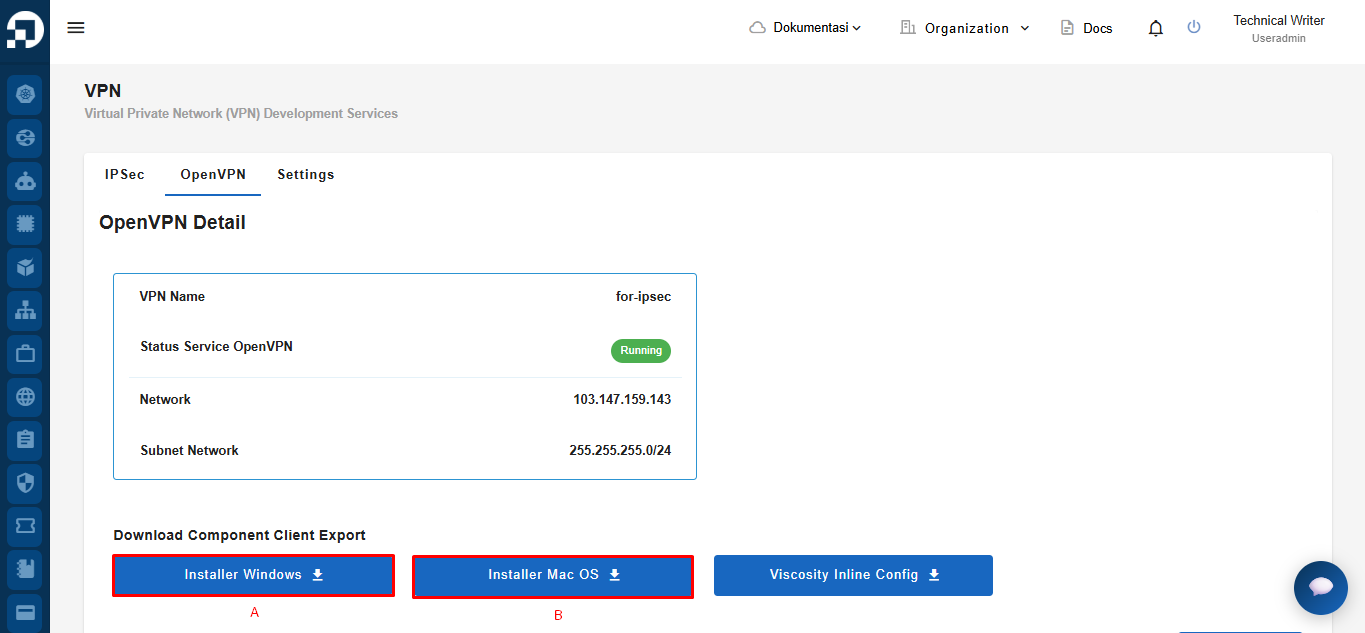
On the OpenVPN tab in the Client Export section:\
**a.** [**Install OpenVPN on Windows**](/guideline-for-enterprise/deka-flexi/deka-vpn/openvpn-configuration/download-openvpn/install-openvpn-on-windows.md)\
**b.** [**Install OpenVPN on MacOS**](/guideline-for-enterprise/deka-flexi/deka-vpn/openvpn-configuration/download-openvpn/install-openvpn-on-macos.md)