> For the complete documentation index, see [llms.txt](https://docs.cloudeka.ai/llms.txt). Markdown versions of documentation pages are available by appending `.md` to page URLs; this page is available as [Markdown](https://docs.cloudeka.ai/guideline-for-enterprise/deka-gpu-deka-guard/delete-deka-guard.md).
# Delete Deka Guard
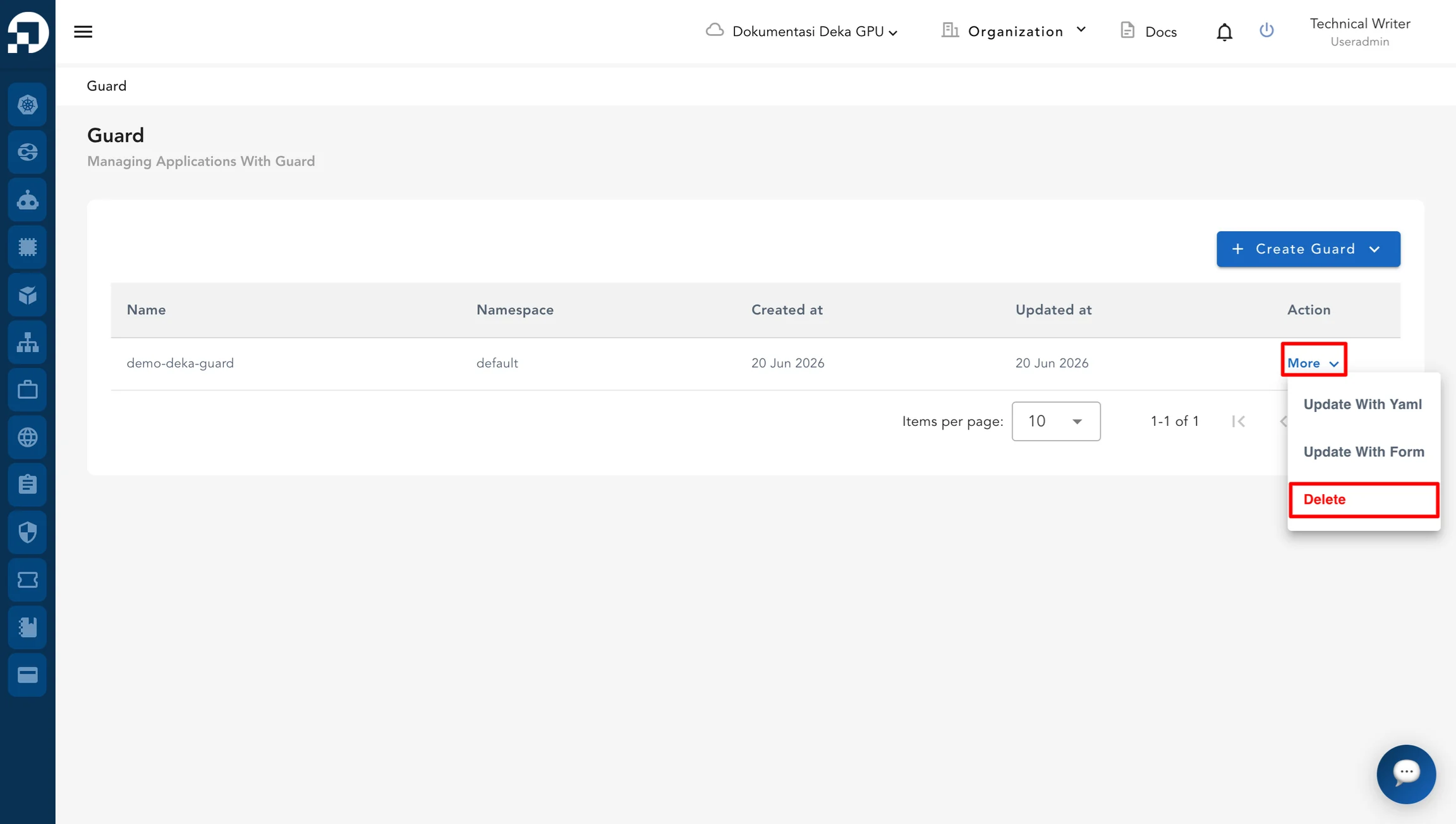
On the Deka Guard page in Service Portal Cloudeka, select the Deka Guard that you want to delete. Click **More**, then select **Delete**.
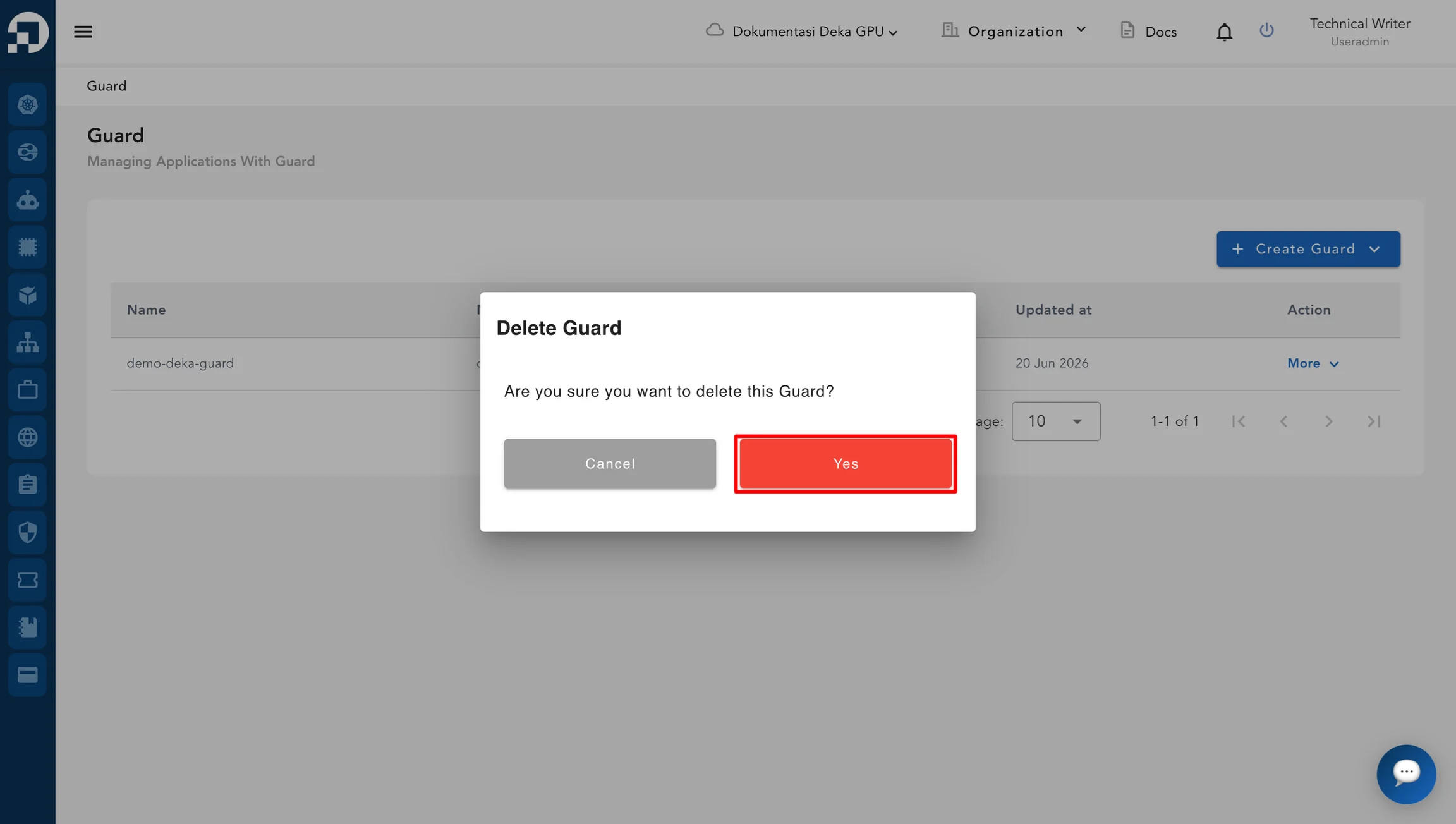
The **Delete Guard** window will be displayed. Click **Yes** to continue the deletion process.
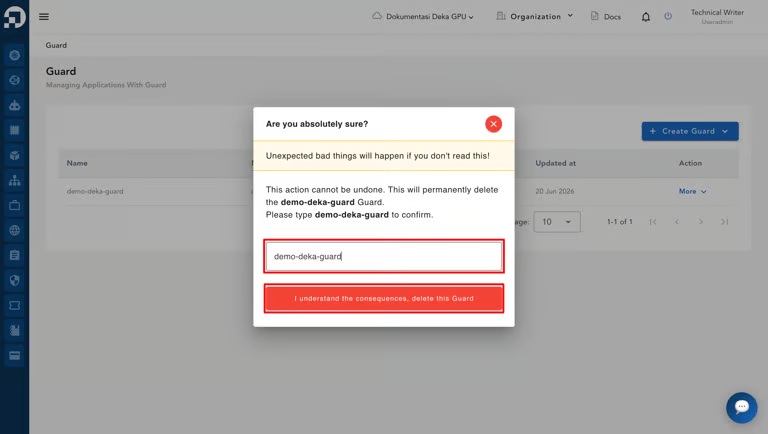
In the **Input Name** field, enter the name of the Deka Guard to confirm the deletion, then click **I understand the consequences, delete this Guard**.
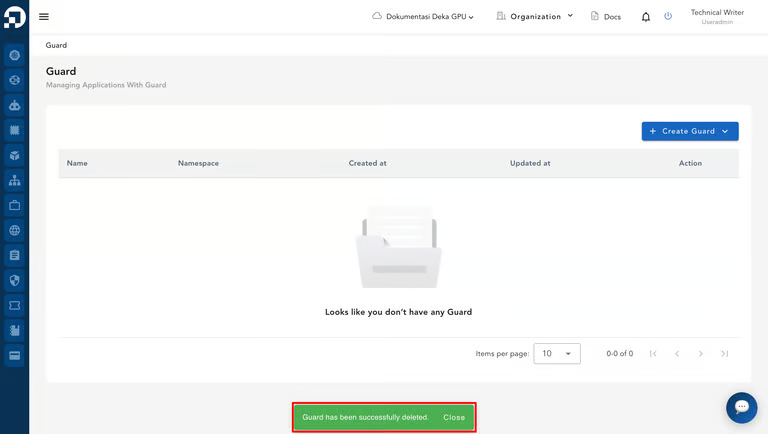
A notification stating **"Guard has been successfully deleted."** will appear when the Deka Guard is successfully deleted from Service Portal Cloudeka.