> For the complete documentation index, see [llms.txt](https://docs.cloudeka.ai/llms.txt). Markdown versions of documentation pages are available by appending `.md` to page URLs; this page is available as [Markdown](https://docs.cloudeka.ai/guideline-for-enterprise/deka-gpu-mlops/experiments-automl/create-experiments-automl.md).

# Create Experiments (AutoML)

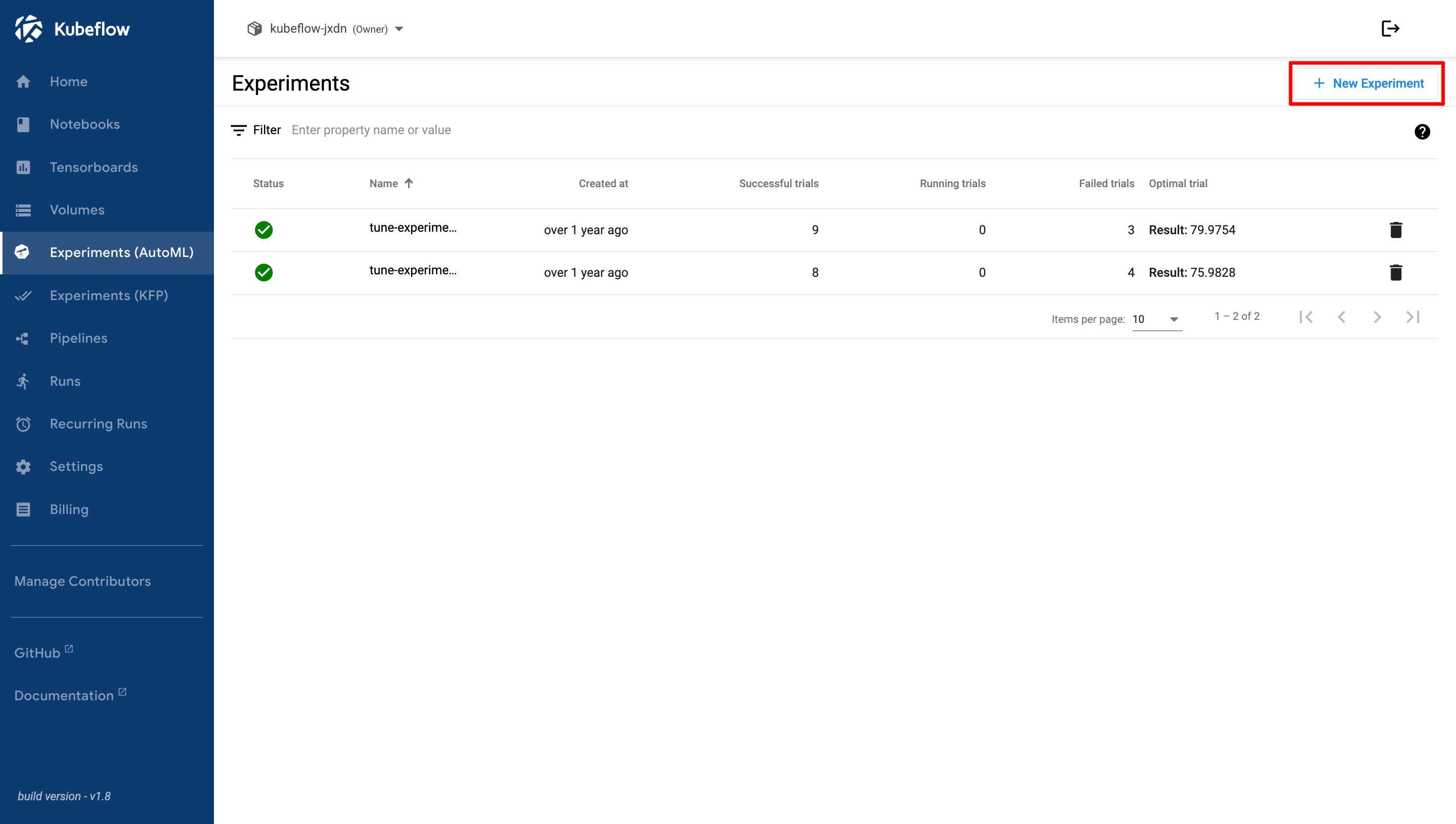
**Create Experiments (AutoML)** is used to create a new AutoML experiment in the Cloudeka Deka MLOps Service Portal. On the **Experiments (AutoML)** page, click the **+ New Experiment** button.

<figure><img src="https://2882153758-files.gitbook.io/~/files/v0/b/gitbook-x-prod.appspot.com/o/spaces%2Fi9YWb69HFXLHYlXffReU%2Fuploads%2Fgit-blob-3800dd3f5bd041fdf7ef12f7774f377ee556bb9f%2Fimage.png?alt=media" alt=""><figcaption></figcaption></figure>

The **Create Experiment** page appears. There are eight steps required to create a new experiment, as described below.

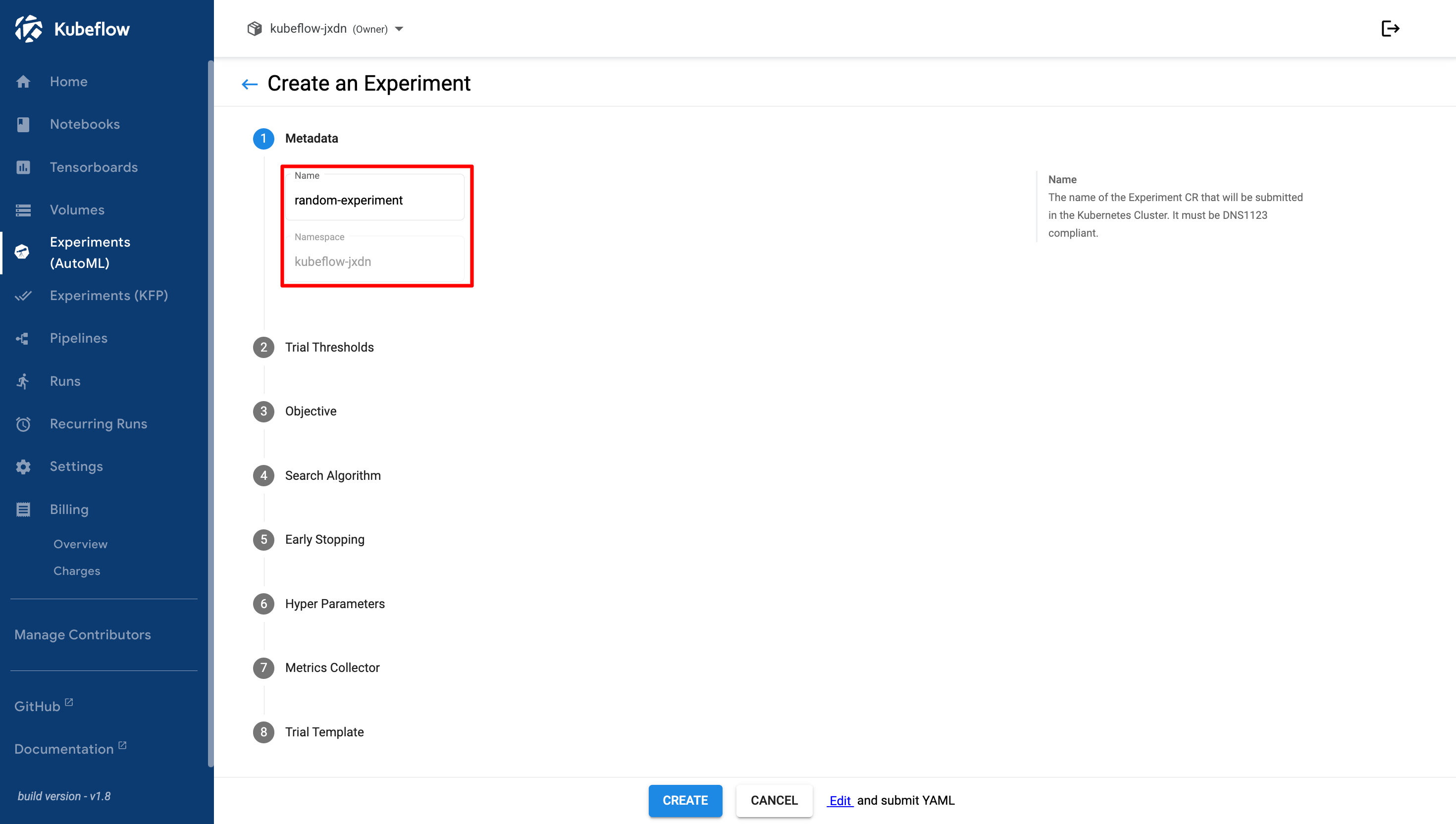
1. **Metadata**, enter the name of your experiment.

   <figure><img src="https://2882153758-files.gitbook.io/~/files/v0/b/gitbook-x-prod.appspot.com/o/spaces%2Fi9YWb69HFXLHYlXffReU%2Fuploads%2Fgit-blob-788ce9dfe86ceabfea25b40bb8a84da7d004a797%2Fimage.png?alt=media" alt=""><figcaption></figcaption></figure>
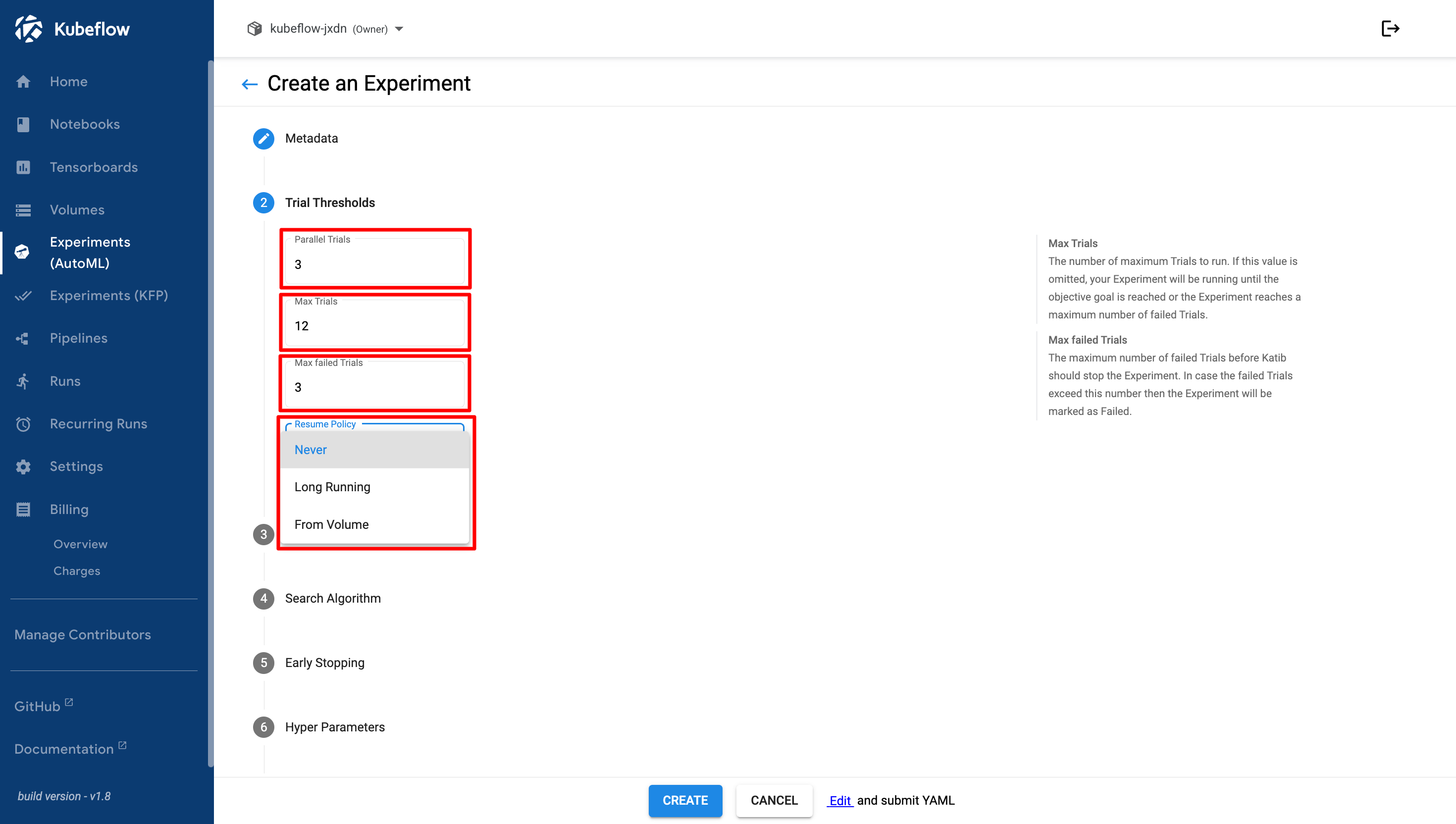
2. **Trial Thresholds**, configure the number of trials to run.

   <figure><img src="https://2882153758-files.gitbook.io/~/files/v0/b/gitbook-x-prod.appspot.com/o/spaces%2Fi9YWb69HFXLHYlXffReU%2Fuploads%2Fgit-blob-3e7d9c31162e99e4adba24427e963e93c54c971a%2Fimage.png?alt=media" alt=""><figcaption></figcaption></figure>

   1. Parallel Trials
   2. Max Trials
   3. Max Failed Trials
   4. Resume Policy: Never, Long Running, and From Volume
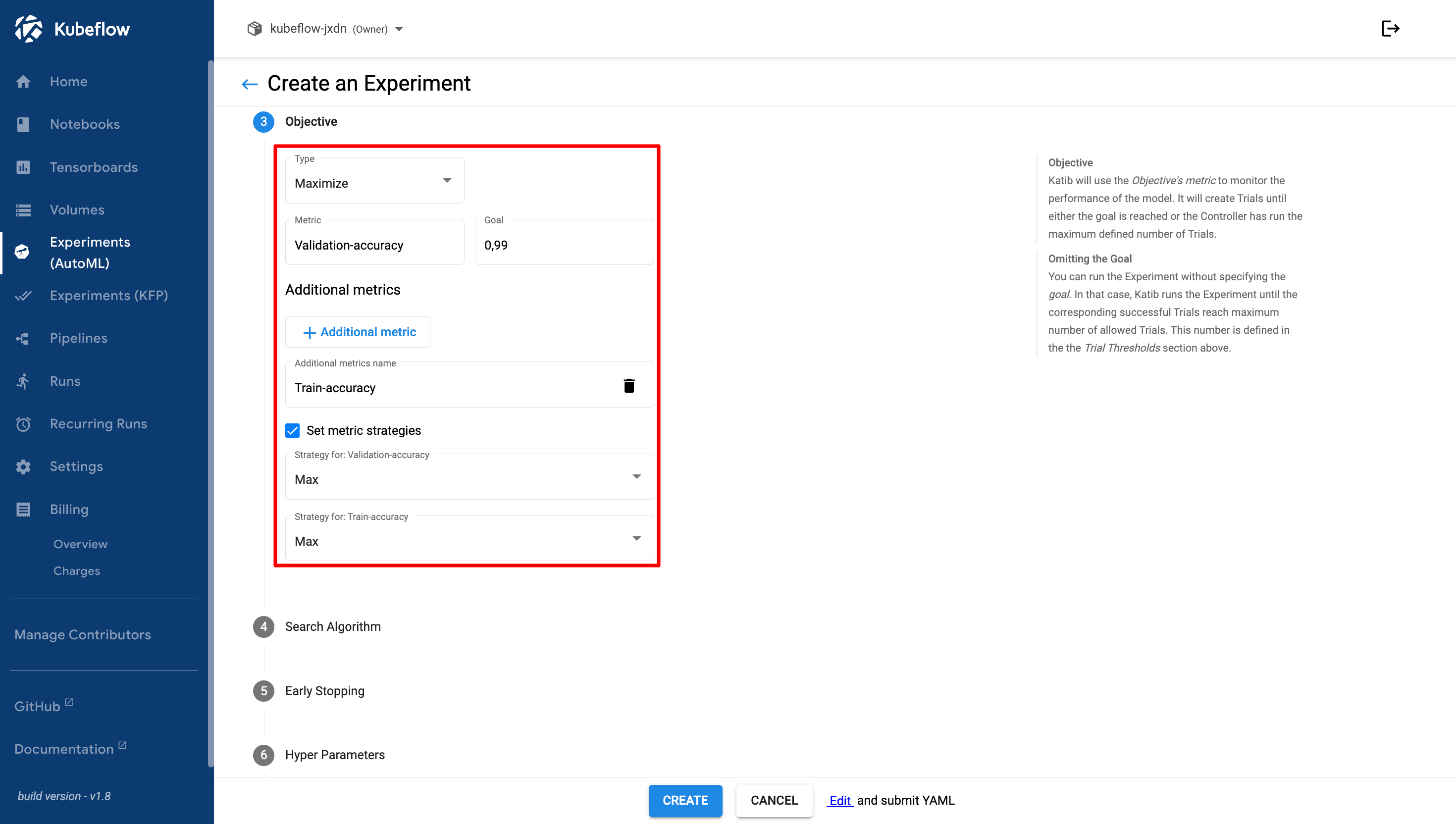
3. **Objective**, add the metrics that you want to optimize and select the optimization type.

   <figure><img src="https://2882153758-files.gitbook.io/~/files/v0/b/gitbook-x-prod.appspot.com/o/spaces%2Fi9YWb69HFXLHYlXffReU%2Fuploads%2Fgit-blob-e6c30e7b58bde8b431469f123ae74e0116b5e5ff%2Fimage.png?alt=media" alt=""><figcaption></figcaption></figure>

   1. Type: Maximize, Minimize
   2. Metric and Goal. For example, **Validation Accuracy** and **0.99**. This means the target validation accuracy is 99%. You can add additional metrics if required.
   3. Set Metric Strategies: When enabled, you can select a strategy for each metric, such as **Max**, **Min**, or **Latest**.
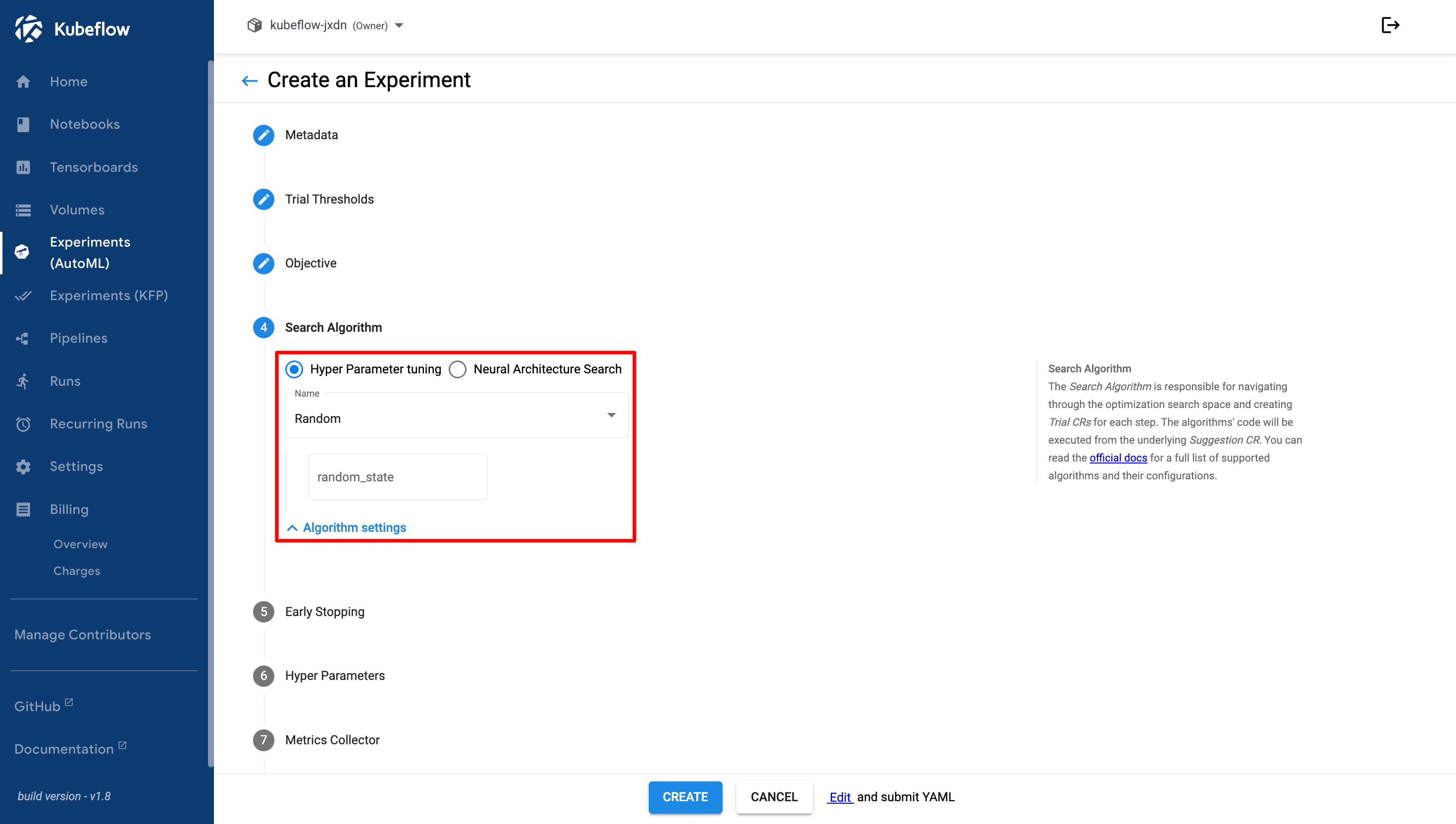
4. **Search Algorithm**, select a hyperparameter tuning algorithm and configure its settings.

   <figure><img src="https://2882153758-files.gitbook.io/~/files/v0/b/gitbook-x-prod.appspot.com/o/spaces%2Fi9YWb69HFXLHYlXffReU%2Fuploads%2Fgit-blob-3ab7c5665534913619c67559e6e6d63d4c137ba1%2Fimage.png?alt=media" alt=""><figcaption></figcaption></figure>

   1. Hyperparameter Tuning
      * Name: Bayesian Optimization, Covariance Matrix Adaption, Evolution Strategy, Grid, Hyperband, Multivariate Tree of parzen Estimators, Population Based Training, Random, Sobol Quasirandom Sequence, Tree of Parzen Estimators.
      * random\_state
   2. Neural Architecture Search
      * Differentiable Architecture Search: num\_epochs, w\_lr, w\_lr\_min, w\_momentum, w\_weight\_decay, w\_grad\_clip, alpa\_lr, alpha\_weight\_decay, batch\_size, num\_workers, init\_channels, print\_step, num\_nodes, stem\_multiplier.
      * Efficient Neural Architecture Search: controller\_hidden\_size, controller\_temperature, controller\_tanh\_const, controller\_entropy\_weight, controller\_baseline\_decay, controller\_learning\_rate, controller\_skip\_target, controller\_skip\_weight, controller\_train\_steps, controller\_log\_every\_steps.
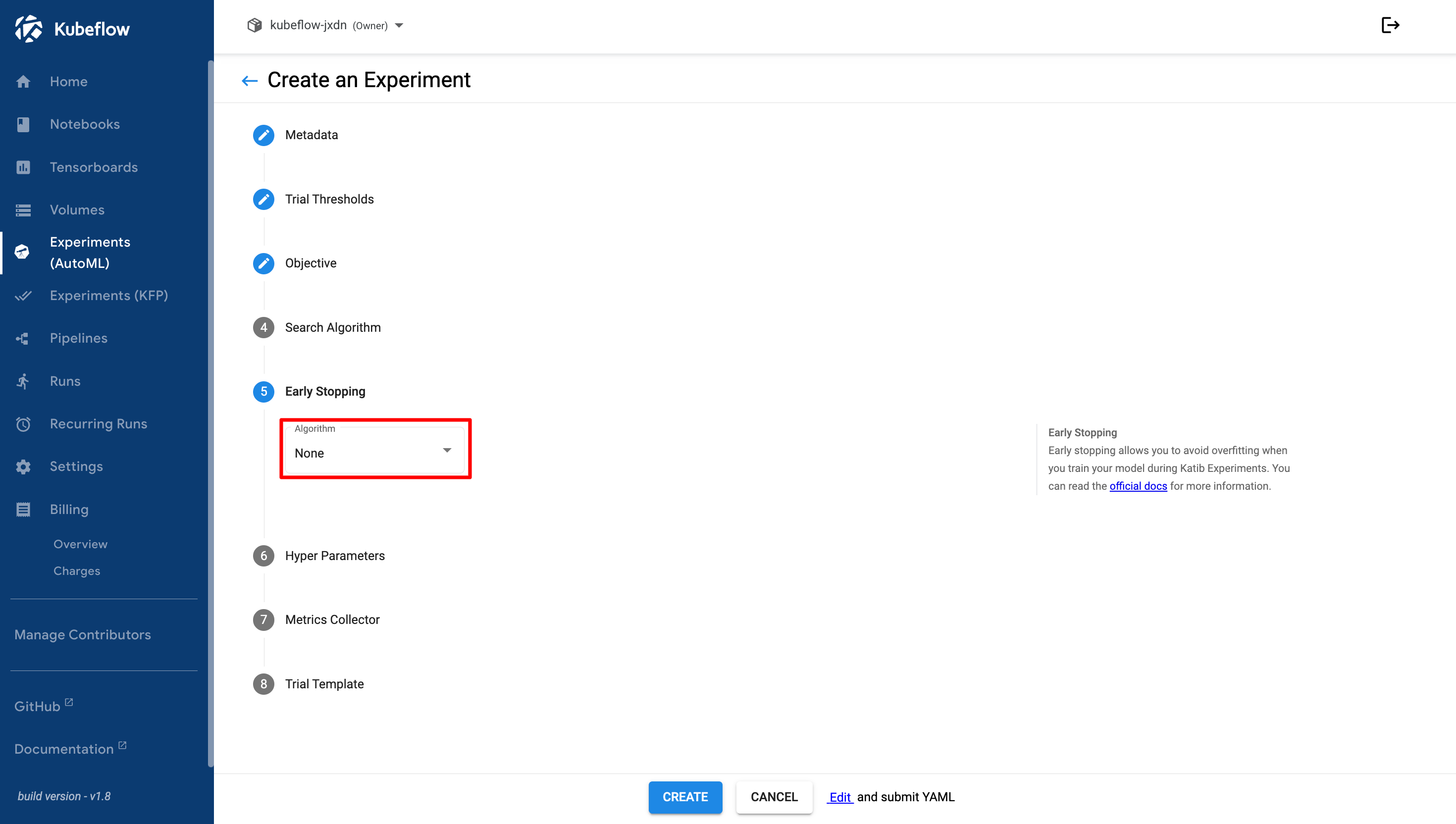
5. **Early Stopping**, add an early stopping algorithm if required.

   <figure><img src="https://2882153758-files.gitbook.io/~/files/v0/b/gitbook-x-prod.appspot.com/o/spaces%2Fi9YWb69HFXLHYlXffReU%2Fuploads%2Fgit-blob-1392ca3851594912d5def80693e32383f9e00421%2Fimage.png?alt=media" alt=""><figcaption></figcaption></figure>

   1. Median Stopping Rule: min\_trials\_required, start\_step.
   2. None
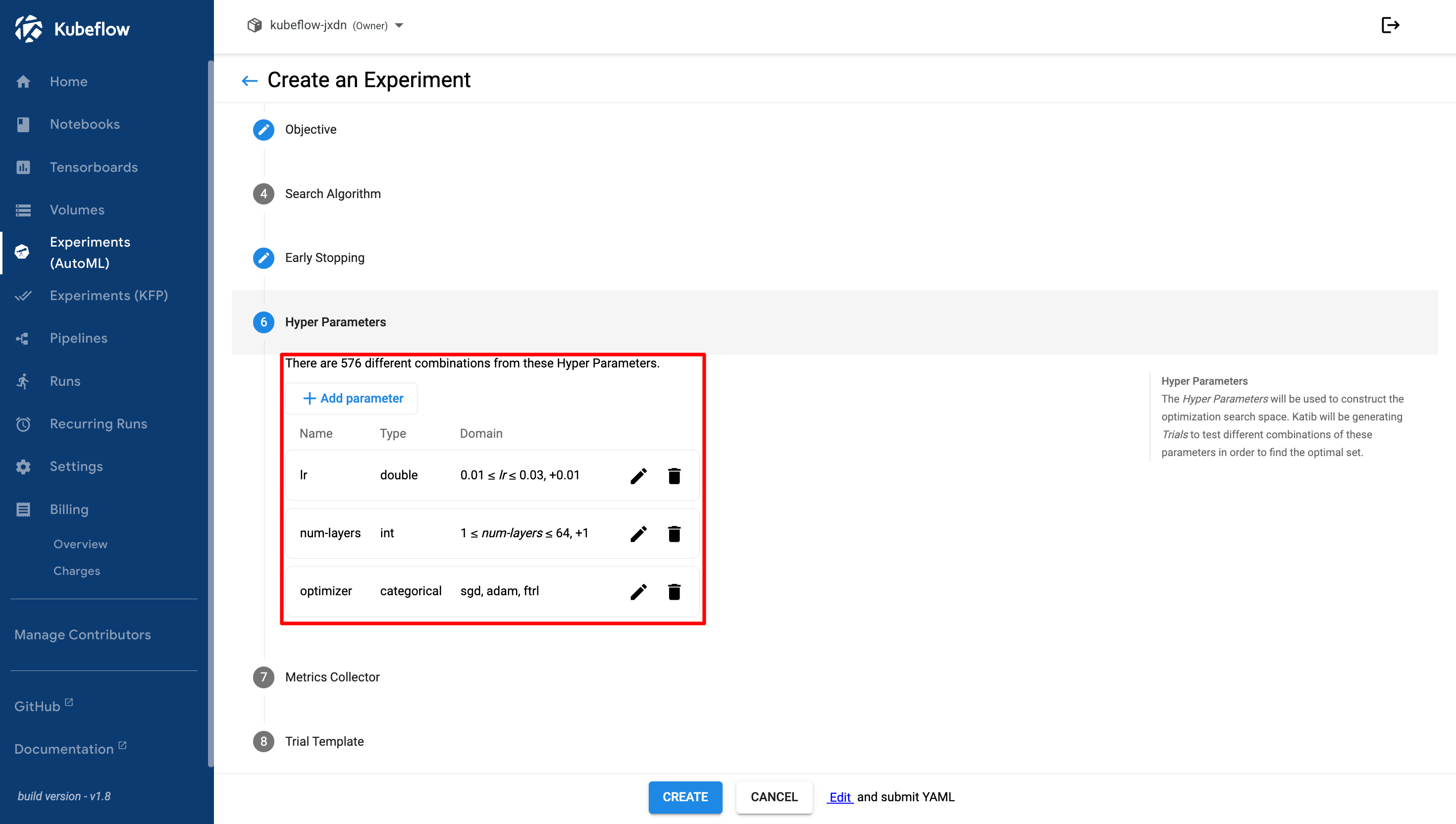
6. **Hyper Parameters**, add the hyperparameters and search space that you want to optimize.

   <figure><img src="https://2882153758-files.gitbook.io/~/files/v0/b/gitbook-x-prod.appspot.com/o/spaces%2Fi9YWb69HFXLHYlXffReU%2Fuploads%2Fgit-blob-9816811ddc5df6eeb4b1f1bd4829357f5136423b%2Fimage.png?alt=media" alt=""><figcaption></figcaption></figure>
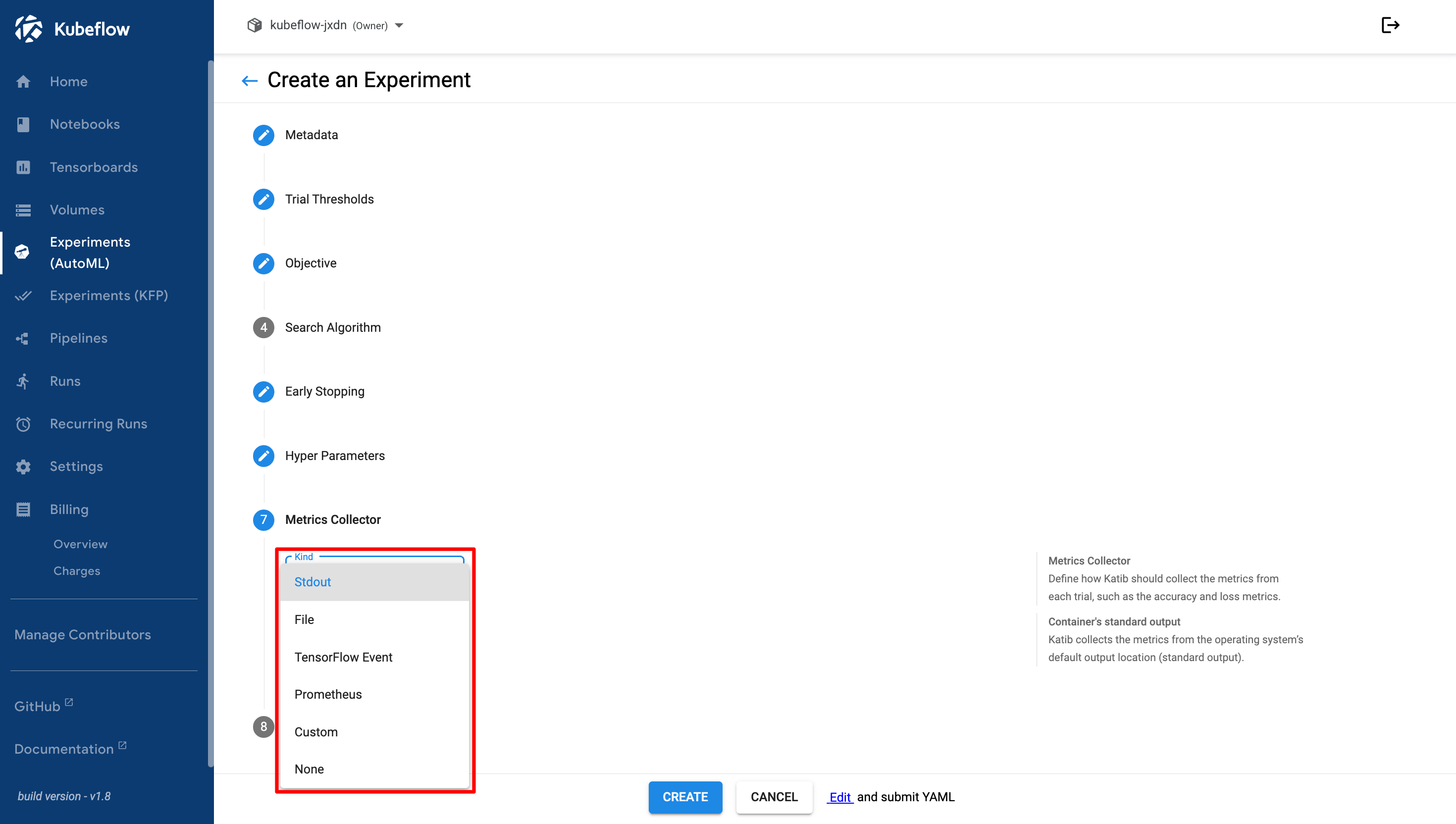
7. **Metrics Collector**, modify the metrics collector type if required.

   Kind: Stdout, File, TensorFlow Event, Prometheus, Custom, and None.

   <figure><img src="https://2882153758-files.gitbook.io/~/files/v0/b/gitbook-x-prod.appspot.com/o/spaces%2Fi9YWb69HFXLHYlXffReU%2Fuploads%2Fgit-blob-256bd9293fc15e3aee4b5f0208a2002e2ebacdad%2Fimage.png?alt=media" alt=""><figcaption></figcaption></figure>
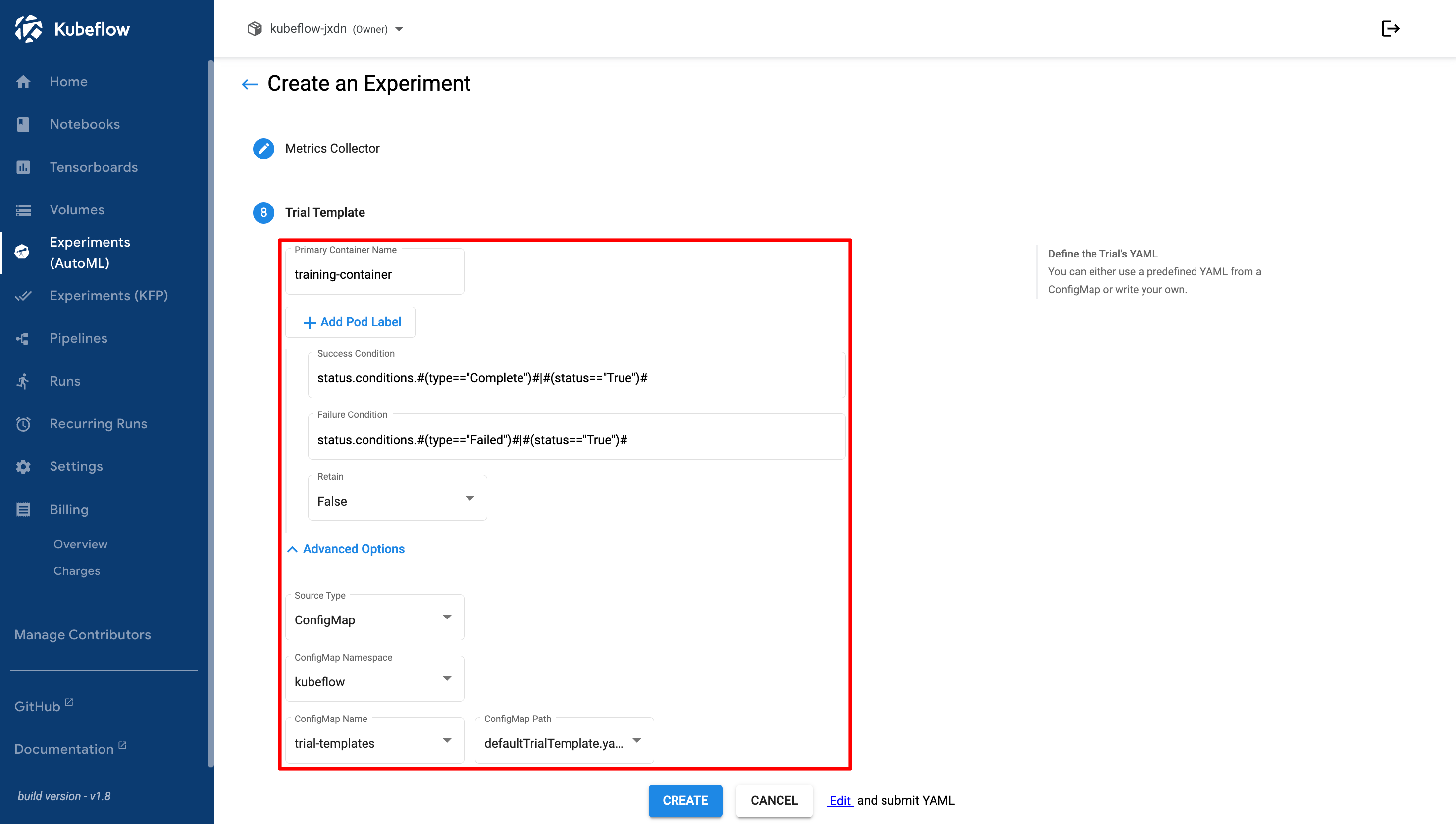
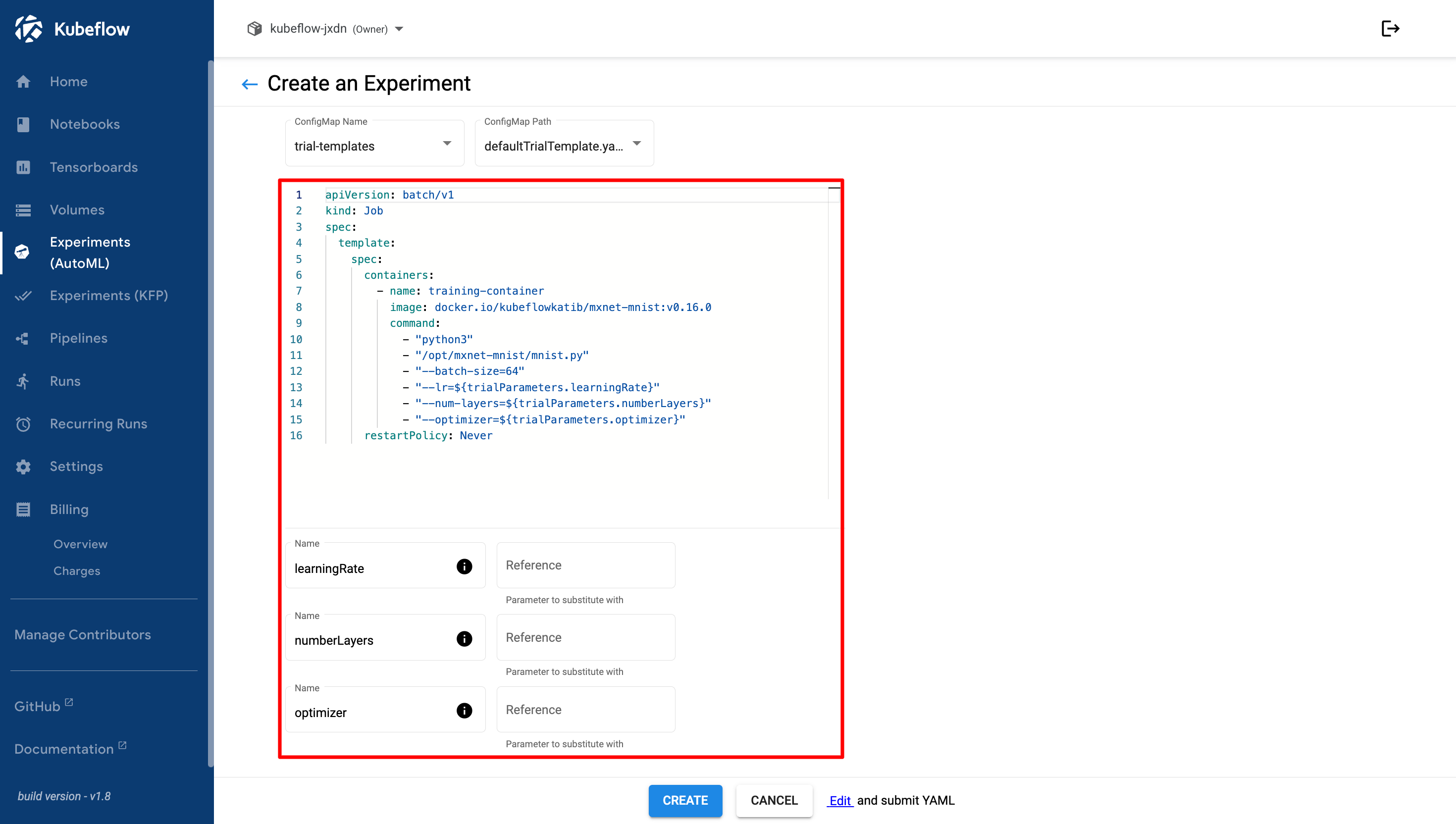
8. **Trial Template**, configure the trial template used for the experiment.

   <figure><img src="https://2882153758-files.gitbook.io/~/files/v0/b/gitbook-x-prod.appspot.com/o/spaces%2Fi9YWb69HFXLHYlXffReU%2Fuploads%2Fgit-blob-d21f717db3935d93f3b2a822c9df97e711daa2ae%2Fimage.png?alt=media" alt=""><figcaption></figcaption></figure>

   Review the trial template YAML configuration and define the parameter references used in the experiment.

   <figure><img src="https://2882153758-files.gitbook.io/~/files/v0/b/gitbook-x-prod.appspot.com/o/spaces%2Fi9YWb69HFXLHYlXffReU%2Fuploads%2Fgit-blob-e9ebad6f653ed64fa054ab1d1d5fd3642495ee51%2Fimage.png?alt=media" alt=""><figcaption></figcaption></figure>

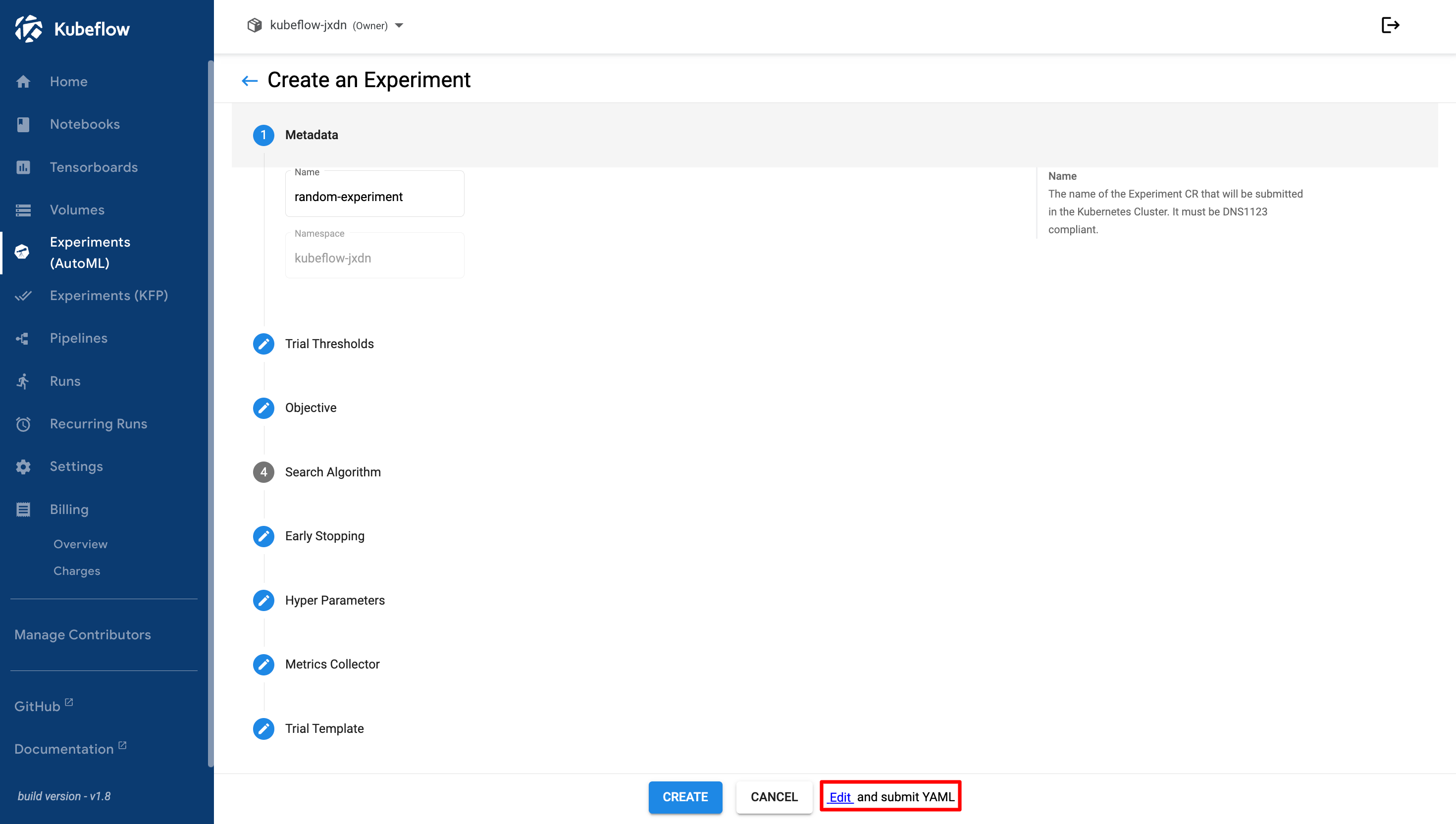
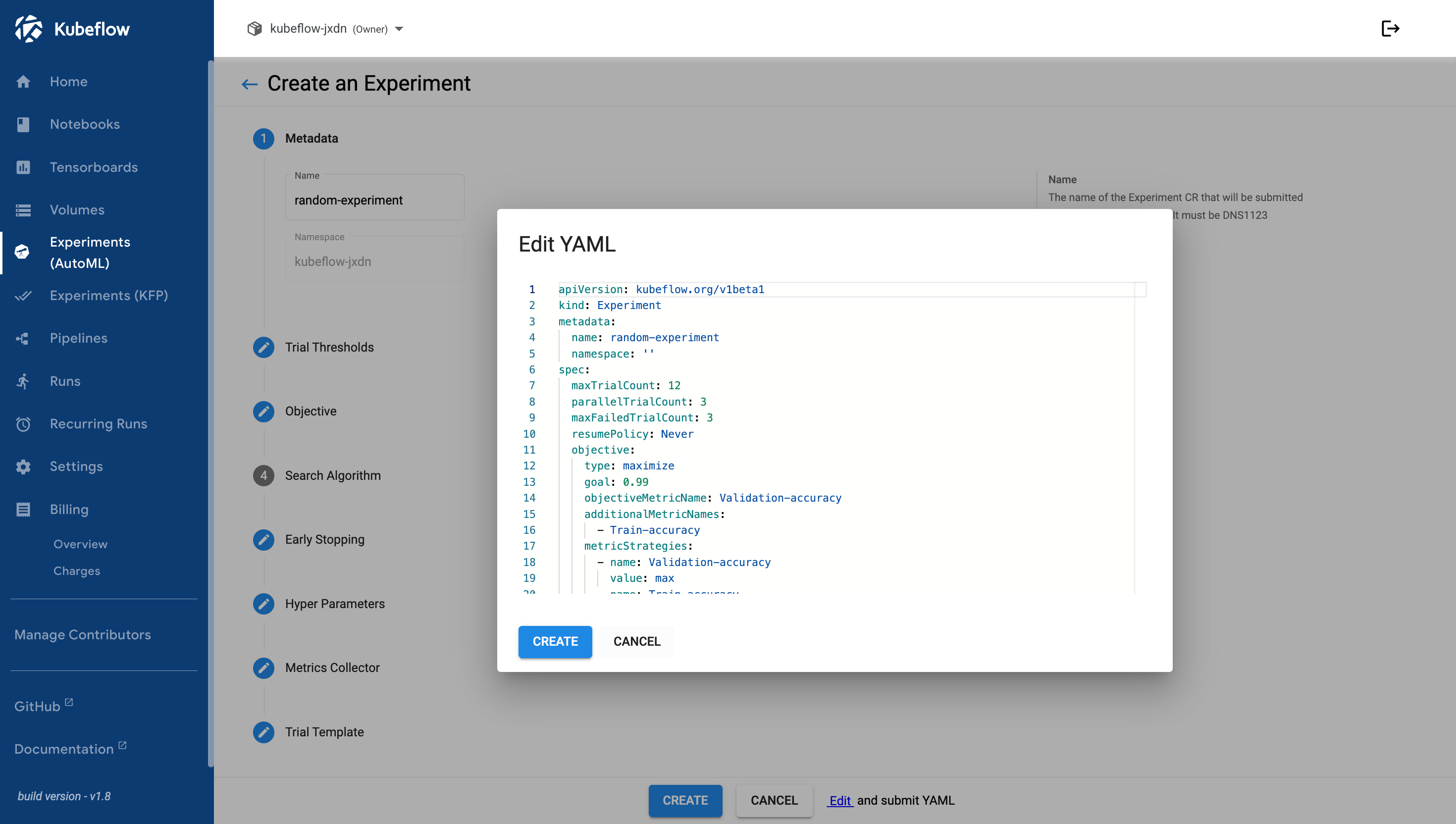
   If you want to modify the experiment YAML, click **Edit** and submit the YAML configuration at the bottom of the page.

   <figure><img src="https://2882153758-files.gitbook.io/~/files/v0/b/gitbook-x-prod.appspot.com/o/spaces%2Fi9YWb69HFXLHYlXffReU%2Fuploads%2Fgit-blob-910e33c2dffac7651975fac67164045f2f8daf12%2Fimage.png?alt=media" alt=""><figcaption></figcaption></figure>

   Review and modify the experiment YAML configuration before creating the experiment.

   <figure><img src="https://2882153758-files.gitbook.io/~/files/v0/b/gitbook-x-prod.appspot.com/o/spaces%2Fi9YWb69HFXLHYlXffReU%2Fuploads%2Fgit-blob-62562d0763639c7aca26ee66a4ddc973fa18e845%2Fimage.png?alt=media" alt=""><figcaption></figcaption></figure>
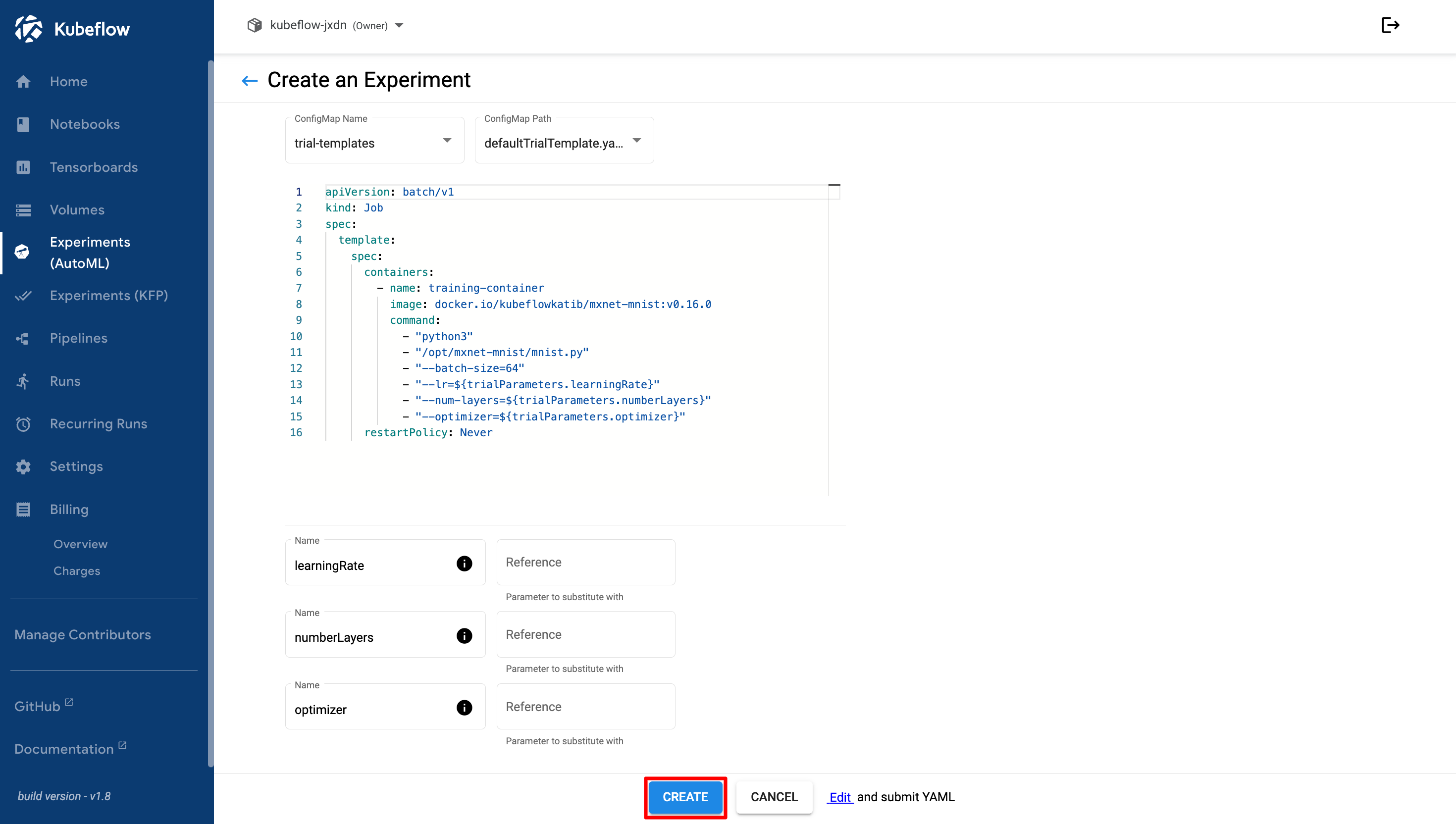
9. Click the **Create** button after you have finished configuring the experiment.
   <figure><img src="https://2882153758-files.gitbook.io/~/files/v0/b/gitbook-x-prod.appspot.com/o/spaces%2Fi9YWb69HFXLHYlXffReU%2Fuploads%2Fgit-blob-a88e3137c4a1cd1bbf4c8e05f40c60ef5f1bc535%2Fimage.png?alt=media" alt=""><figcaption></figcaption></figure>