> For the complete documentation index, see [llms.txt](https://docs.cloudeka.ai/llms.txt). Markdown versions of documentation pages are available by appending `.md` to page URLs; this page is available as [Markdown](https://docs.cloudeka.ai/guideline-for-enterprise/deka-gpu-mlops/experiments-kfp/archive-and-restore-experiments.md).

# Archive and Restore Experiments

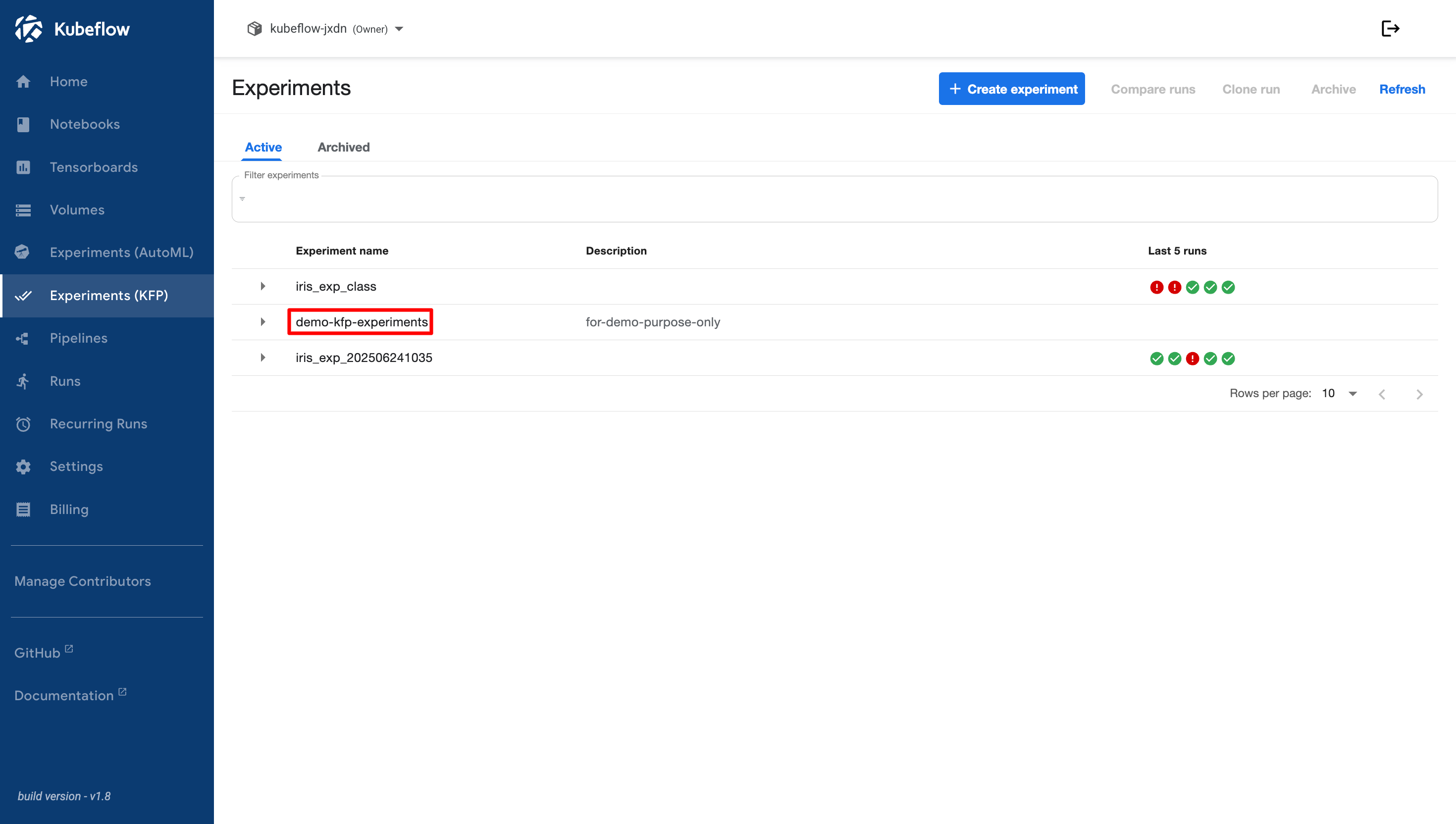
If an experiment is no longer in use or has been completed, it cannot be deleted and can only be moved to the **Archived** section. To archive an experiment, first select the experiment you want to archive. You will be directed to the experiment details page.

<figure><img src="https://2882153758-files.gitbook.io/~/files/v0/b/gitbook-x-prod.appspot.com/o/spaces%2Fi9YWb69HFXLHYlXffReU%2Fuploads%2Fgit-blob-2c956b3e4e74f542e473b1fe0489347653f8e26a%2Fimage.png?alt=media" alt=""><figcaption></figcaption></figure>

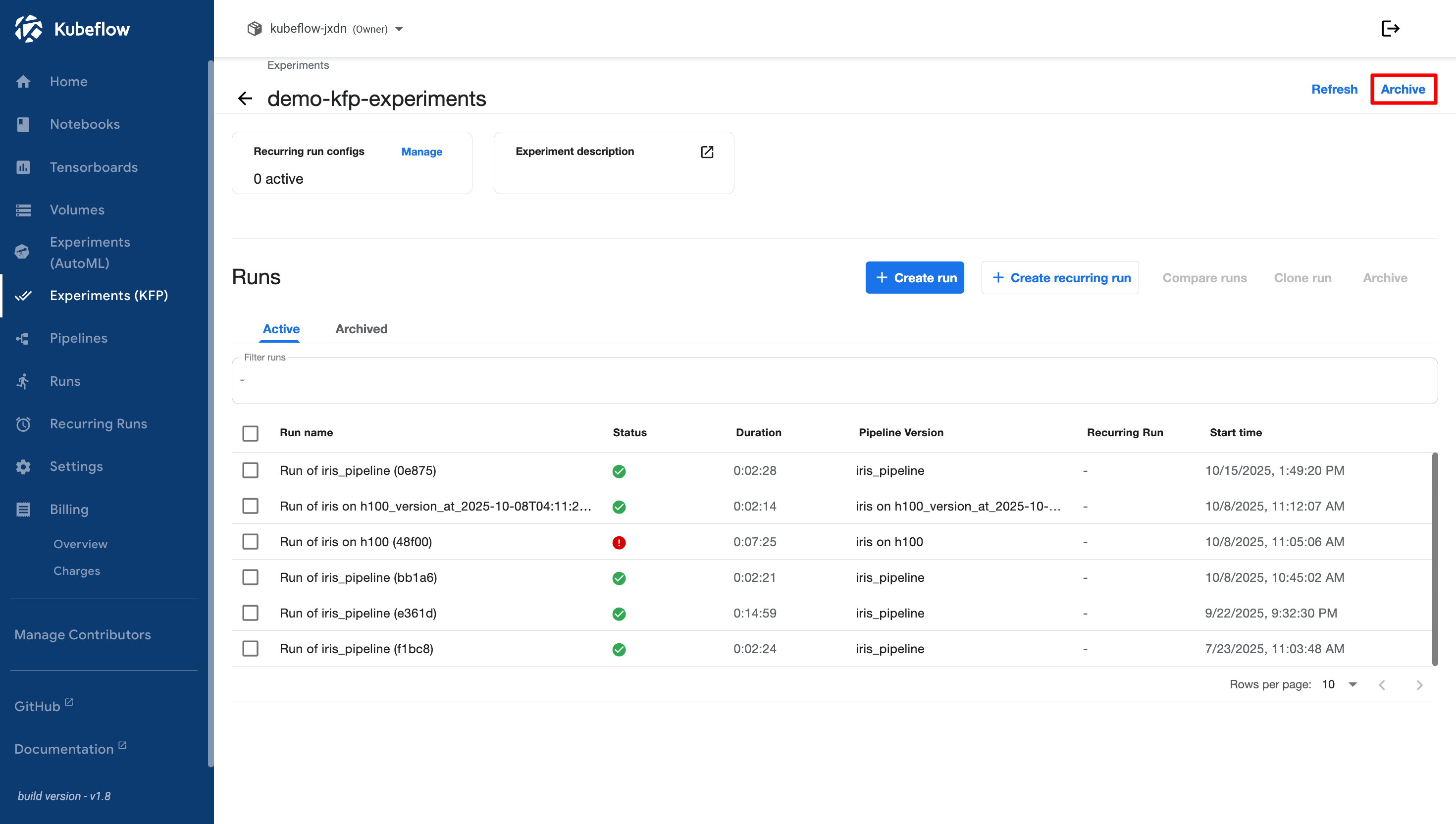
If there are still active runs, move them to **Archived Runs** first and ensure that no active runs remain in the experiment. Then, click the **Archive** button in the top-right corner.

<figure><img src="https://2882153758-files.gitbook.io/~/files/v0/b/gitbook-x-prod.appspot.com/o/spaces%2Fi9YWb69HFXLHYlXffReU%2Fuploads%2Fgit-blob-dcf42ddd8ba56827fd1c630bbdf0a8a5b7e7b4c0%2Fimage.png?alt=media" alt=""><figcaption></figcaption></figure>

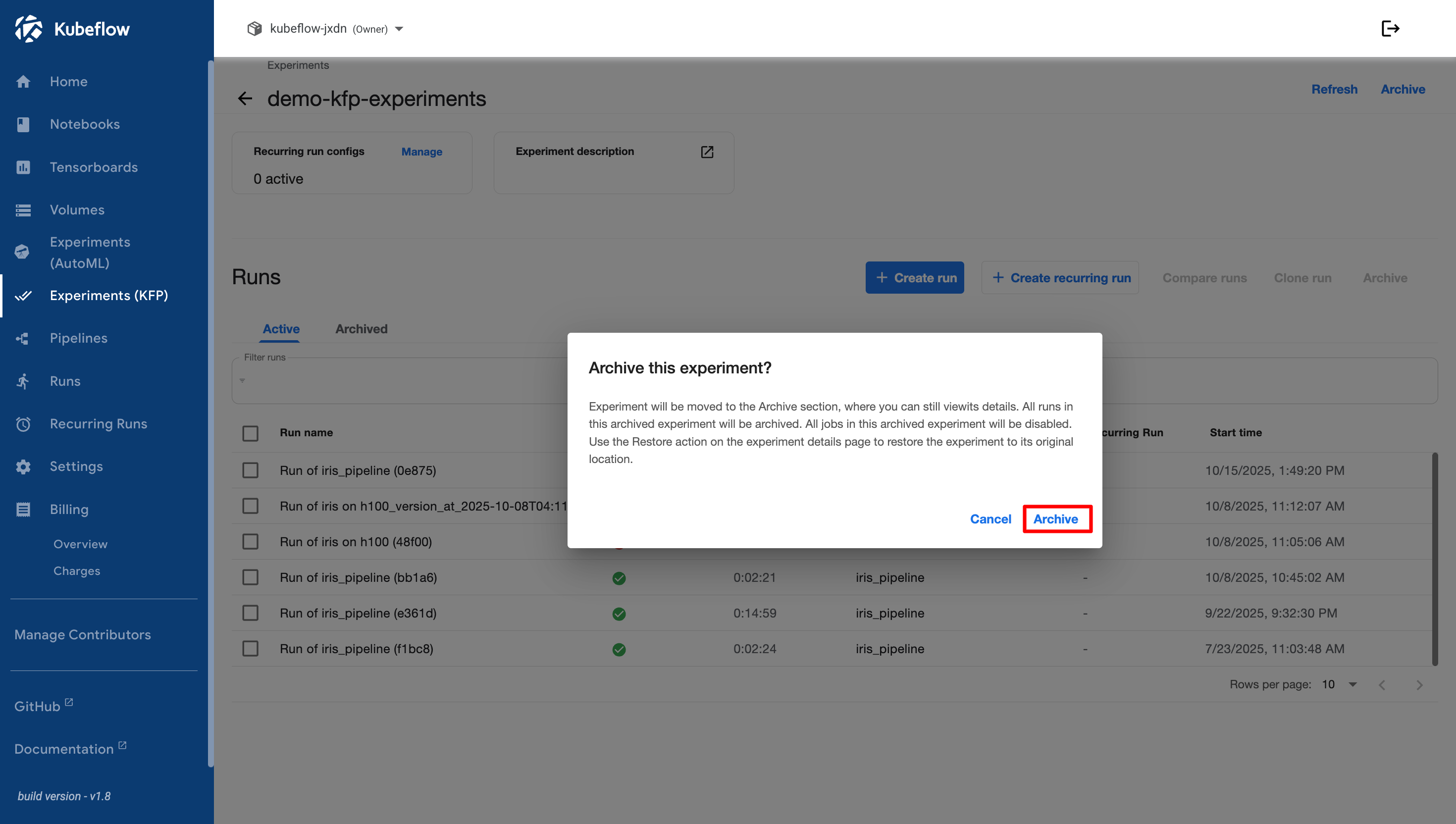
A confirmation dialog appears to confirm that the experiment will be archived. Review the confirmation message, then click **Archive** to continue.

<figure><img src="https://2882153758-files.gitbook.io/~/files/v0/b/gitbook-x-prod.appspot.com/o/spaces%2Fi9YWb69HFXLHYlXffReU%2Fuploads%2Fgit-blob-f73acc472dd3e2ee2e71fe9c7d0d2faa4ba41bd5%2Fimage.png?alt=media" alt=""><figcaption></figcaption></figure>

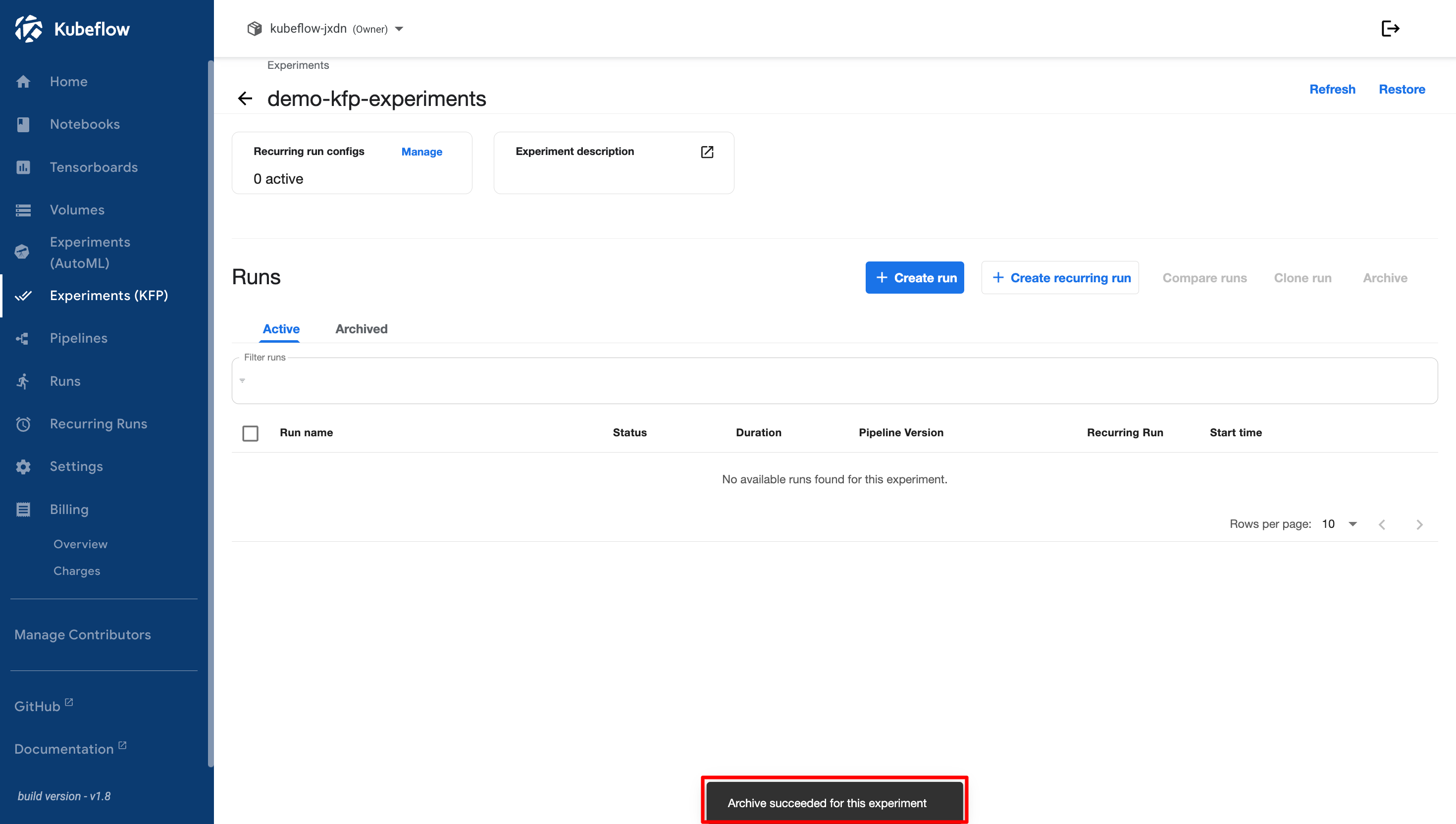
If the archive process is successful, a notification appears indicating that the experiment has been archived successfully.

<figure><img src="https://2882153758-files.gitbook.io/~/files/v0/b/gitbook-x-prod.appspot.com/o/spaces%2Fi9YWb69HFXLHYlXffReU%2Fuploads%2Fgit-blob-ab49899524fd05cdb206f753f214994f9fe003c6%2Fimage.png?alt=media" alt=""><figcaption></figcaption></figure>

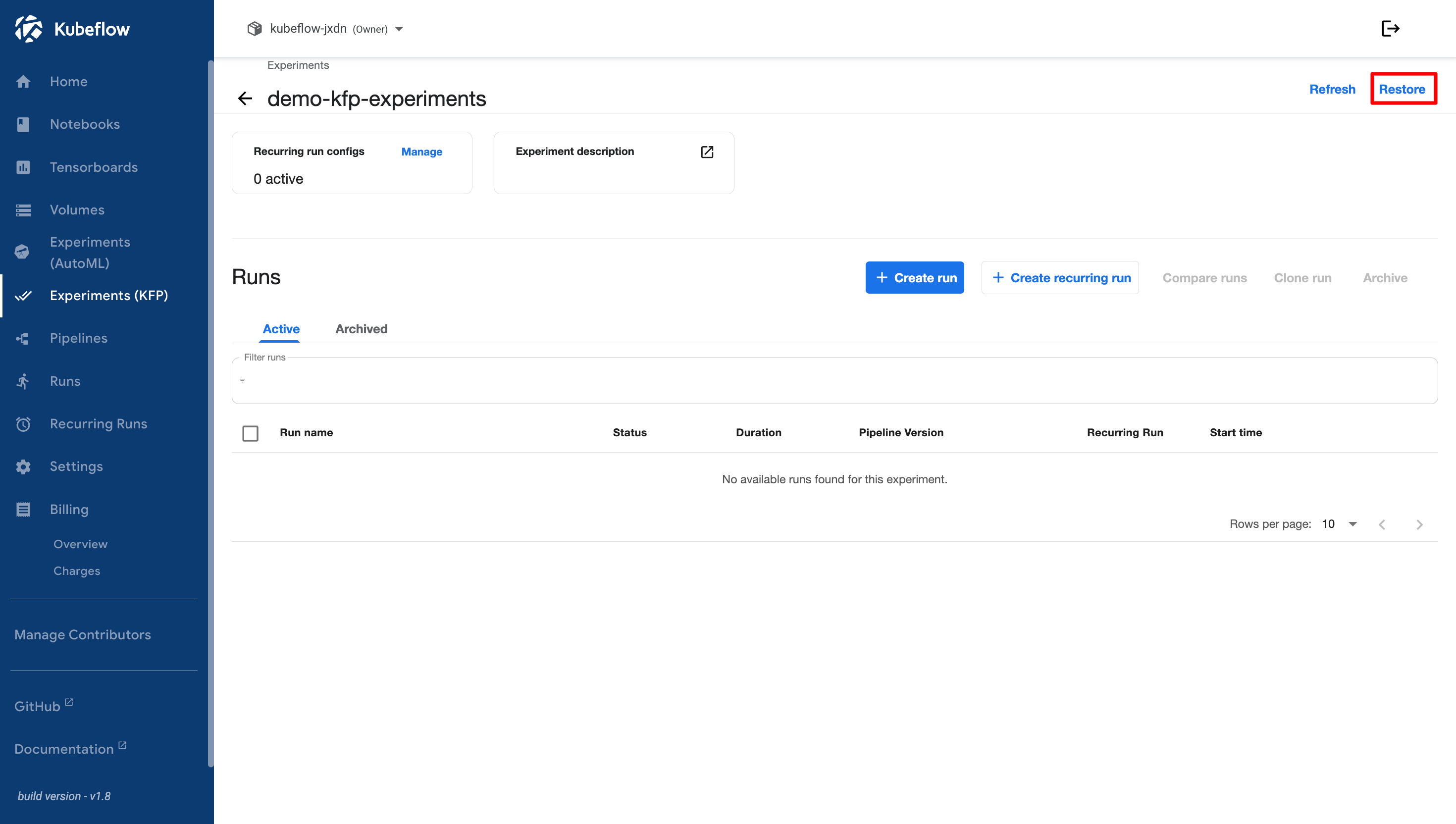
If you want to restore an archived experiment to **Active** status, click the **Restore** button in the top-right corner.

<figure><img src="https://2882153758-files.gitbook.io/~/files/v0/b/gitbook-x-prod.appspot.com/o/spaces%2Fi9YWb69HFXLHYlXffReU%2Fuploads%2Fgit-blob-ce4e36827149e57d4cd82299617fd8e7a1ed11b8%2Fimage.png?alt=media" alt=""><figcaption></figcaption></figure>

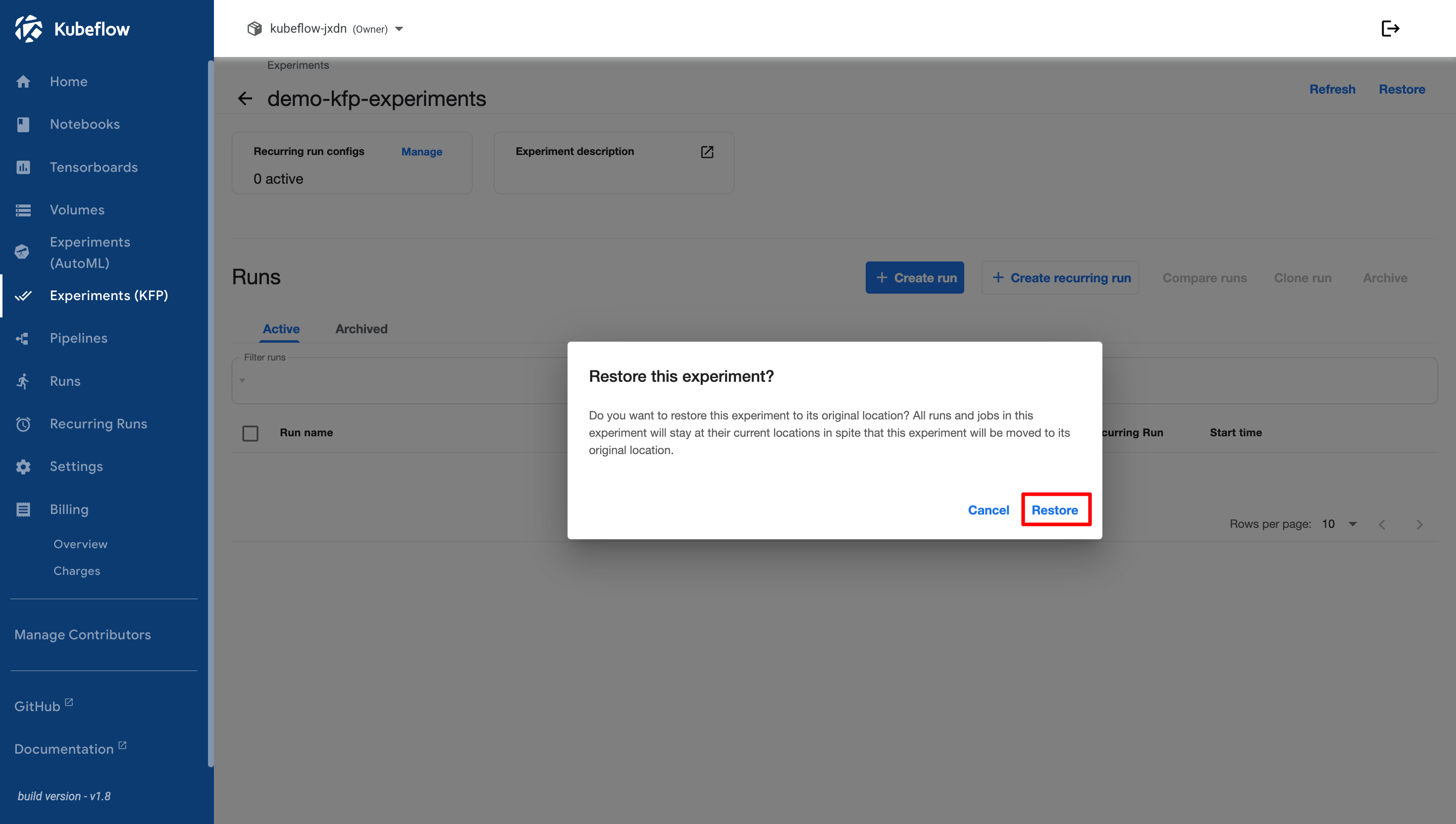
A confirmation dialog appears to confirm that the experiment will be restored to the **Active** section. Review the confirmation message, then click **Restore** to continue.

<figure><img src="https://2882153758-files.gitbook.io/~/files/v0/b/gitbook-x-prod.appspot.com/o/spaces%2Fi9YWb69HFXLHYlXffReU%2Fuploads%2Fgit-blob-af5e8dfbce512fd5d7e9def45421c2fba717618b%2Fimage.png?alt=media" alt=""><figcaption></figcaption></figure>

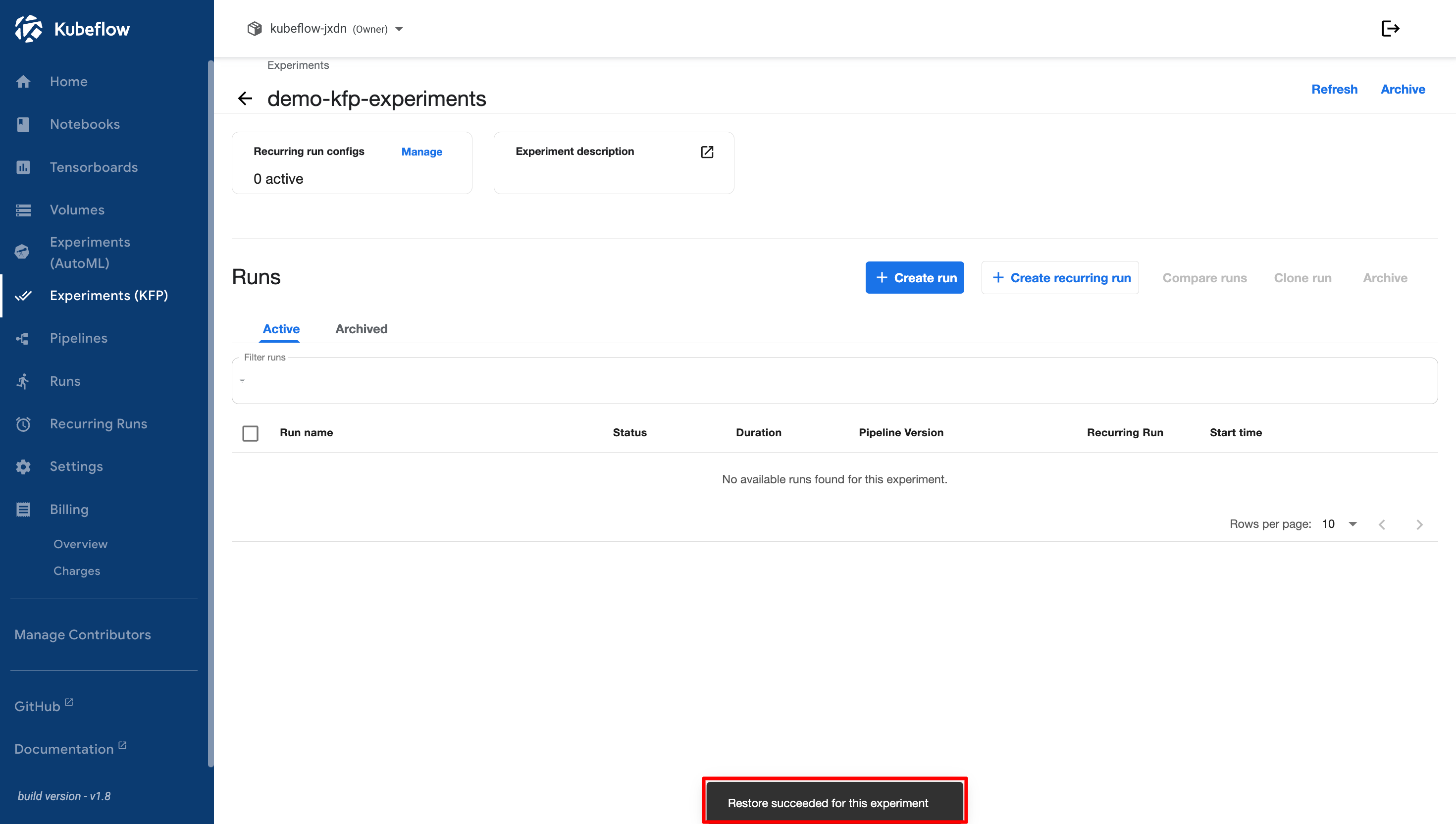
If the restore process is successful, a notification appears indicating that the experiment has been restored successfully.
<figure><img src="https://2882153758-files.gitbook.io/~/files/v0/b/gitbook-x-prod.appspot.com/o/spaces%2Fi9YWb69HFXLHYlXffReU%2Fuploads%2Fgit-blob-5a874fa7e047d0fc88bfb864c5e4c5a1d6484a6a%2Fimage.png?alt=media" alt=""><figcaption></figcaption></figure>