> For the complete documentation index, see [llms.txt](https://docs.cloudeka.ai/llms.txt). Markdown versions of documentation pages are available by appending `.md` to page URLs; this page is available as [Markdown](https://docs.cloudeka.ai/guideline-for-enterprise/deka-gpu-mlops/experiments-kfp/create-experiment.md).

# Create Experiment

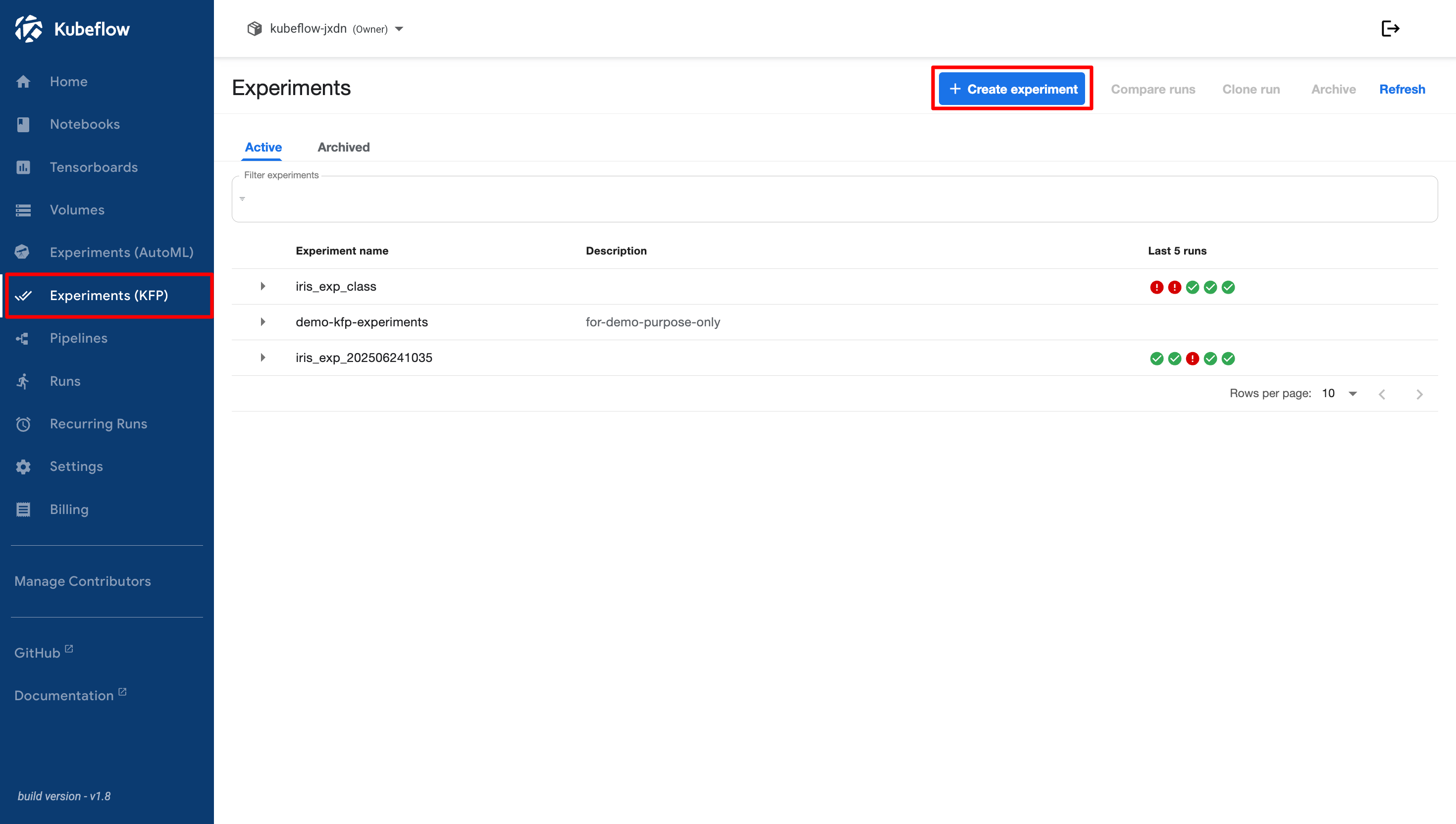
First, click the **+ Create Experiment** button. The **New Experiment** window appears.

<figure><img src="https://2882153758-files.gitbook.io/~/files/v0/b/gitbook-x-prod.appspot.com/o/spaces%2Fi9YWb69HFXLHYlXffReU%2Fuploads%2Fgit-blob-bdd9683d3da4a1dff26a37be986e53fc38cd2c1e%2Fimage.png?alt=media" alt=""><figcaption></figcaption></figure>

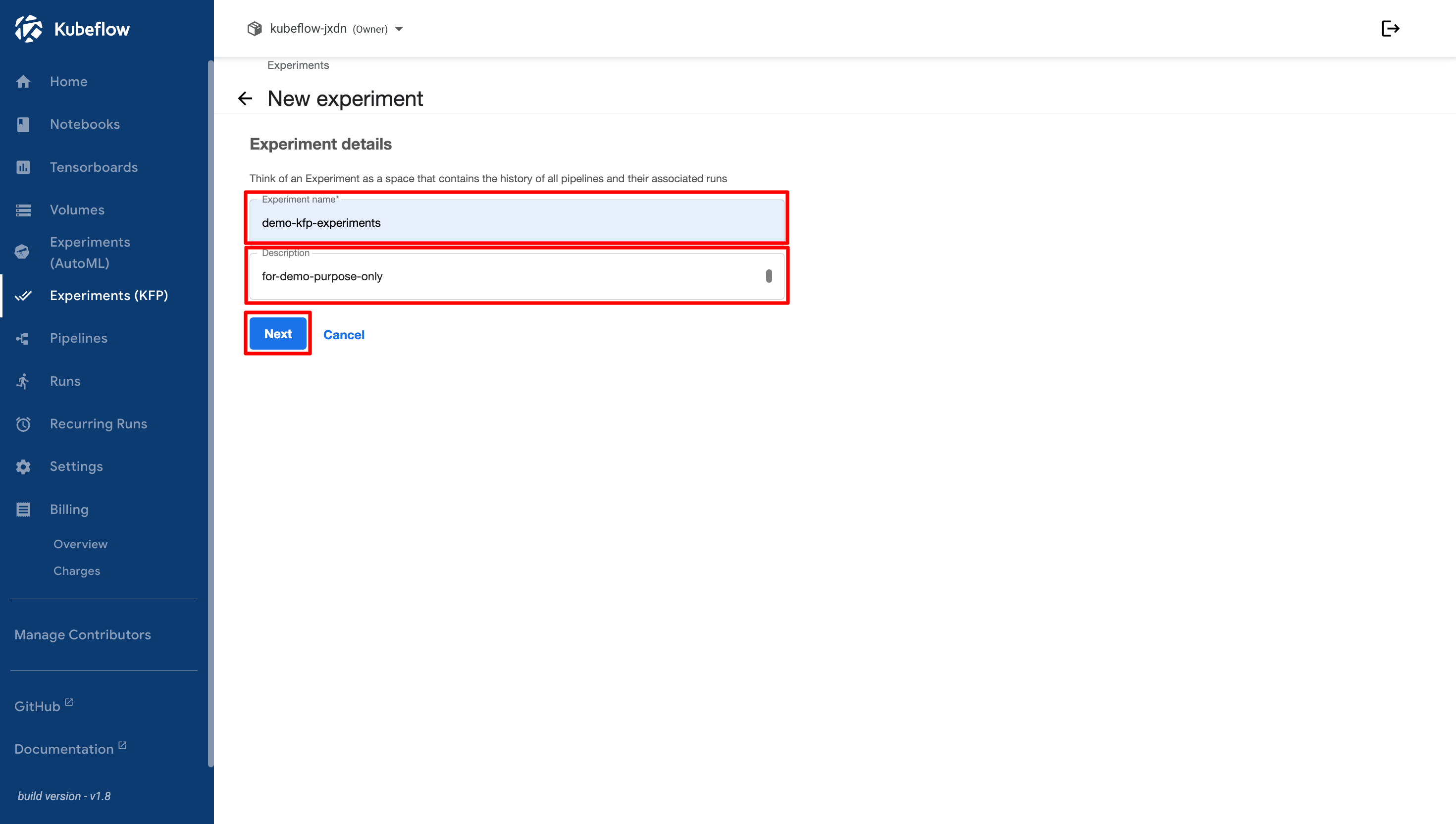
In this window, enter the **Experiment Name** and **Description**. After completing the required fields, click the **Next** button.

<figure><img src="https://2882153758-files.gitbook.io/~/files/v0/b/gitbook-x-prod.appspot.com/o/spaces%2Fi9YWb69HFXLHYlXffReU%2Fuploads%2Fgit-blob-d74838b1843604f1e38982f1af77d9ad245d0572%2Fimage.png?alt=media" alt=""><figcaption></figcaption></figure>

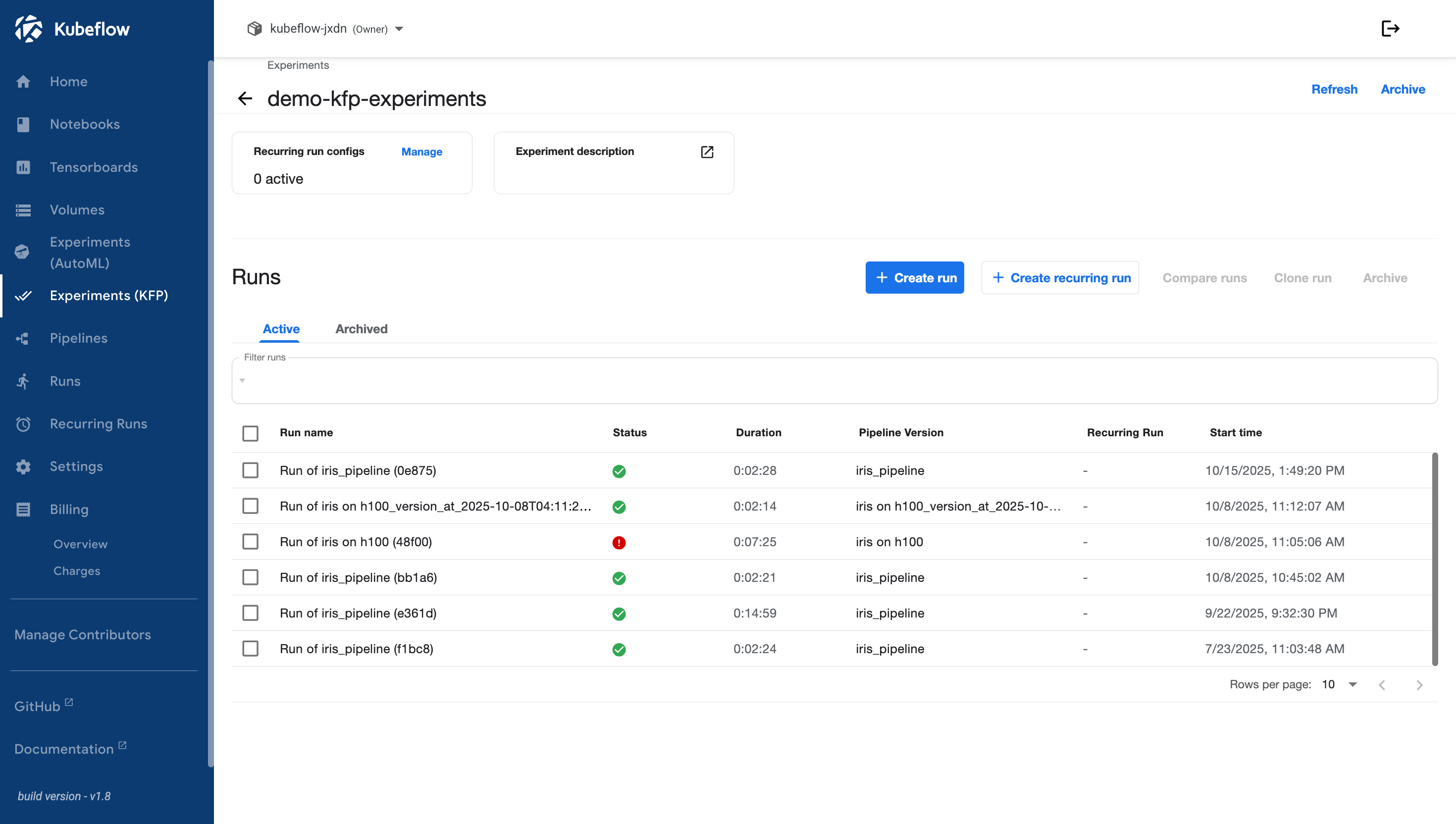
If the experiment is created successfully, you will be directed to the details page of the newly created experiment.
<figure><img src="https://2882153758-files.gitbook.io/~/files/v0/b/gitbook-x-prod.appspot.com/o/spaces%2Fi9YWb69HFXLHYlXffReU%2Fuploads%2Fgit-blob-cdc2863a75759efa3d24363a541c3e10ad7af51f%2Fimage.png?alt=media" alt=""><figcaption></figcaption></figure>