> For the complete documentation index, see [llms.txt](https://docs.cloudeka.ai/llms.txt). Markdown versions of documentation pages are available by appending `.md` to page URLs; this page is available as [Markdown](https://docs.cloudeka.ai/guideline-for-enterprise/deka-gpu-mlops/pipelines/delete-pipelines.md).
# Delete Pipelines
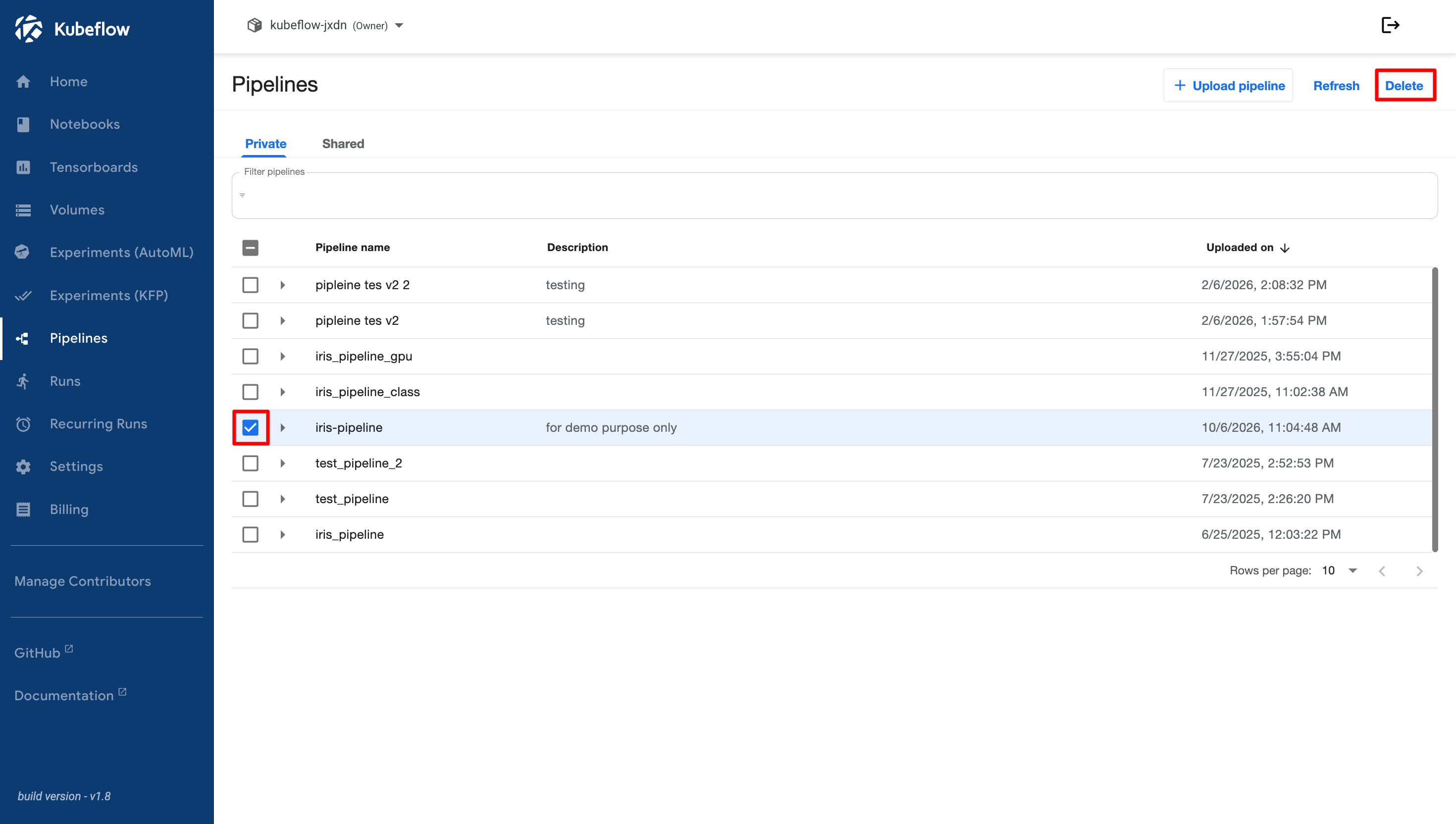
If a pipeline is no longer needed, you can delete it from the **Pipelines** page. To delete an entire pipeline, click the arrow next to the pipeline name and select the checkbox beside it. To delete a specific pipeline version, select the checkbox next to the version that you want to remove. After selecting the pipeline or pipeline version, click the **Delete** button in the top-right corner.
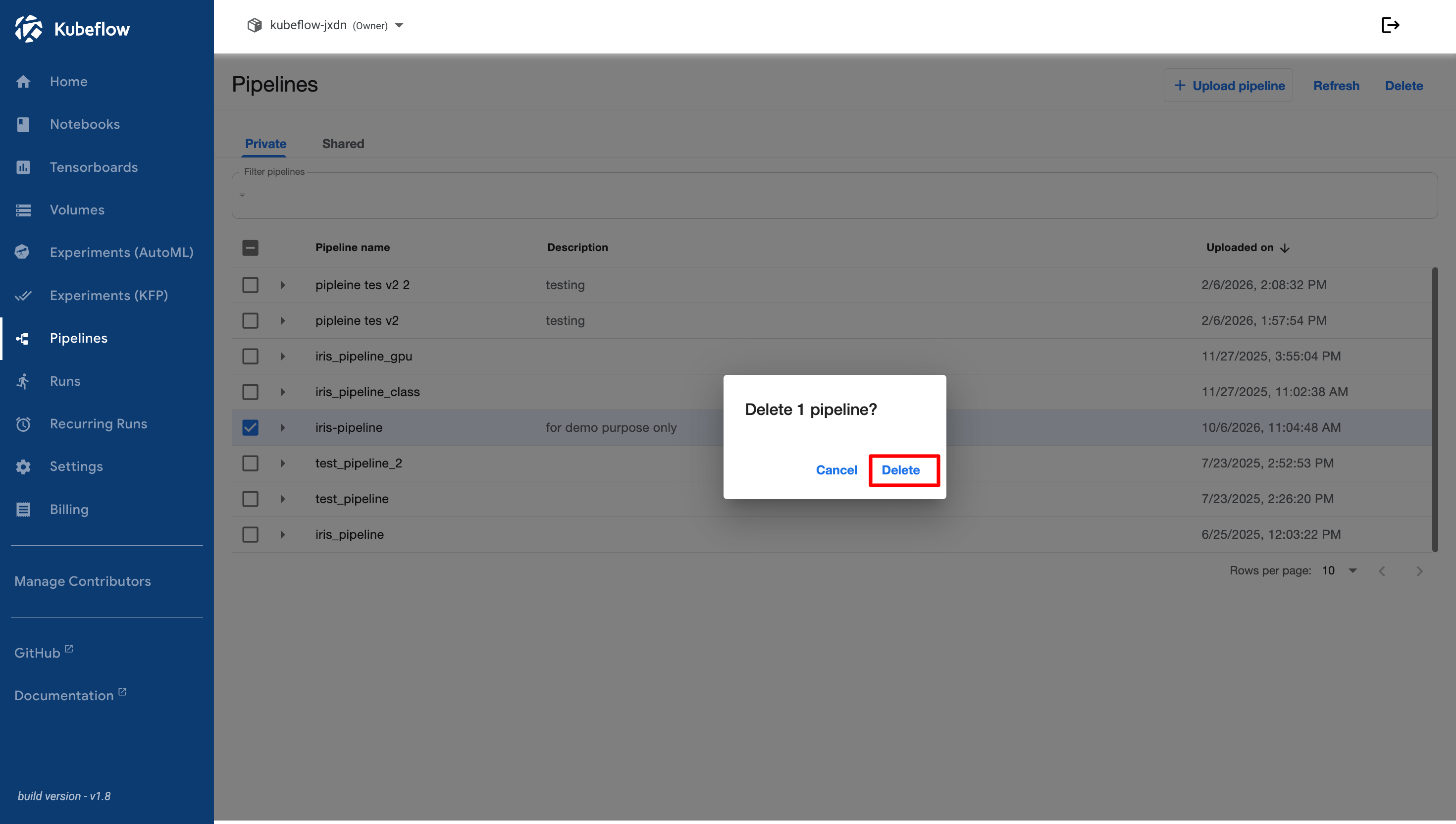
A confirmation dialog appears indicating that the selected pipeline or pipeline version will be permanently deleted.