> For the complete documentation index, see [llms.txt](https://docs.cloudeka.ai/llms.txt). Markdown versions of documentation pages are available by appending `.md` to page URLs; this page is available as [Markdown](https://docs.cloudeka.ai/guideline-for-enterprise/deka-gpu-mlops/recurring-runs/create-recurring-run.md).
# Create Recurring Runs
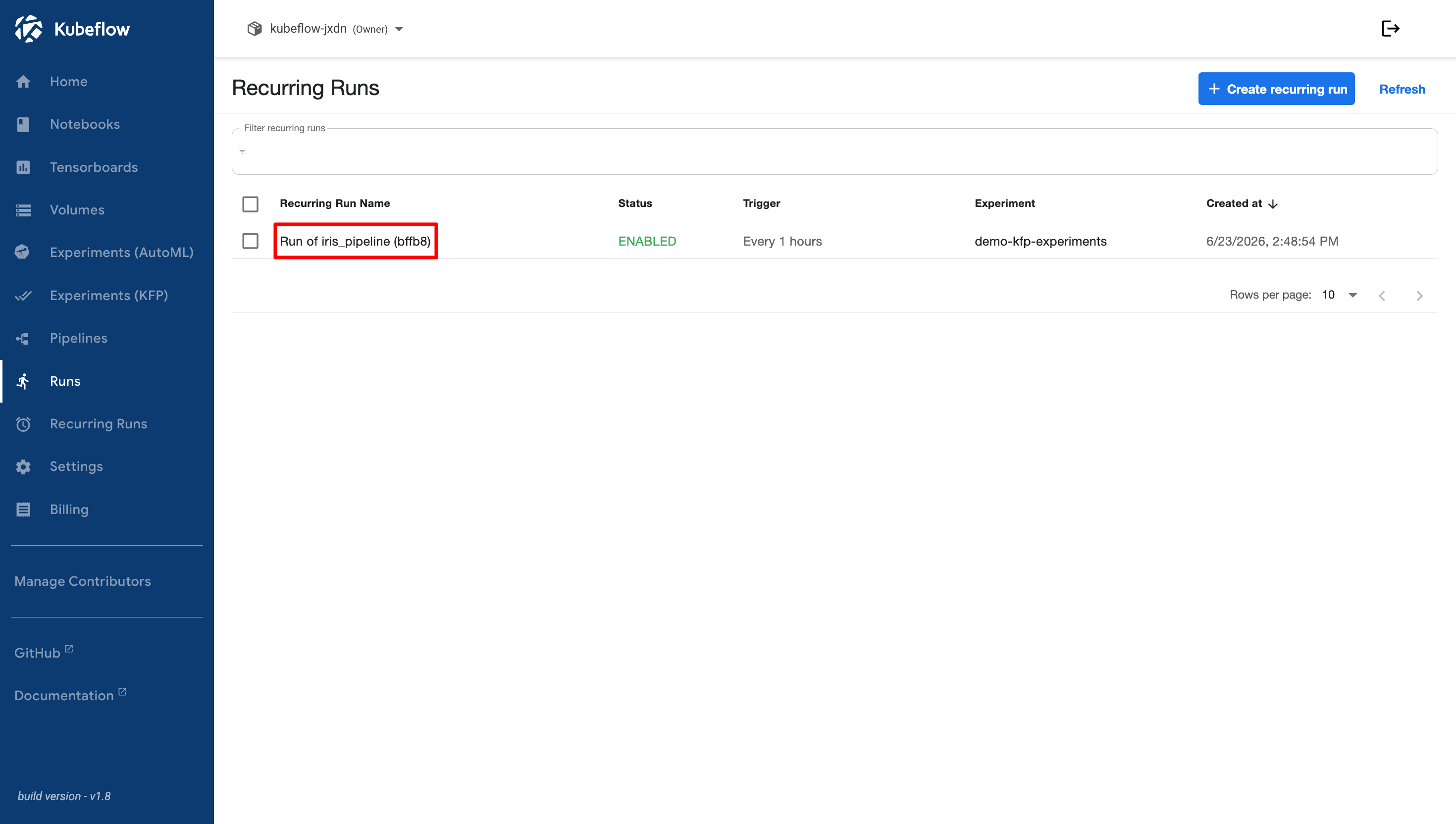
The steps to create **Recurring Runs** are similar to those for [creating standard runs](/guideline-for-enterprise/deka-gpu-mlops/runs/create-run.md). After successfully creating a recurring run, you can click the name of the recurring run to open its details page.
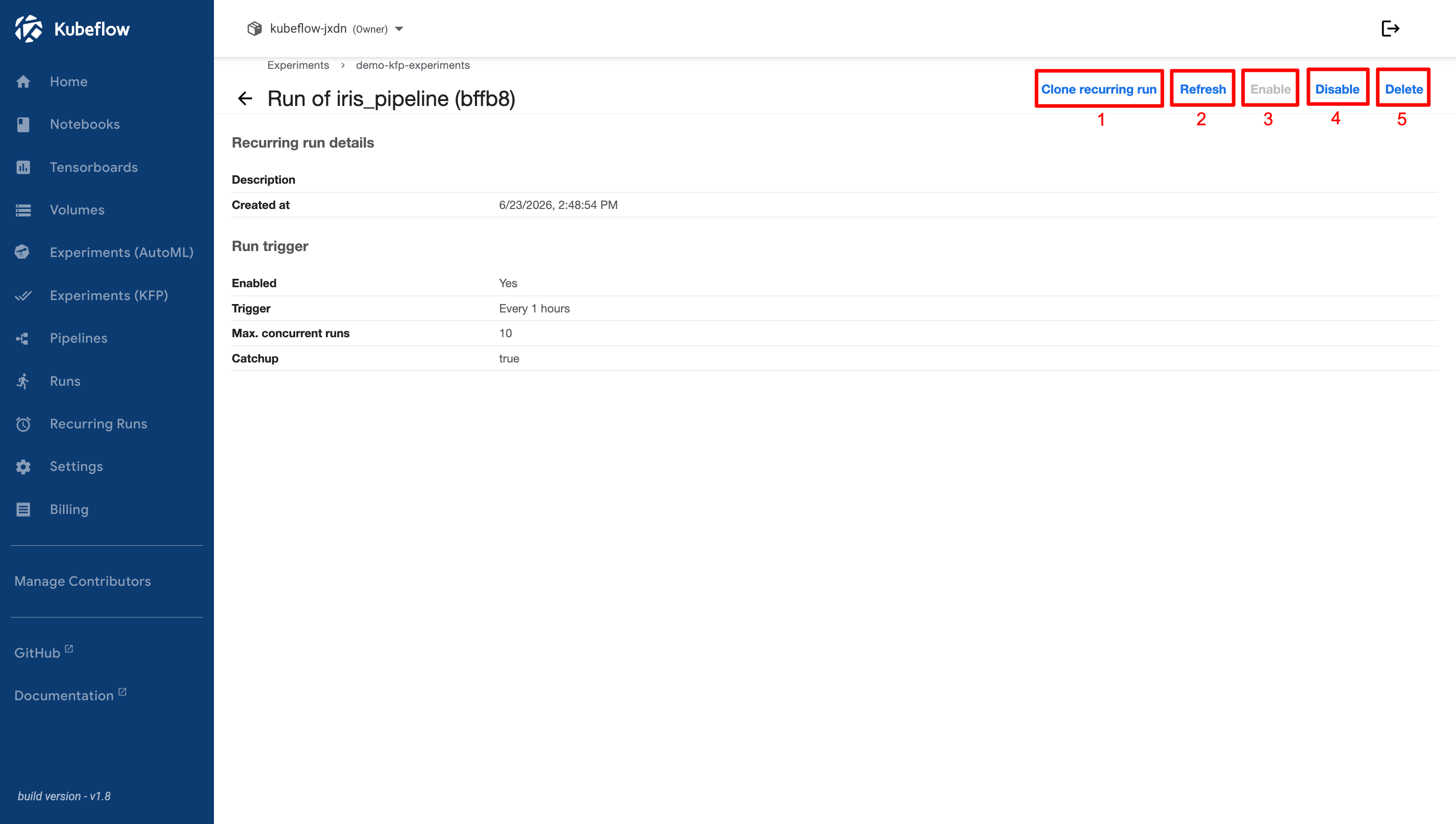
The details page provides the following options:
1. **Clone Recurring Run**\
This option allows you to duplicate an existing recurring run. Cloning is useful when you want to create a similar run with the same configuration without setting it up from the beginning. The cloned run can be modified as needed, including its parameters and schedule.
2. **Refresh**\
This option refreshes the information displayed on the page, ensuring that you are viewing the most up-to-date details of the recurring run.
3. **Enable**\
This option allows you to activate a recurring run that was previously disabled. Once enabled, the recurring run resumes execution according to its configured schedule.
4. **Disable**\
This option allows you to temporarily stop a recurring run from executing. Disabling a recurring run prevents it from running according to its schedule without deleting its configuration. The run can be enabled again at any time.
5. **Delete**\
This option allows you to permanently delete a recurring run. Once deleted, the recurring run is removed from the system and can no longer be executed. To use the same configuration again, a new recurring run must be created.