> For the complete documentation index, see [llms.txt](https://docs.cloudeka.ai/llms.txt). Markdown versions of documentation pages are available by appending `.md` to page URLs; this page is available as [Markdown](https://docs.cloudeka.ai/guideline-for-enterprise/deka-llm/detail-deka-llm/keys-tab/detail-a-key.md).
# Detail a Key
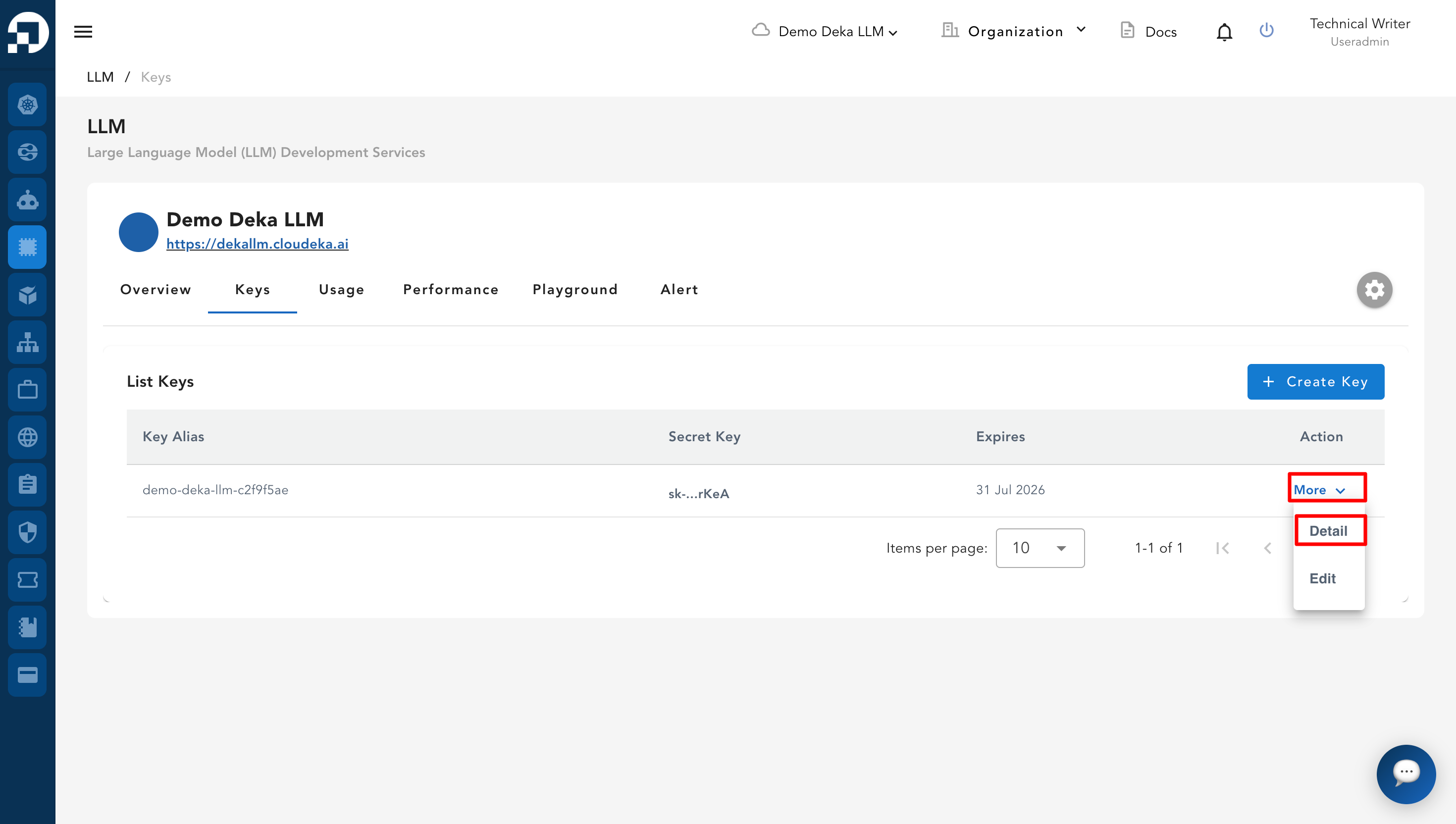
**Detail a Key** is a feature in the **Service Portal Cloudeka** that allows you to view the details of an existing **Key**. If you have not created a **Key** yet, you can follow **sub-section** [**Create a New Key**](/guideline-for-enterprise/deka-llm/detail-deka-llm/keys-tab/create-a-new-key.md). On the **Keys Tab** page, click the **Detail** button.
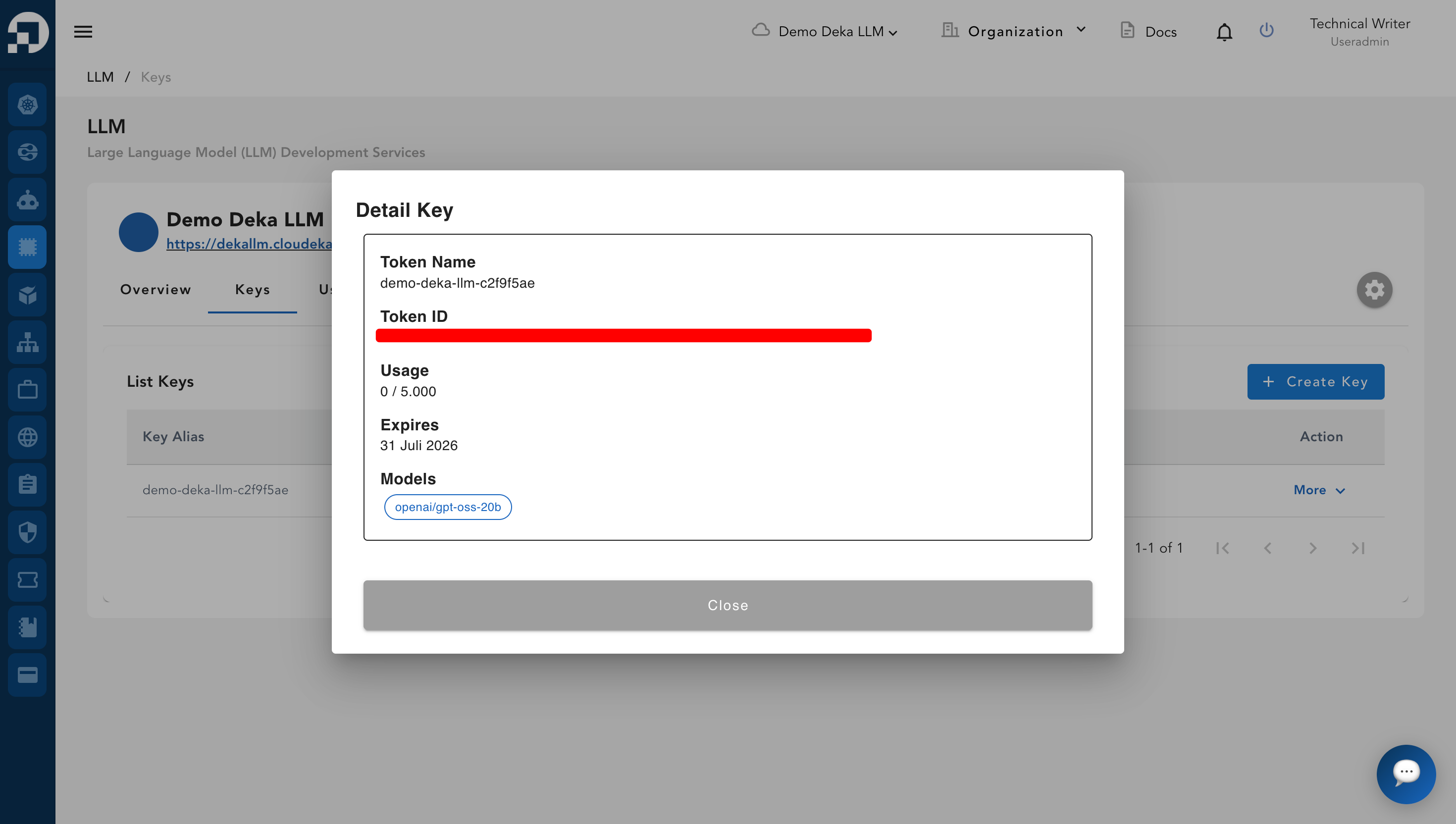
The **Detail Key** window will appear, displaying information about the token created in the **Keys** tab of **Deka LLM**.
* **Token Name**: Displays the name of the token being used.
* **Token ID**: Used for authentication and access to **Deka LLM** services.
* **Usage**: Shows the current token usage compared to the maximum limit available.
* **Expires**: Displays the token's expiration status.