> For the complete documentation index, see [llms.txt](https://docs.cloudeka.ai/llms.txt). Markdown versions of documentation pages are available by appending `.md` to page URLs; this page is available as [Markdown](https://docs.cloudeka.ai/guideline-for-enterprise/deka-llm/detail-deka-llm/update-models.md).

# Update Models

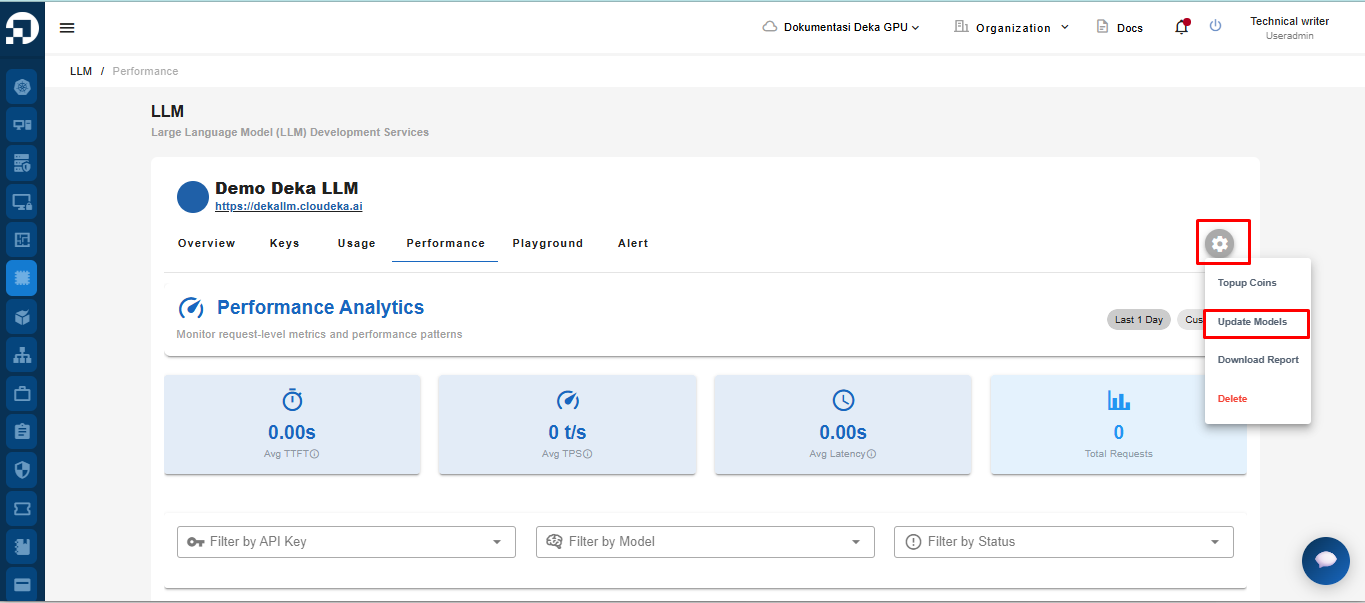
You can update the model you wish to use in Deka LLM. On the Deka LLM page, click the Settings button and select Update Models.

<figure><img src="https://2882153758-files.gitbook.io/~/files/v0/b/gitbook-x-prod.appspot.com/o/spaces%2Fi9YWb69HFXLHYlXffReU%2Fuploads%2Fgit-blob-83c5ac863dad73cb95ea636960c5ba713a6551c9%2Fimage.png?alt=media" alt=""><figcaption></figcaption></figure>

You will automatically be redirected to the Update Models page. Click the Update Models button.

<figure><img src="https://2882153758-files.gitbook.io/~/files/v0/b/gitbook-x-prod.appspot.com/o/spaces%2Fi9YWb69HFXLHYlXffReU%2Fuploads%2Fgit-blob-e8c2ad377832bf47b231cd95224c7b1a88b4390d%2Funknown.png?alt=media" alt=""><figcaption></figcaption></figure>

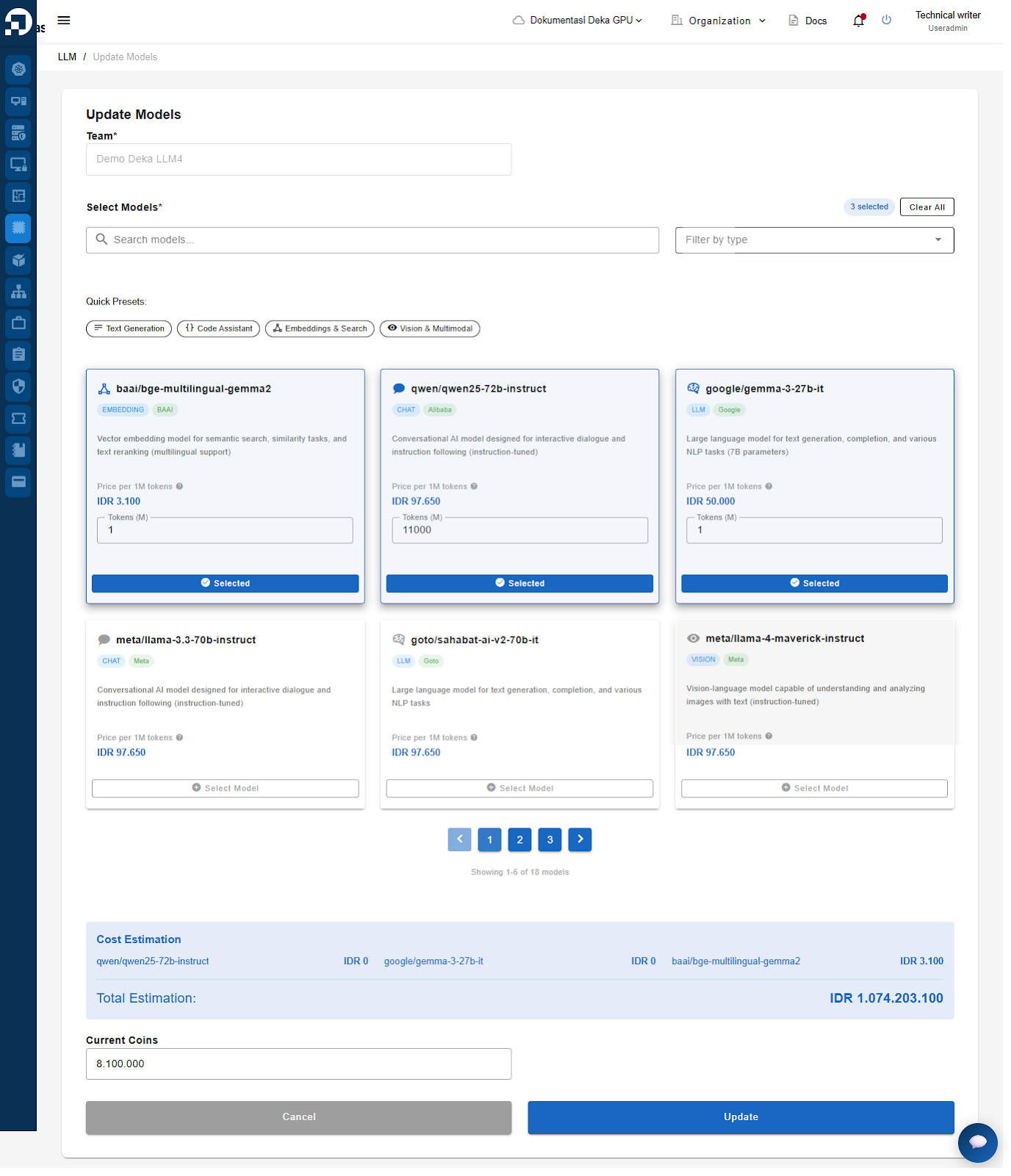
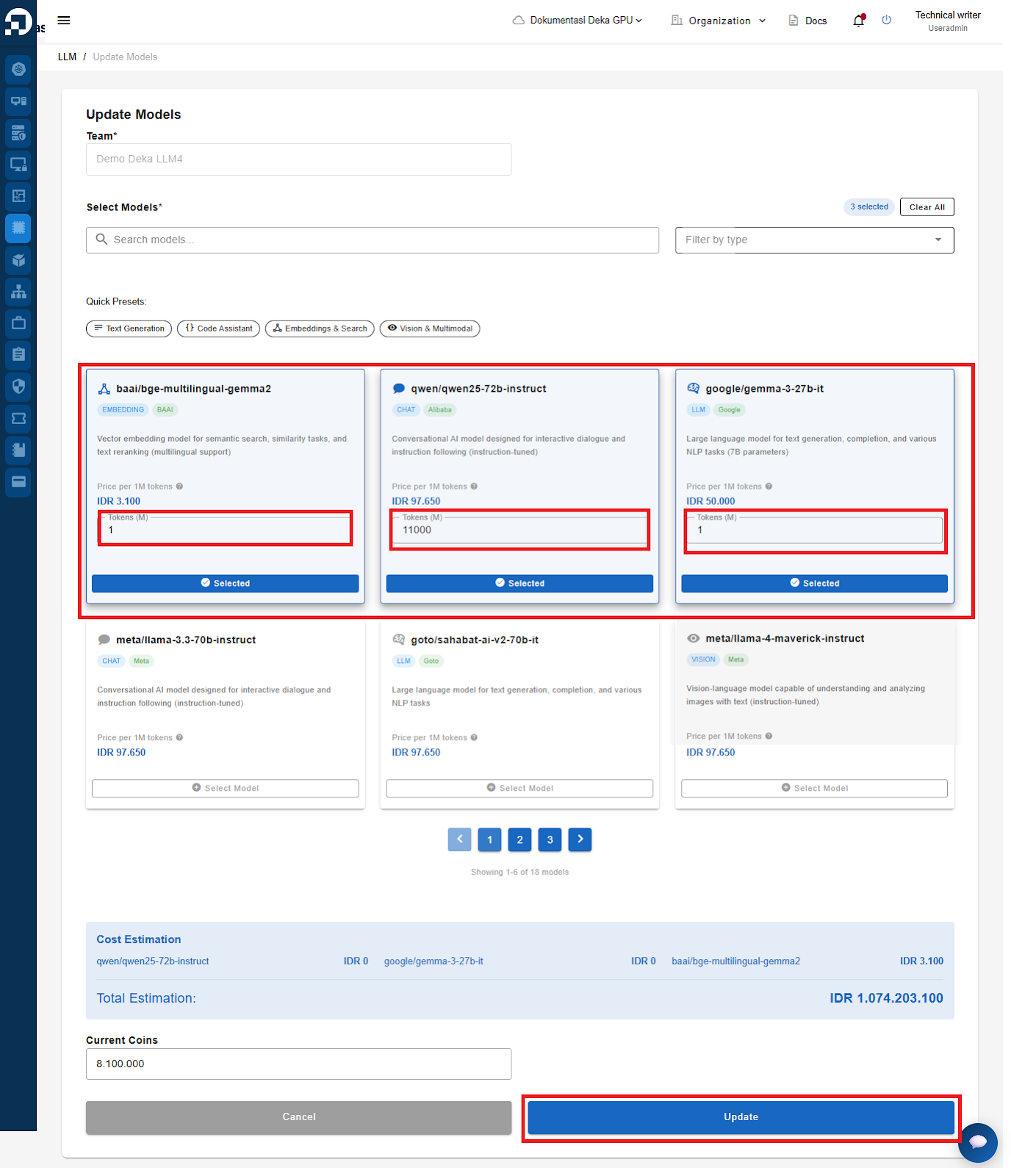
The Update Models window will appear. Specify the LLM model you want to use → set the model and the number of tokens you want to allocate → click the Update button.

<figure><img src="https://2882153758-files.gitbook.io/~/files/v0/b/gitbook-x-prod.appspot.com/o/spaces%2Fi9YWb69HFXLHYlXffReU%2Fuploads%2Fgit-blob-c3abfaa07356e5969b0afcbb1c50950e4c8d6d20%2Funknown.png?alt=media" alt=""><figcaption></figcaption></figure>

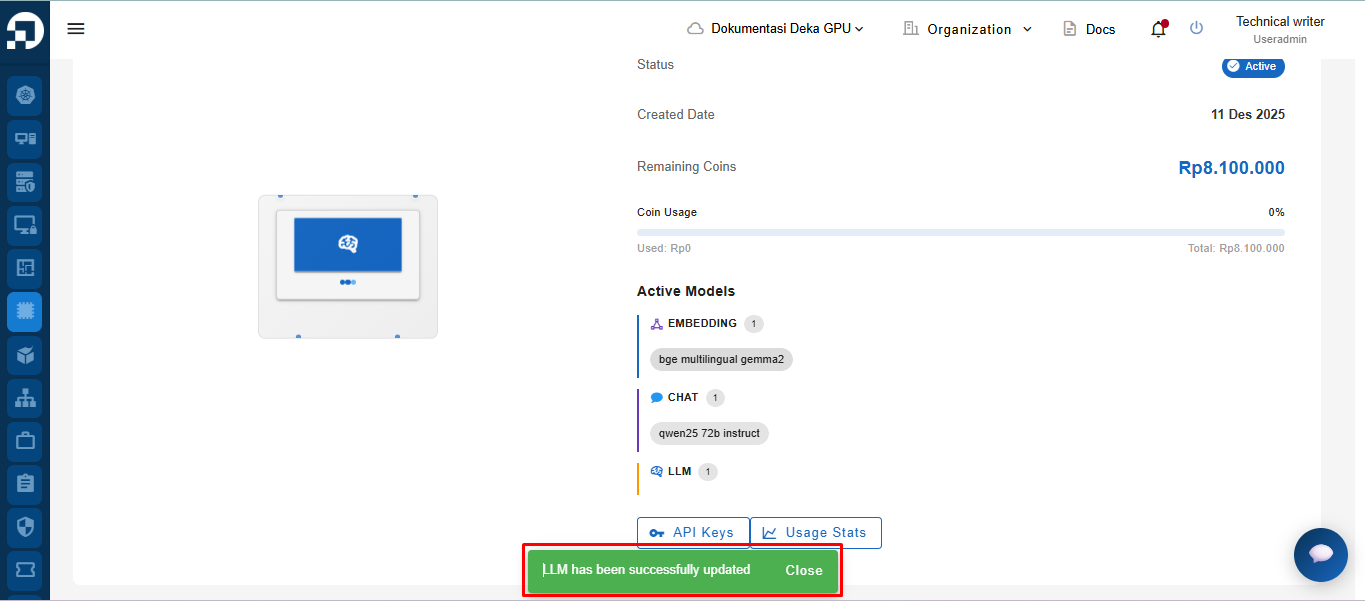
A notification message, “LLM has been successfully updated,” will appear.
<figure><img src="https://2882153758-files.gitbook.io/~/files/v0/b/gitbook-x-prod.appspot.com/o/spaces%2Fi9YWb69HFXLHYlXffReU%2Fuploads%2Fgit-blob-47e07a440ae30f487c29234512ac65abedb21506%2Funknown.png?alt=media" alt=""><figcaption></figcaption></figure>