> For the complete documentation index, see [llms.txt](https://docs.cloudeka.ai/llms.txt). Markdown versions of documentation pages are available by appending `.md` to page URLs; this page is available as [Markdown](https://docs.cloudeka.ai/guideline-for-enterprise/deka-metal/deka-metal-bare-metal/delete-bare-metal.md).
# Delete Bare Metal
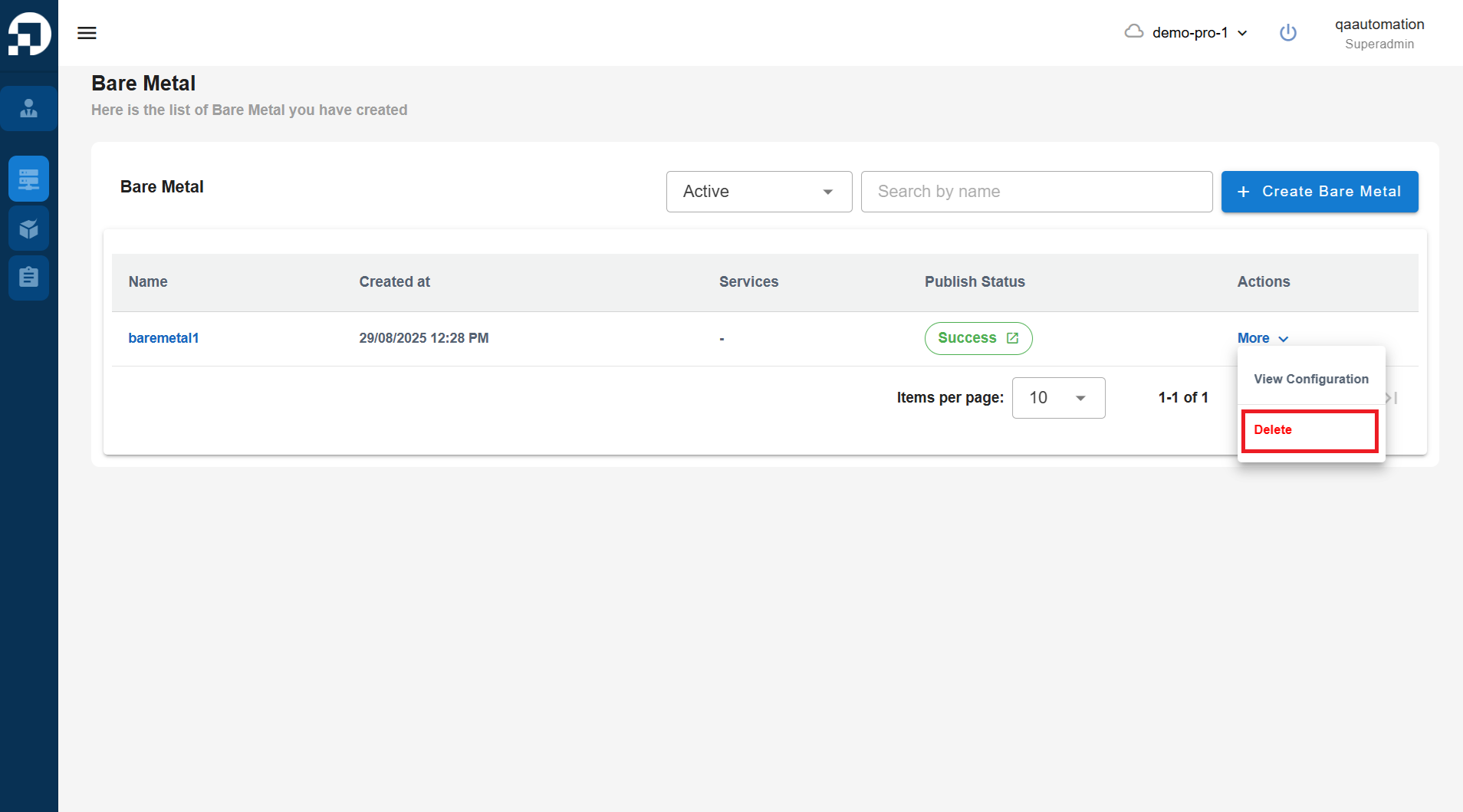
On the **Bare Metal** page, click the **More** button and select **Delete**.
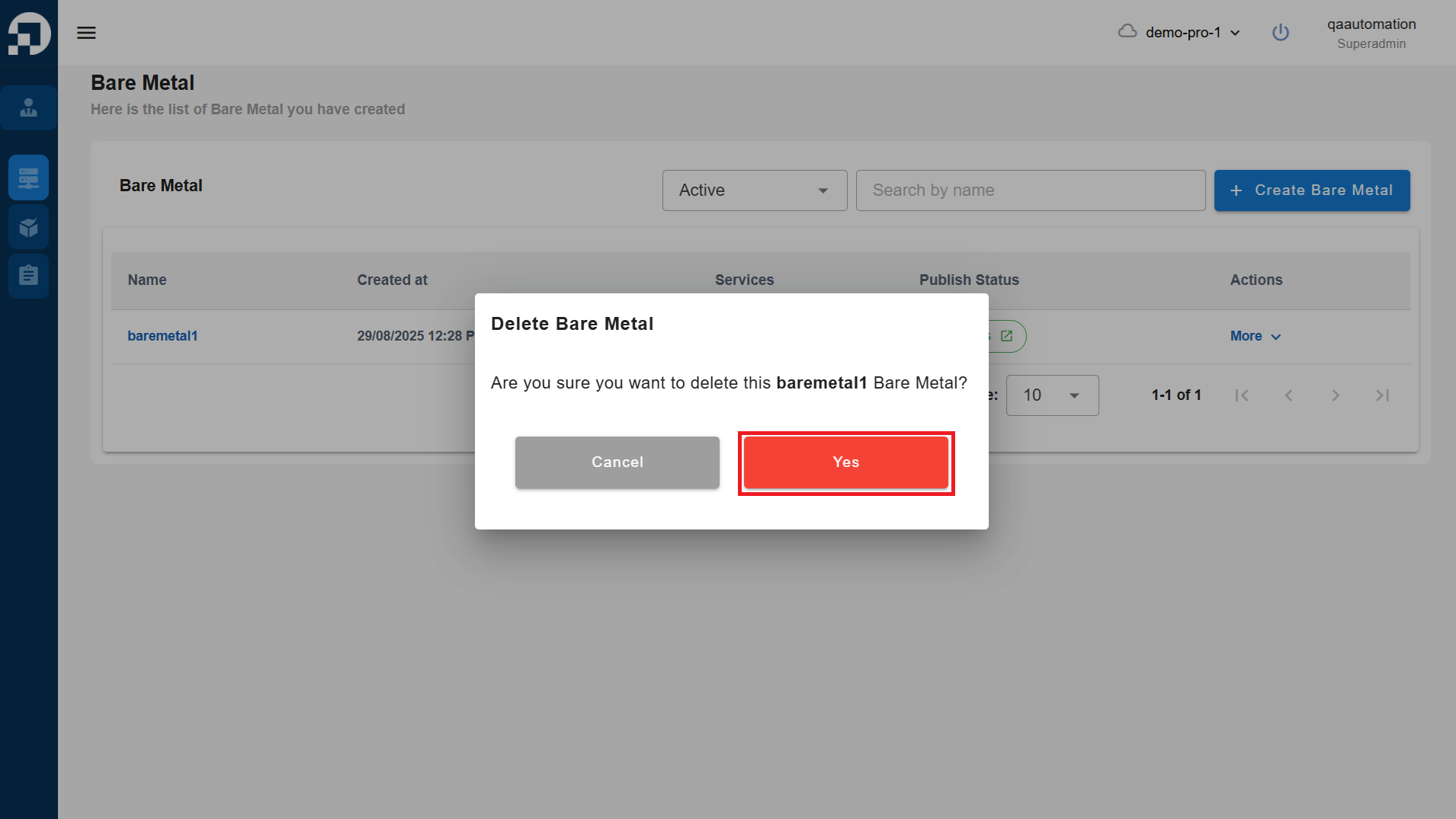
The **Delete Bare Metal** window will appear, then click **Yes**.
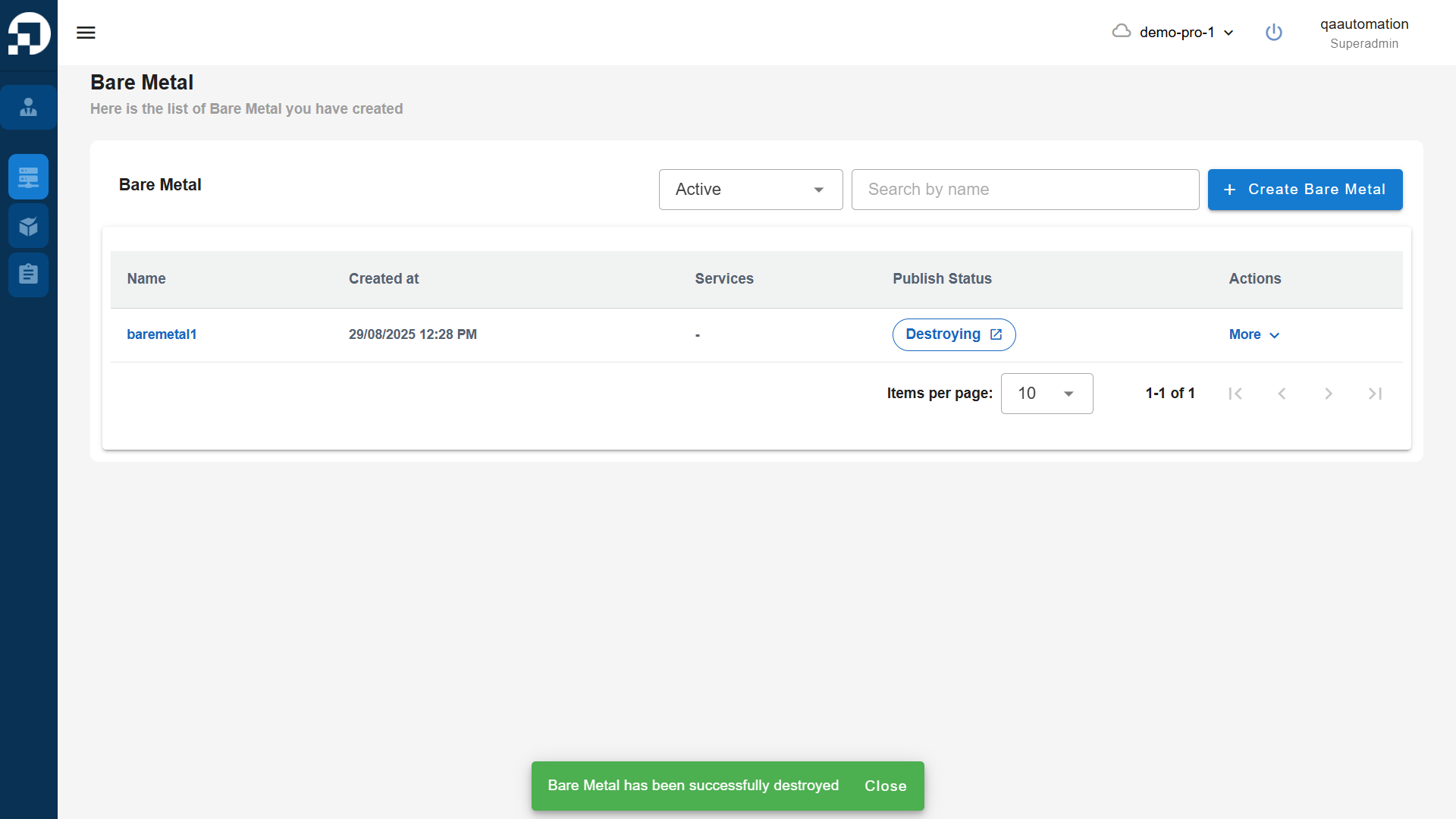
Wait until the deletion process is complete and the Bare Metal no longer appears in the list.