> For the complete documentation index, see [llms.txt](https://docs.cloudeka.ai/llms.txt). Markdown versions of documentation pages are available by appending `.md` to page URLs; this page is available as [Markdown](https://docs.cloudeka.ai/guideline-for-enterprise/deka-metal/deka-metal-deka-box/settings-deka-box.md).
# Settings Deka Box
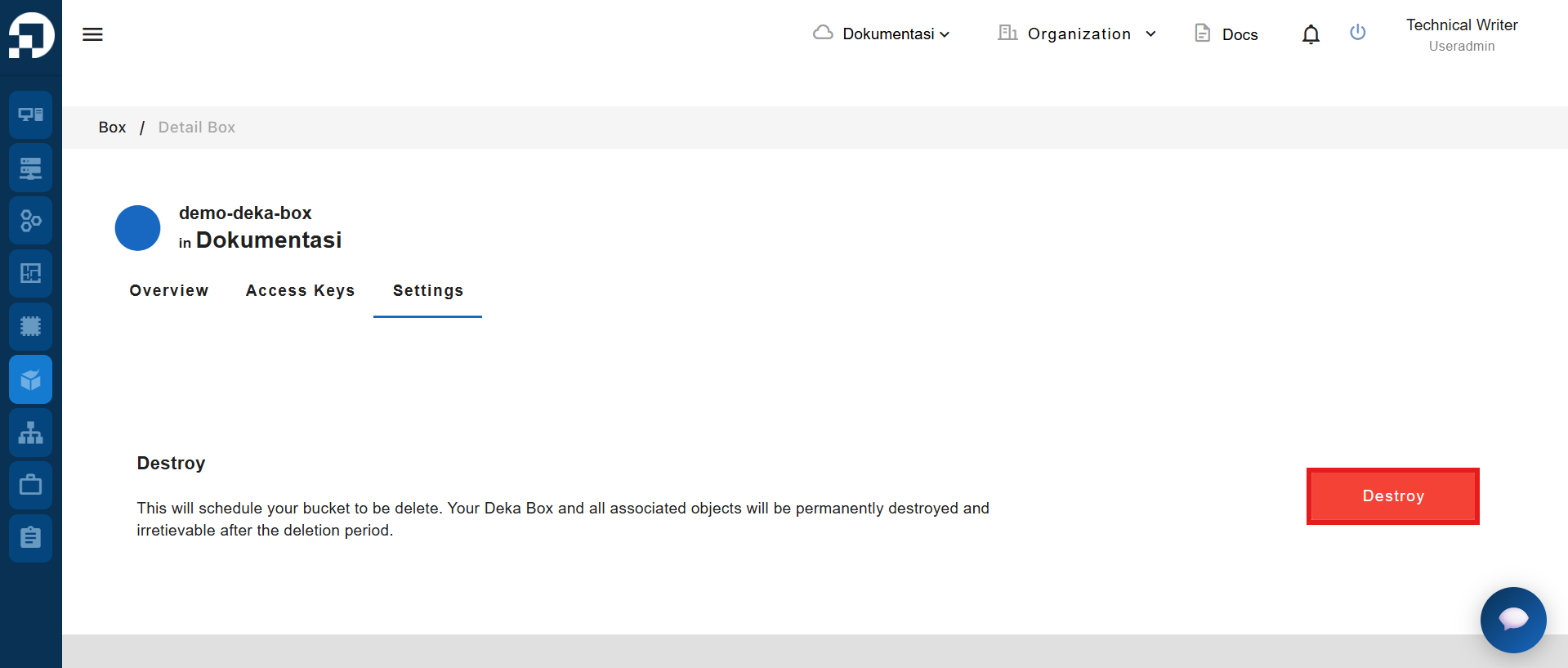
The **Settings** page allows you to manage bucket-level settings, including permanently deleting the selected Deka Box. The **Destroy** feature schedules the bucket for deletion, and after the deletion period ends, the Deka Box and all objects stored within it are permanently removed and cannot be recovered.
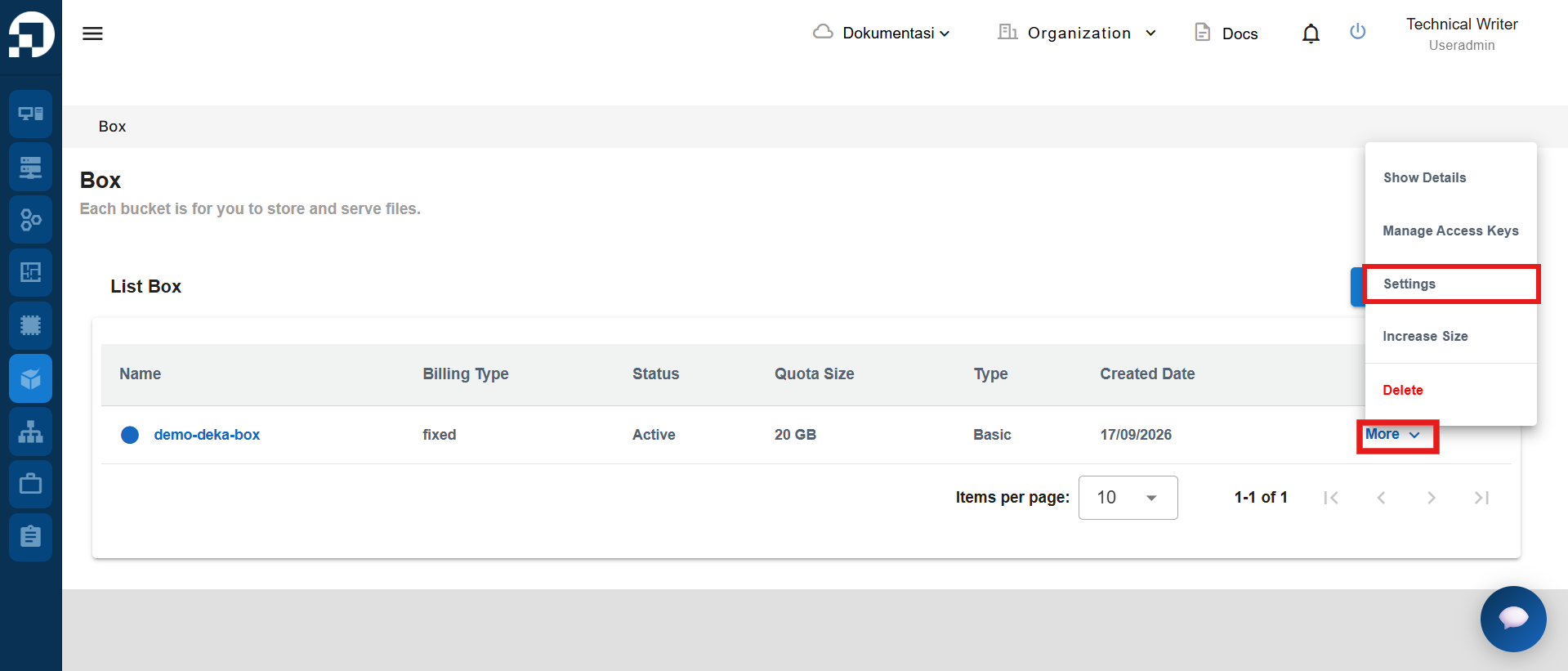
On the **Box** page, click **More** in the **Action** column for the Deka Box you want to manage, then select **Settings** to open the **Settings** page.
Click **Destroy Button** to schedule the selected Deka Box for permanent deletion.
{% hint style="info" %}
Destroying a Deka Box schedules it for permanent deletion. After the deletion period ends, the bucket and all associated objects cannot be recovered.
{% endhint %}
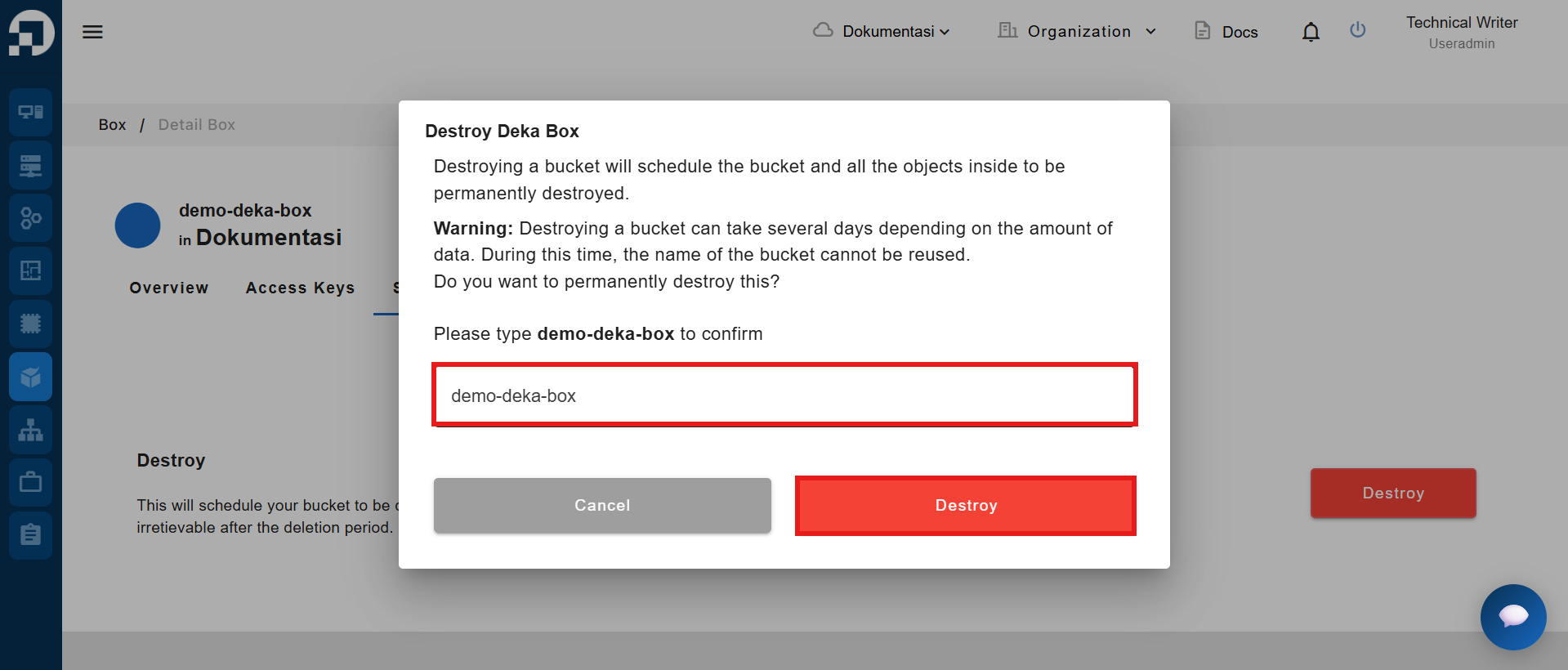
The system displays a confirmation dialog. Enter the Deka Box name in the confirmation field, then click **Destroy** to schedule the Deka Box for permanent deletion.