> For the complete documentation index, see [llms.txt](https://docs.cloudeka.ai/llms.txt). Markdown versions of documentation pages are available by appending `.md` to page URLs; this page is available as [Markdown](https://docs.cloudeka.ai/guideline-for-enterprise/deka-notebook/delete-deka-notebook.md).
# Delete Deka Notebook
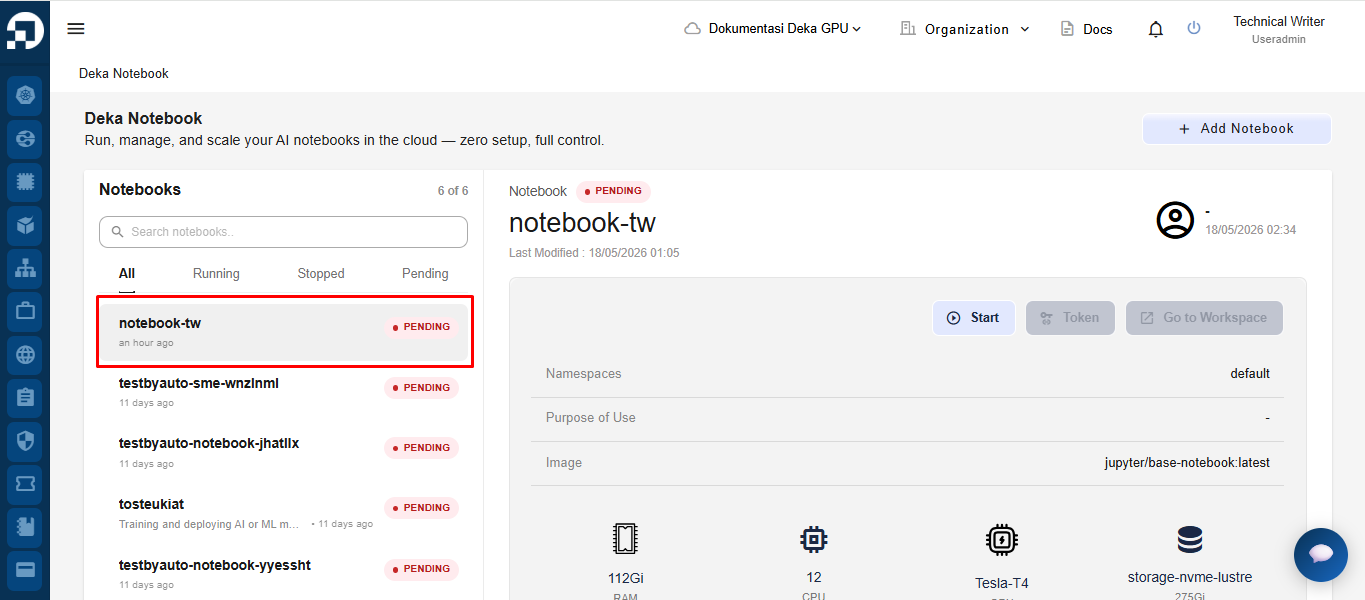
Delete Deka Notebook is one of the features available in the Service Portal Cloudeka for deleting a previously created Deka Notebook. On the Deka Notebook page, select the notebook from the notebook list that you want to delete.
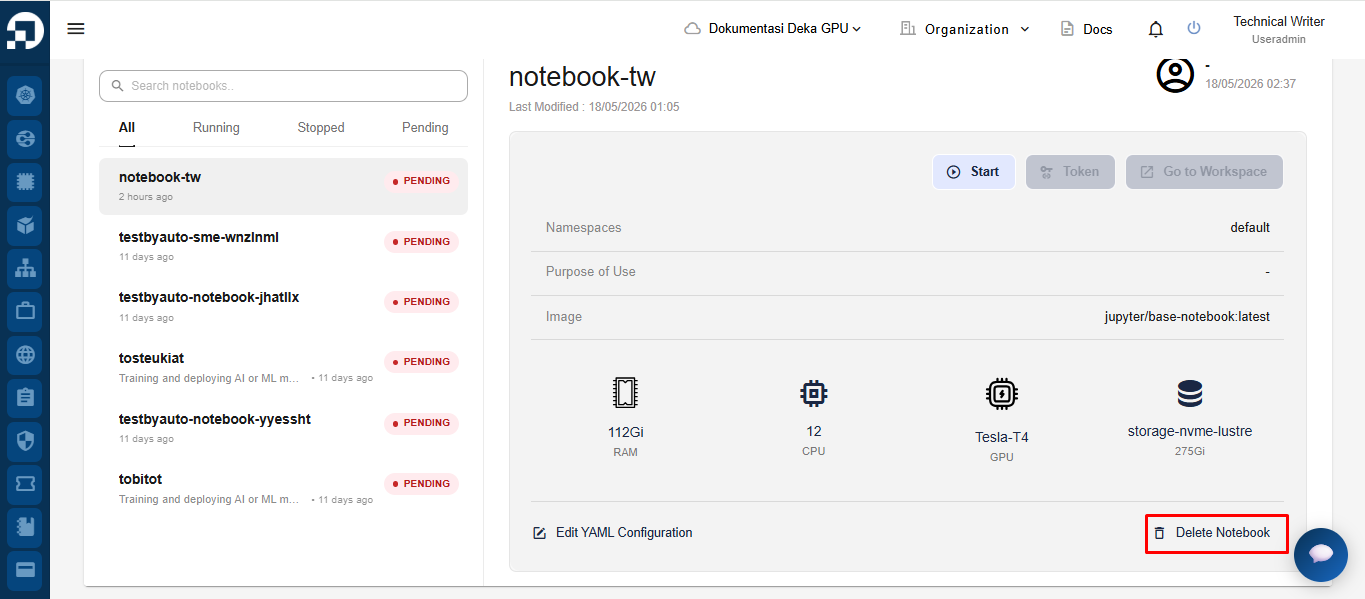
After selecting the notebook from the notebook list, scroll down to the bottom of the notebook detail page. Then, click the **Delete Notebook** button to delete the notebook.
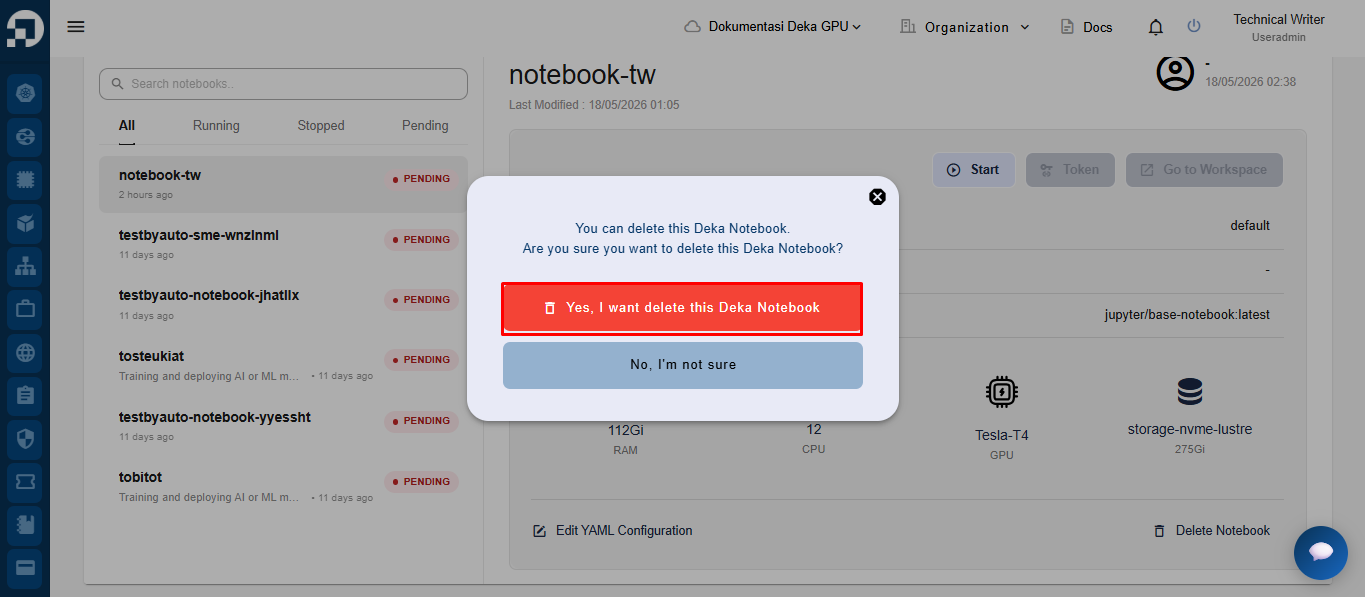
After clicking the **Delete Notebook** button, the system will display a confirmation pop-up. Click the **Yes, I want delete this Deka Notebook** button to continue the notebook deletion process.
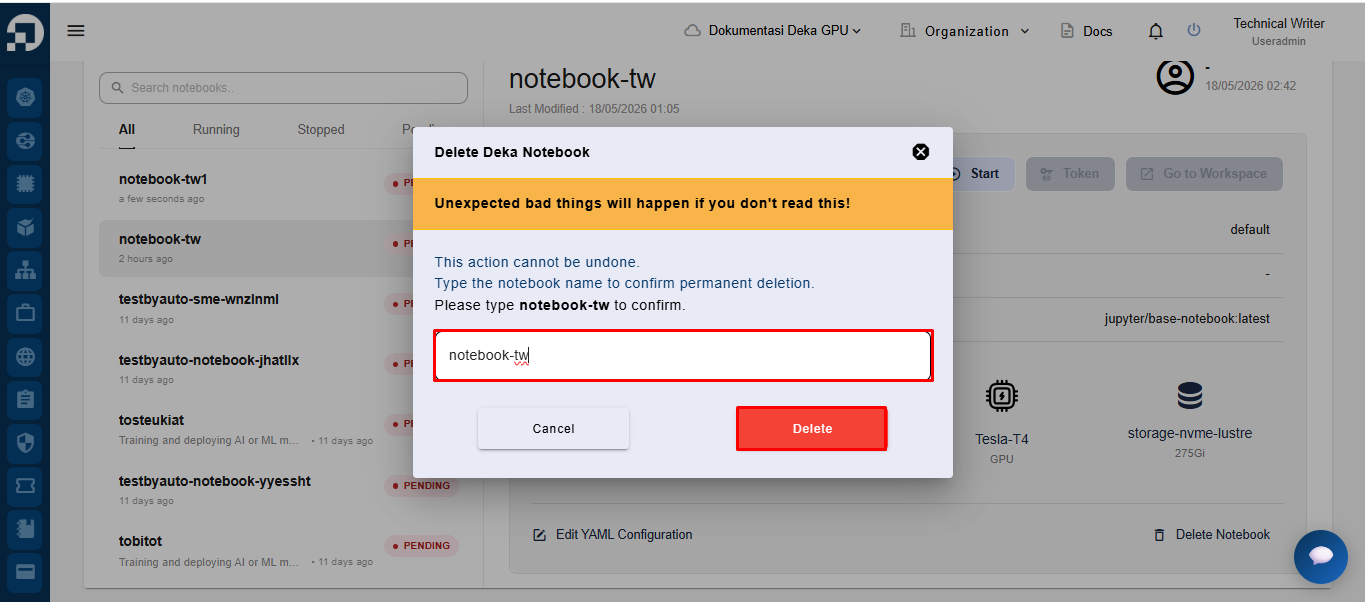
After clicking the **Yes, I want delete this Deka Notebook** button, the system will display a permanent deletion confirmation pop-up. Retype the notebook name in the provided field to confirm the deletion process, then click the **Delete** button.
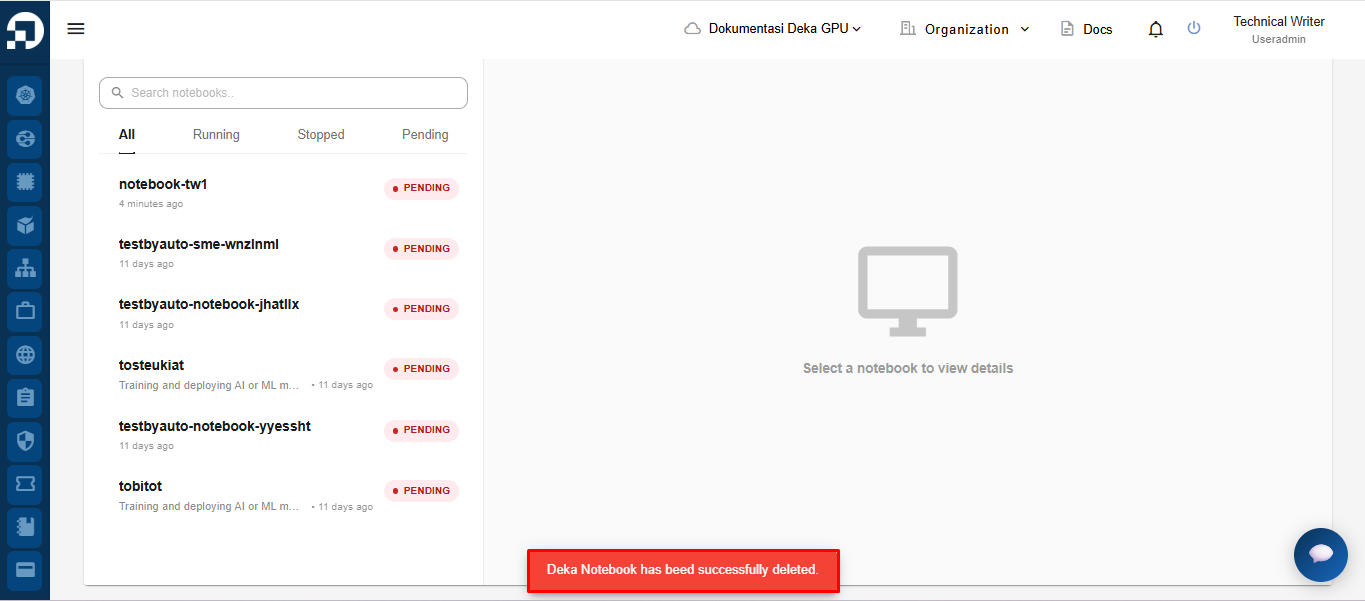
If the deletion process is successful, the system will display a notification message stating **“Deka Notebook has been successfully deleted”**.