> For the complete documentation index, see [llms.txt](https://docs.cloudeka.ai/llms.txt). Markdown versions of documentation pages are available by appending `.md` to page URLs; this page is available as [Markdown](https://docs.cloudeka.ai/guideline-for-enterprise/deka-notebook/detail-deka-notebook/login-deka-notebook.md).
# Login Deka Notebook
The **Login Deka Notebook** feature is available in Deka Notebook within the Service Portal Cloudeka and is used to open the Deka Notebook workspace through the available workspace access link.
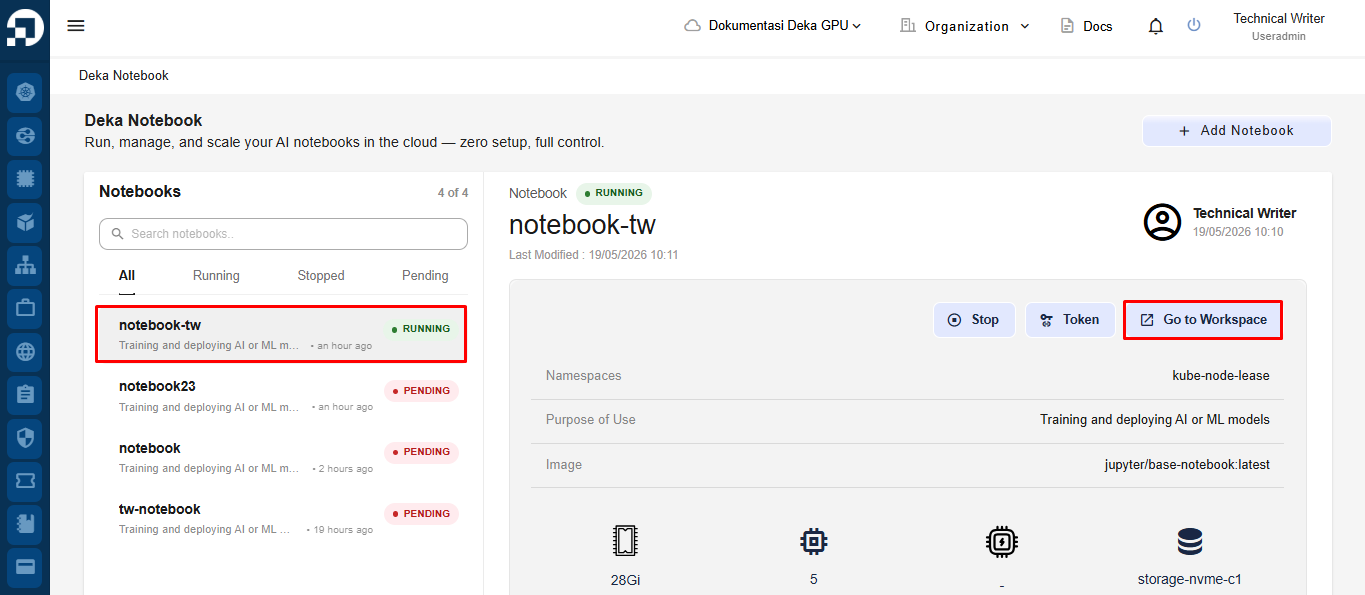
On the **Deka Notebook** page, select the notebook you want to access, then click the **Go to Workspace** button to open the Deka Notebook workspace.
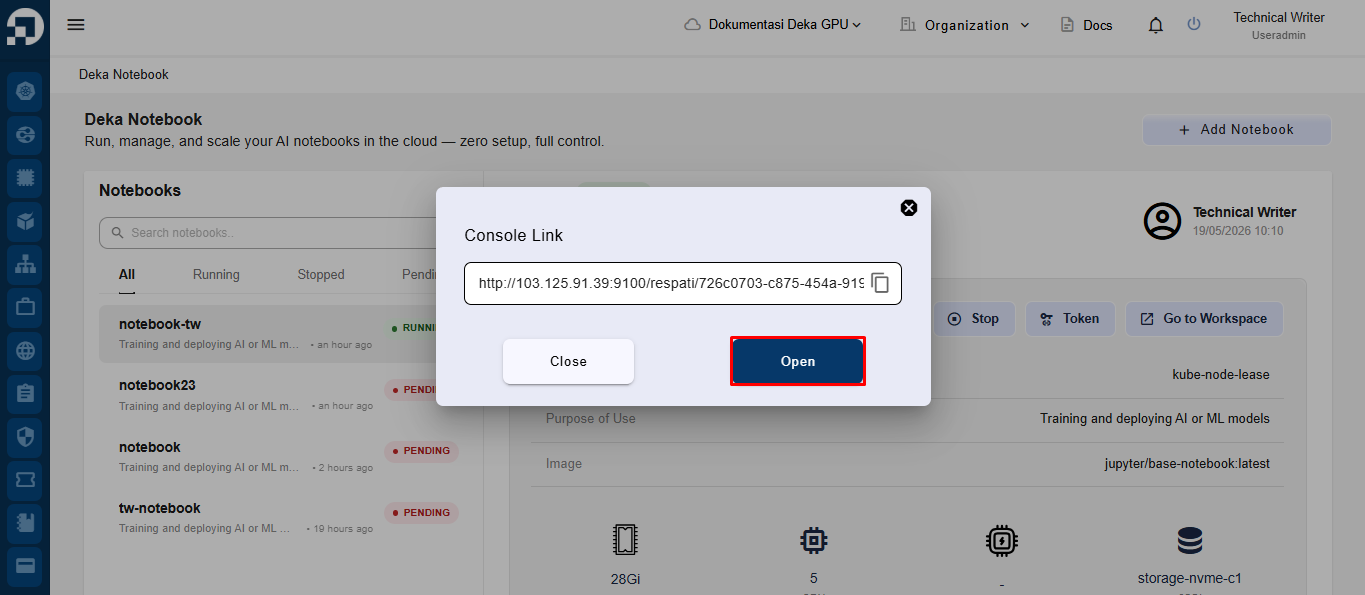
The system will display a *Console Link* pop-up. Users can access the notebook by either copying the available notebook link and opening it in a browser, or directly clicking the **Open** button to access and log in to the Deka Notebook Workspace.
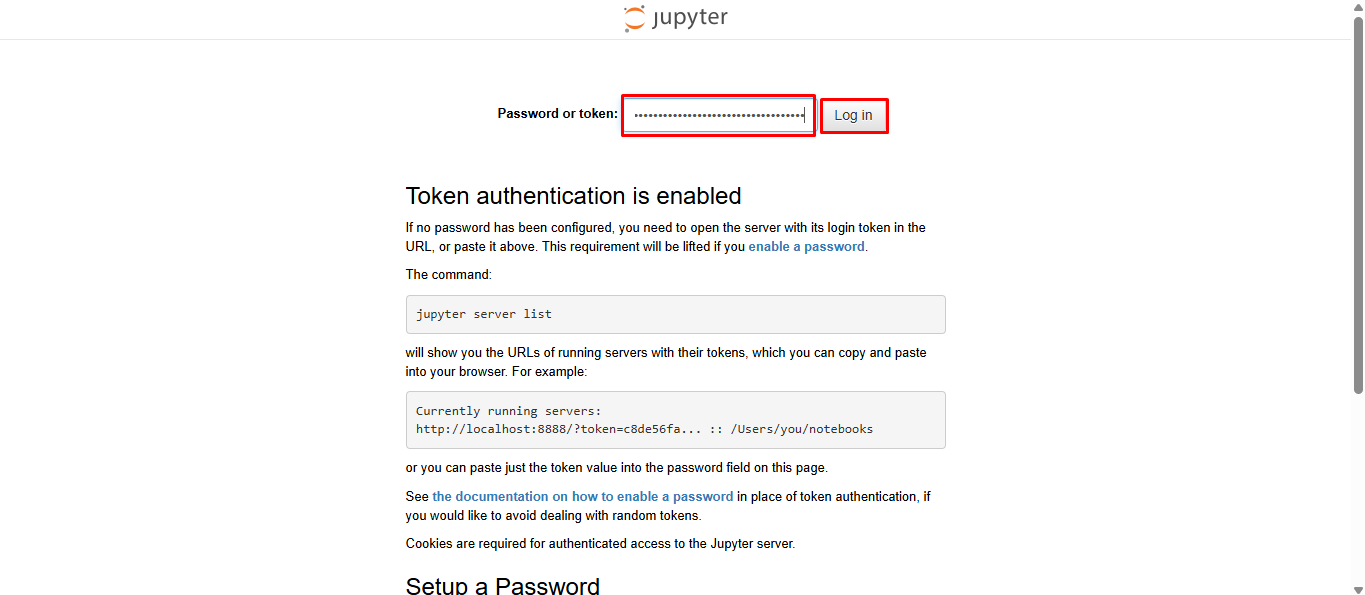
After opening the URL, you will be redirected to the Deka Notebook Log In page. **Enter the token** in the Password or Token field and click **Log In.**
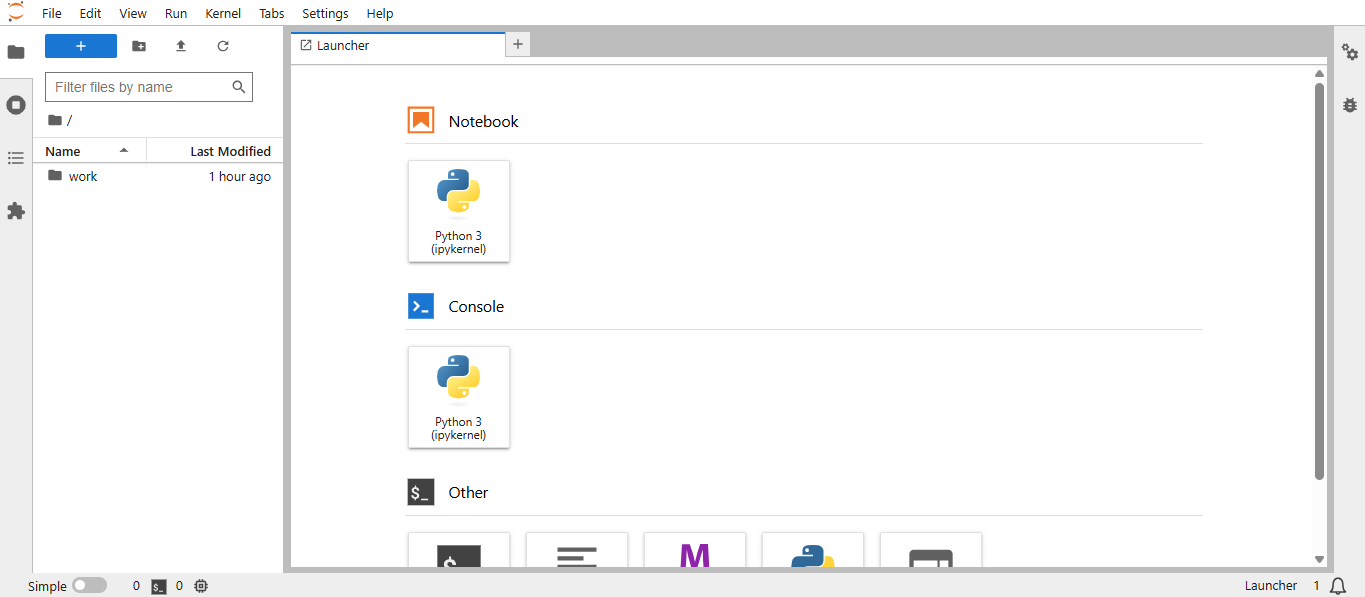
You have successfully accessed the **Deka Notebook** workspace. When accessing the Deka Notebook Workspace, the system will prompt users to enter a password or token. Enter the token that was previously generated in the [**Get Token Step**](/guideline-for-enterprise/deka-notebook/detail-deka-notebook/get-token.md) to continue the login process.