> For the complete documentation index, see [llms.txt](https://docs.cloudeka.ai/llms.txt). Markdown versions of documentation pages are available by appending `.md` to page URLs; this page is available as [Markdown](https://docs.cloudeka.ai/guideline-for-enterprise/deka-registry/detail-registry/member/change-password.md).
# Change Password
The **Change Password** feature allows users to **update or replace their current account password** to maintain account security. This feature is typically used when users want to strengthen their password, perform regular security updates, or suspect unauthorized access.
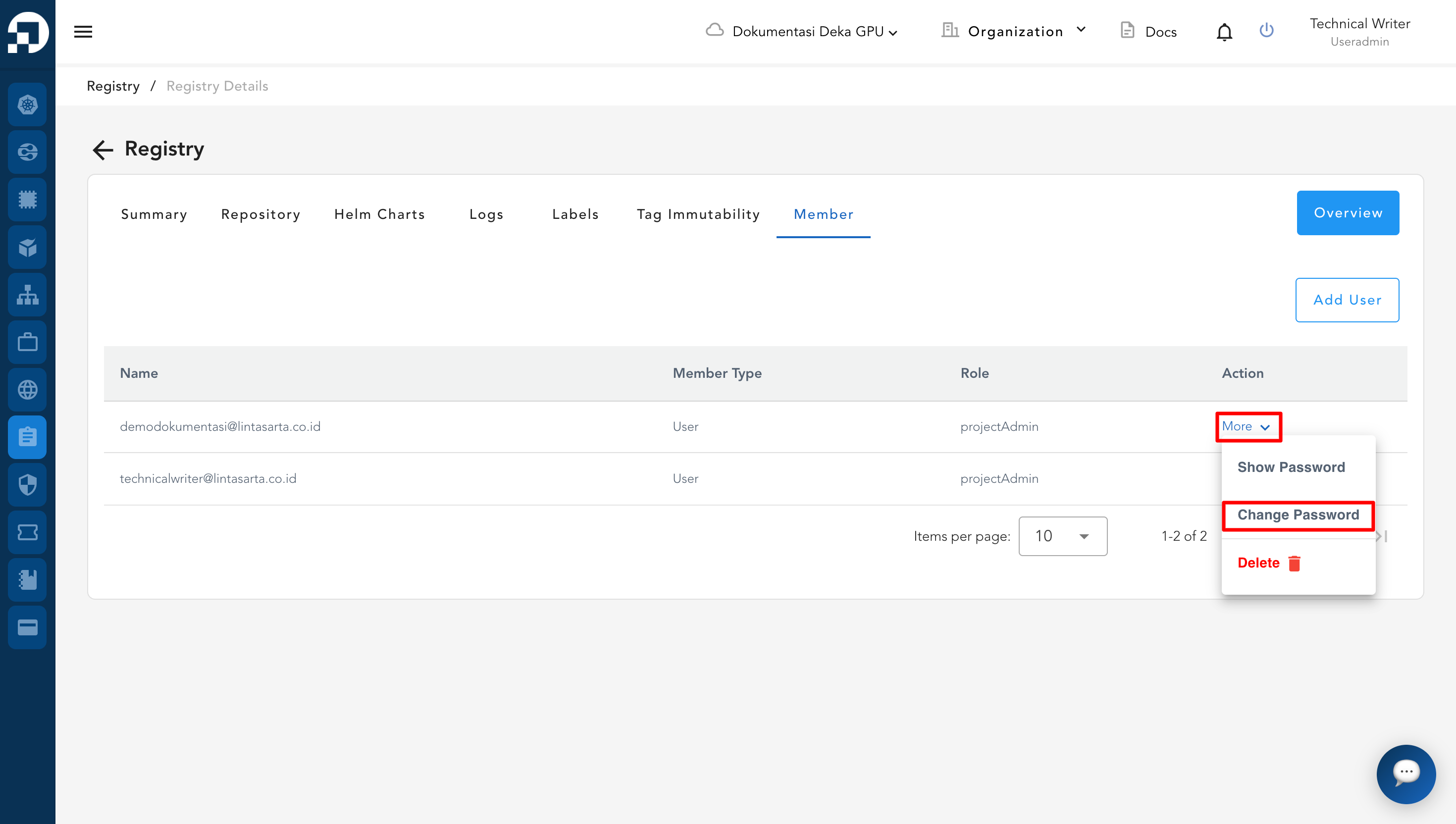
Select the member data, click the More button, then select Change Password to update the account password.
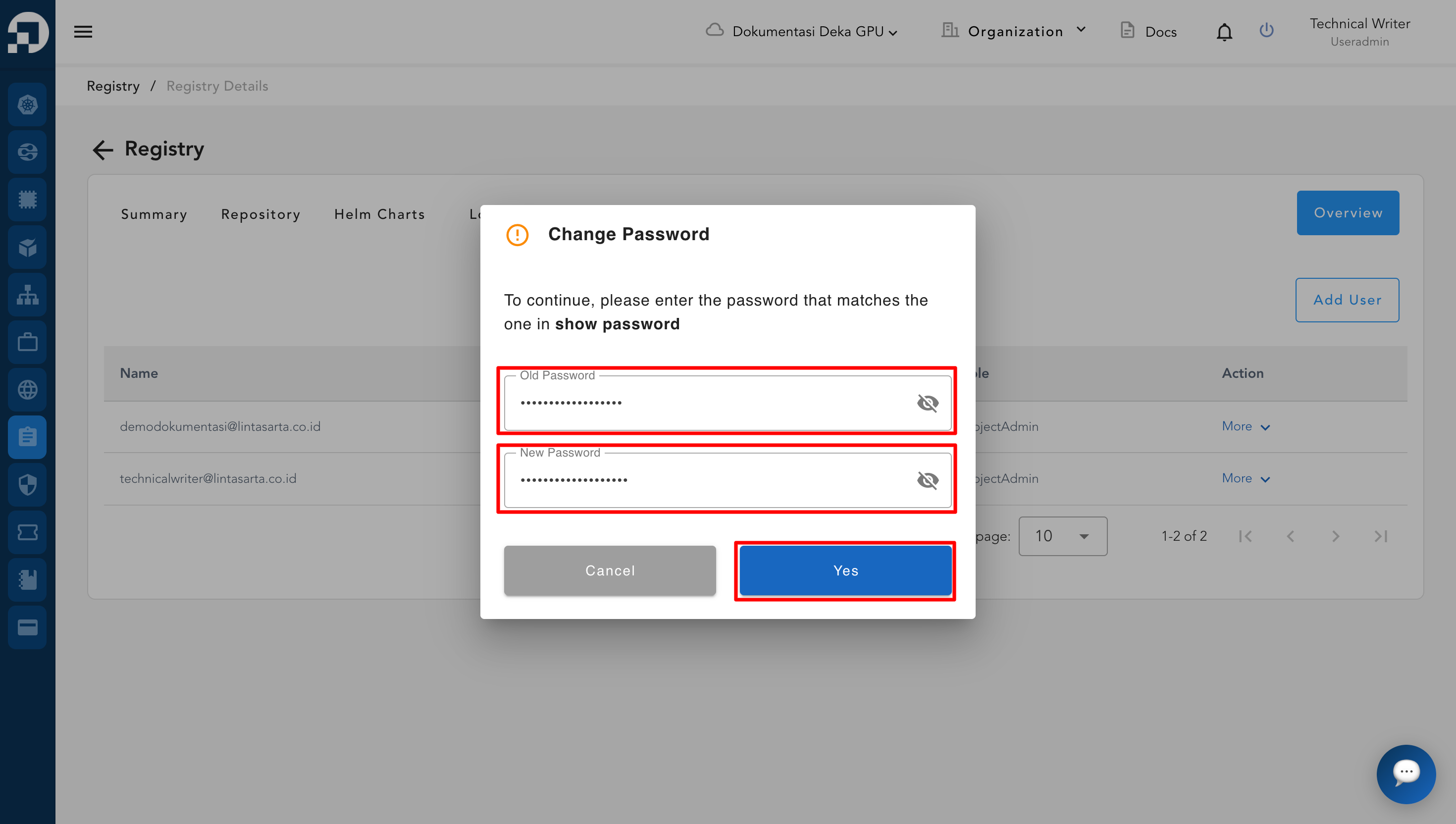
Enter the **Old Password** in the provided field. Enter the **New Password** in the New Password field. Click the **Yes** button to confirm and apply the password change. The system will process the request and update the password.
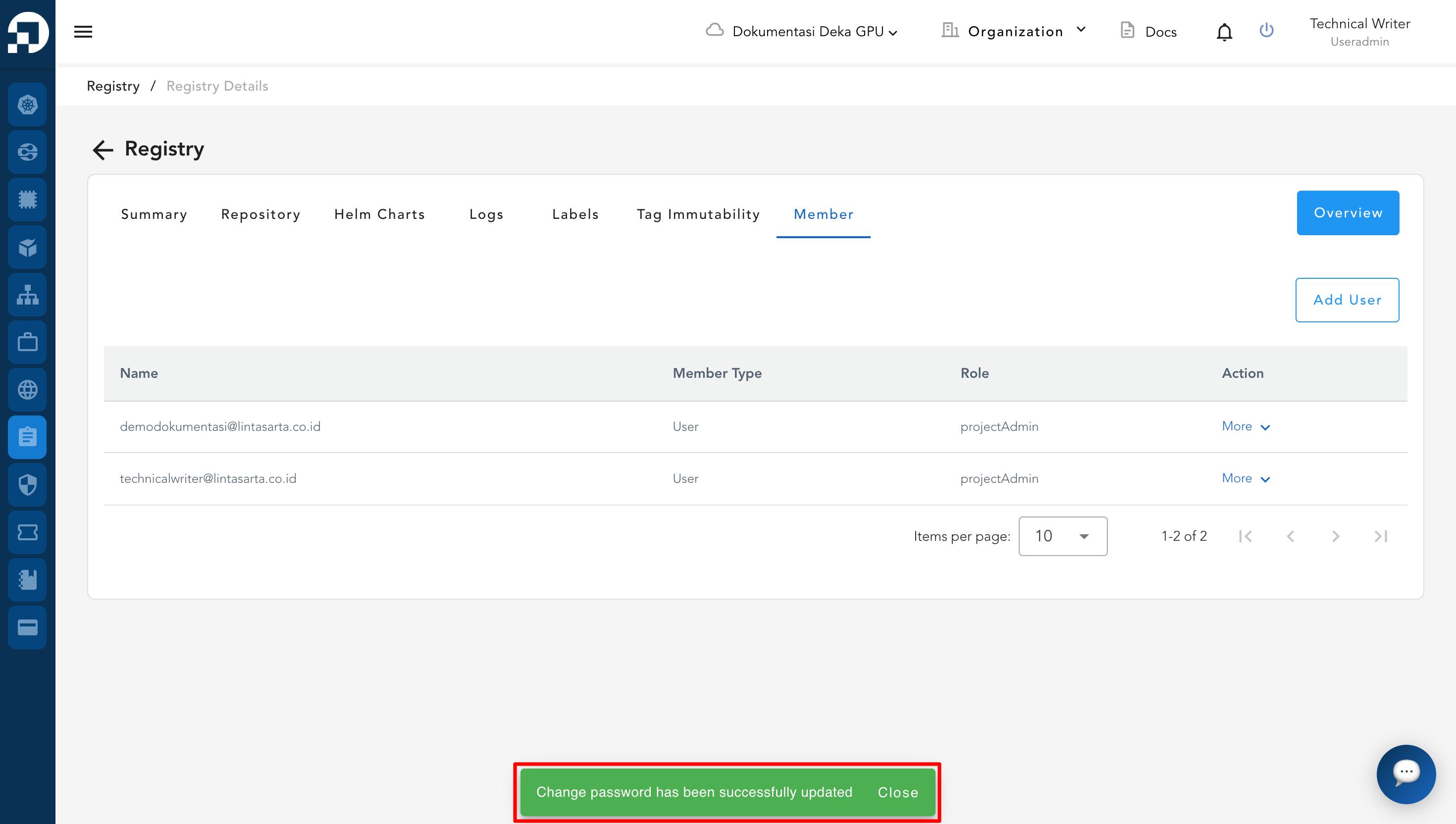
A success notification will appear indicating that the password has been successfully updated.