> For the complete documentation index, see [llms.txt](https://docs.cloudeka.ai/llms.txt). Markdown versions of documentation pages are available by appending `.md` to page URLs; this page is available as [Markdown](https://docs.cloudeka.ai/guideline-for-enterprise/panduan-untuk-enterprise/deka-gpu/deka-gpu-kubernetes/resources/secrets/delete-a-secrets.md).
# Menghapus Secret
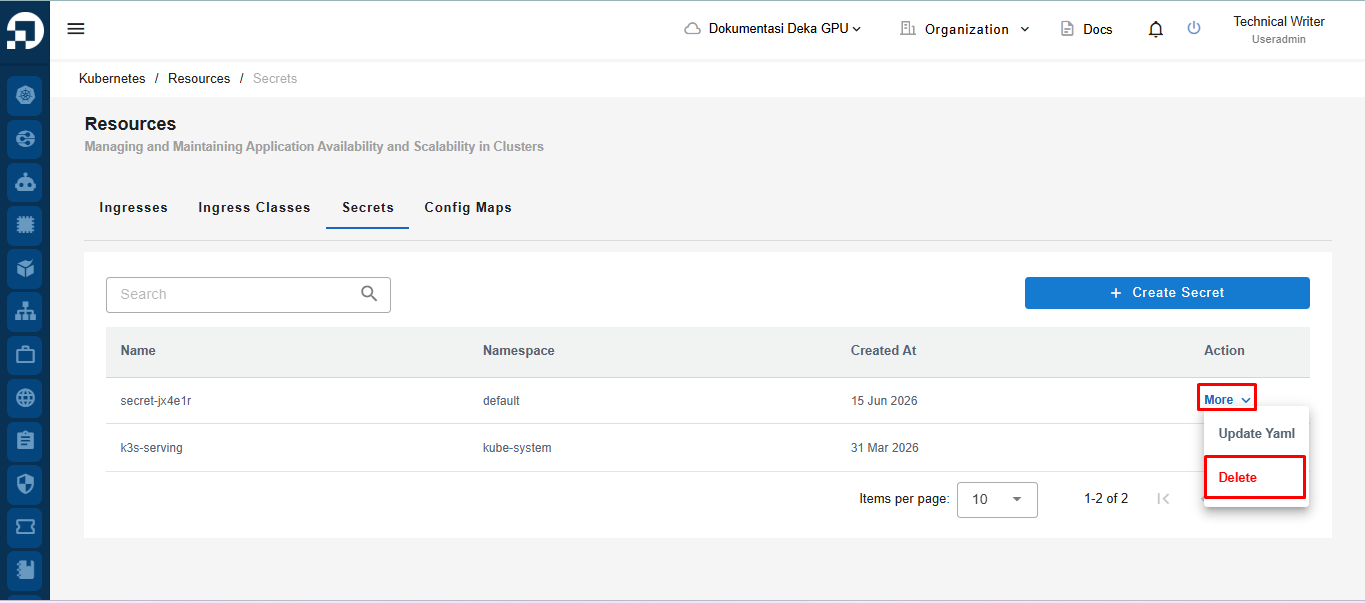
Pada tab ***Secrets*** di halaman *Resources*, klik tombol ***More***, lalu pilih ***Delete***.
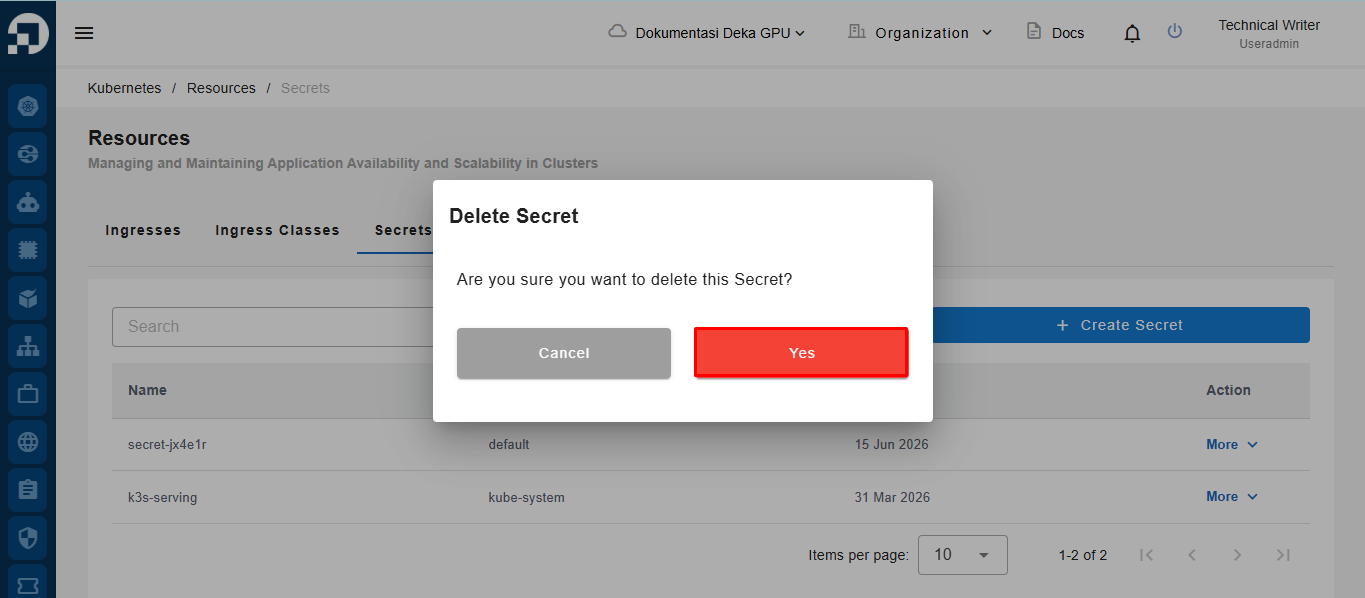
Jendela *Delete Secret* akan muncul. Klik tombol ***Yes***.
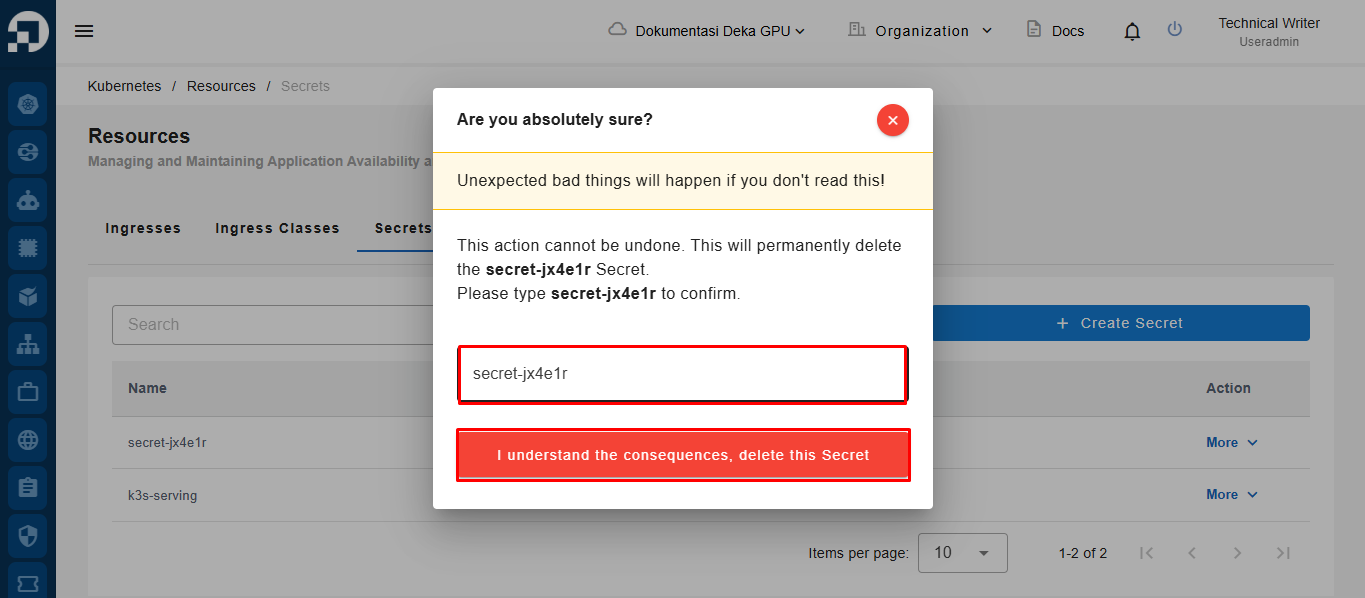
Jendela konfirmasi "***Are you absolutely sure?**"* akan muncul. Masukkan nama *Secret* yang akan dihapus pada kolom ***Input Name***, lalu klik tombol "***I understand the consequences, delete this Secret**"*.
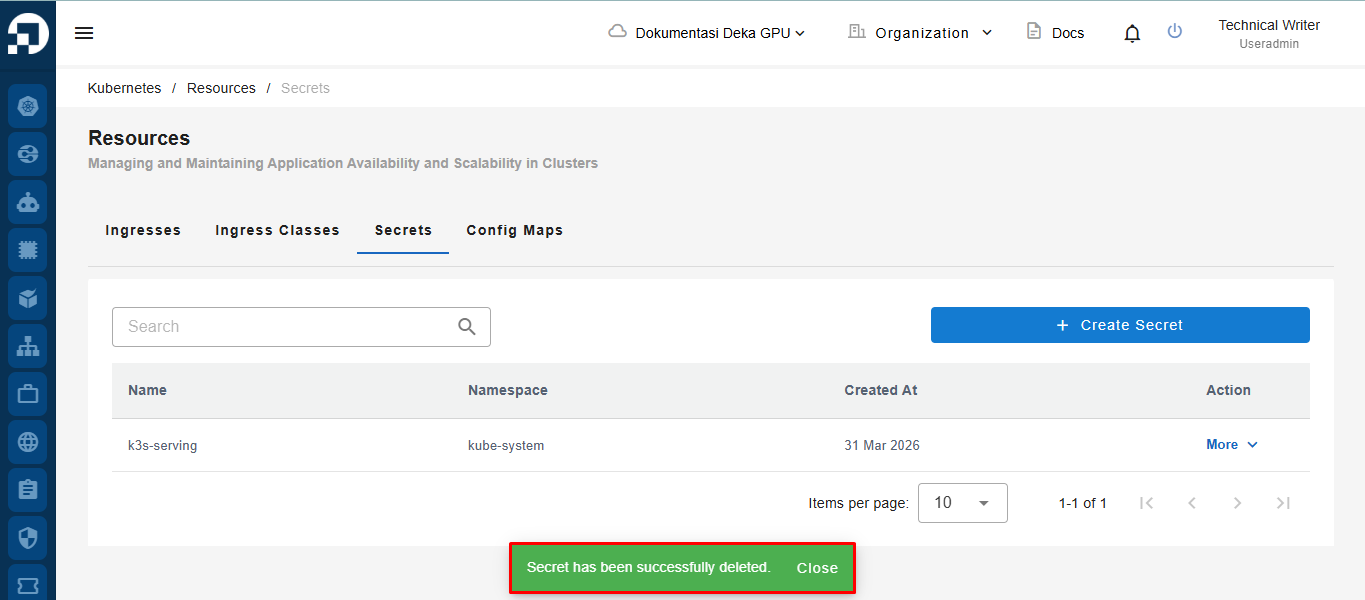
Sistem akan menampilkan notifikasi *“**Secret has been successfully deleted**”.*