> For the complete documentation index, see [llms.txt](https://docs.cloudeka.ai/llms.txt). Markdown versions of documentation pages are available by appending `.md` to page URLs; this page is available as [Markdown](https://docs.cloudeka.ai/guideline-for-enterprise/panduan-untuk-enterprise/deka-metal/deka-metal-deka-box/delete-deka-box.md).
# Hapus Deka Box
Dokumen ini menjelaskan cara menghapus *Object Storage* di *Service Portal* Cloudeka. Menghapus *Object Storage* akan menghapus secara permanen seluruh objek di dalam *bucket*. Ikuti langkah berikut untuk menghapus *Object Storage*. Buka halaman ***Deka Box***.
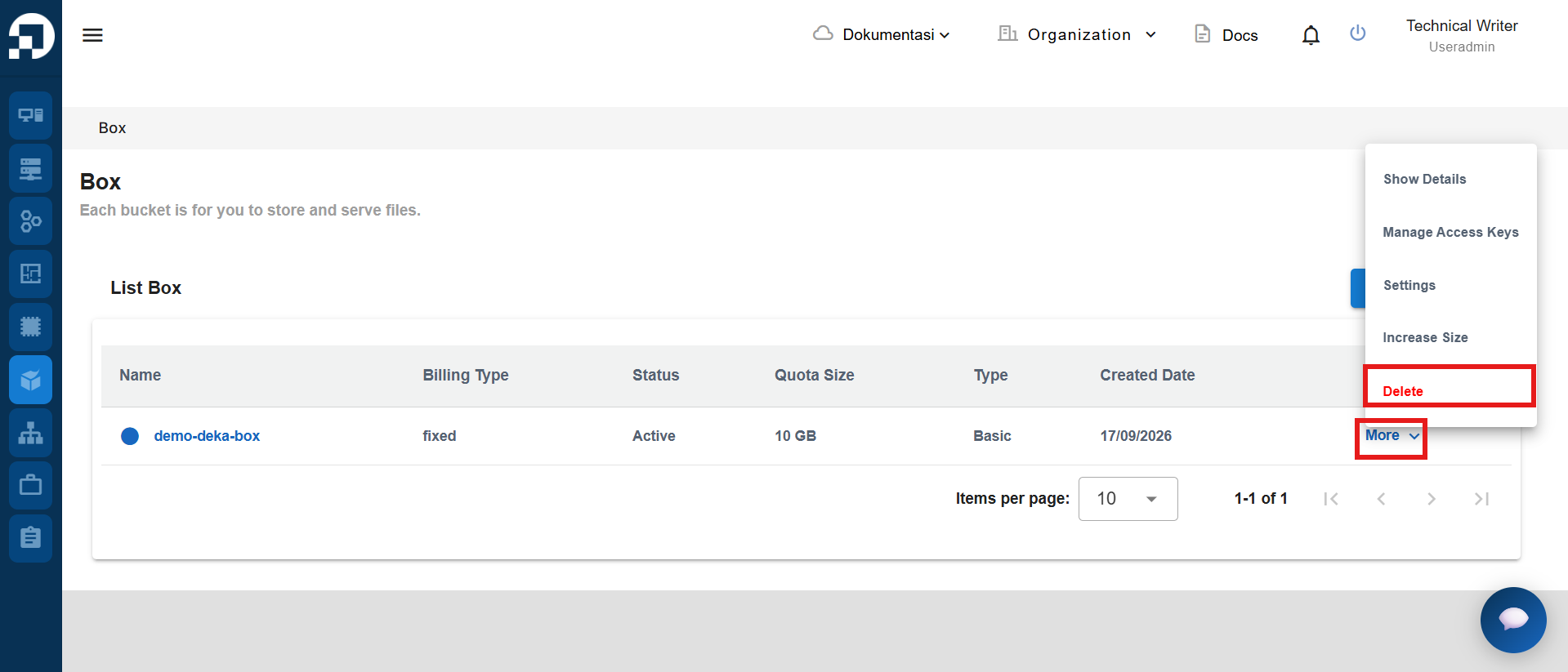
Pilih *bucket* yang ingin dihapus. Pada kolom ***Action***, klik ***More***, lalu klik ***Delete***.
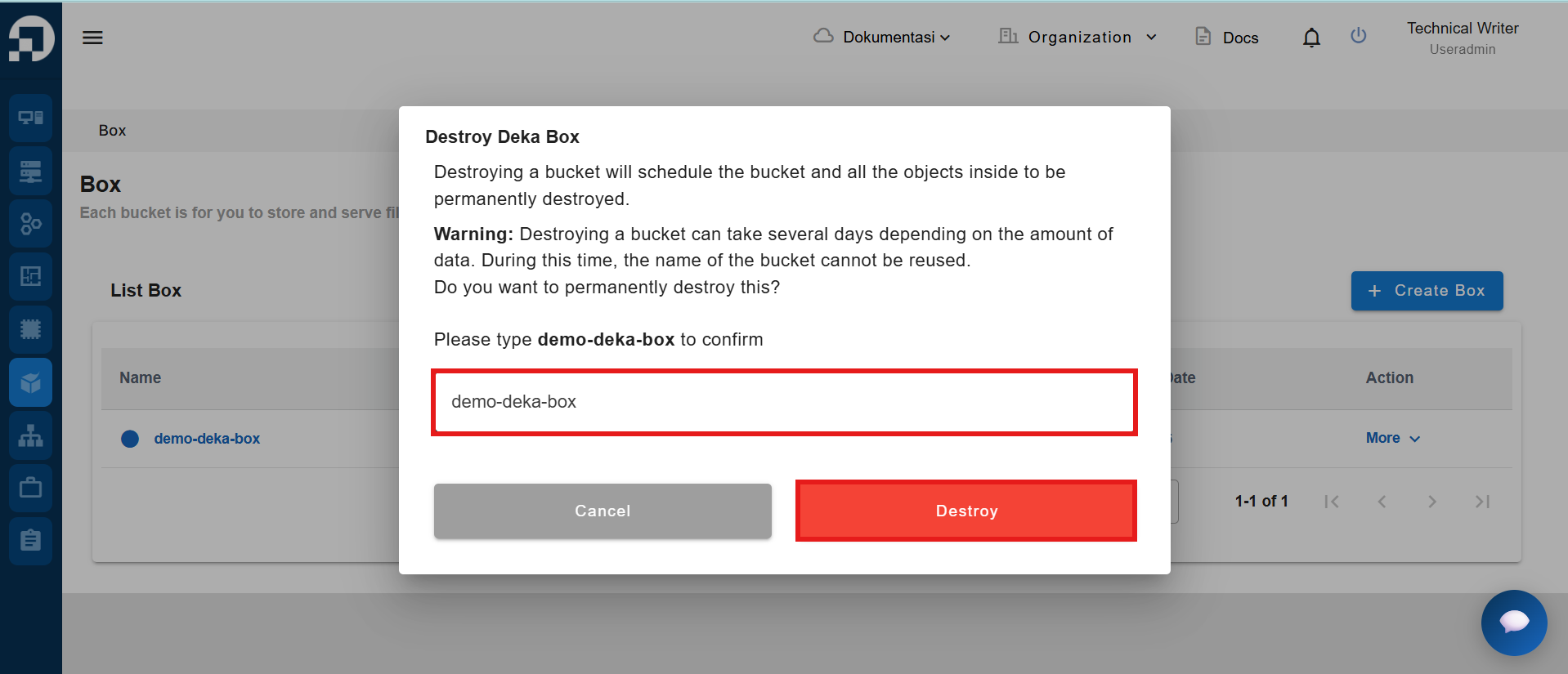
Sistem menampilkan formulir konfirmasi untuk menghapus *Deka Box*. Ketik ulang nama *Deka Box* pada kolom yang tersedia, lalu klik ***Destroy*** untuk mengonfirmasi penghapusan.
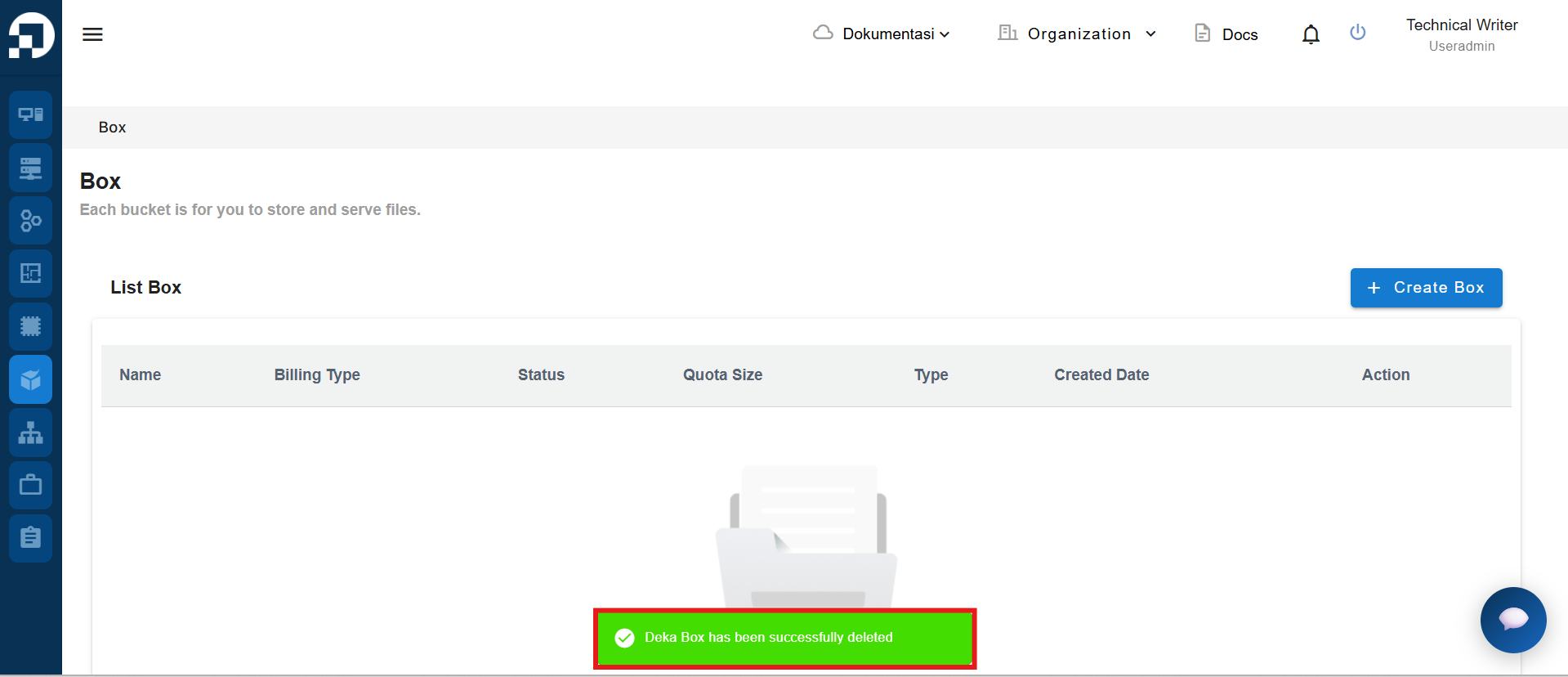
Setelah *Deka Box* dihapus, akan muncul notifikasi *Deka Box (nama deka box) has been successfully destroyed*.