> For the complete documentation index, see [llms.txt](https://docs.cloudeka.ai/llms.txt). Markdown versions of documentation pages are available by appending `.md` to page URLs; this page is available as [Markdown](https://docs.cloudeka.ai/guideline-for-enterprise/panduan-untuk-enterprise/deka-metal/deka-metal-deka-box/manage-access-key.md).
# Kelola Access Key
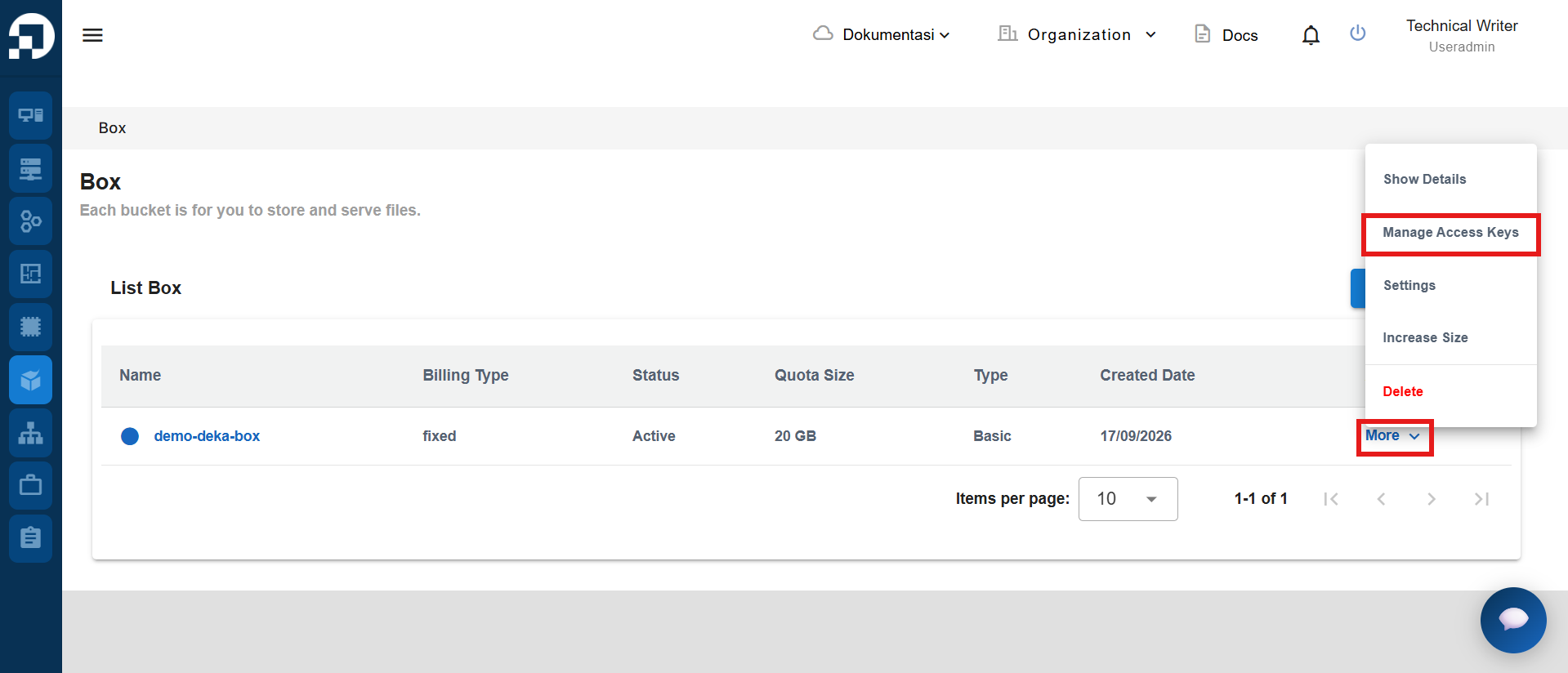
*Object Storage Access Key* adalah pengenal unik untuk objek dalam *bucket*. *Access Key* akan menghasilkan *Key ID* dan *Secret Key*. Buka halaman ***Deka Box*** yang menampilkan daftar *Object Storage*. Pilih *bucket* yang ingin dikelola. Pada kolom ***Action***, klik ***More***, lalu pilih ***Manage Access Keys***.
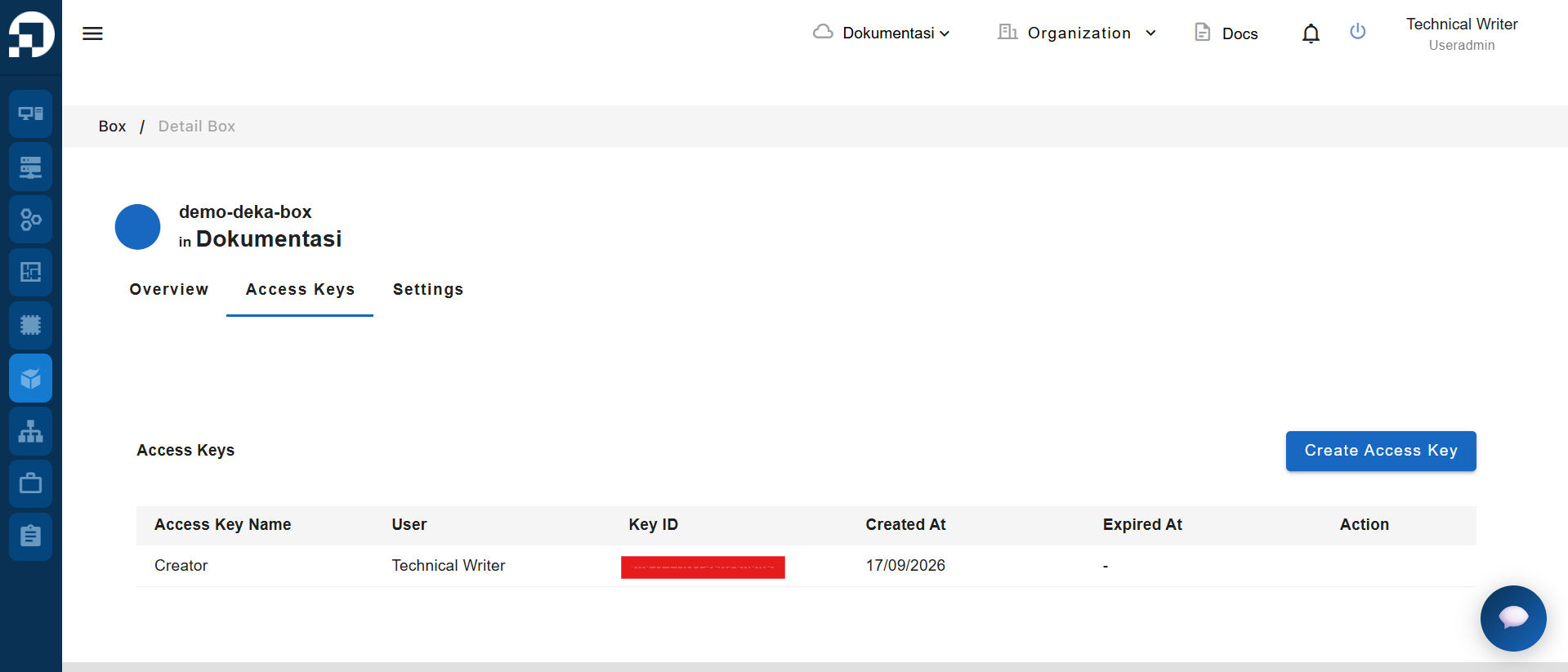
Halaman pengelolaan *Access Key* menampilkan daftar *Access Key*.
Kolom
Deskripsi
Access Key Name
Nama Access Key.
User
Pengguna yang memiliki Access Key.
Key ID
Key ID untuk mengakses bucket.
Created At
Tanggal pembuatan Access Key.
Expired At
Tanggal Access Key kedaluwarsa.
Anda juga dapat menambahkan *Access Key* baru dengan mengikuti langkah pada [Tambah Access Key](/guideline-for-enterprise/panduan-untuk-enterprise/deka-metal/deka-metal-deka-box/manage-access-key/add-access-key.md). Jika ingin menghapus *Access Key* yang tidak digunakan, ikuti langkah pada [Hapus Access Key](/guideline-for-enterprise/panduan-untuk-enterprise/deka-metal/deka-metal-deka-box/manage-access-key/delete-access-key.md).