> For the complete documentation index, see [llms.txt](https://docs.cloudeka.ai/llms.txt). Markdown versions of documentation pages are available by appending `.md` to page URLs; this page is available as [Markdown](https://docs.cloudeka.ai/guideline-for-enterprise/panduan-untuk-enterprise/deka-metal/deka-metal-deka-registry/create-deka-registry.md).
# Buat Deka Registry
Bagian ini menjelaskan cara menambahkan repositori *Service Portal* Cloudeka. Berikut langkah-langkah untuk membuat registry di *Service Portal* Cloudeka:
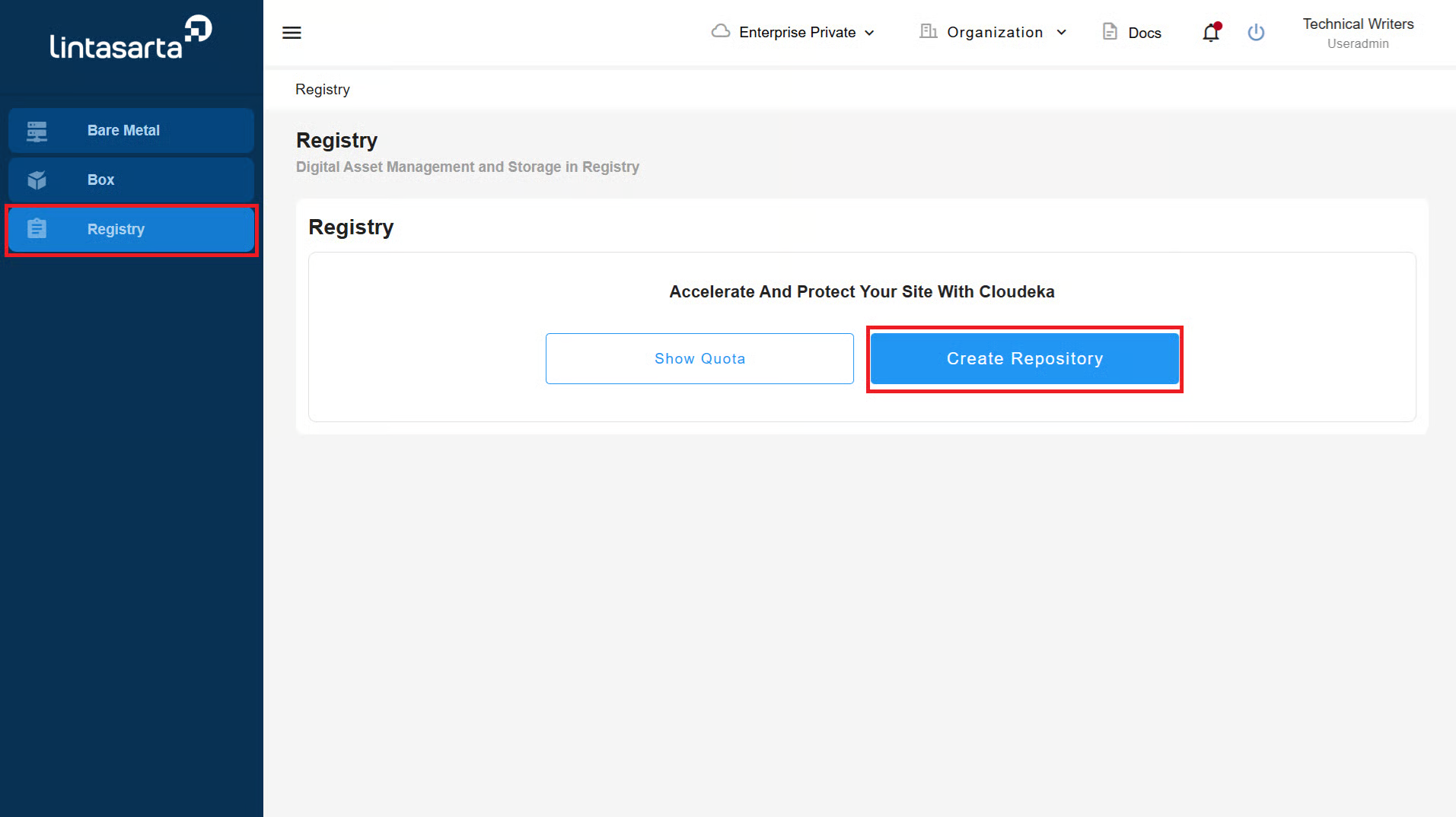
* Pada halaman ***Service Portal Cloudeka**,* pilih menu ***Registry***. Klik tombol ***Create Repository**.*
* Isi semua kolom pada halaman ***Create Registry***. Setelah semua kolom terisi, klik tombol ***Next*** untuk melanjutkan pembuatan registry.
{% hint style="warning" %}
Gunakan tipe ***Private*** saat membuat registry untuk meningkatkan keamanan.
{% endhint %}
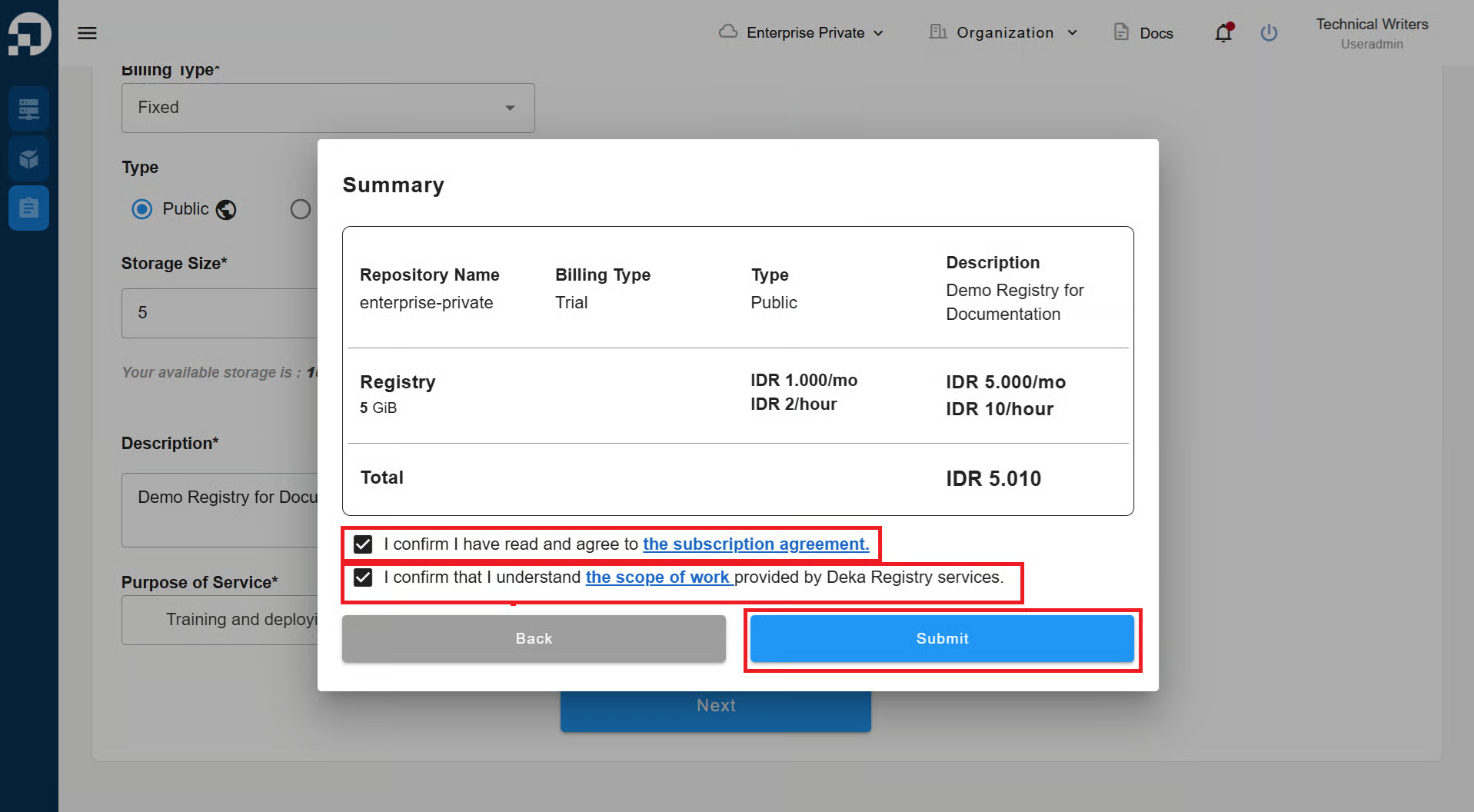
* Detail ***Summary*** akan muncul. Centang ***I confirm I have and agree to the subscription agreement*** dan ***I confirm that I understand the scope of work provided by Deka Registry services**.*
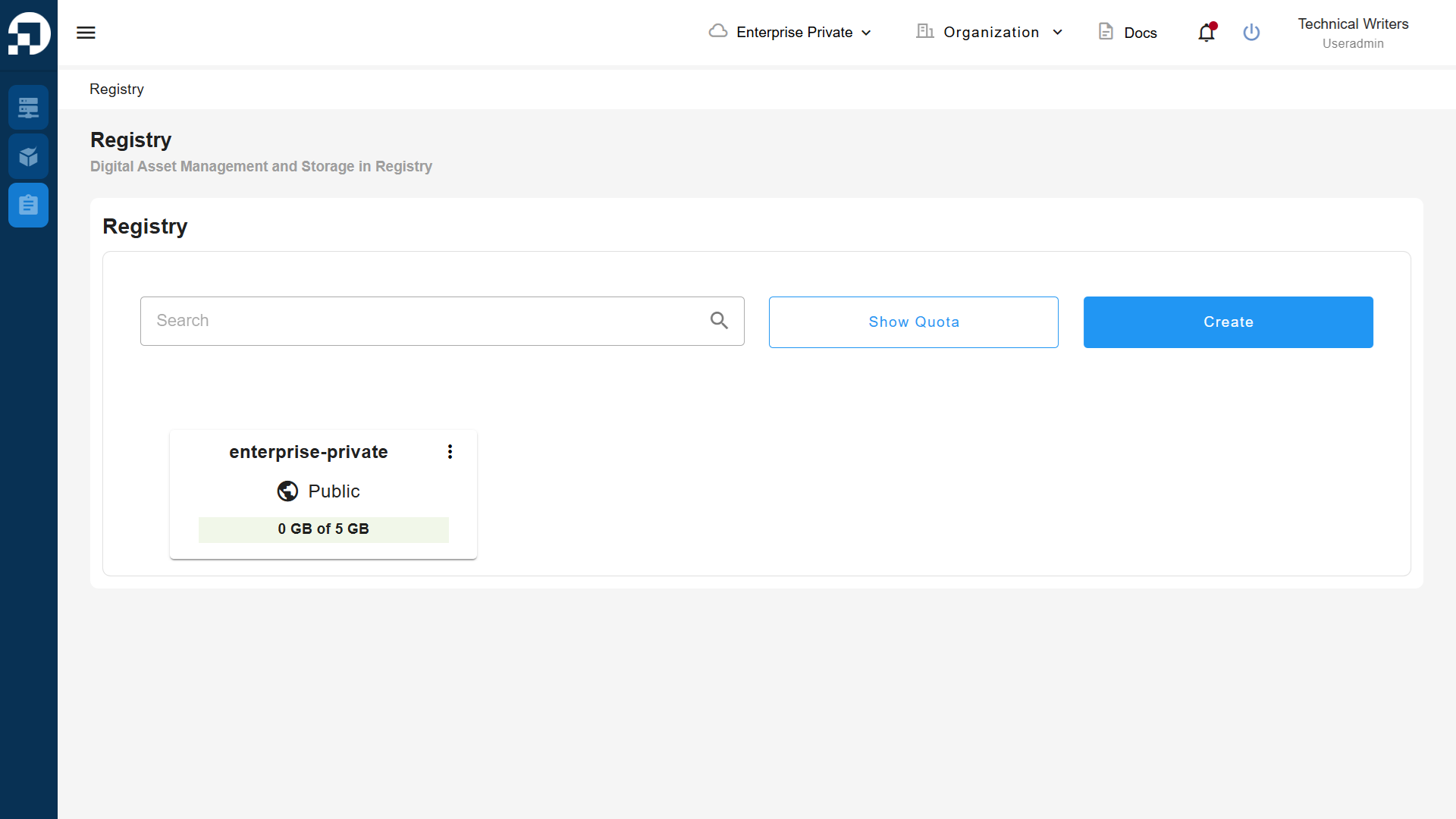
* Registry yang dibuat akan muncul pada halaman registry di *Service Portal* Cloudeka.