> For the complete documentation index, see [llms.txt](https://docs.cloudeka.ai/llms.txt). Markdown versions of documentation pages are available by appending `.md` to page URLs; this page is available as [Markdown](https://docs.cloudeka.ai/guideline-for-enterprise/panduan-untuk-enterprise/reference/how-to-use-kubeconfig-on-windows.md).
# How to use kubeconfig on Windows
Setelah berhasil mengunduh *kubeconfig* di *Deka GPU Service Portal*, ikuti panduan berikut untuk menggunakan *kubeconfig* pada sistem operasi *Windows*.
## Konfigurasi kubectl
Langkah pertama untuk menggunakan *kubectl* adalah mengunduh berkas *kubectl*. Anda dapat menggunakan dua metode berikut:
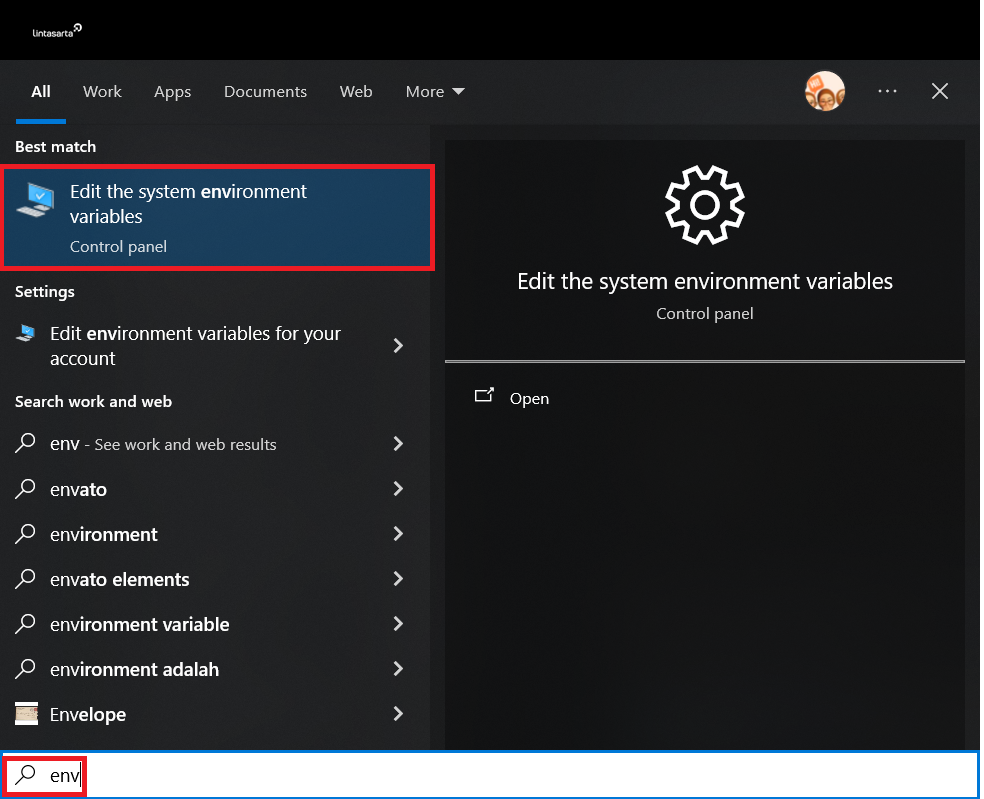
1. Unduh langsung [*kubectl.exe*](https://dl.k8s.io/v1.28.15/bin/windows/amd64/kubectl.exe). Pastikan Anda memilih versi yang sesuai dengan arsitektur perangkat. Simpan berkas *kubectl.exe* pada perangkat Anda. Setelah unduhan selesai, pindahkan *kubectl.exe* ke folder yang diinginkan. Pada *Windows search bar*, masukkan `env`. Pilih *Edit the system environment variables*.
Tambahkan *path* dari folder *kubectl*.
2. Unduh menggunakan perintah *curl*. Jalankan perintah berikut:
```bash
curl.exe -LO "https://dl.k8s.io/release/v1.31.0/bin/windows/amd64/kubectl.exe"
```
{% hint style="info" %}
Untuk mengetahui versi terbaru, lihat [*stable.txt*](https://dl.k8s.io/release/stable.txt).
{% endhint %}
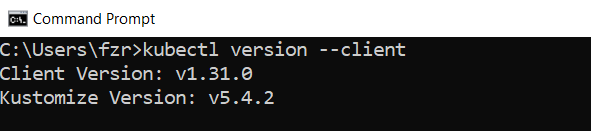
Setelah berhasil mengunduh *kubectl*, buka *CMD* atau *PowerShell* pada komputer Anda. Kemudian, periksa versi *kubectl* yang terinstal.
```bash
kubectl version --client
```