> For the complete documentation index, see [llms.txt](https://docs.cloudeka.ai/llms.txt). Markdown versions of documentation pages are available by appending `.md` to page URLs; this page is available as [Markdown](https://docs.cloudeka.ai/guideline-for-individual/deka-box/resize-deka-box.md).
# Resize Deka Box
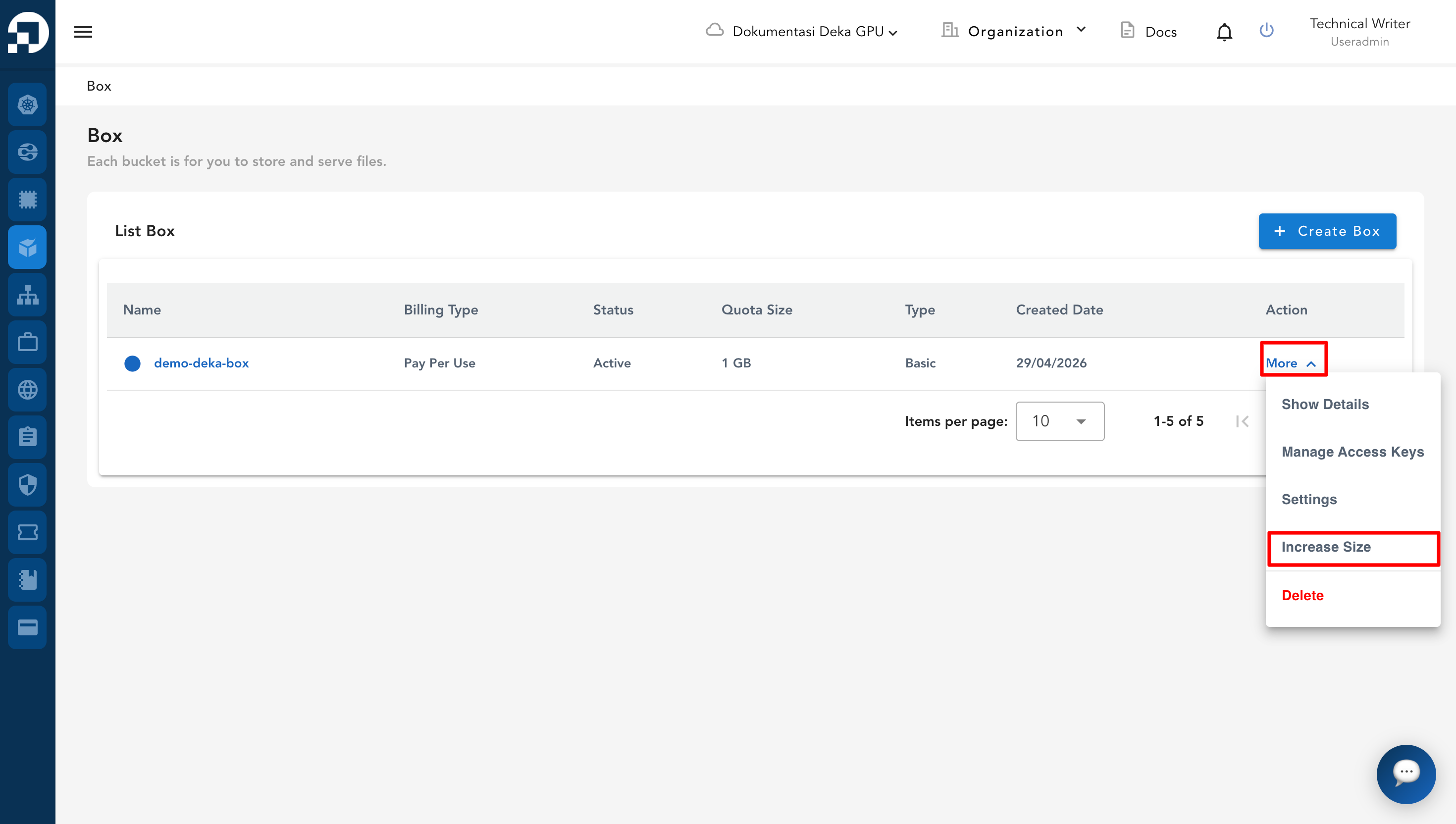
You can change the size of the Deka Box according to the needs of the workload. Click More then select Increase Size.
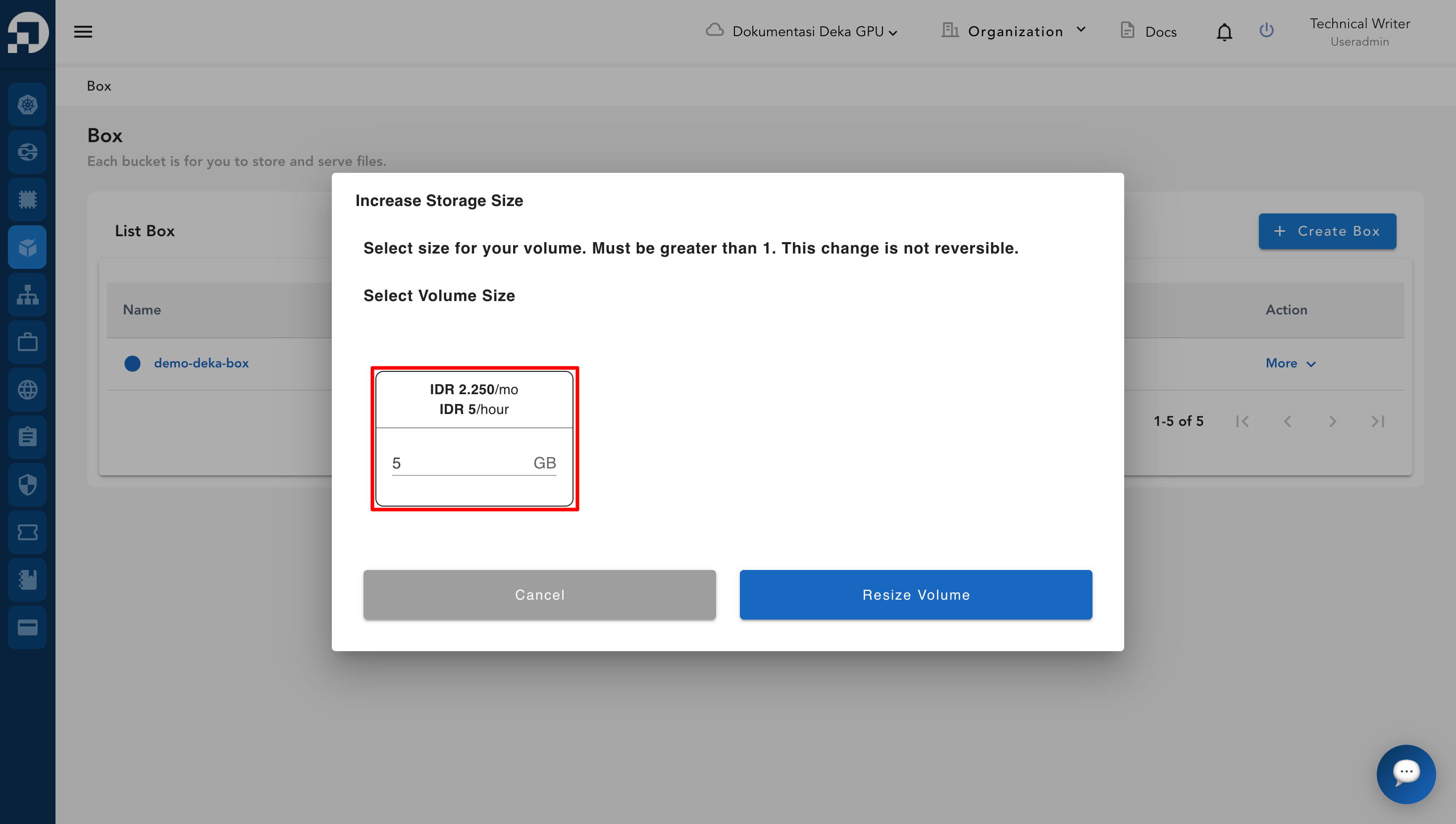
The Increase Storage Size page appears. Enter the required Deka Box size then click Resize Volume.
{% hint style="success" %}
Ensure that you add a volume size larger than the size previously used.
{% endhint %}
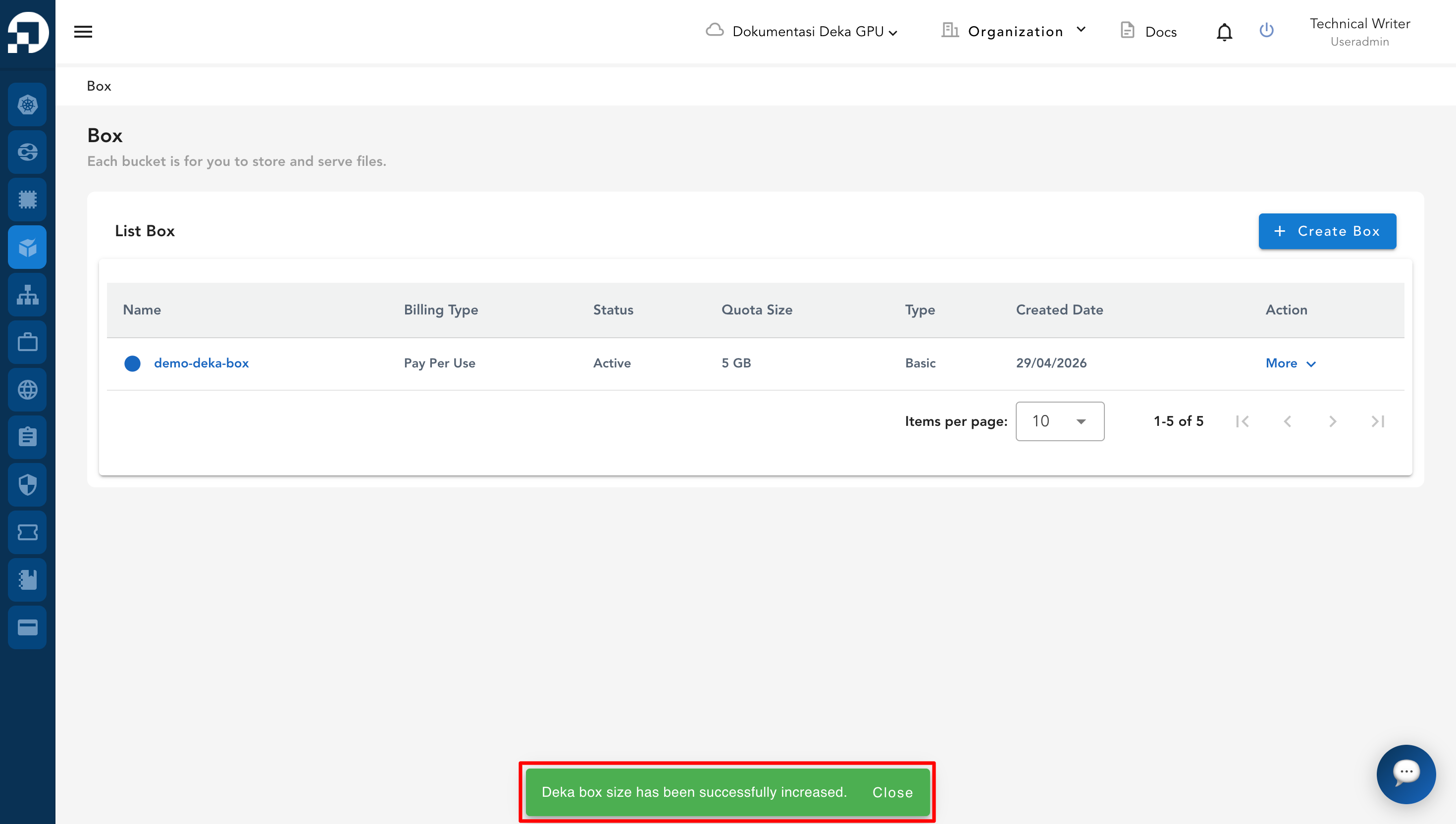
The notification **"Deka box size has been successfully increased"** will appear.