> For the complete documentation index, see [llms.txt](https://docs.cloudeka.ai/llms.txt). Markdown versions of documentation pages are available by appending `.md` to page URLs; this page is available as [Markdown](https://docs.cloudeka.ai/guideline-for-individual/deka-flexi/deka-flexi-instance/delete-vm-instance.md).
# Delete VM Instance
{% hint style="danger" %}
Before deleting an Instance or VM, you need to unassign the following services first:
* Unassign Floating IP
* Detach Storage
* Unassign Security
{% endhint %}
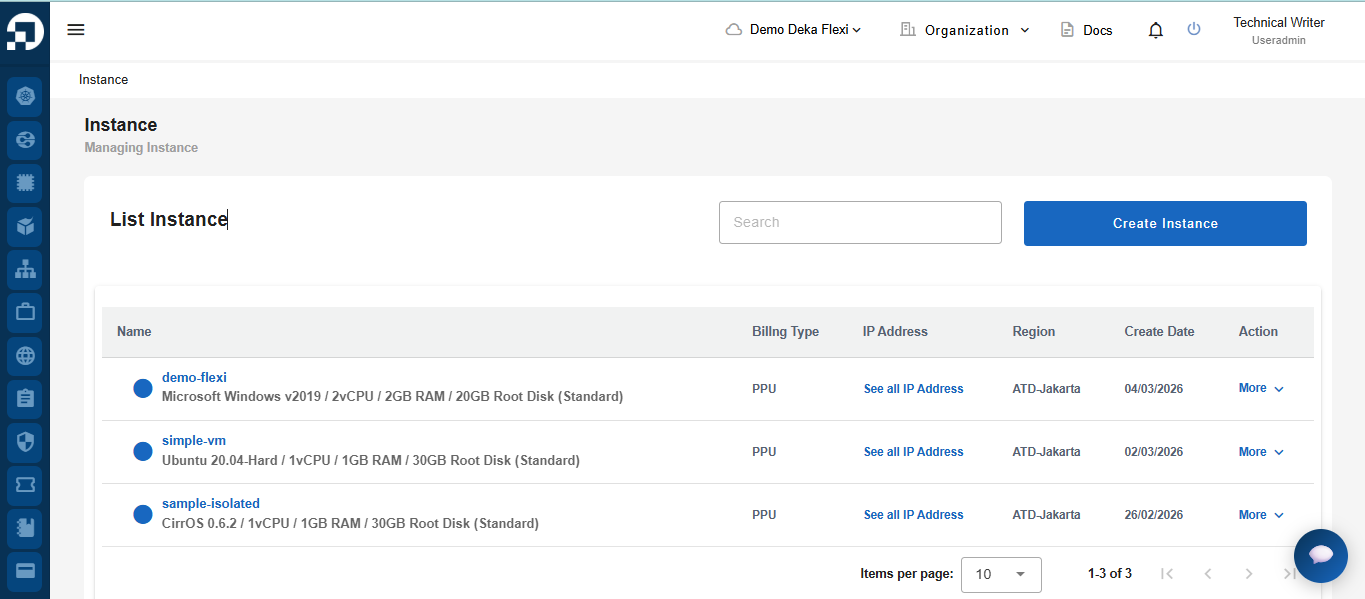
* The following is a list of VM instance contained in the application, for example i.e. **demo-flexi**
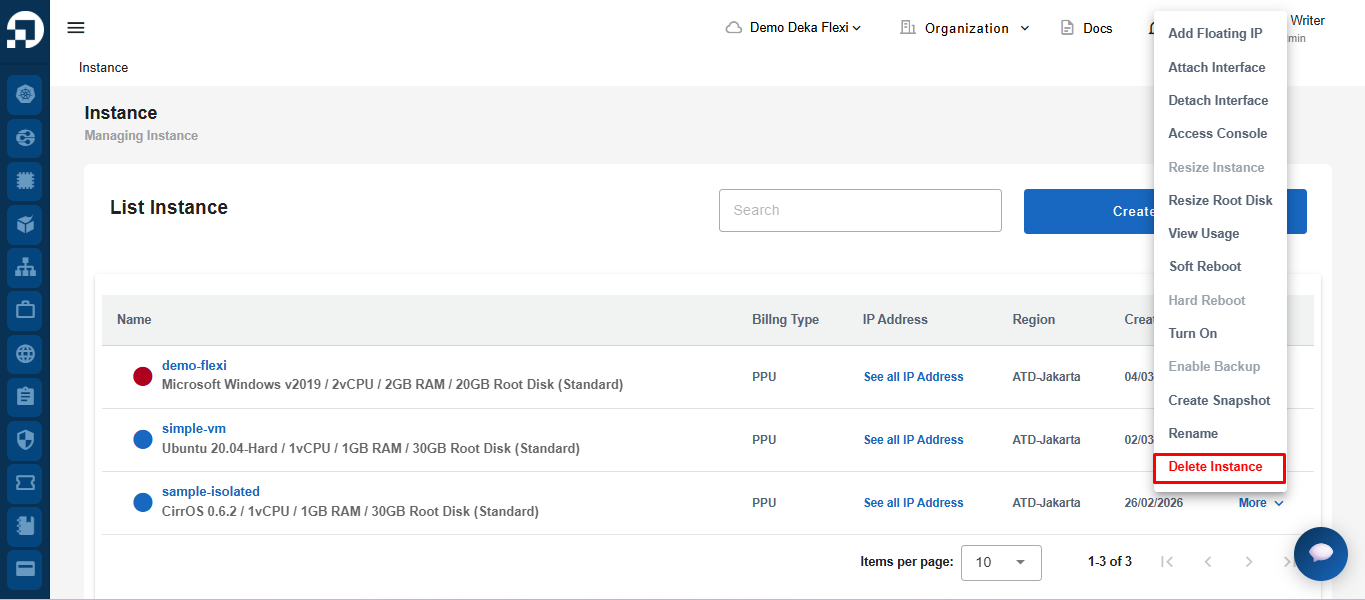
* In the **Action** column, click **More**, then click **Delete Instance**.
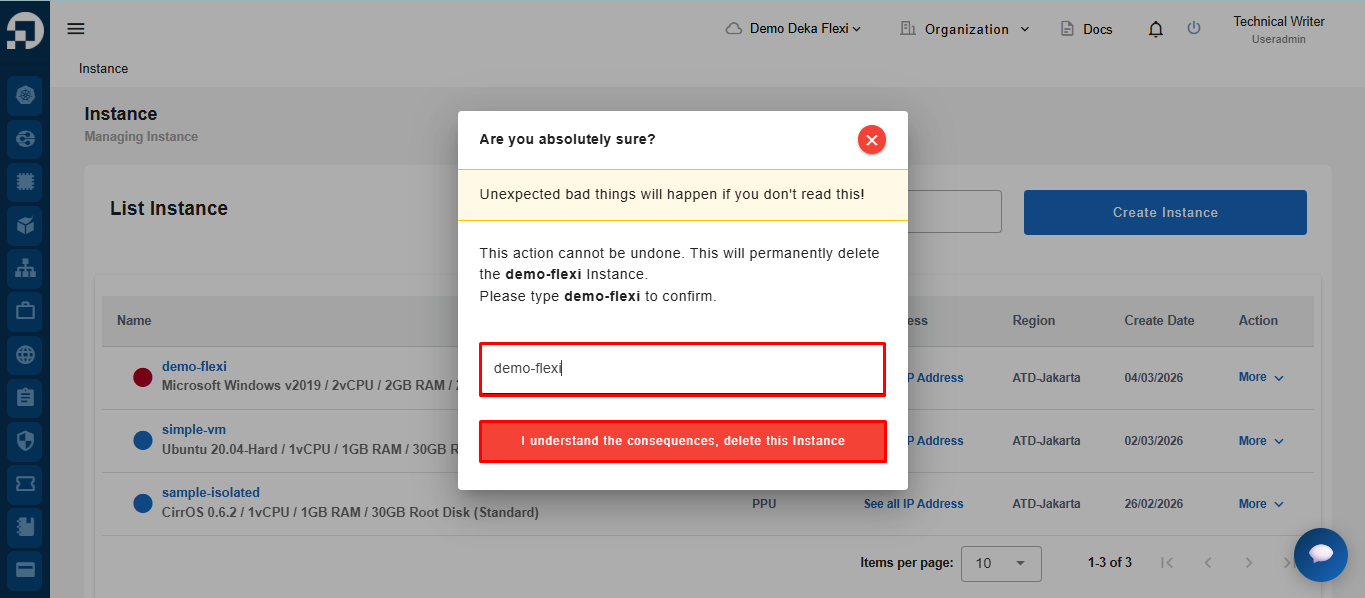
* Click **Delete Instance** to delete or **Cancel** if you don't want to delete the VM instance
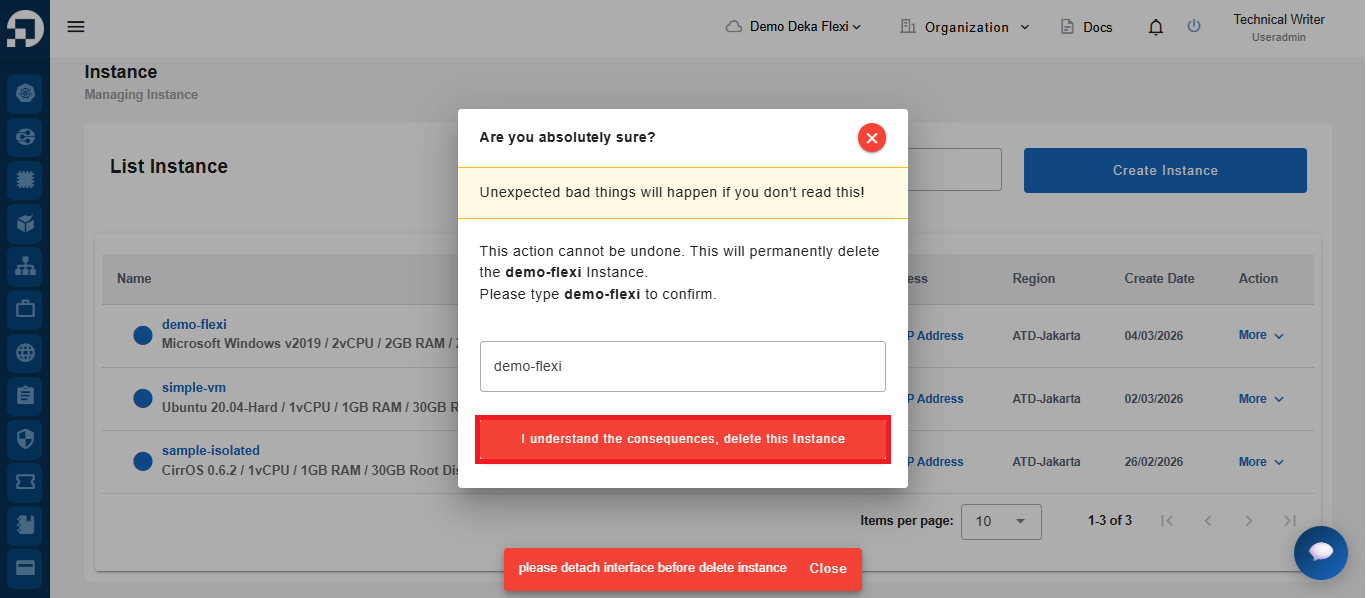
* If the **Delete** button is selected, the system may display a notification stating **“please detach interface before delete instance.”** This indicates that the Instance still has attached resources. Users must detach the attached resources and delete the storage before proceeding with the Instance deletion. The [detach](/guideline-for-individual/deka-flexi/deka-flexi-instance/details-instance/detach-interface.md) and[ storage deletion](/guideline-for-individual/deka-flexi/deka-volume-storage/delete-storage.md) process can be performed on the following page.
{% hint style="info" %}
Before deleting the Instance, users must first detach any attached resources and delete the associated storage.
{% endhint %}
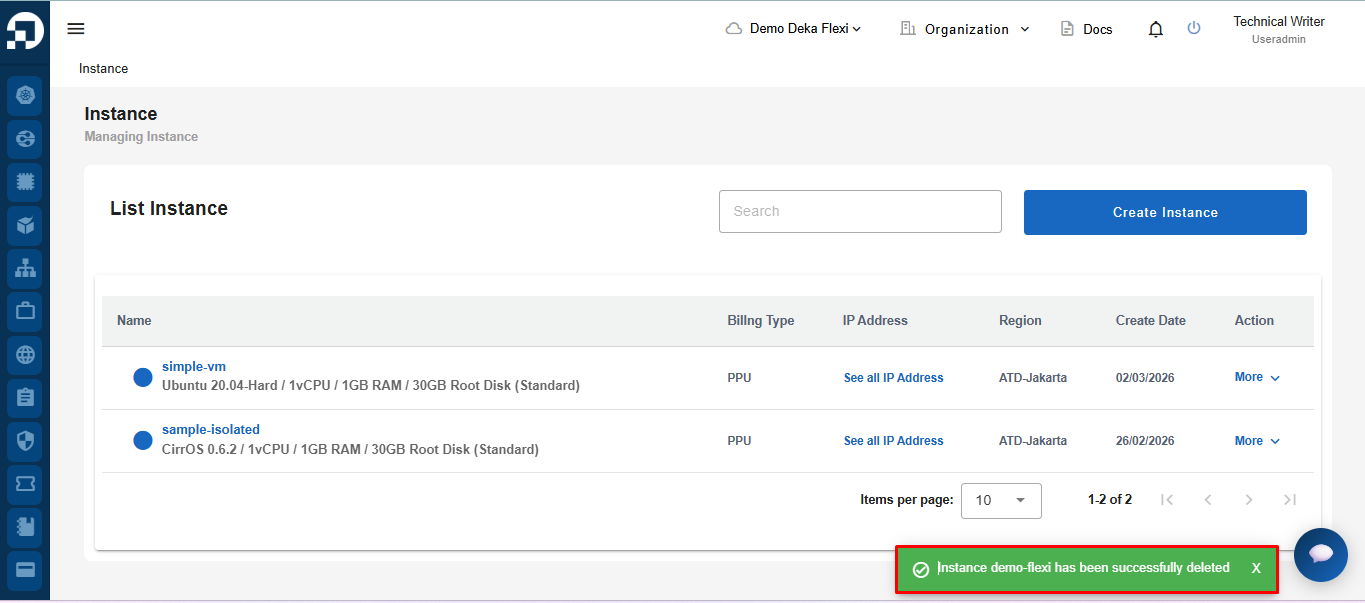
* Deleted VM instance data no longer appears in the instance list.