> For the complete documentation index, see [llms.txt](https://docs.cloudeka.ai/llms.txt). Markdown versions of documentation pages are available by appending `.md` to page URLs; this page is available as [Markdown](https://docs.cloudeka.ai/guideline-for-individual/deka-flexi/deka-flexi-network/floatting-ip/reassign-floating-ip.md).
# Reassign Floating IP
You can reassign the Floating IP to the VM on the Instance that was previously created by following these steps:
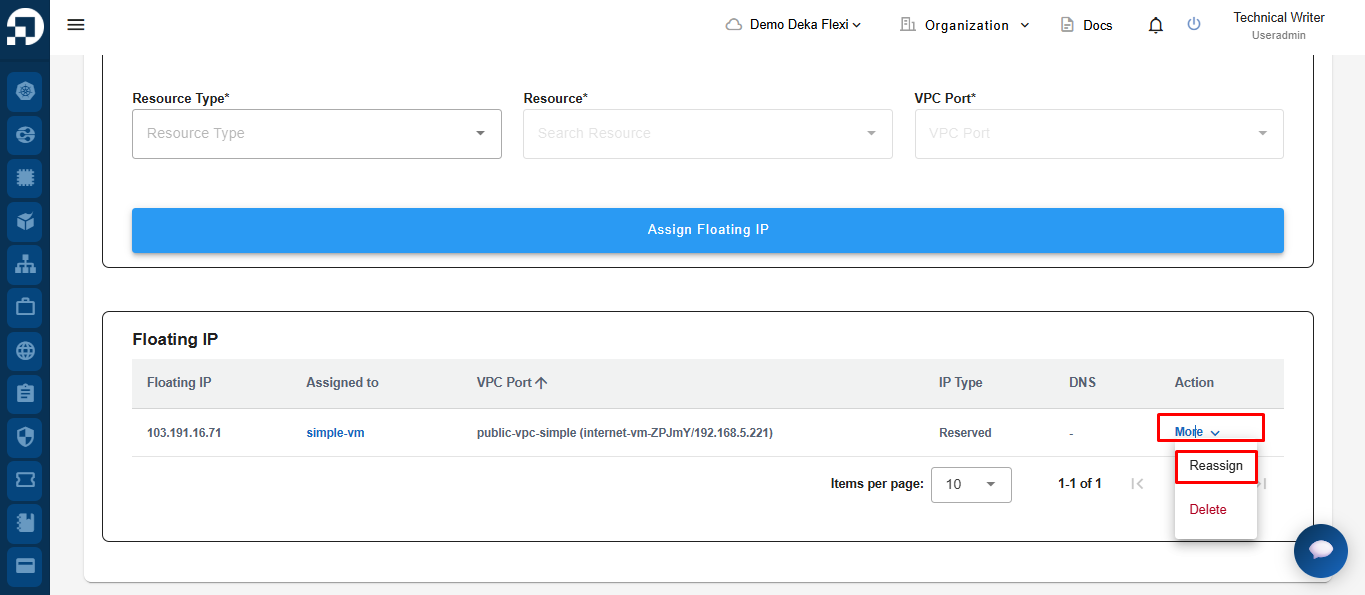
* In the Action column in the Floating IP that will be reassigned the Floating IP, press the More button and select Reassign.
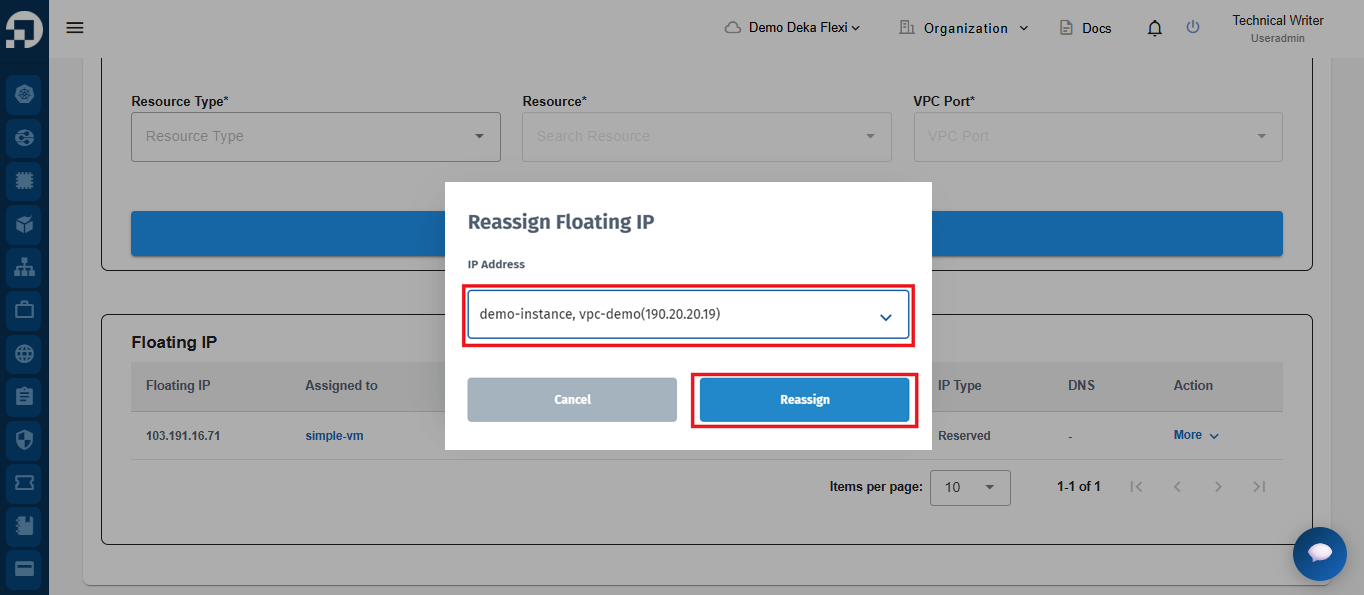
* The Reassign Floating IP window appears, in the IP Address column select the VM and VPC that will add the Floating IP and press the Reassgin button.
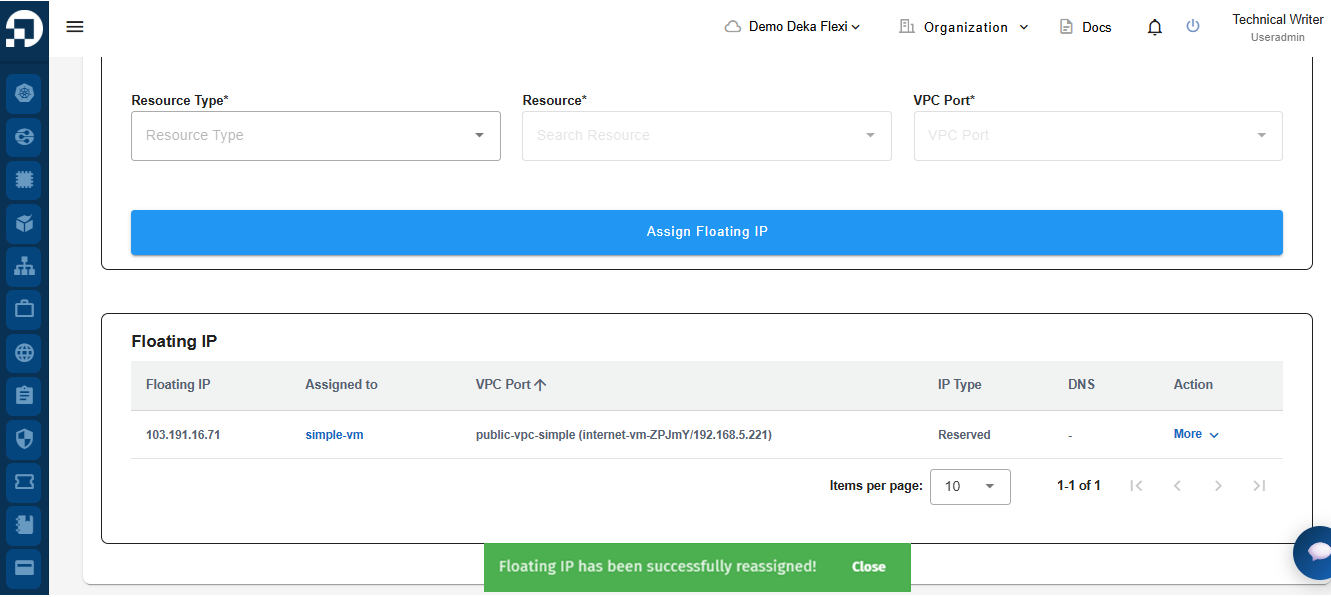
* Wait until the process is complete and the notification "Floating IP has been successfully reassigned" appears.