> For the complete documentation index, see [llms.txt](https://docs.cloudeka.ai/llms.txt). Markdown versions of documentation pages are available by appending `.md` to page URLs; this page is available as [Markdown](https://docs.cloudeka.ai/guideline-for-individual/deka-flexi/deka-flexi-network/vpc-network/delete-vpc-network.md).
# Delete VPC Network
{% hint style="danger" %}
Before you delete a VPC Network, you need to ensure there are no other instances or services connected to the VPC Network.
{% endhint %}
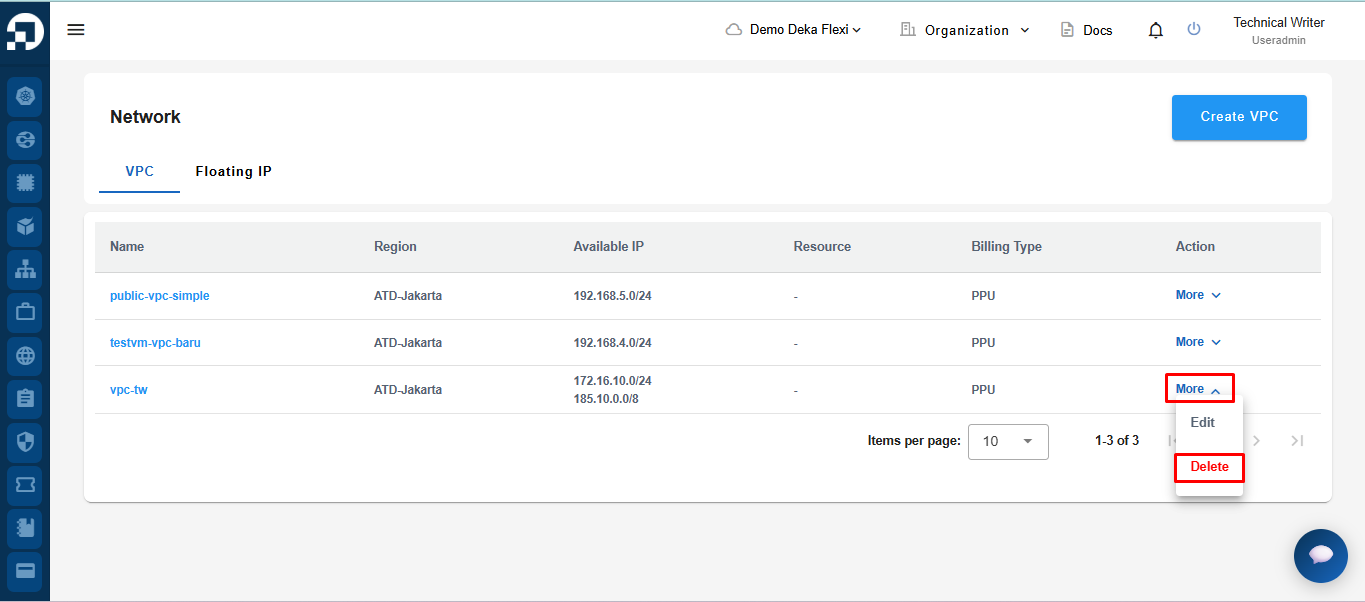
* On the **Network** page, click the **Delete** button.
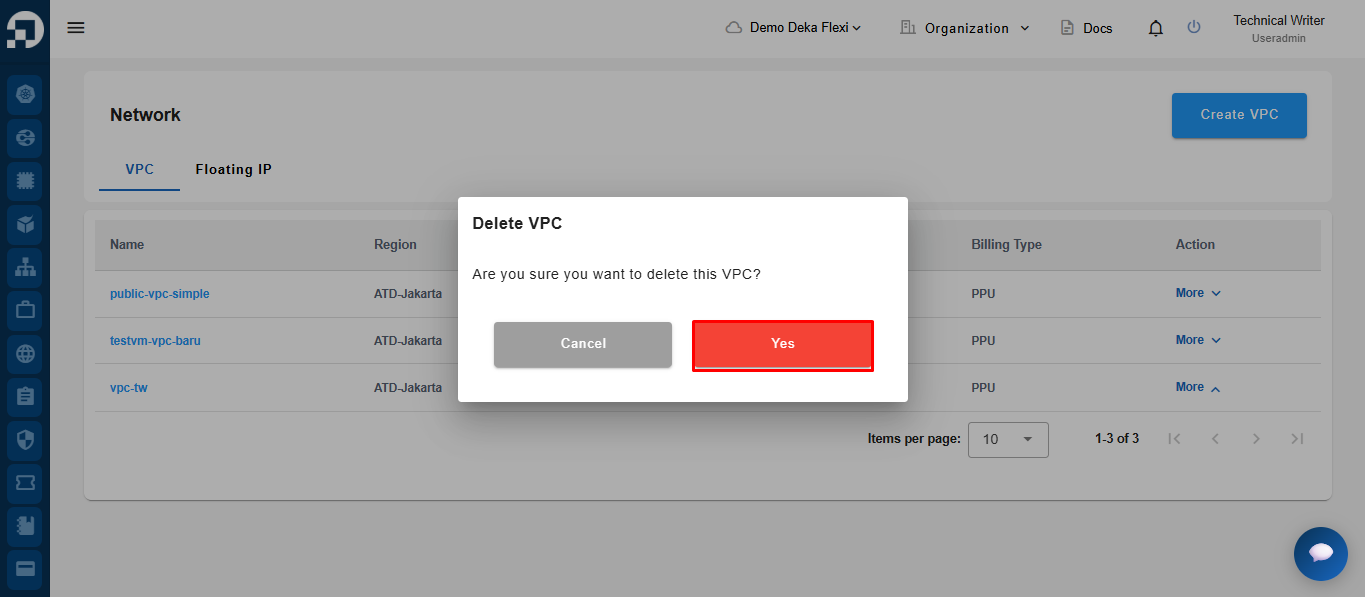
* Click the **Confirm** button to start the process of deleting VPC Network data or **Cancel** if you don't want to continue the process.
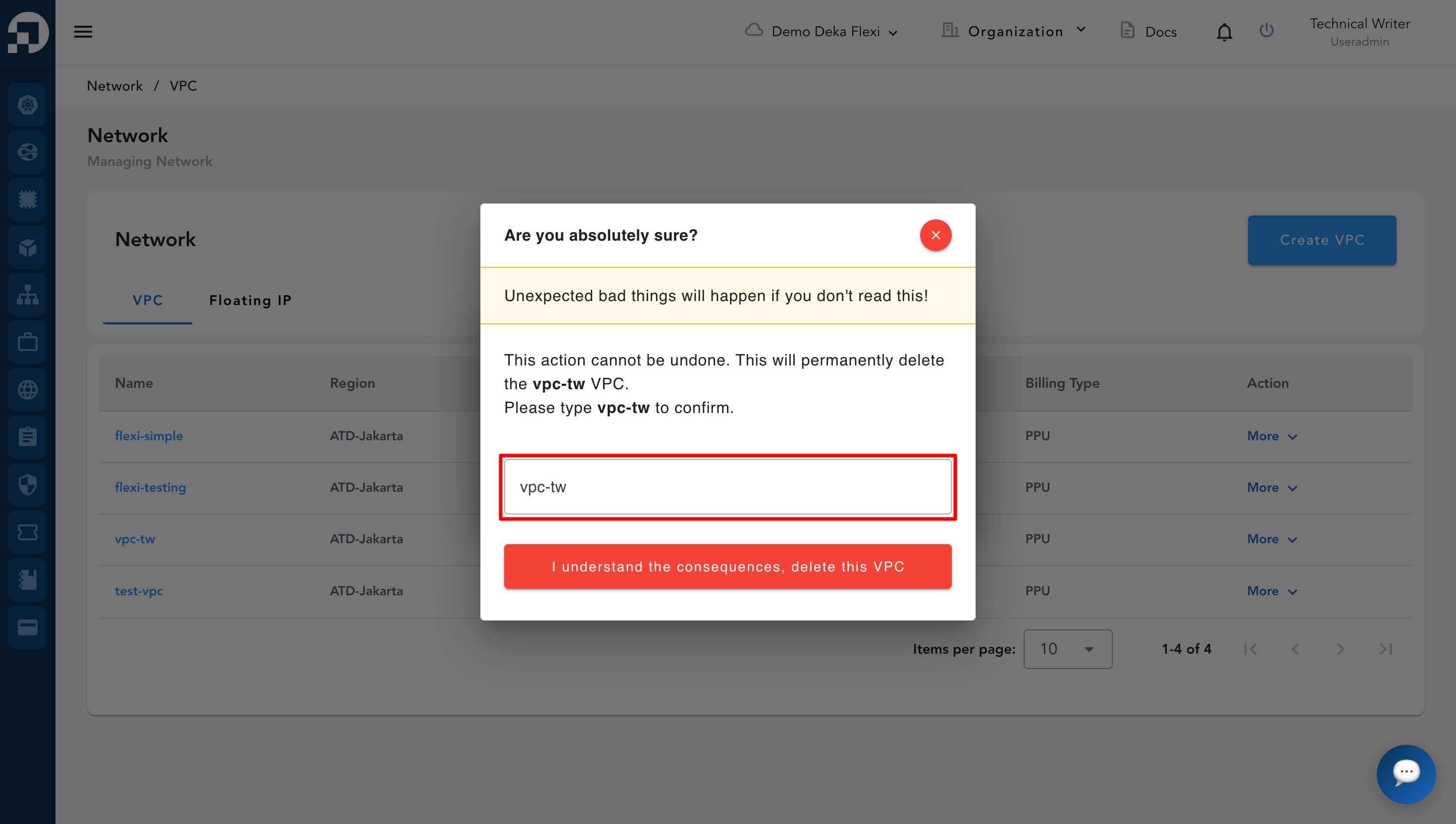
* Enter the VPC name to confirm, then click **I understand the consequences, delete this VPC**.
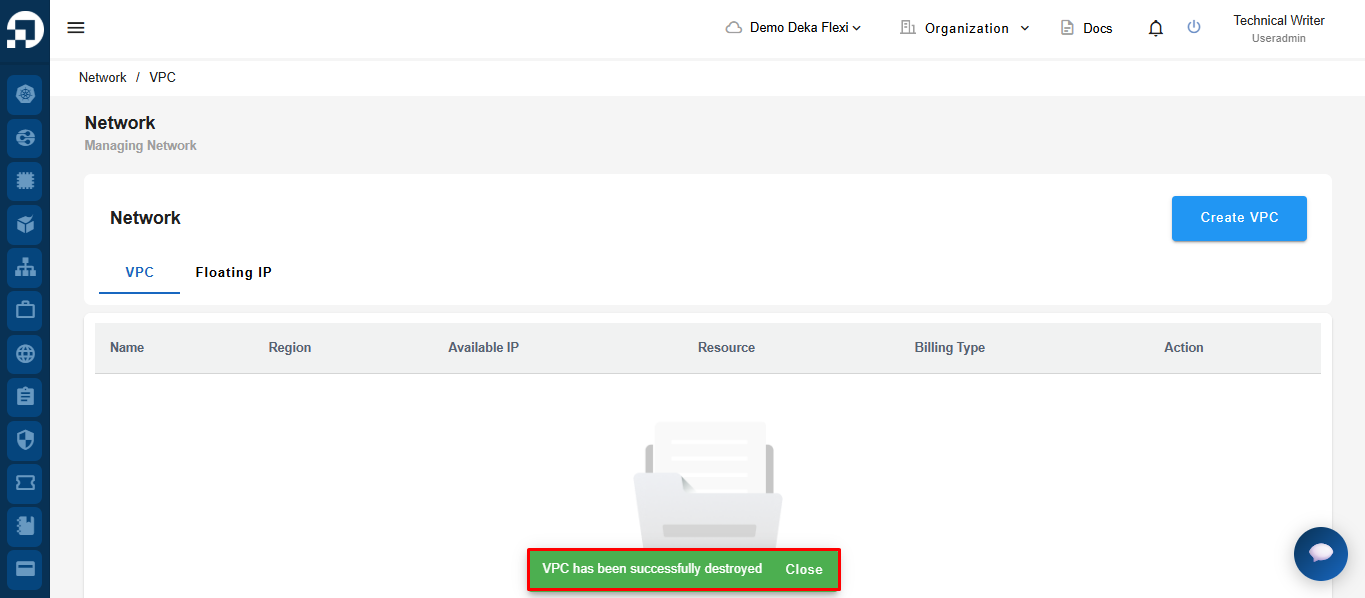
* Once confirmed, the VPC will be permanently deleted and cannot be recovered. If the deletion is successful, the system will display a notification message at the bottom of the page indicating that the **VPC has been successfully destroyed.**