> For the complete documentation index, see [llms.txt](https://docs.cloudeka.ai/llms.txt). Markdown versions of documentation pages are available by appending `.md` to page URLs; this page is available as [Markdown](https://docs.cloudeka.ai/guideline-for-individual/deka-gpu-mlops/experiments-automl/create-experiments-automl.md).

# Create Experiments (AutoML)

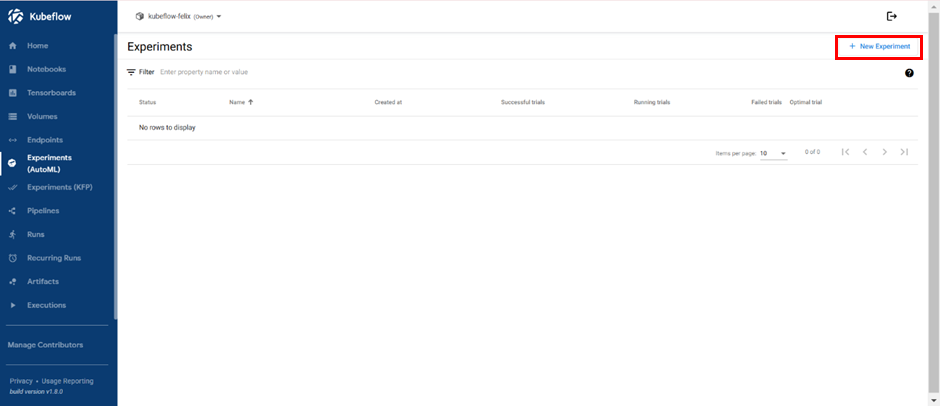
Create Experiments (AutoML) is used to create new experiment (AutoML) on the Deka MLOps Portal Service. On the Endpoints page press the button “+ New Experiment”.

<figure><img src="https://content.gitbook.com/content/dRGHNSPw8ps5rkLJZT3A/blobs/2SIT14V2GZDNRdyTuVgj/image.png" alt=""><figcaption><p>Create Experiments</p></figcaption></figure>

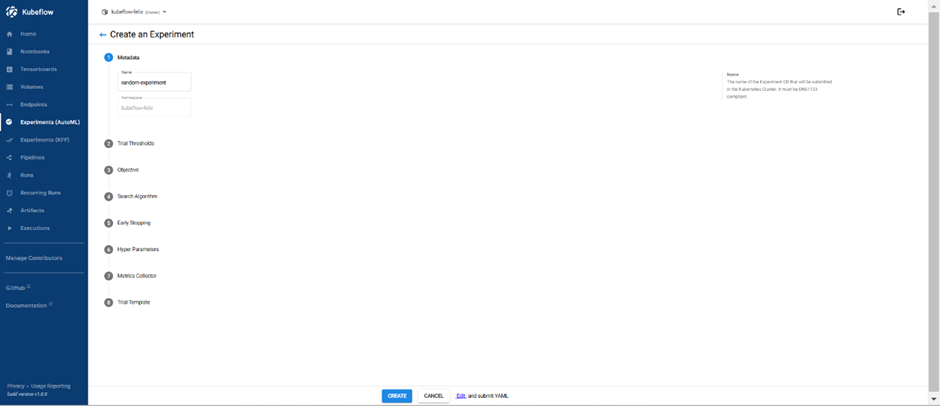
The Create Experiments page appears, there are 8 steps required to be able to create new Experiments, including the following.

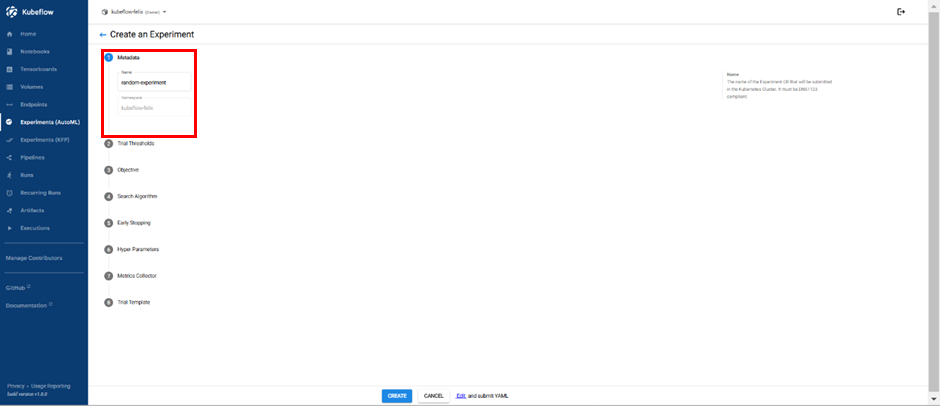
1. Metadata, type name of your Experiment.

   *

   <figure><img src="https://content.gitbook.com/content/dRGHNSPw8ps5rkLJZT3A/blobs/H4kV2H09TflJzDyaQFI2/image.png" alt=""><figcaption><p>Create Experiments-Metadata</p></figcaption></figure>

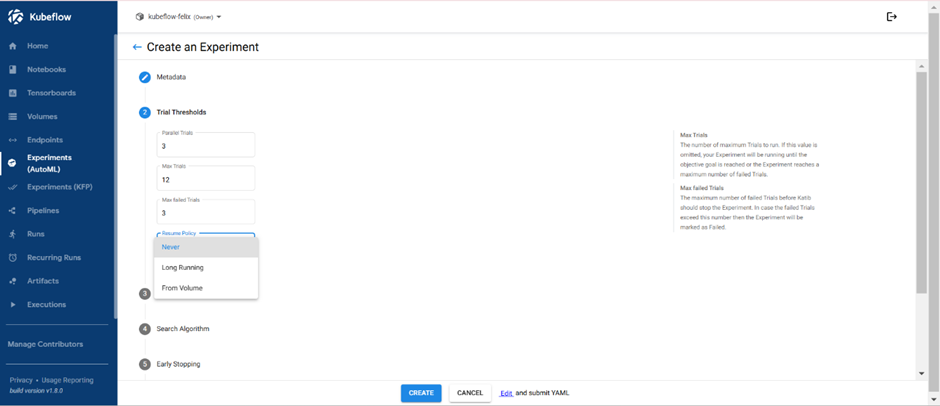
2. Trial Thresholds, choose how many Trials you want to run.

   1. &#x20;Parallel Trials
   2. Max Trials
   3. Max Failed Trials
   4. Resume Policy: Never, Long Running, and From Volume

   <figure><img src="https://content.gitbook.com/content/dRGHNSPw8ps5rkLJZT3A/blobs/oIdaNMALmbGWw8FtWO1J/image.png" alt=""><figcaption><p>Create Experiments-Trial Thresholds</p></figcaption></figure>

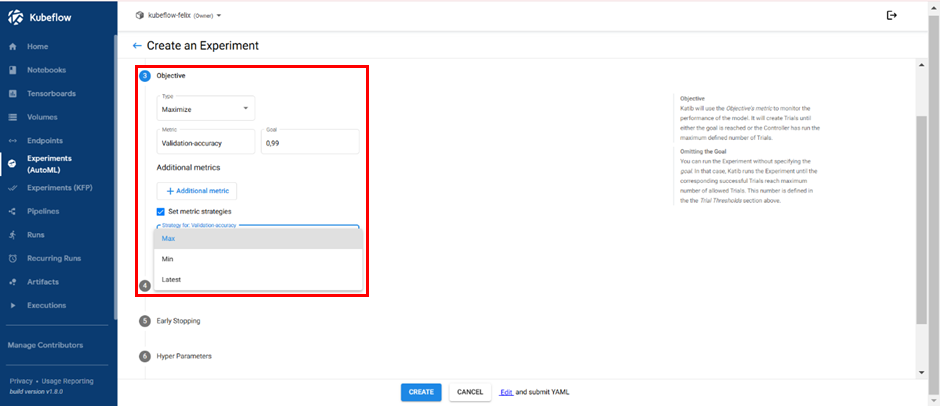
3. Objective, add metrics that you want to optimize and type of optimization.

   1. Type: Maximize, Minimize
   2. Metric and Goal, example is Validation-accuracy and 0,99. It means your goal is to achieve validation accuracy metric into 99%. You can also add another metric in this point.
   3. Set Metric Strategies: When you check it, you can choose options in “Strategy for: Validation-accuracy”: Max, Min, Latest.

   <figure><img src="https://content.gitbook.com/content/dRGHNSPw8ps5rkLJZT3A/blobs/RpvdCtZtg4fTBGXujl9S/image.png" alt=""><figcaption><p>Create Experiments-Objective</p></figcaption></figure>

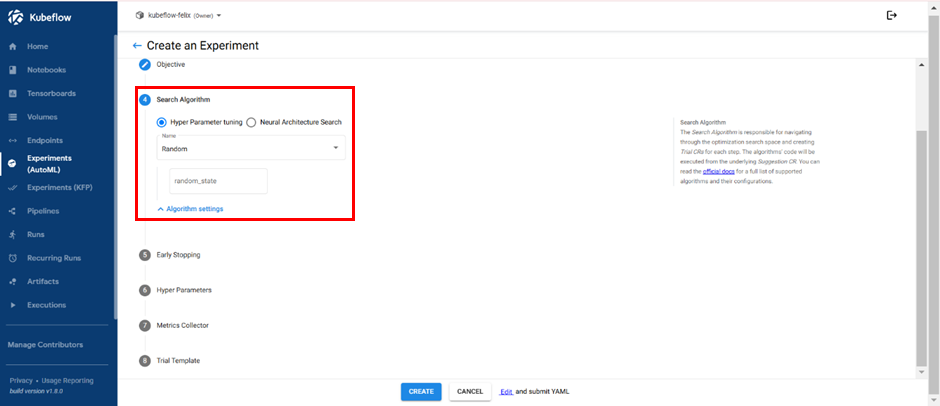
4. Search Algorithm, select hyperparameter tuning algorithm and configure algorithm settings.
   1. Hyper Parameter Tuning
      * Name: Bayesian Optimization, Covariance Matrix Adaption, Evolution Strategy, Grid, Hyperband, Multivariate Tree of parzen Estimators, Population Based Training, Random, Sobol Quasirandom Sequence, Tree of Parzen Estimators.
      * random\_state
   2. Neural Architecture Search

      * Differentiable Architecture Search: num\_epochs, w\_lr, w\_lr\_min, w\_momentum, w\_weight\_decay, w\_grad\_clip, alpa\_lr, alpha\_weight\_decay, batch\_size, num\_workers, init\_channels, print\_step, num\_nodes, stem\_multiplier.
      * Efficient Neural Architecture Search: controller\_hidden\_size, controller\_temperature, controller\_tanh\_const, controller\_entropy\_weight, controller\_baseline\_decay, controller\_learning\_rate, controller\_skip\_target, controller\_skip\_weight, controller\_train\_steps, controller\_log\_every\_steps.

      <div align="left" data-full-width="true"><figure><img src="https://content.gitbook.com/content/dRGHNSPw8ps5rkLJZT3A/blobs/ZjPUOLrGzrtjf4ApuBZ3/image.png" alt=""><figcaption><p>Create Experiments-Algorithm</p></figcaption></figure></div>

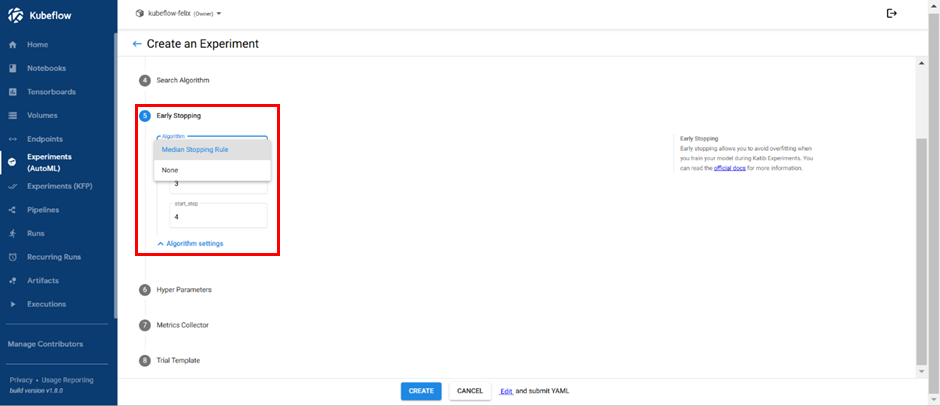
5. Early Stopping, add early stopping algorithm if that is required.
   1. Median Stopping Rule: min\_trials\_required, start\_step.
   2. None

<figure><img src="https://content.gitbook.com/content/dRGHNSPw8ps5rkLJZT3A/blobs/ZKGHJS2Yr2juvCItBDV6/image.png" alt=""><figcaption><p>Create Experiment – Early Stopping</p></figcaption></figure>

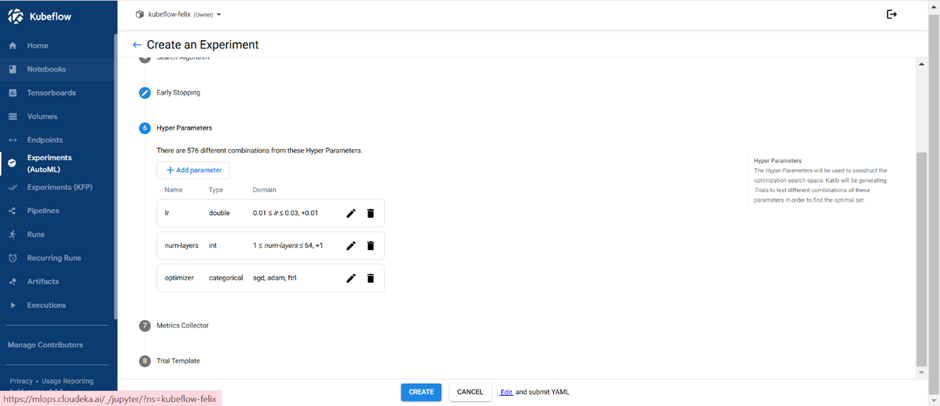
6. Hyper Parameters, add hyperparameters and search space that you want to optimize.

<figure><img src="https://content.gitbook.com/content/dRGHNSPw8ps5rkLJZT3A/blobs/MojbeXrZr6XpHWw3YJvn/image.png" alt=""><figcaption><p>Create Experiment – Hyper Parameters</p></figcaption></figure>

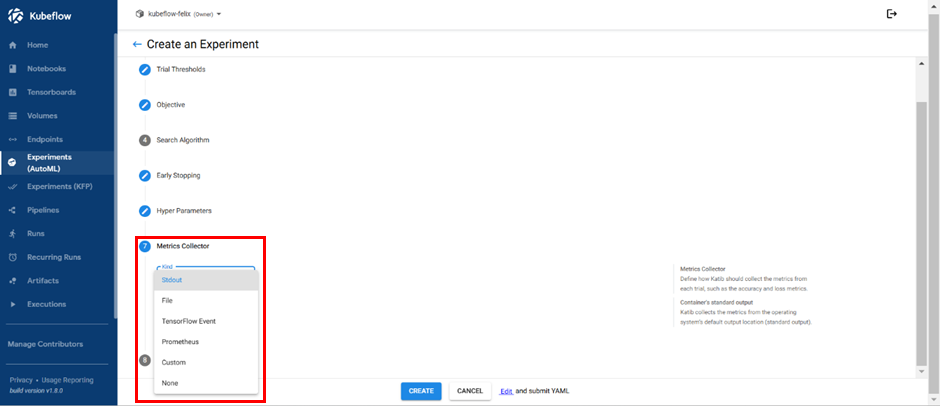
7. Metrics Collector, modify metrics collector type if that is required.

   1. Kind: Stdout, File, TensorFlow Event, Prometheus, Custom, and None.

   <figure><img src="https://content.gitbook.com/content/dRGHNSPw8ps5rkLJZT3A/blobs/vthcECscXKpprEeeeIUc/image.png" alt=""><figcaption><p>Create Experiment – Metrics Collector</p></figcaption></figure>
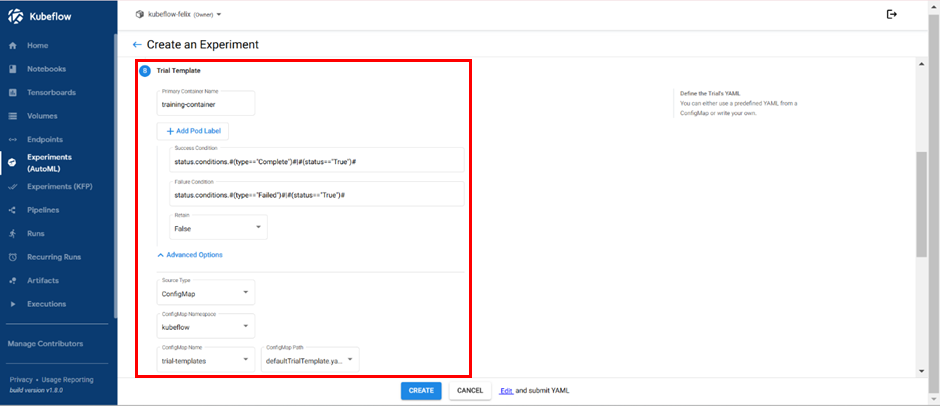
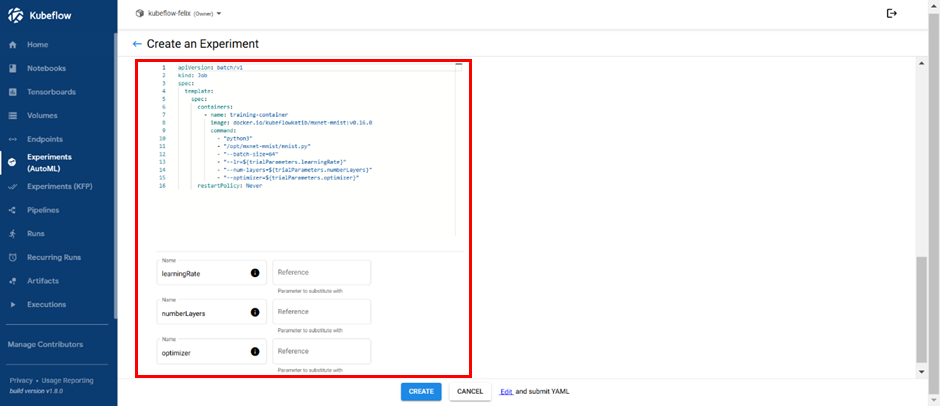
8. Trial Template

<figure><img src="https://content.gitbook.com/content/dRGHNSPw8ps5rkLJZT3A/blobs/5MSzYtgaKiStSwV5Sm4Z/image.png" alt=""><figcaption><p>Create Experiments-Trial Template</p></figcaption></figure>

<figure><img src="https://content.gitbook.com/content/dRGHNSPw8ps5rkLJZT3A/blobs/iav4u22icIkl1t1ssd6I/image.png" alt=""><figcaption><p>Create Experiments-Trial Template</p></figcaption></figure>

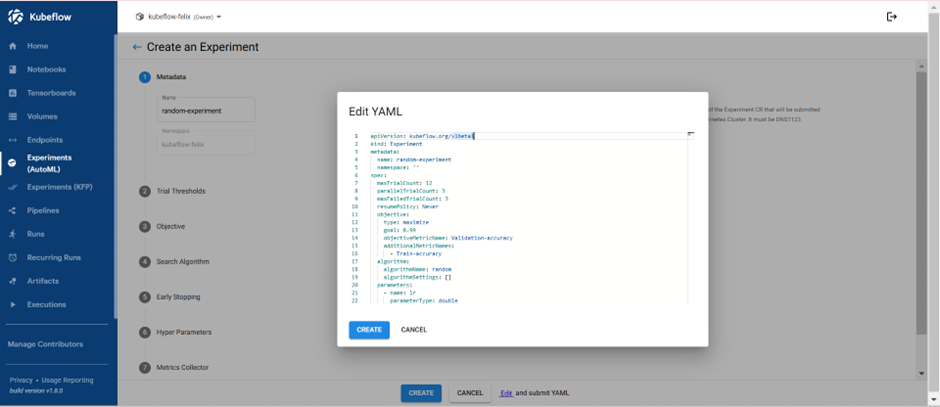
If you want to modify Experiment YAML, you can click edit and submit YAML at the bottom.

<figure><img src="https://content.gitbook.com/content/dRGHNSPw8ps5rkLJZT3A/blobs/iptNCcZm1Mz5GxD4z8pX/image.png" alt=""><figcaption><p>Modify YAML</p></figcaption></figure>

<figure><img src="https://content.gitbook.com/content/dRGHNSPw8ps5rkLJZT3A/blobs/rDnzDkHbGNm0Z6ytx9Gf/image.png" alt=""><figcaption><p>Modify YAML</p></figcaption></figure>

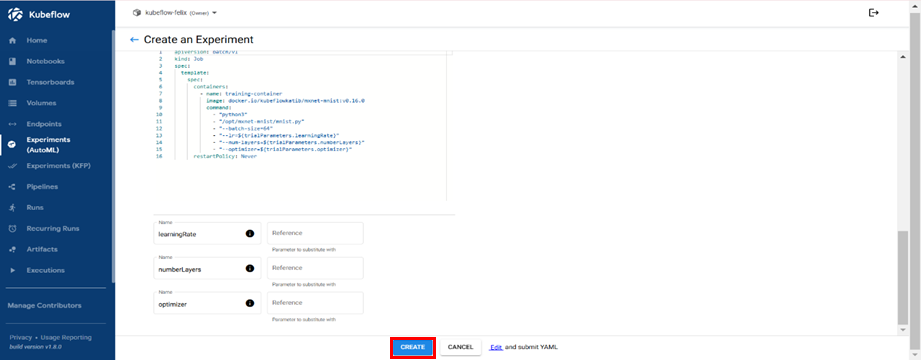
Click  the “Create” button when you have finished setting up the Experiments.

<figure><img src="https://content.gitbook.com/content/dRGHNSPw8ps5rkLJZT3A/blobs/Vr66M4VMeJ4mjMSYMaGa/image.png" alt=""><figcaption><p>Create Experiments (AutoML)</p></figcaption></figure>