> For the complete documentation index, see [llms.txt](https://docs.cloudeka.ai/llms.txt). Markdown versions of documentation pages are available by appending `.md` to page URLs; this page is available as [Markdown](https://docs.cloudeka.ai/guideline-for-individual/deka-gpu-mlops/recurring-runs/delete-recurring-runs.md).
# Delete Recurring Runs
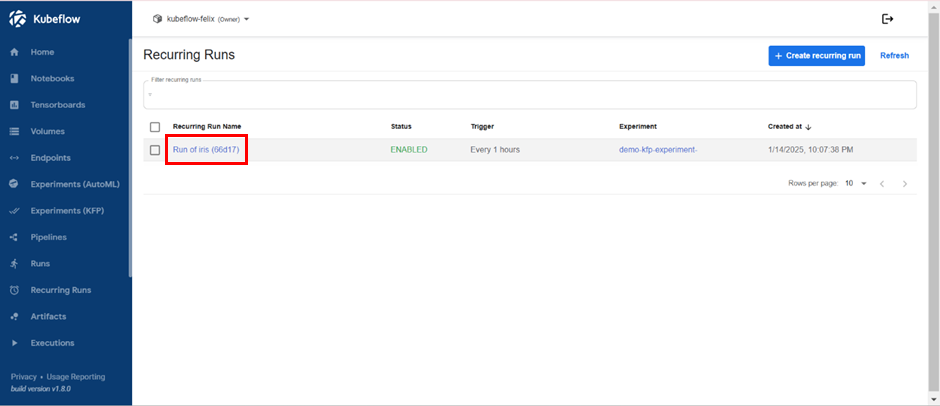
If you have finished or no longer need an active recurring run, it can be deleted. First, you need to click on the name of the active recurring run that you wish to delete.
Delete Active Recurring Runs
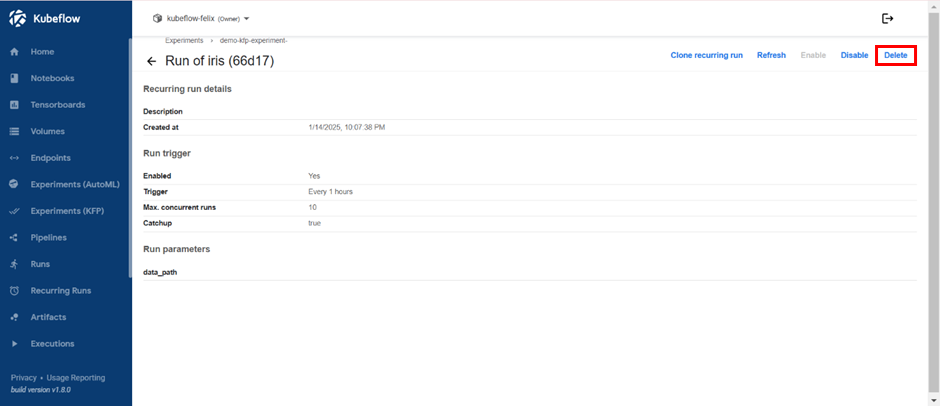
Then, you will be directed to the details window for that specific recurring run that you want to delete.
Delete Active Recurring Runs
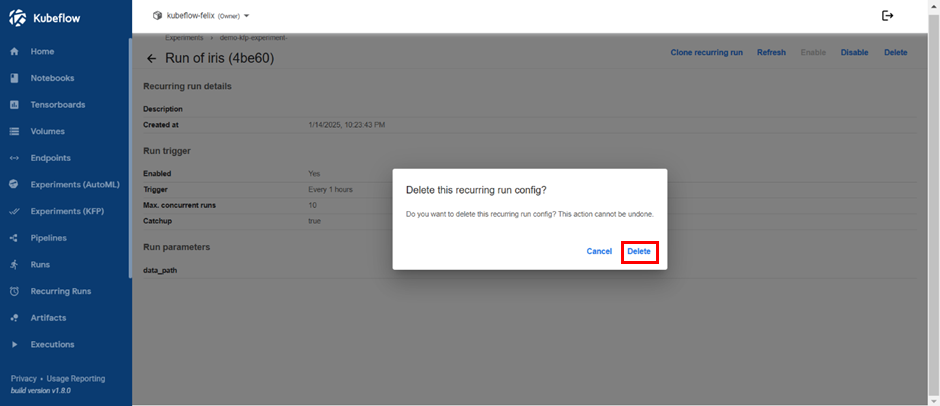
You need to select the “Delete” button located at the top right, which will prompt a confirmation window to delete the recurring run.
Delete Active Recurring Runs
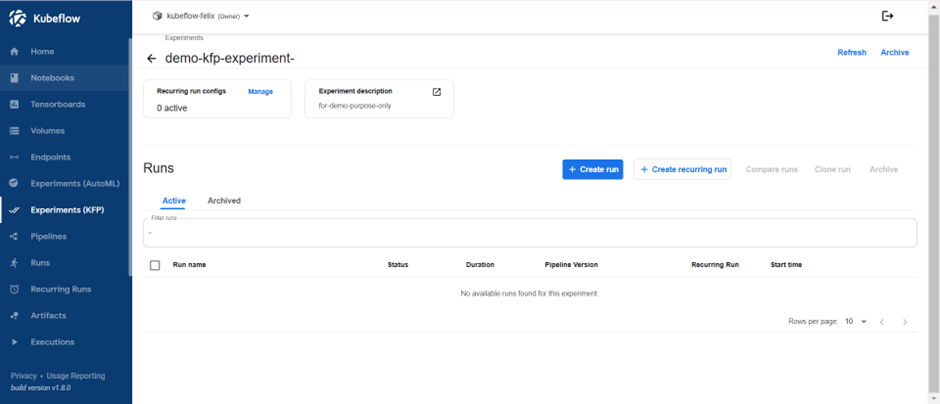
If successful, you will be redirected to the Experiments (KFP) menu.