> For the complete documentation index, see [llms.txt](https://docs.cloudeka.ai/llms.txt). Markdown versions of documentation pages are available by appending `.md` to page URLs; this page is available as [Markdown](https://docs.cloudeka.ai/guideline-for-individual/deka-gpu-mlops/runs/delete-active-run.md).
# Delete Active Run
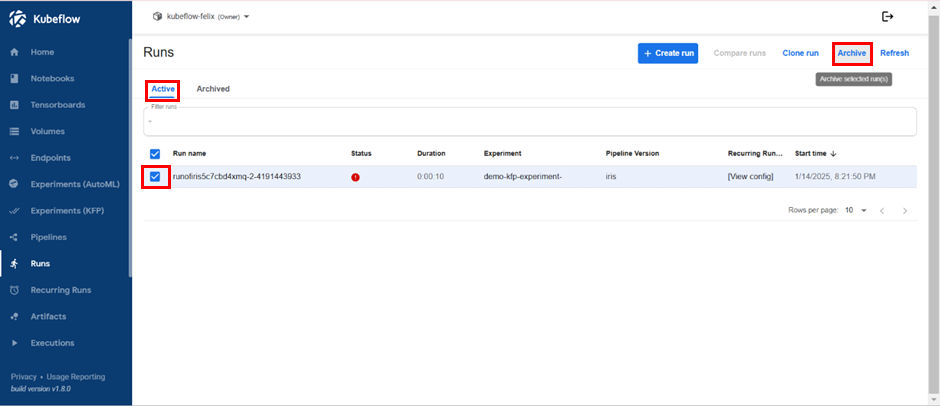
If you wish to delete an active run, you can check the box next to the name of the run on the left side. Then, click the “Archive” button located at the top right.
Archive Existing Runs
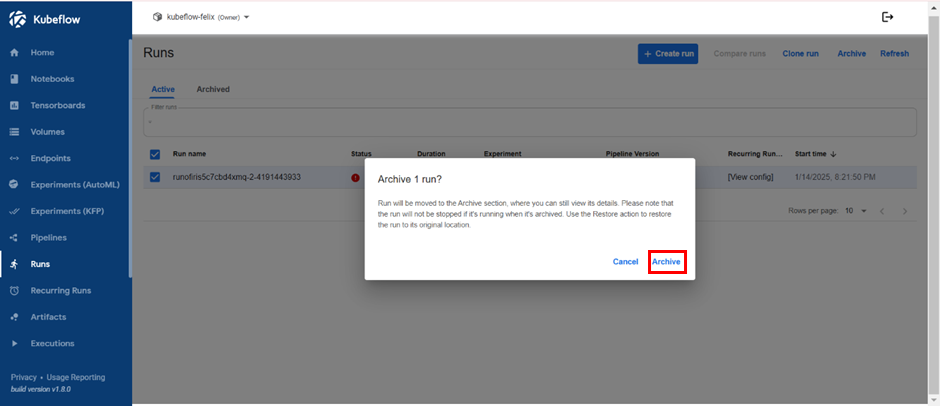
Select the “Archive” button once the confirmation window appears.
Archive Existing Runs
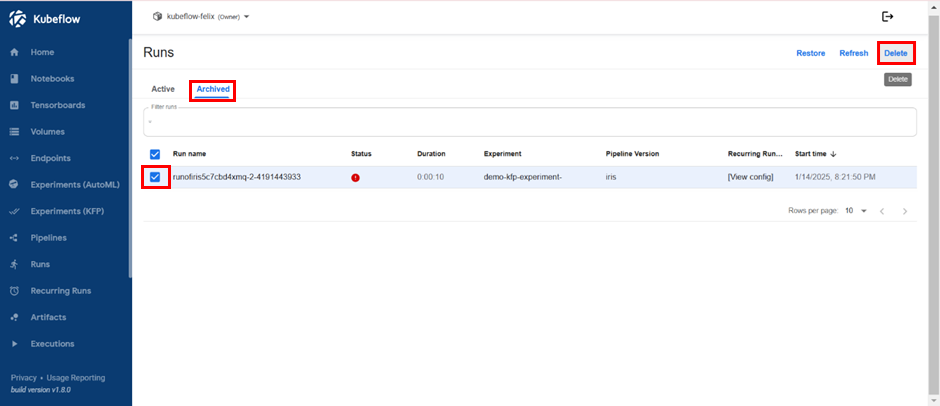
Next, switch to the Archived submenu and check the box corresponding to the run you previously selected. Click the “Delete” button at the top right.
Delete Existing Runs
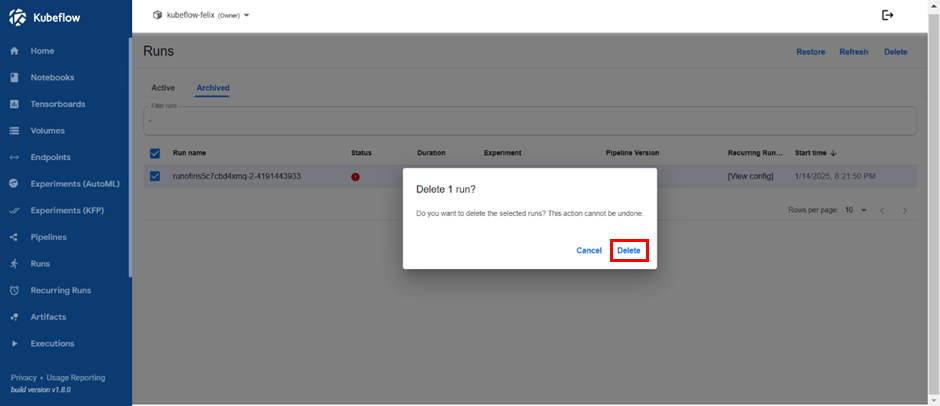
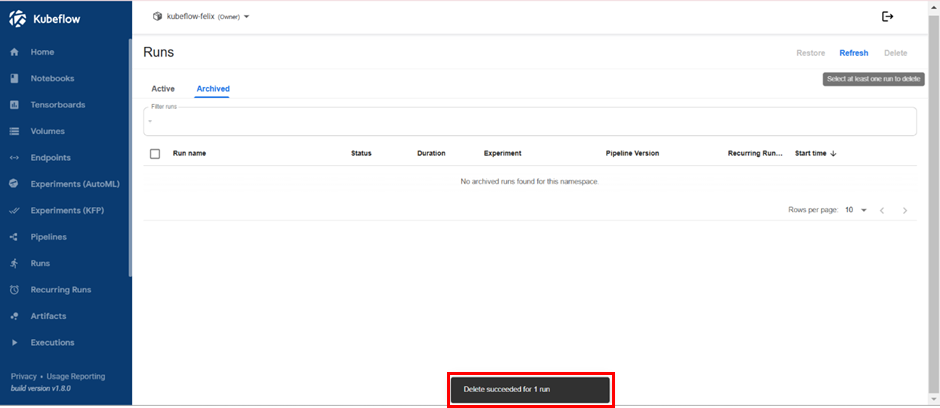
Choose the “Delete” button after the confirmation window appears. If the deletion is successful, a notification will appear in the bottom right corner stating, “Delete succeeded for 1 run”.