> For the complete documentation index, see [llms.txt](https://docs.cloudeka.ai/llms.txt). Markdown versions of documentation pages are available by appending `.md` to page URLs; this page is available as [Markdown](https://docs.cloudeka.ai/guideline-for-individual/deka-gpu/deka-gpu-kubernetes/services-account/tab-service-accounts/delete-service-account.md).
# Delete Service Account
The **Delete** feature is used to remove a Service Account from the system. Once deleted, the resource can no longer be used, so make sure it is no longer needed.
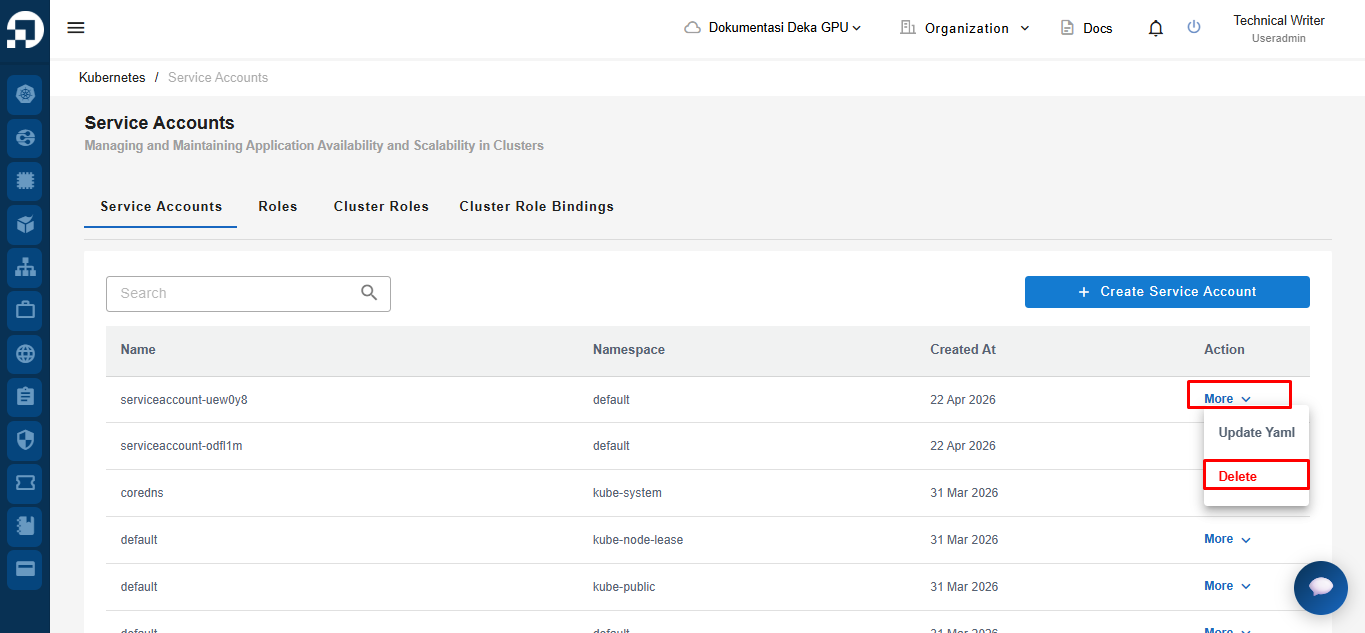
To delete a Service Account, click the **More** button, then select **Delete**.
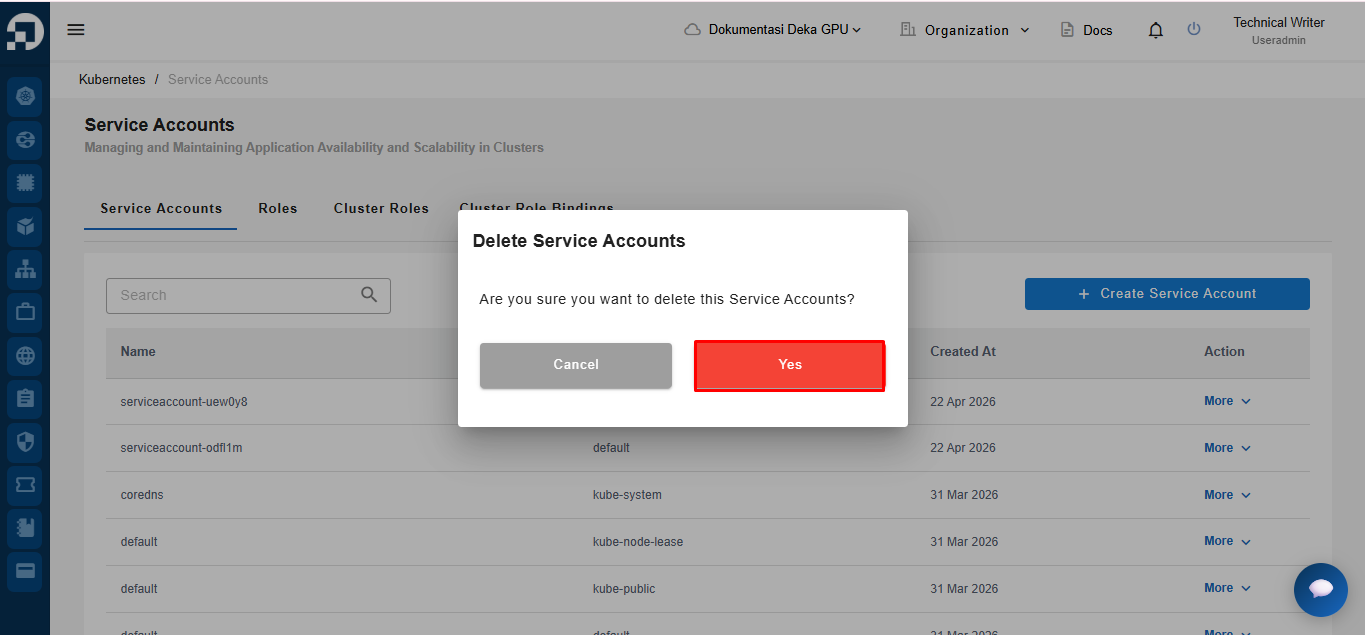
The system will display a confirmation notification, click the **Yes** button to proceed.
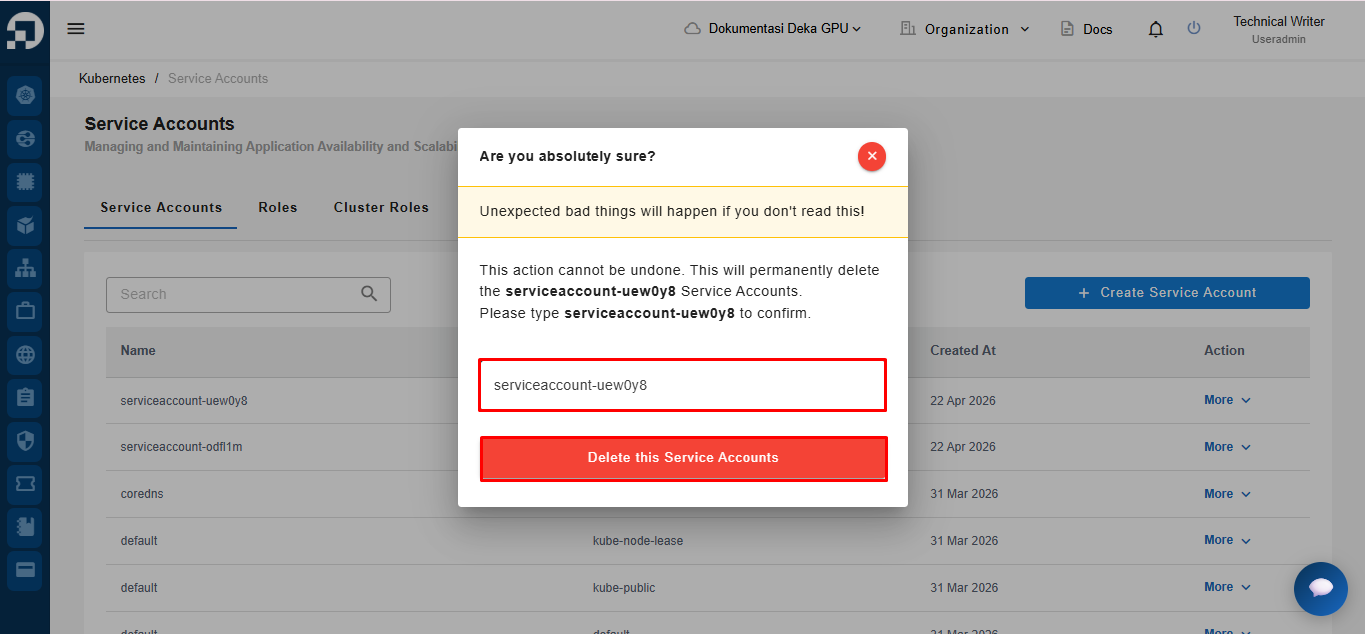
A confirmation page will appear. Re-enter the Service Account name in the provided field. Click **Delete this Service Accounts** to complete the deletion process.
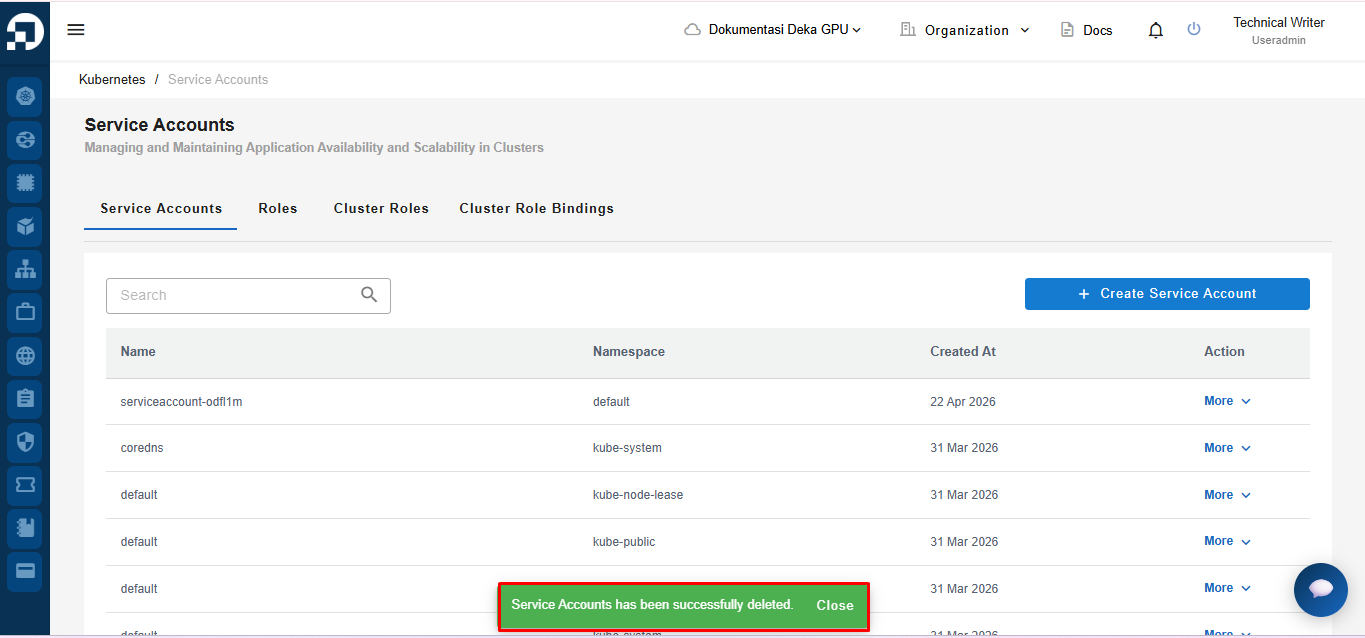
After the deletion process is successful, the system will display a notification **“Service Accounts has been successfully deleted.”**