> For the complete documentation index, see [llms.txt](https://docs.cloudeka.ai/llms.txt). Markdown versions of documentation pages are available by appending `.md` to page URLs; this page is available as [Markdown](https://docs.cloudeka.ai/guideline-for-individual/deka-gpu/deka-gpu-registry/detail-registry/labels/update-label.md).
# Update Label
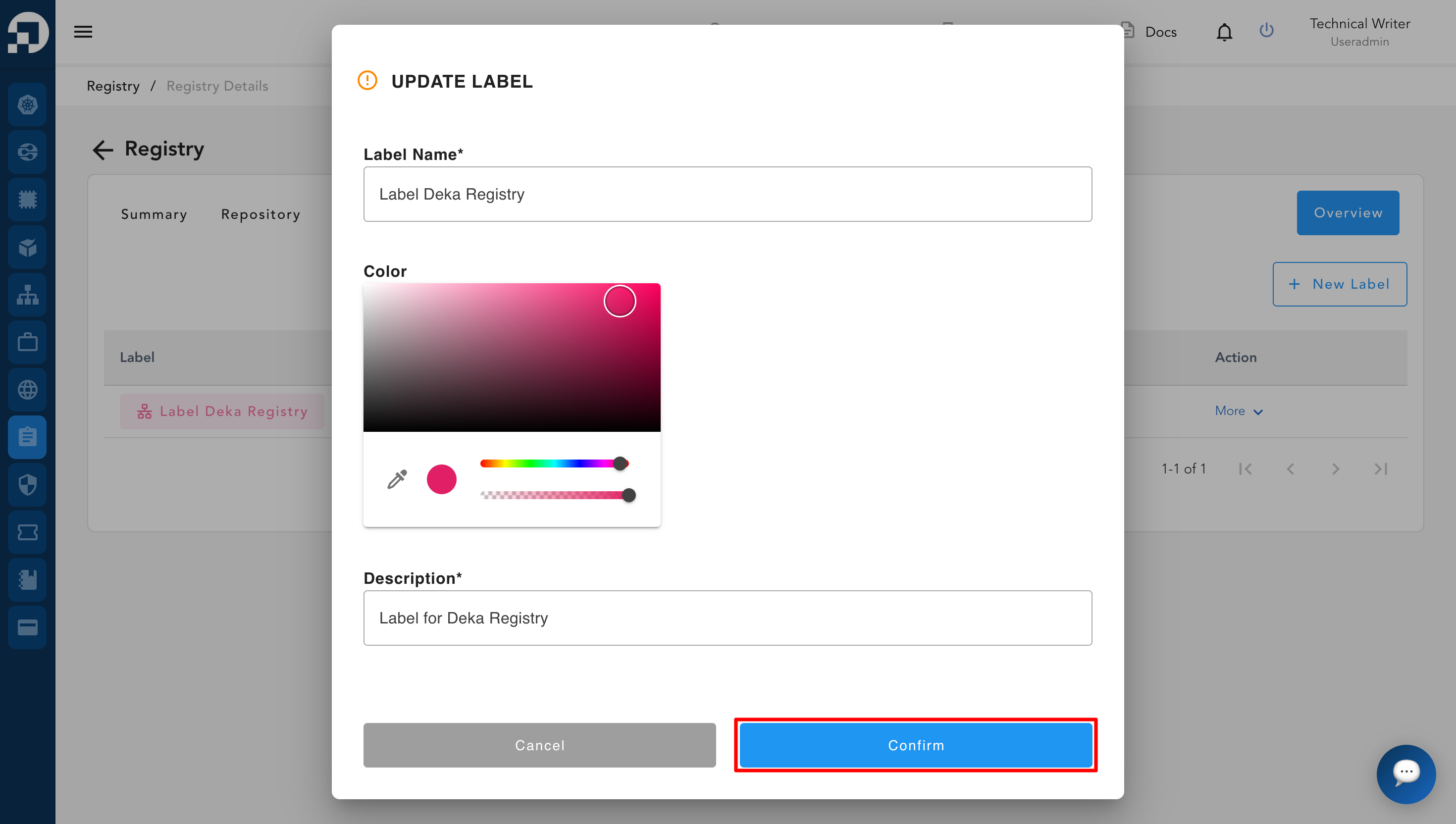
The **Update Label** feature is used to modify previously created label data. Through this feature, users can update label information such as the **label name**, **color**, and **description** to keep it aligned with current needs or changes. This feature helps ensure that label data remains accurate, relevant, and easy to manage within the registry. To modify label data, follow the steps below:
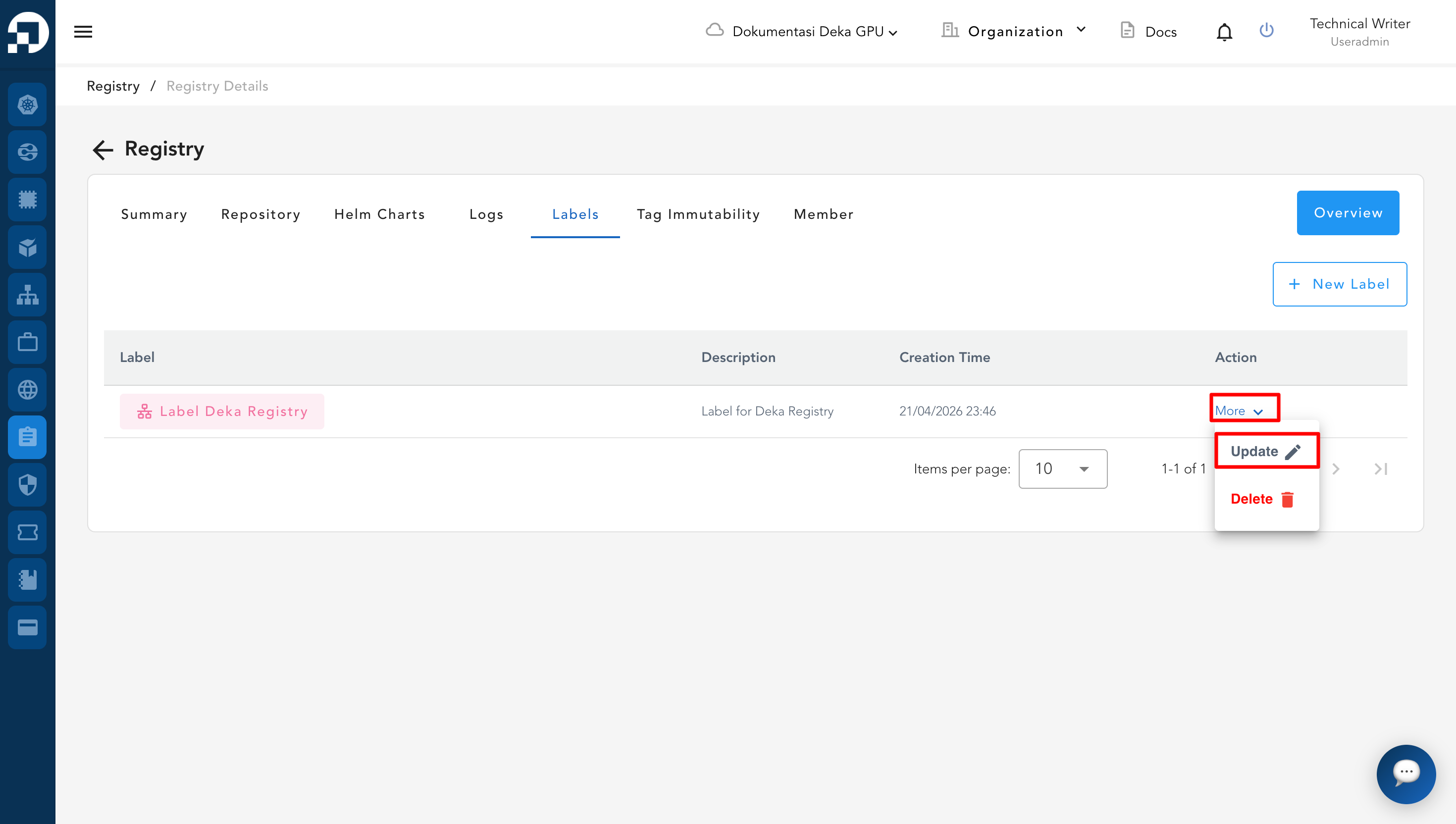
* Click **More**, then select **Update**.
* The system will automatically display a form to update the label data. Make the necessary changes, then click the **Confirm** button to save the updates.
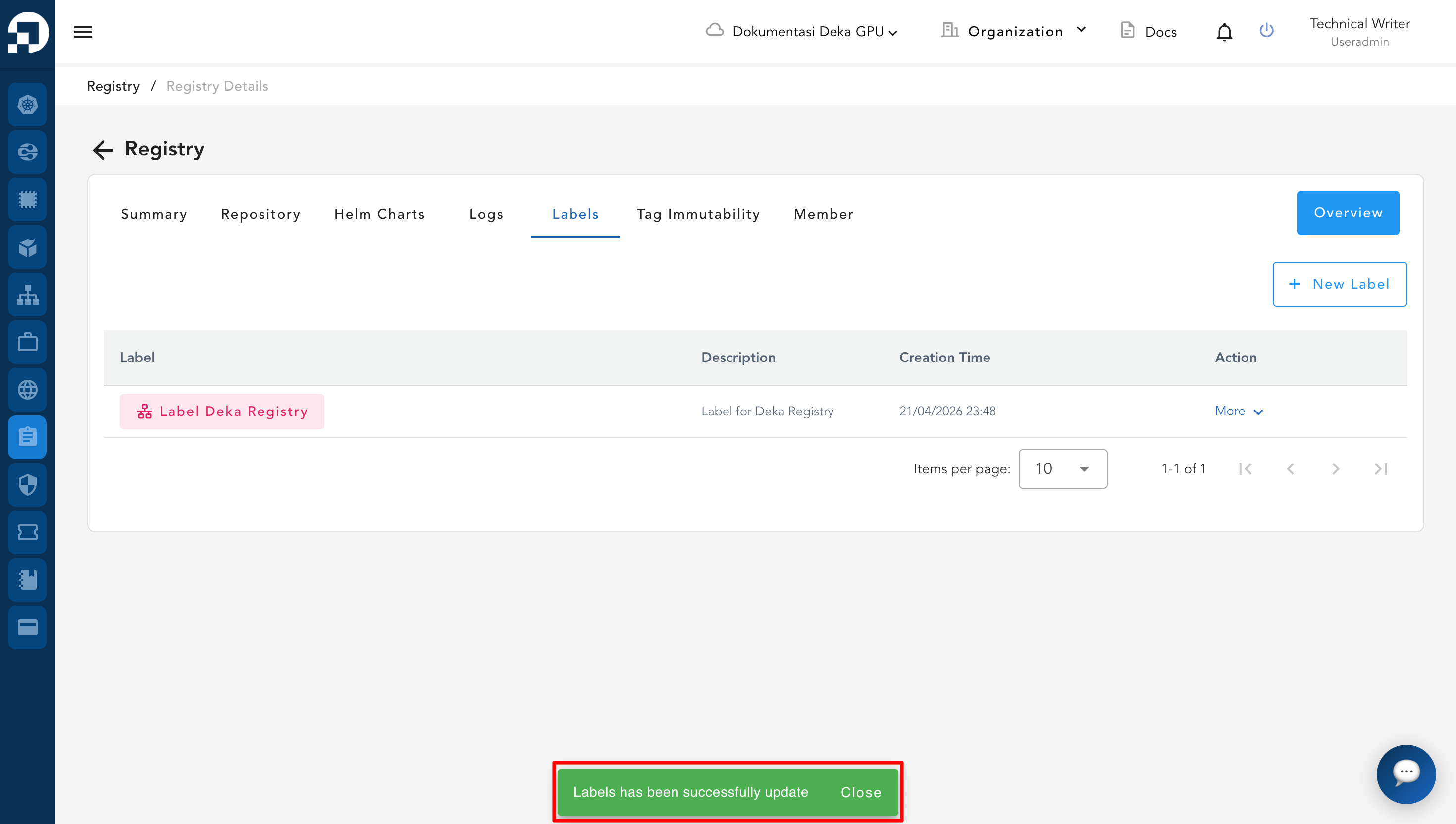
* The system will automatically display a notification **“Labels has been successfully updated”**, indicating that the label data has been updated successfully.