> For the complete documentation index, see [llms.txt](https://docs.cloudeka.ai/llms.txt). Markdown versions of documentation pages are available by appending `.md` to page URLs; this page is available as [Markdown](https://docs.cloudeka.ai/guideline-for-individual/deka-gpu/deka-gpu-registry/detail-registry/tag-immutability/managing-rule-status/enable-rule.md).
# Enable Rule
The **Enable Rule** feature on the Registry page allows you to activate a rule that has been created so the system can start applying the defined logic or policy within the registry. Once enabled, all matching conditions will be evaluated and executed by the system.
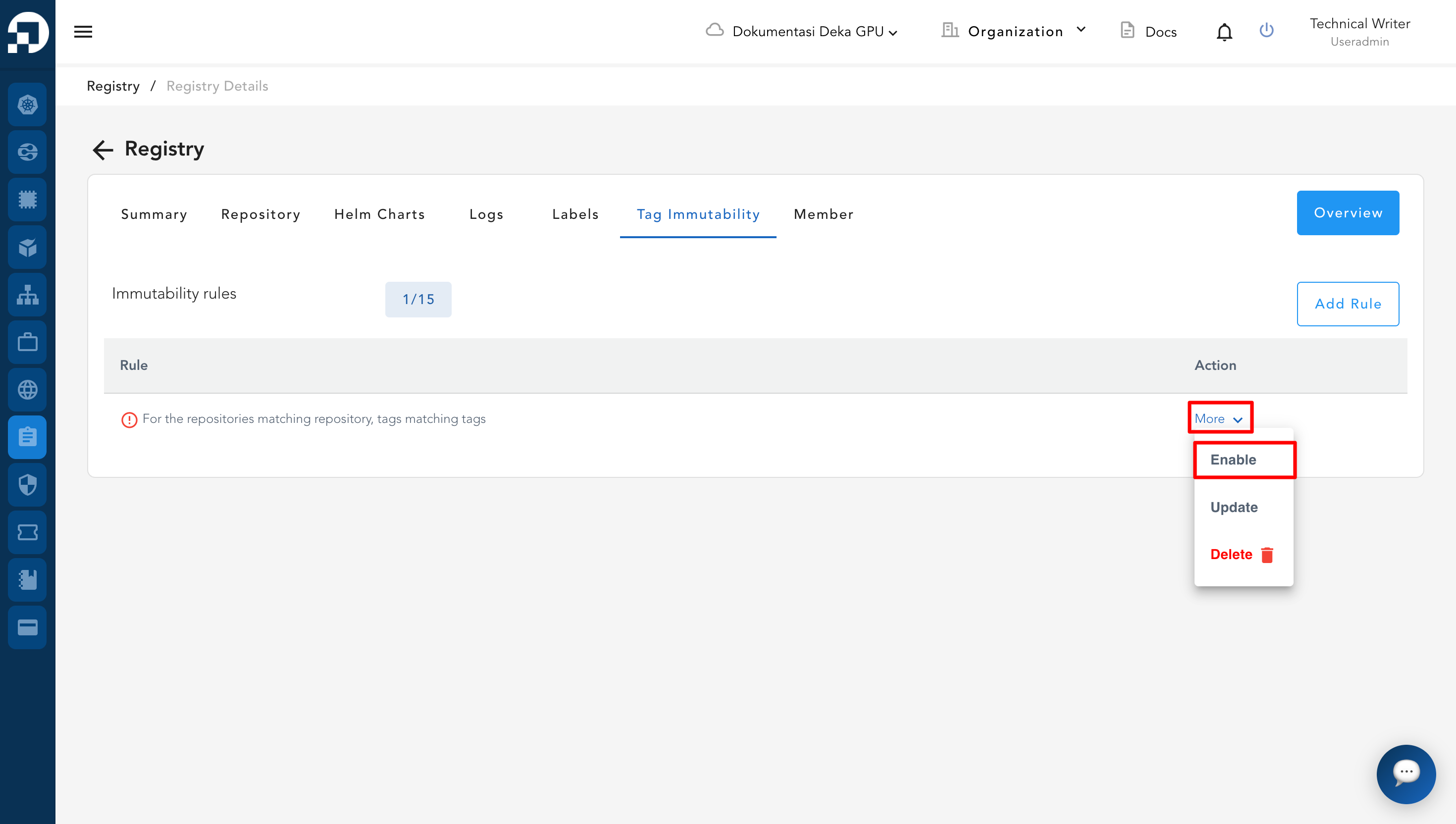
* Go to the Registry page and select the **Tag Immutability** tab → Locate the data or tag you want to enable → Click the **More** button on that data/tag → Select **Enable** to activate the rule.
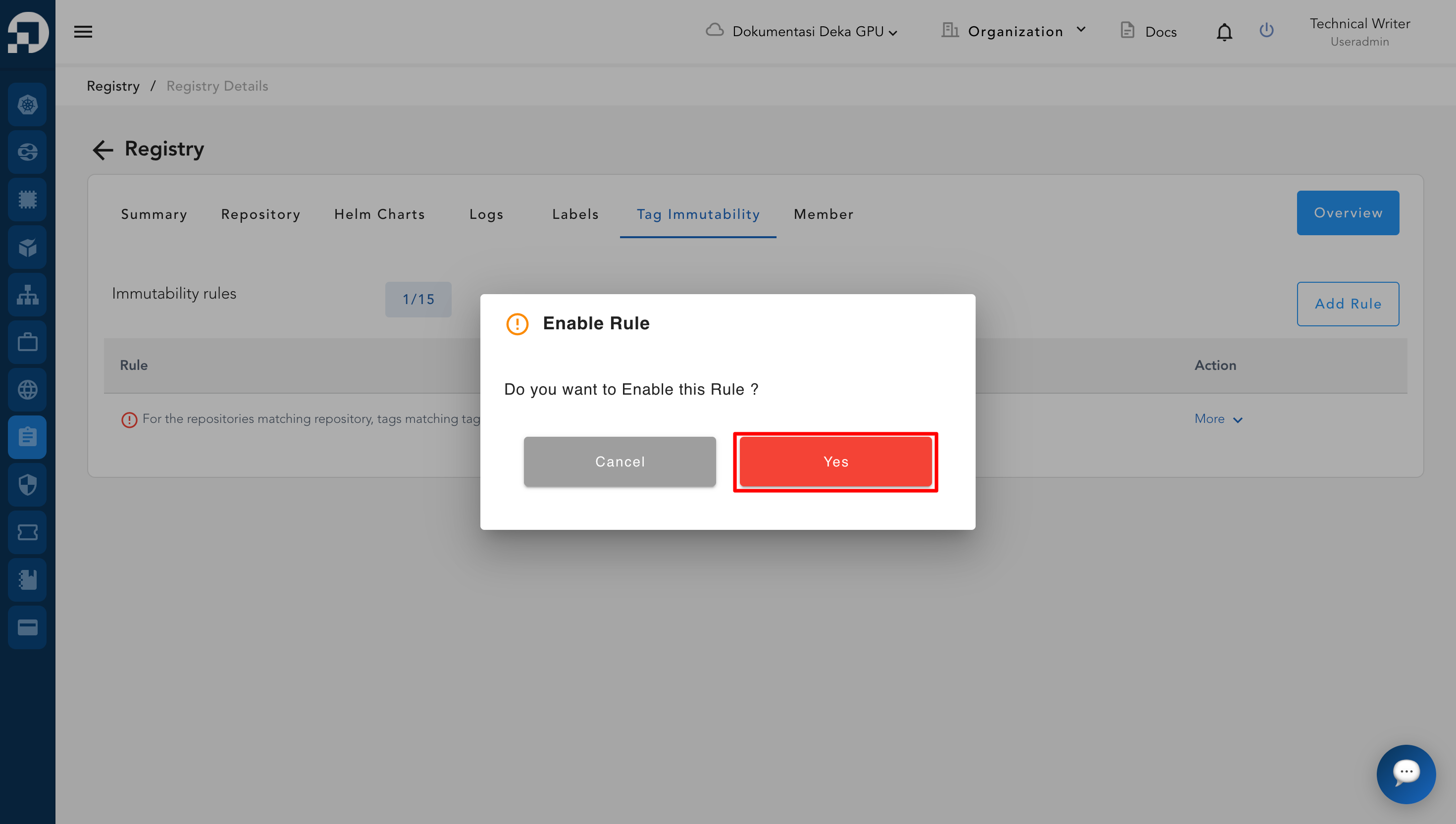
* Locate the data or tag you want to enable → Click the **More** button on that data/tag → Select **Enable** to activate the rule → After clicking **Enable**, the system will display a confirmation notification for **Enable Rule** → Click the **Yes** button.
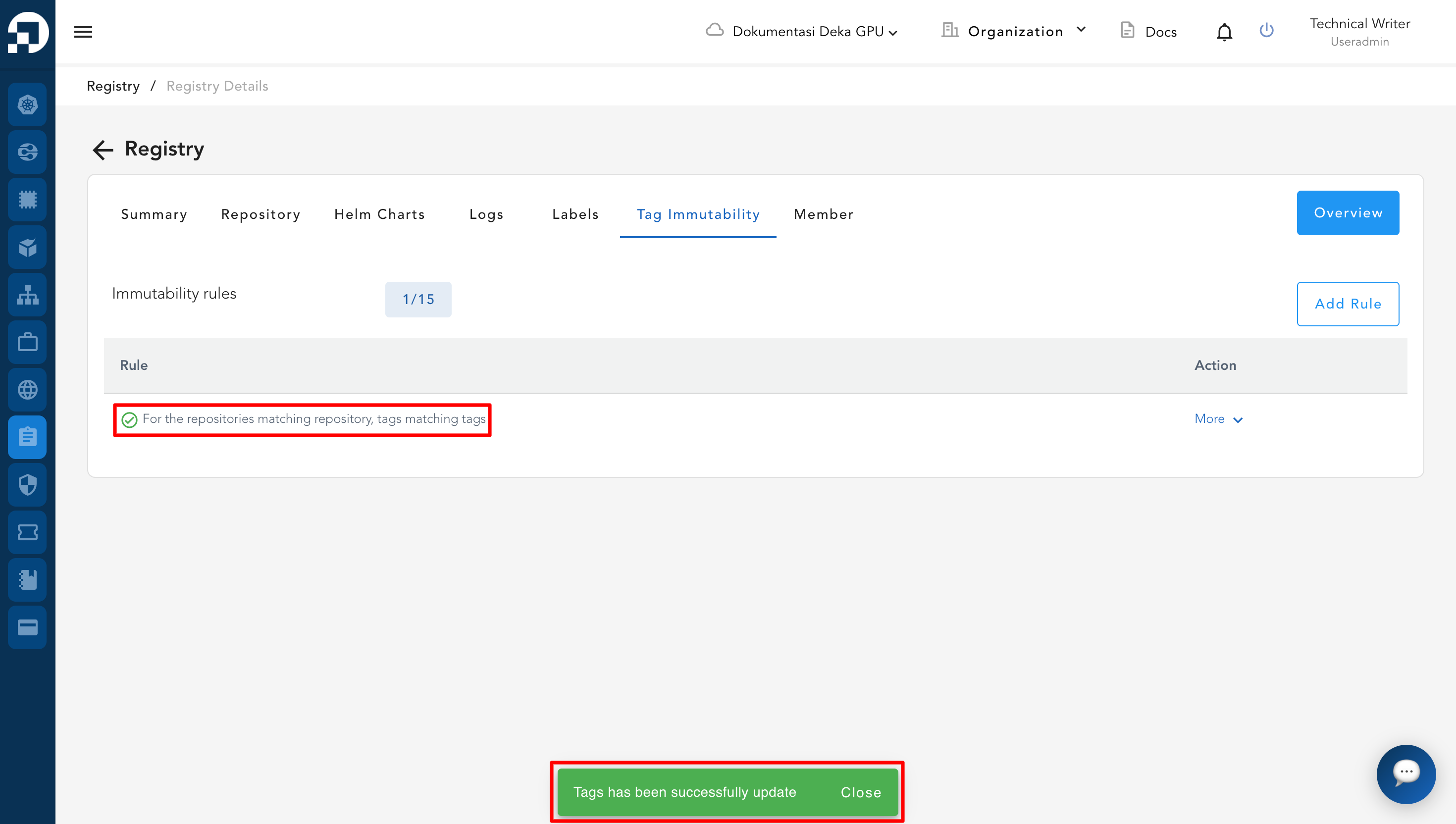
* After the user clicks the **Yes** button on the **Enable Rule** confirmation, the system will display the notification **"Tags has been successfully updated"**, indicating that the rule has been successfully activated.
{% hint style="success" %}
In the **Tag Immutability** table, active rules are marked with a **green icon featuring an exclamation mark**, as shown in the illustration. This green icon indicates that the rule is currently **enabled.**
{% endhint %}